







You packed your life into a 40L backpack. Your office is a café in Medellín this week, a co-working space in Lisbon next week, and a beachside Airbnb in Bali the week after. Your laptop cost $1,500+. Your noise-cancelling headphones cost $350. Your portable charger, adapters, and cables cost another $100. And your mouse?
You're either using a trackpad that limits your productivity or a cheap wireless mouse you grabbed at an airport that cramps your hand after 45 minutes.
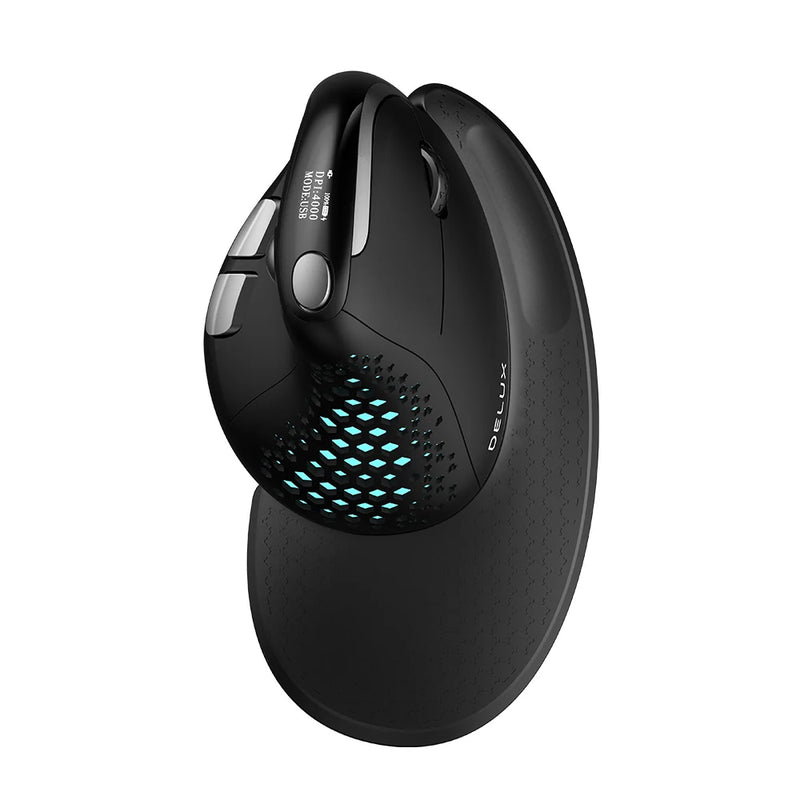
Digital nomads have the most demanding mouse requirements of any professional group. The mouse must be portable enough to carry daily, wireless enough to work without dongles on any device, durable enough to survive constant packing and unpacking, comfortable enough for 6–10 hour work sessions on unpredictable surfaces, and reliable enough that it never fails you when there's no electronics store within 200 kilometers.
That's why this guide doesn't recommend one mouse. It recommends mouse breeds — the different categories of wireless mice that serve different nomad workflows — and the best model in each category. Because a freelance designer in Chiang Mai needs a different mouse than a remote software engineer in Porto, who needs a different mouse than a content creator in Mexico City. Same lifestyle. Different tools.
At Smart Mouse Co, mice are our entire business. Every mouse in our collection is curated for wireless connectivity, ergonomic quality, and the portable, multi-device workflows that digital nomads actually live. This is what we do — and only what we do.
Quick Picks: Best Mouse for Digital Nomads by Category
| Mouse | Best For | Price | Highlight |
|---|---|---|---|
| Air Nova | Remote presenters + client calls |
|
⭐ Best All-in-One |
| Seeker | Daily carry + café work | $89 | ⭐ Best Travel Mouse |
| PenX | Ultralight packers + minimalists | $37.95 | ⭐ Lightest Pack Weight |
| Elevate Pro | Long sessions + co-working desks |
|
⭐ Best Ergonomic |
| Touch Flow | Gesture-first Mac nomads |
|
⭐ Best Trackpad |
| Verta | Vertical comfort at a mid-range price | $59 | ⭐ Best Vertical Value |
| ErgoGlide | Budget ergonomic for new nomads | $49.95 | ⭐ Best Mid-Range |
| Lumos | Silent clicks for hostels + shared spaces | $59 | ⭐ Best Silent |
| Orbit | Trackball for tiny surfaces | $59 | ⭐ Best for Tight Spaces |
| ErgoX | Cheapest reliable travel mouse | $34.95 | ⭐ Best Budget |
Browse all 17 Smart Mouse Co mice →
Why Digital Nomads Can't Use Just Any Mouse
A mouse that works fine at a permanent home office often fails spectacularly on the road. Here's what makes nomad use different from stationary desk work — and why it matters when choosing your mouse:
Surfaces are unpredictable. You're tracking on a varnished wooden café table in Bangkok, a glass co-working desk in Berlin, a scratched hotel surface in Bogotá, a textured Airbnb dining table in Tulum, and occasionally your own knee on a bus in Vietnam. Your mouse sensor needs to handle all of it without skipping, drifting, or losing tracking. Cheap mice that work fine on a mousepad at home fail on real-world nomad surfaces.
Space is always limited. Café tables are small. Airplane trays are smaller. Hostel desks are sometimes just a shelf. You don't have the luxury of a full-size mousepad and 50cm of arm room. Your mouse needs to operate accurately in tight quarters — which means either a compact body that moves precisely in small arcs, or a trackball that doesn't move at all.
Pack weight and volume matter. You're carrying everything you own. Every gram counts. Every cubic centimeter of bag space is accounted for. A mouse that's 20g lighter, 1cm smaller, or has a slimmer profile isn't a minor advantage — it's the difference between fitting in your tech pouch and adding awkward bulk to your pack.
Dongles get lost. USB-A receivers are tiny plastic pieces that fall out of pockets, slip between couch cushions, and disappear in transit. Bluetooth mice that pair directly — no dongle needed — eliminate a real failure point for nomads. If a 2.4GHz dongle is part of the setup, it needs to store inside the mouse body, not loose in a bag.
Sessions are long and irregular. Nomad work isn't 9-to-5. It's a 4-hour sprint at a café, a 2-hour catch-up from a hotel, then a 6-hour deep-work block at a co-working space. Your mouse must be comfortable across all of those contexts — not just the first 30 minutes.
Charging must be effortless. You're already managing laptop chargers, phone cables, power banks, and adapters across different outlet standards. A mouse with USB-C charging that shares a cable with your laptop is ideal. A mouse with multi-month battery life that you charge once and forget is even better.
Why Smart Mouse Co? Because Mice Are Our Only Business
When you search "travel mouse" on Amazon, you get 8,000 results. Most are generic. Half are from brands that didn't exist last year. The reviews are unreliable. The product photos are identical across five different listings. You waste 45 minutes comparing specifications that all blur together, then pick one that arrives and disappoints.
Smart Mouse Co is different. Mice are the entire company. Every mouse in the collection is curated for wireless connectivity, ergonomic quality, build durability, and compatibility with the multi-device, multi-surface, multi-timezone lifestyle that digital nomads live. When you buy from a specialist, you skip the noise and get a mouse selected by people who understand that your pointing device travels as many miles as you do.
Free worldwide shipping. That's not a throwaway line — when you're in Lisbon this month and Kuala Lumpur next month, worldwide shipping isn't a perk. It's a requirement. Every Smart Mouse Co order ships free to wherever you are right now.
The 10 Best Mouse Breeds for Digital Nomads
Breed #1: The All-in-One — Mouse + Presenter Remote
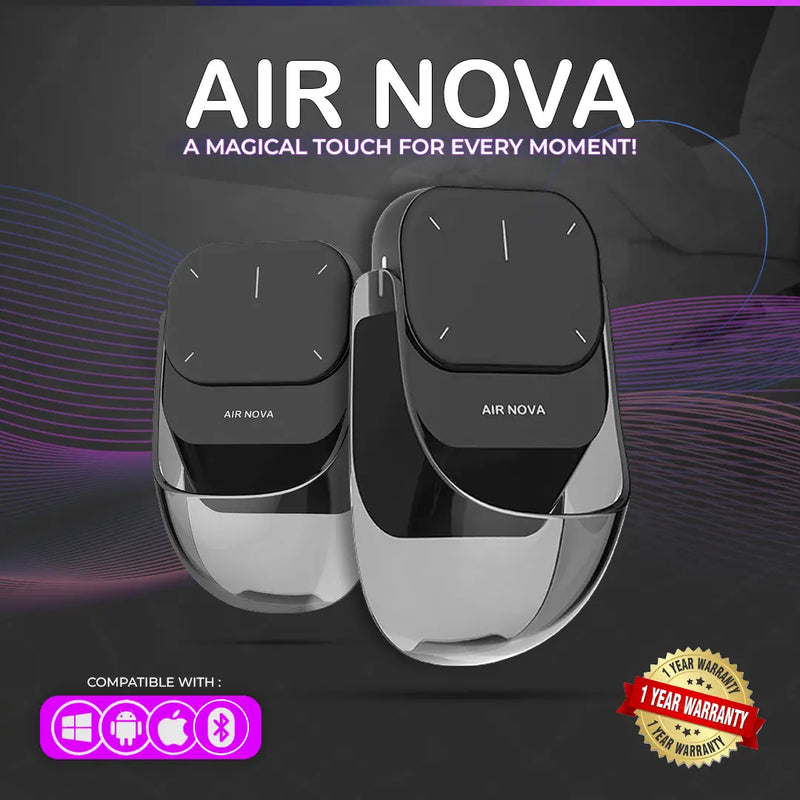
Air Nova — $149 $89
⭐ BEST ALL-IN-ONE NOMAD MOUSE
Best for: Remote consultants, freelance trainers, startup founders, and anyone who presents on Zoom/Meet AND works on a laptop — all from the same backpack.
The digital nomad's packing dilemma: carry a mouse for daily work AND a wireless presenter for client calls and remote presentations? Or compromise on one? The Air Nova solves it. Its detachable dual-mode design functions as a full Bluetooth mouse for everyday work, then the top section detaches to become a wireless presenter with a built-in laser pointer and slide control.
That's one device replacing two — and one fewer thing to pack, lose, or charge. Bluetooth 5.1 pairs with any laptop, tablet, or phone. No dongle required. The ergonomic body handles multi-hour work sessions without the cramping that flat travel mice cause. At $89 (down from $149), you're buying a mouse and a presentation remote for less than most people pay for just the mouse. Compatible with macOS, Windows, iPadOS, Android, and ChromeOS — every device in your nomad kit.
Breed #2: The Daily Carry — Compact Travel Mouse
Seeker — $89
⭐ BEST TRAVEL MOUSE
Best for: Full-time nomads who pack and unpack their work setup every single day and need a mouse that disappears into a bag and reappears ready to work.
The Seeker is designed for the daily reality of nomad life. You're not setting up once at a desk and leaving your mouse there for months. You're packing at 7am, working from a café at 9am, relocating to a co-working space at 1pm, and finishing from your apartment at 6pm. The mouse goes in and out of your bag three or four times a day. It needs to be compact enough to fit a tech pouch, durable enough to handle constant handling, and ready to connect instantly when you sit down.
The Seeker hits all three. Bluetooth for instant pairing — no dongle to lose. A form factor that balances portability with enough body to avoid the cramped-hand feeling ultra-small travel mice create. Reliable tracking on the unpredictable surfaces nomads actually work on — wood, glass, textured plastic, hotel desks that have seen better days. At $89, it's the mouse equivalent of your favorite travel backpack: functional, compact, and reliable every single day.
Breed #3: The Ultralight — Pen-Style Zero-Bulk Mouse
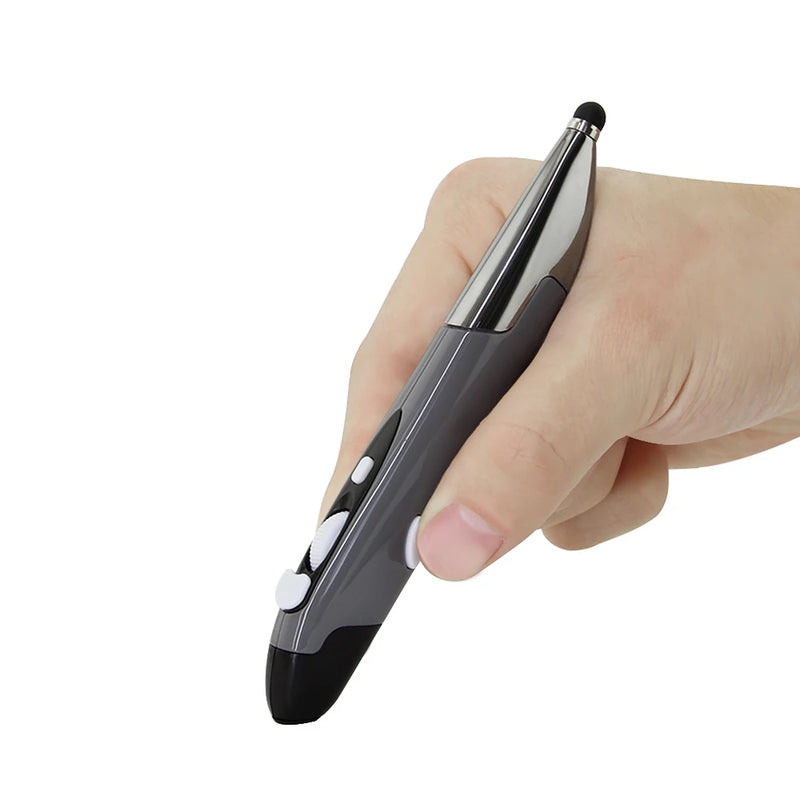
PenX — $37.95
⭐ LIGHTEST PACK WEIGHT
Best for: One-bag travelers, ultralight packers, and minimalist nomads who refuse to carry anything that isn't absolutely essential.
If you've ever weighed your tech pouch and considered dropping items to save 50 grams, the PenX was designed for you. Shaped like a pen, it functions as a full wireless mouse with click buttons and scroll control built into a cylindrical body that fits in a shirt pocket. It is, by a wide margin, the smallest and lightest mouse you can carry.
At $37.95, it's also the most affordable. Available in Gray, Blue, and Red. The pen form factor works brilliantly for nomads who alternate between trackpad and mouse throughout the day — grab it when you need cursor precision for spreadsheet work, set it down when you switch to gesture-based browsing. For the ultralight nomad who counts every gram and every cubic centimeter of pack space, no traditional mouse can compete with the PenX on portability. It's not a compromise — it's a different category entirely.
Breed #4: The Ergonomic Workhorse — Vertical Mouse
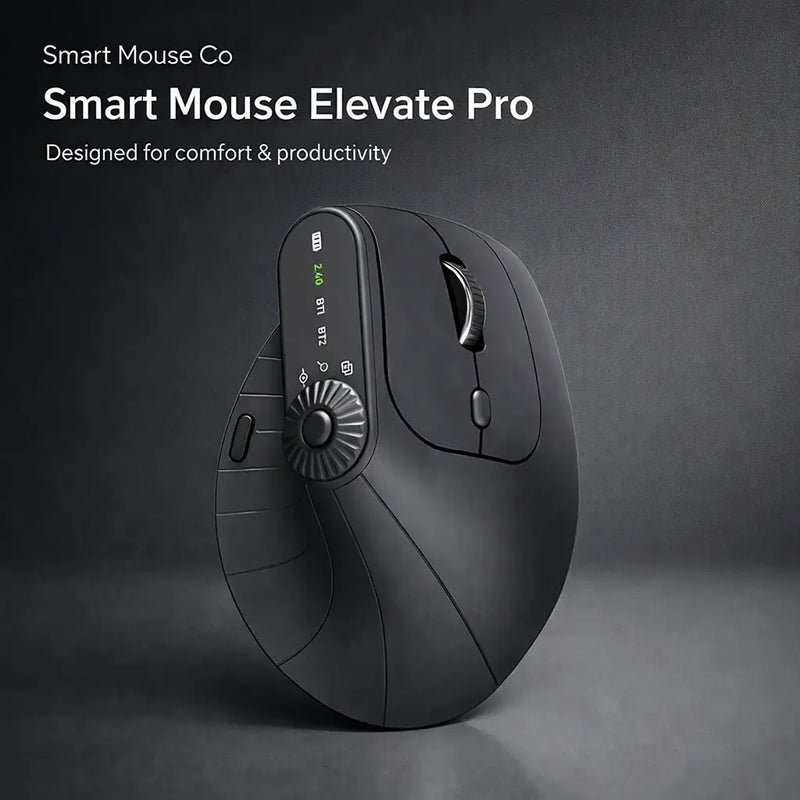
Elevate Pro — $129 $89
⭐ BEST ERGONOMIC
Best for: Nomads who work 6+ hour days and need ergonomic wrist support — especially those based in co-working spaces or long-term rentals with a proper desk setup.
Portability gets all the attention in nomad gear discussions. But most nomads don't just work for 90 minutes at a café — they work 6, 8, sometimes 10 hours in a day. And when you don't have a permanent ergonomic desk setup, the mouse is the one piece of equipment you can consistently control. A flat travel mouse on a café table with no wrist rest creates cumulative tension that shows up as fatigue, reduced precision, and aching hands by evening.
The Elevate Pro is a Bluetooth vertical mouse with an adjustable tilt knob — you dial in the exact wrist angle that feels natural for your hand. The vertical grip keeps your forearm in a neutral position. The adjustment knob means it adapts to you, not the other way around. It's slightly larger than a compact travel mouse, which means it's best suited for nomads who work from co-working desks, long-term apartment setups, or anywhere with a stable surface and real desk space. At $89 (down from $129), it costs the same as the Seeker but optimizes for comfort over compactness. Available in White, Black, and Beige.
Breed #5: The Gesture Pad — Trackpad for Nomad Mac Users
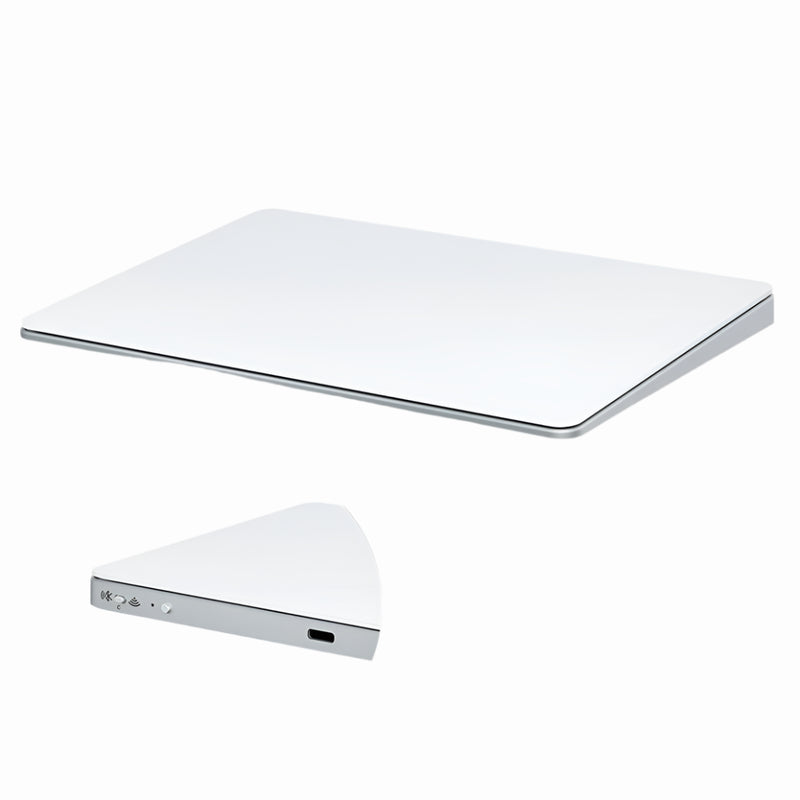
Touch Flow — $136.92 $89
⭐ BEST TRACKPAD
Best for: MacBook nomads who prefer gesture-based input and want a portable trackpad that costs less than Apple's $129 Magic Trackpad.
A significant percentage of digital nomads run MacBooks — and many of them prefer trackpad gestures over traditional mouse input. The problem: Apple's Magic Trackpad costs $129, is relatively large for travel, and adds unnecessary weight to a nomad kit. The Touch Flow is a Bluetooth wireless trackpad with a smooth glass multi-touch surface that supports all macOS gestures — two-finger scroll, pinch-to-zoom, three-finger swipe, Mission Control — in a more portable form factor at $89.
For MacBook nomads who dock at a co-working desk and want an external gesture surface without the bulk and price of Apple's offering, the Touch Flow is the direct alternative. It also works with Windows and iPadOS for nomads who carry multiple devices. Bluetooth pairing, glass surface, $40 less than Apple. It's the gesture input Mac nomads want, in the portable form factor nomad life demands.
Breed #6: The Vertical Value — Mid-Range Ergonomic
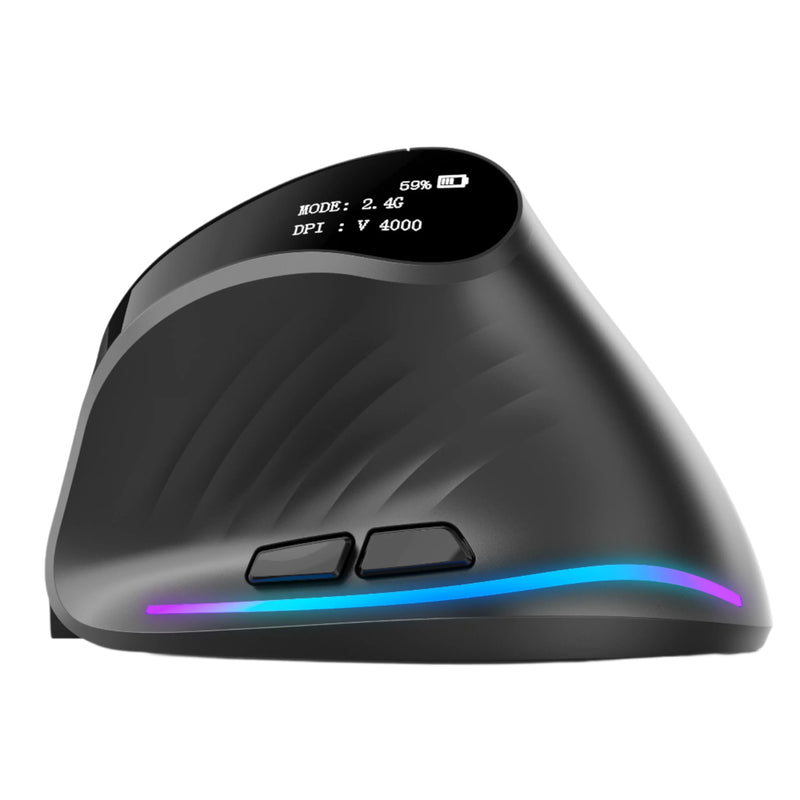
Verta — $59
⭐ BEST VERTICAL VALUE
Best for: Nomads who want vertical ergonomic comfort at $30 less than the Elevate Pro — strong choice for semi-permanent setups.
The Verta delivers the core benefit of vertical mouse design — a handshake grip that keeps your wrist neutral during extended work — at a price that leaves room in your budget for the next flight. It lacks the Elevate Pro's adjustable tilt knob, but the fixed angle is well-calibrated for most hand sizes and grip styles. Wireless connectivity, responsive tracking, and side buttons for navigation shortcuts.
At $59, the Verta sits in the practical sweet spot for nomads who've decided vertical is the way to go but don't need the adjustment mechanism. It works best when you have a consistent desk surface — a co-working space you visit regularly, a long-term apartment, or any setup where you're not constantly packing and unpacking the mouse between micro-sessions.
Breed #7: The Budget Ergonomic — First Upgrade
ErgoGlide — $49.95
⭐ BEST MID-RANGE
Best for: New digital nomads building their first remote work kit — ergonomic comfort without a premium price tag.
Your first year as a digital nomad is expensive. Flights, visas, co-working memberships, insurance, gear. The ErgoGlide is the mouse upgrade that fits a startup-phase nomad budget. At $49.95, it delivers genuine ergonomic shaping — a contoured grip that supports your palm and positions your fingers naturally — without the $89 price tag of the premium models.
It doesn't have the vertical design of the Elevate Pro or the adjustable tilt of the Verta. What it has is a comfortable, wireless mouse with reliable tracking that makes 4–6 hour work sessions sustainable instead of painful. For nomads who are upgrading from a free hotel-lobby mouse or a $12 Amazon impulse buy, the ErgoGlide is the first mouse that actually feels like it was designed for someone who works on a computer all day.
Breed #8: The Silent Operator — For Hostels, Libraries & Shared Spaces
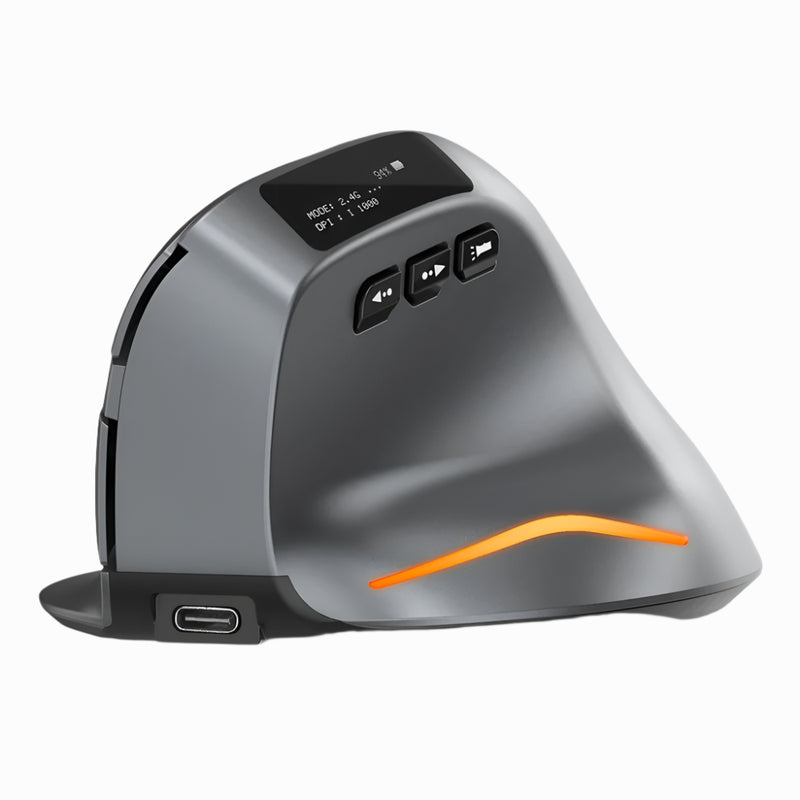
Lumos — $59
⭐ BEST SILENT
Best for: Nomads who work from hostels, quiet co-working zones, libraries, shared Airbnbs, or anywhere click noise gets you dirty looks.
Every nomad has been there. You're in the quiet zone of a co-working space in Canggu. The person next to you is wearing headphones. You're scrolling and clicking through client deliverables. And your mouse sounds like a tiny typewriter. The Lumos features silent click switches that eliminate audible clicking — every press is soft, tactile, and virtually noiseless.
This matters more than most nomads realize until they're actually in the situation. Hostel common rooms at 11pm when your roommates are sleeping. Library desks in European cities. Quiet floors of co-working spaces where you can hear every click from every desk. On Zoom calls where your clicking bleeds into the microphone. The Lumos solves a problem that's invisible until it's not. At $59, wireless and comfortable, with clicks that produce silence instead of disruption.
Breed #9: The No-Space Solution — Trackball Mouse
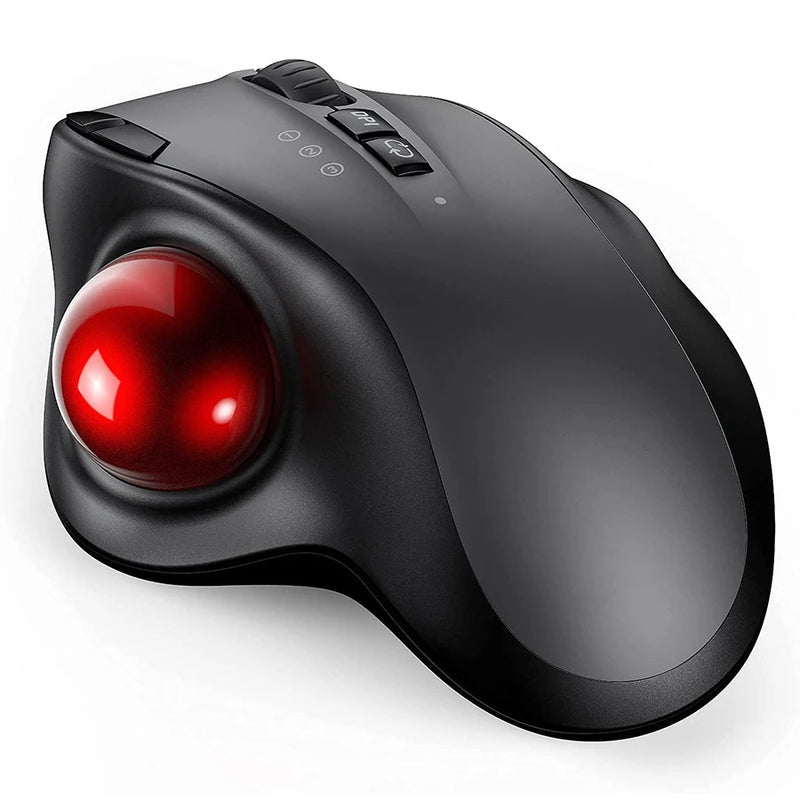
Orbit — $59
⭐ BEST FOR TIGHT SPACES
Best for: Nomads who regularly work on airplane trays, tiny café tables, bus/train fold-down surfaces, or any workspace where there's literally no room to move a mouse.
Trackball mice solve the most extreme space constraint in nomad life: no room to move. Your thumb rolls the ball to move the cursor. The mouse body stays completely stationary. You could use the Orbit on a surface the size of a drink coaster and have full cursor control.
This makes it the ideal mouse for the tightest workspaces nomads encounter — airplane trays (where a regular mouse would fall off the edge), fold-down tables on trains and buses, narrow café counters, bedside tables in tiny hostels, and anywhere else where mouse movement space is measured in centimeters, not inches. At $59, the Orbit brings trackball precision to nomad life. Bluetooth compatible with any device. Once you adapt (3–5 days), you'll wonder how you ever moused without it on planes.
Breed #10: The Starter — Cheapest Reliable Wireless Mouse

ErgoX — $34.95
⭐ BEST BUDGET
Best for: Nomads who just need a working wireless mouse at the lowest possible price — students, early-stage freelancers, and backpackers.
$34.95. That's less than two co-working day passes in most cities. Less than dinner for two in Lisbon. Less than a Grab ride from the Bali airport to Canggu. And it buys you a wireless mouse with ergonomic shaping, reliable tracking, and Bluetooth connectivity that works with every device you own.
The ErgoX isn't the fanciest mouse in this guide. It's the one that proves you don't need to spend $89 to get a working, comfortable wireless mouse on the road. If you're just starting out as a nomad and your gear budget is tight, the ErgoX gets the job done. If you later decide you want vertical ergonomics or silent clicks or a detachable presenter, you upgrade. But the ErgoX is never a bad purchase — it's the foundation that every nomad tech kit should have at minimum.
Which Mouse Breed Fits Your Nomad Style?
| If you... | Get this |
|---|---|
| Present to clients AND do daily laptop work | Air Nova ($89) |
| Pack and unpack your setup every day | Seeker ($89) |
| Count every gram of pack weight | PenX ($37.95) |
| Work 6+ hours and need wrist comfort | Elevate Pro ($89) |
| Prefer trackpad gestures on a MacBook | Touch Flow ($89) |
| Want vertical at a mid-range price | Verta ($59) |
| Building your first nomad kit on a budget | ErgoGlide ($49.95) |
| Work in hostels, libraries, or quiet spaces | Lumos ($59) |
| Work on airplane trays and tiny surfaces | Orbit ($59) |
| Need the cheapest reliable wireless mouse | ErgoX ($34.95) |
Frequently Asked Questions
What's the most important feature in a digital nomad mouse?
Bluetooth connectivity with no dongle required. Dongles get lost in transit, require USB-A ports that modern laptops lack, and add a failure point to your setup. A Bluetooth mouse pairs directly with any device — laptop, tablet, phone — with zero accessories to lose. Every mouse in this guide connects via Bluetooth.
Can I use the same mouse with my laptop and my iPad?
Yes. Bluetooth mice work with macOS, Windows, iPadOS, ChromeOS, and Android. Some mice support multi-device pairing, letting you switch between your laptop and tablet with a button press. All mice in this guide are compatible across operating systems — you use the same mouse regardless of which device you're working on.
Do I need a mousepad as a digital nomad?
Usually no. Modern optical sensors track well on most surfaces — wood, plastic, textured materials. However, highly reflective surfaces (glass café tables, high-gloss hotel desks) can cause tracking issues. A thin, foldable travel mousepad weighs almost nothing and gives you a consistent surface anywhere. It's worth carrying if you frequently encounter glass or glossy surfaces.
Is a vertical mouse too big to travel with?
Vertical mice are taller than traditional mice, which means they take up slightly more bag space. They're still very portable — easily fitting in a tech pouch or backpack side pocket. If absolute minimalism is your priority, a compact traditional mouse (Seeker) or pen mouse (PenX) packs smaller. If ergonomic comfort during long sessions is your priority, a vertical mouse (Elevate Pro or Verta) is worth the extra few centimeters of bag space.
What's the best budget mouse for a new digital nomad?
The ErgoX at $34.95. It delivers wireless Bluetooth connectivity, ergonomic shaping, and reliable tracking — everything a nomad needs — at a price that doesn't dent a startup-phase budget. For $3 more, the PenX ($37.95) offers extreme portability in a pen form factor. Both are excellent starting points.
How do I keep my mouse safe during travel?
A small, hard-shell tech pouch protects your mouse during transit. Avoid tossing it loose into your main backpack compartment where it can be crushed or scratched. Store any USB dongles inside the mouse body or in a labeled compartment of your tech pouch. If your mouse has a power switch, turn it off during transit to preserve battery.
Conclusion — Your Setup Travels With You. Your Mouse Should Keep Up.
You optimized your laptop. You invested in good headphones. You carry the right adapters for every country. Your mouse should meet the same standard — portable, wireless, comfortable, and reliable across every café, co-working space, airport, and apartment you work from this year.
Every mouse in this guide connects via Bluetooth, ships free worldwide, and is built for the unpredictable, demanding, mobile life that digital nomads live. Prices range from $34.95 to $89. Pick the breed that matches your work style, pack it, and stop settling for a mouse that wasn't designed for the way you work.
Pack Smarter. Work Better. Scroll Anywhere.
17 wireless mice curated for the way digital nomads actually work — by the only brand that does nothing but mice.
- ✓ Bluetooth — no dongles to lose in transit
- ✓ Ergonomic, vertical, trackball, pen & trackpad options
- ✓ Free worldwide shipping — wherever you are right now
- ✓ $34.95–$89 · Built for life on the road
Shop All Nomad-Ready Mice →






Leave a comment
This site is protected by hCaptcha and the hCaptcha Privacy Policy and Terms of Service apply.