





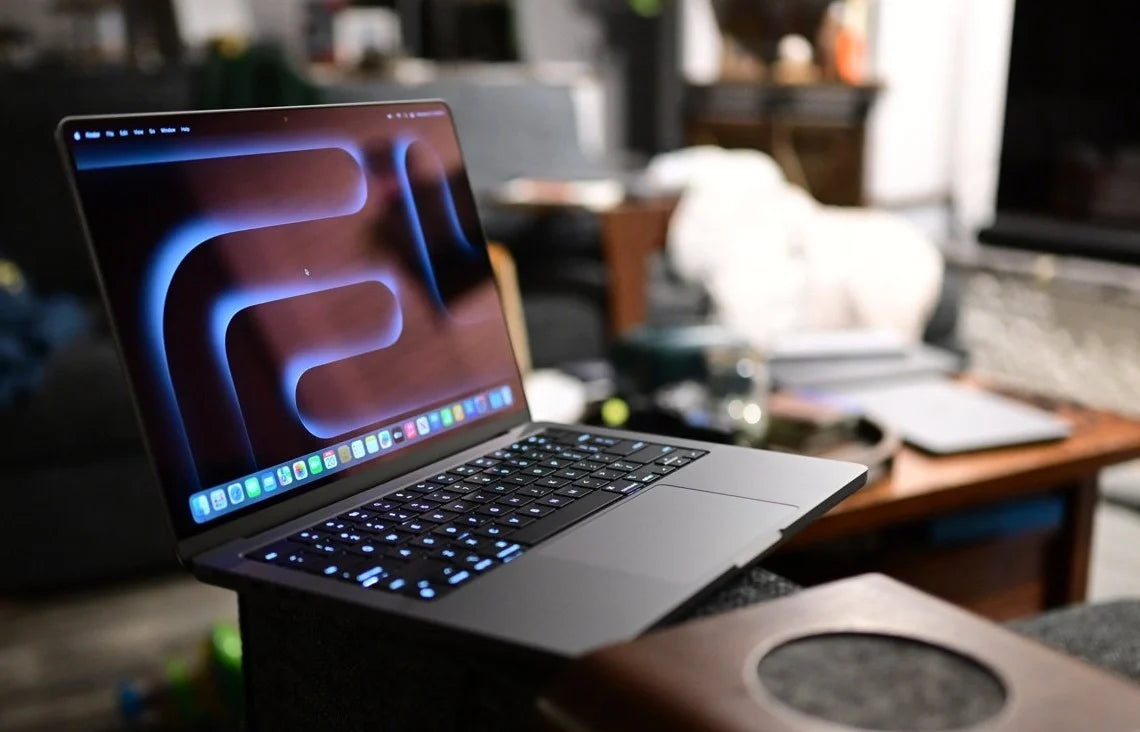
The iPad Pro M5 starts at $999 for the 11-inch model and climbs to $2,599 for a fully loaded 13-inch with 2TB storage, cellular, and nano-texture glass. It runs the M5 chip with up to 10 CPU cores, 10 GPU cores with hardware ray tracing, 12–16GB of RAM, Wi-Fi 7, Bluetooth 6, and Thunderbolt/USB 4 with support for a 6K external display at 60Hz or 4K at 120Hz.
Apple calls it the ultimate iPad experience. It ships with iPadOS 26 and its Liquid Glass interface, Stage Manager multitasking, and Apple Intelligence built in. And the pointing device Apple includes with it? Nothing. Zero. Not even a trackpad unless you buy the $299–$349 Magic Keyboard separately.

Apple built the iPad Pro M5 to replace your laptop. They gave it laptop-class silicon, a desktop-class display, desktop-class external monitor support, and an operating system with real windowed multitasking. Then they left out the one input device that makes all of those laptop-class features actually usable: a mouse. A Bluetooth mouse costing $34.95 to $89 is the accessory that turns the iPad Pro M5 from a $999+ touchscreen into a $999+ workstation. And it's the one accessory Apple will never sell you.
At Smart Mouse Co, mice are our entire business. Every mouse in our collection is wireless, Bluetooth-compatible, and tested with the iPad Pro M5's iPadOS 26 features — including Stage Manager, Liquid Glass hover effects, and external display cursor control. This guide covers the 10 best mice for iPad Pro M5, with M5-specific use cases and direct links to every product.
Quick Picks: Best Mouse for iPad Pro M5 by Use Case
| Mouse | Best For | Price | Highlight |
|---|---|---|---|
| Air Nova | Presentations + daily M5 work |
|
⭐ Best Overall |
| Elevate Pro | Ergonomic vertical for pro workflows |
|
⭐ Best Ergonomic |
| Touch Flow | Gesture trackpad for iPadOS 26 |
|
⭐ Best Liquid Glass Companion |
| Seeker | Portable M5 travel companion | $89 | ⭐ Best Travel |
| PenX | Pen mouse for Apple Pencil Pro users | $37.95 | ⭐ Most Portable |
| Verta | Vertical comfort for desk M5 setups | $59 | ⭐ Best Vertical Value |
| ErgoGlide | Ergonomic comfort under $50 | $49.95 | ⭐ Best Mid-Range |
| Lumos | Silent clicks for M5 meetings | $59 | ⭐ Best Silent |
| Orbit | Trackball for zero-space M5 setups | $59 | ⭐ Best Trackball |
| ErgoX | Cheapest M5-compatible mouse | $34.95 | ⭐ Best Budget |
Browse all 17 Smart Mouse Co mice →
What Makes the iPad Pro M5 Different — And Why a Mouse Matters More Than Ever
The iPad Pro M5 isn't just another iPad refresh. It's a genuine computing platform with capabilities that demand precision input beyond what a touchscreen or a tiny Magic Keyboard trackpad can provide. Here's what the M5 brings that makes a mouse essential:
iPadOS 26 with Liquid Glass and windowed multitasking. iPadOS 26 introduces a completely redesigned interface with Liquid Glass — Apple's dynamic, translucent design language that responds visually to cursor interaction. Hover effects, translucent panels that shift based on pointer position, and a flexible windowing system that lets you resize, stack, and manage multiple windows simultaneously. All of this is designed to be navigated with a pointer. Doing it with your finger on a 5.1mm-thick tablet you're holding in one hand? That's not the experience Apple designed.
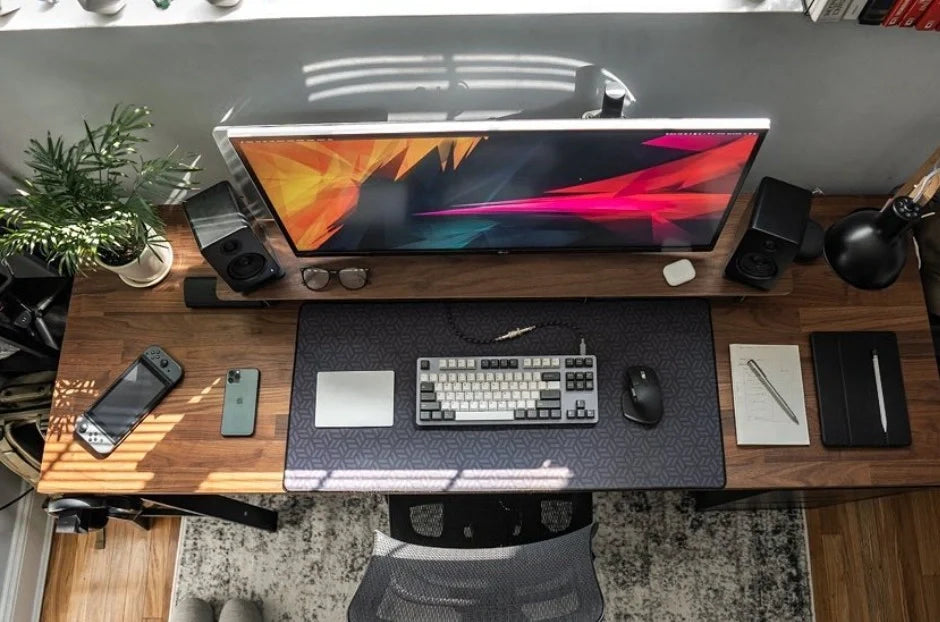
External display support at 6K/60Hz or 4K/120Hz. The M5 iPad Pro supports a single external display via Thunderbolt/USB 4 — up to 6K at 60Hz or, new for this generation, 4K at 120Hz. When you connect an external monitor, iPadOS gives you independent cursor control on that display. Your touchscreen only controls the iPad's screen. A mouse is literally required to navigate the external monitor. Without one, half your display setup is a screen you can look at but can't interact with.
M5 chip with 12–16GB RAM. The M5's 9- or 10-core CPU, 10-core GPU, and up to 16GB of RAM enable workflows that were previously laptop-only. Final Cut Pro with multiple 4K timelines. Logic Pro with dozens of tracks. Xcode development. Heavy Figma and Procreate files. These are precision-dependent workflows where a mouse delivers meaningfully better cursor control than finger-on-glass input.
Apple Intelligence and AI workflows. The M5's 16-core Neural Engine with Neural Accelerators powers Apple Intelligence features — on-device AI image generation, writing tools, smart document processing. Many of these features involve selecting text, positioning elements, and navigating menus that are faster and more accurate with a cursor than with touch.
Bluetooth 6 connectivity. The iPad Pro M5 is the first iPad with Bluetooth 6, which means faster pairing, more stable connections, better battery efficiency, and improved multi-device handling. Every Bluetooth mouse in this guide connects to the M5's Bluetooth 6 radio instantly and maintains a rock-solid connection.
iPad Pro M5 Mouse Compatibility — Everything You Need to Know
The iPad Pro M5 running iPadOS 26 supports the most complete mouse experience Apple has ever offered on a tablet:
- Full cursor with Liquid Glass hover effects. The pointer adapts its shape to different UI elements — morphing into a text cursor over text, expanding over buttons, and interacting with Liquid Glass translucency effects. These hover effects only appear with a pointer device, not with touch.
- Right-click context menus. Secondary click on any Bluetooth mouse opens context menus throughout iPadOS 26 — in Files, Safari, Mail, and every third-party app that supports it.
- Scroll wheel navigation. Physical scroll wheel input provides precise, controlled scrolling that gesture-based scrolling on a trackpad can't match for document-heavy work.
- Side button support. iPadOS 26 recognizes side mouse buttons for browser back/forward navigation by default. Custom button mapping is available through Accessibility settings.
- Stage Manager with cursor. Resize, reposition, and switch between windowed apps using cursor input. Stage Manager with a mouse feels like a desktop OS. Stage Manager with touch feels like a workaround.
- External display cursor. Independent cursor control on connected monitors via Thunderbolt. A mouse is the only way to interact with your external display content.
How to connect: Settings → Bluetooth → Turn on your mouse → Tap the mouse name. Under 30 seconds. No drivers. No apps. No configuration. Every mouse in this guide uses Bluetooth and connects to the M5 instantly.
Why Smart Mouse Co for iPad Pro M5?
Apple wants you to buy a $299–$349 Magic Keyboard for trackpad input. Or a $79–$99 Magic Mouse that has no ergonomic shaping, no scroll wheel, and charges upside down. Neither option reflects the professional-grade workflows that the M5 iPad Pro was built to handle.
Smart Mouse Co is different. Mice are the entire brand. Every mouse in our collection is curated for Bluetooth wireless connectivity, ergonomic quality, and the tablet workflows that iPad Pro M5 users actually run — design, development, video editing, document management, and presentation. When we say a mouse works with iPad Pro M5, it's because it pairs via Bluetooth 6, supports iPadOS 26's full cursor feature set, and delivers the precision that a $999+ tablet deserves from its pointing device.
Free worldwide shipping. Every mouse is wireless. Every mouse is M5-compatible. $34.95 to $89 — less than the cost of AppleCare+ for the device you're protecting.
The 10 Best Mice for iPad Pro M5, Ranked by Category
Best Overall Mouse for iPad Pro M5
Air Nova — $149 $89
⭐ BEST OVERALL MOUSE FOR IPAD PRO M5
Best for: iPad Pro M5 users who present in Keynote, run Zoom meetings, and use their M5 as a daily productivity machine — consultants, managers, teachers, sales professionals.
The Air Nova takes the top spot because it addresses the iPad Pro M5's dual identity: it's a productivity device AND a presentation device. The detachable dual-mode design works as a full Bluetooth mouse for navigating iPadOS 26's Liquid Glass interface, Stage Manager windows, and external displays — then the top section detaches to become a wireless presenter with a built-in laser pointer for Keynote, PowerPoint, and Google Slides.
The M5 iPad Pro is increasingly the device professionals present from in boardrooms and on video calls. The Air Nova eliminates the need for a separate mouse and a separate clicker. Bluetooth 5.1 pairs with the M5's Bluetooth 6 radio instantly. Full iPadOS 26 cursor support including hover effects, right-click, scroll, and side buttons. At $89 (down from $149), it's the same price as Apple's Magic Mouse — except it fits a human hand and doubles as a presentation remote.
Best Ergonomic Mouse for iPad Pro M5

Elevate Pro — $129 $89
⭐ BEST ERGONOMIC
Best for: iPad Pro M5 power users running Final Cut Pro, Logic Pro, Xcode, or Figma for 5+ hours daily — anyone using M5 silicon for real pro work.
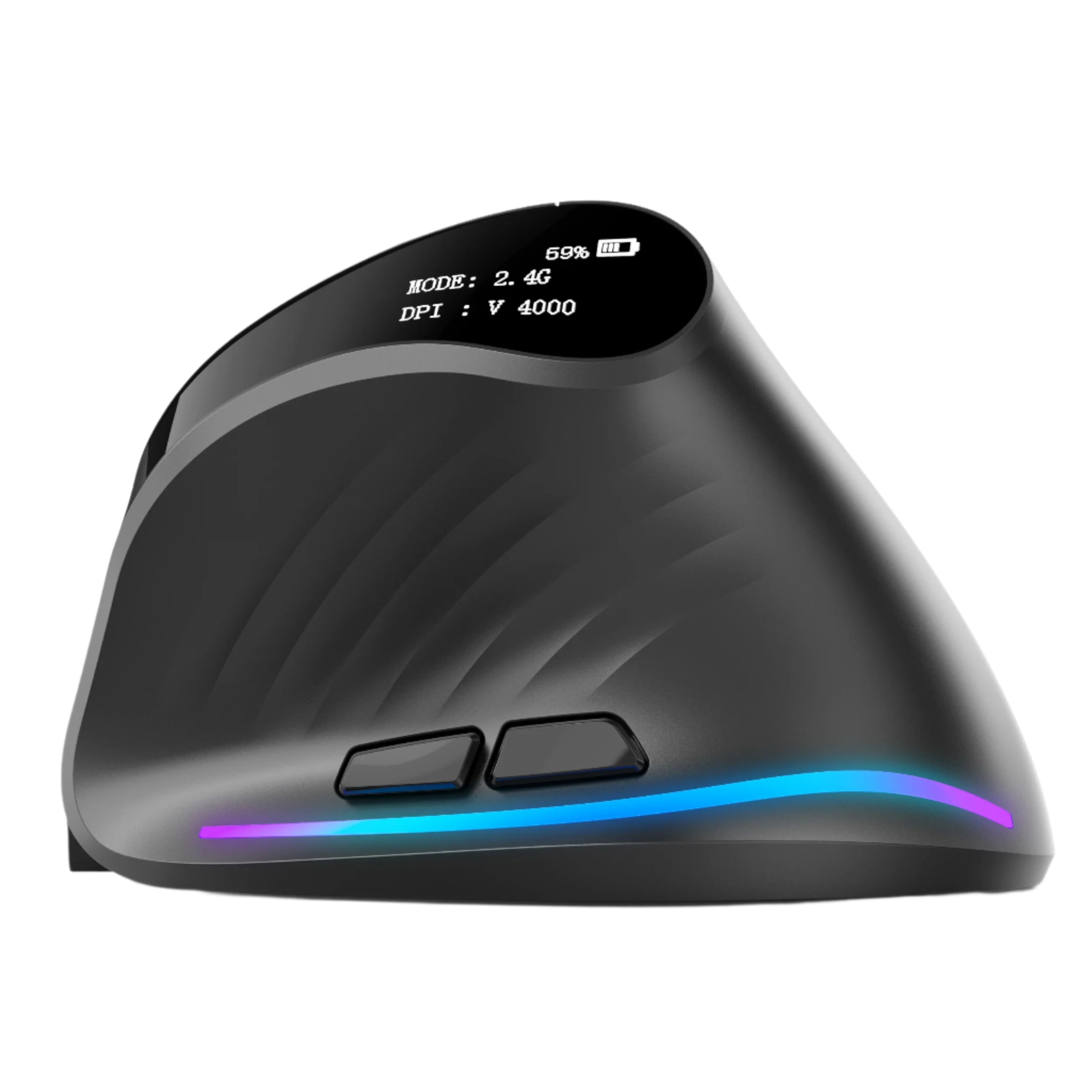
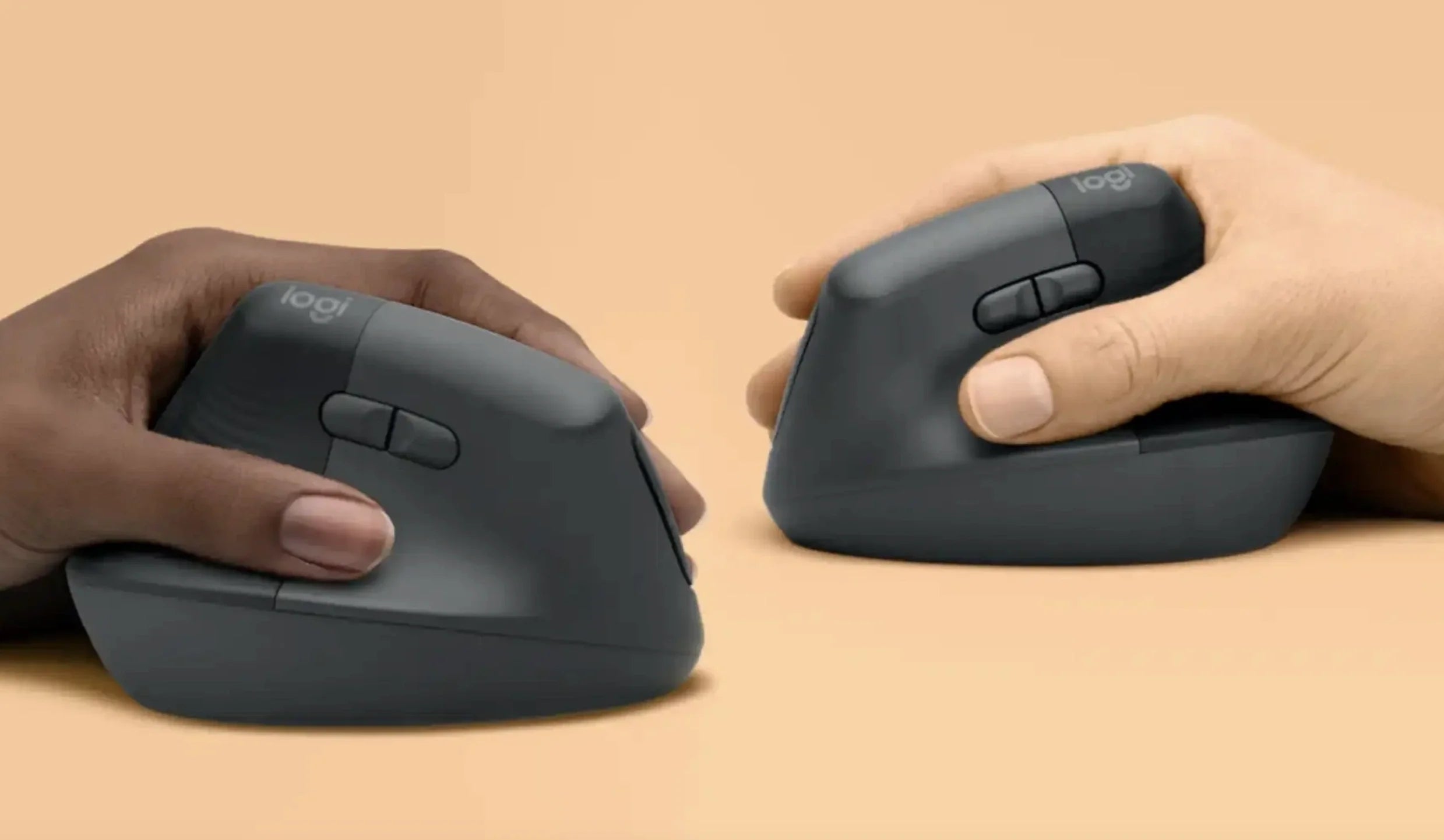
If you bought the M5 iPad Pro for professional creative or development work, you're running sessions that last 5–10 hours. That's the domain where ergonomics stop being a preference and start being a requirement. The Elevate Pro is a Bluetooth vertical mouse with a physical adjustment knob that lets you dial in the exact wrist angle for your hand — the only vertical mouse with this feature at any price.
The vertical handshake grip keeps your forearm neutral through marathon editing, coding, or design sessions. The adjustable tilt means your scroll finger and click fingers sit where they naturally fall — not where a fixed-angle design forces them. For M5 iPad Pro users navigating Final Cut Pro timelines, managing Stage Manager windows across an external 6K display, or coding in Swift Playgrounds — the Elevate Pro delivers the precision and comfort that 8-hour M5 sessions demand. Bluetooth, $89 (down from $129), available in White, Black, and Beige.
Best Liquid Glass Companion — Gesture Trackpad
Touch Flow — $136.92 $89
⭐ BEST LIQUID GLASS COMPANION
Best for: iPad Pro M5 users who want to experience iPadOS 26's Liquid Glass gestures with a multi-touch surface — the perfect complement to the M5's new interface paradigm.
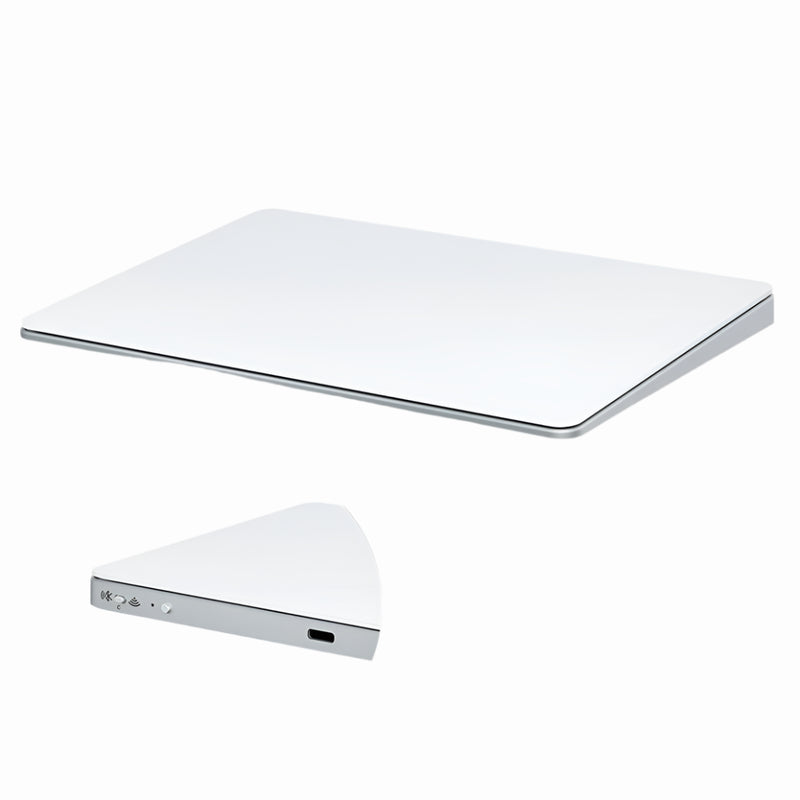
iPadOS 26's Liquid Glass design is built around pointer interaction — translucent surfaces that respond to hover, dynamic elements that shift based on cursor position. The Touch Flow is a Bluetooth wireless trackpad with a smooth glass multi-touch surface that supports all iPadOS 26 gestures: two-finger scroll, pinch-to-zoom, three-finger app switching, and the new Liquid Glass hover interactions that only activate with a pointer device.
For M5 iPad Pro owners who love gesture input, the Touch Flow is the external input device that makes Liquid Glass come alive without the $299–$349 Magic Keyboard. It's $40 cheaper than Apple's standalone Magic Trackpad ($129) and more portable. For M5 users who bought the tablet for its display and plan to use it at a desk with a stand and keyboard, the Touch Flow adds the gesture layer that unlocks iPadOS 26's most visually impressive features.
Best Travel Mouse for iPad Pro M5
Seeker — $89
⭐ BEST TRAVEL MOUSE
Best for: iPad Pro M5 users who carry their tablet as a mobile workstation — the M5's 5.1mm-thin body deserves a mouse that's equally travel-ready.
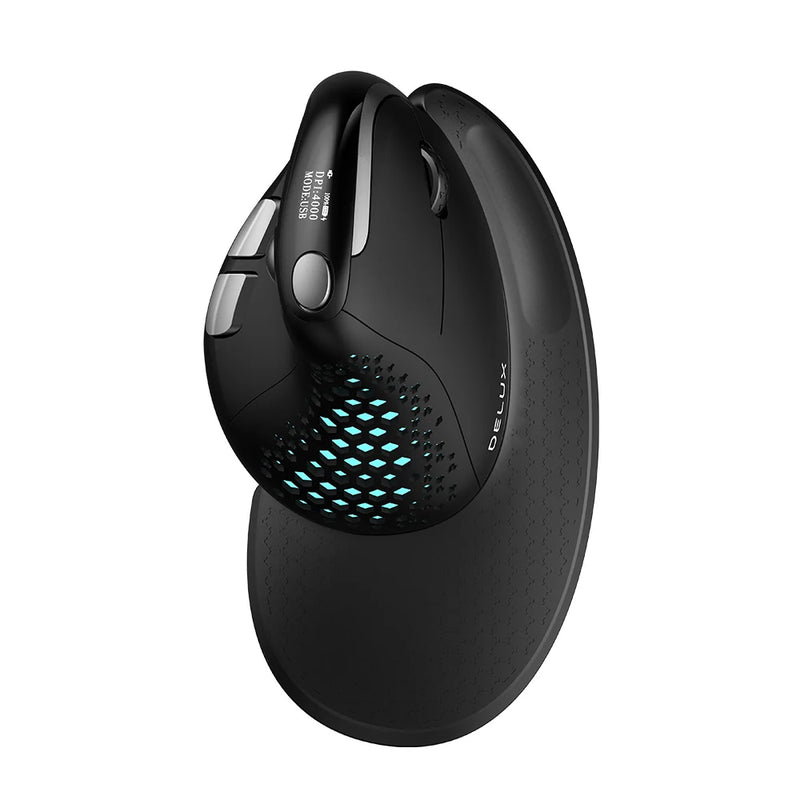
The M5 iPad Pro is 5.1mm thin and weighs under 1.3 pounds. Apple designed it to go anywhere. Your mouse should match. The Seeker is compact enough to slip into the same bag pocket as your Apple Pencil Pro and USB-C cable. Bluetooth connects to the M5's Bluetooth 6 radio in seconds — no dongle needed, no USB port consumed.
Tracks reliably on café tables, airport desks, hotel surfaces, and co-working spaces. Balances portability with enough body to support comfortable sessions that last as long as the M5's 10-hour battery. At $89, it's the mouse that makes your mobile M5 setup complete — Apple Pencil Pro for creative input, Seeker for cursor input, Magic Keyboard for typing. Three accessories, zero compromises.
Most Portable Mouse for iPad Pro M5
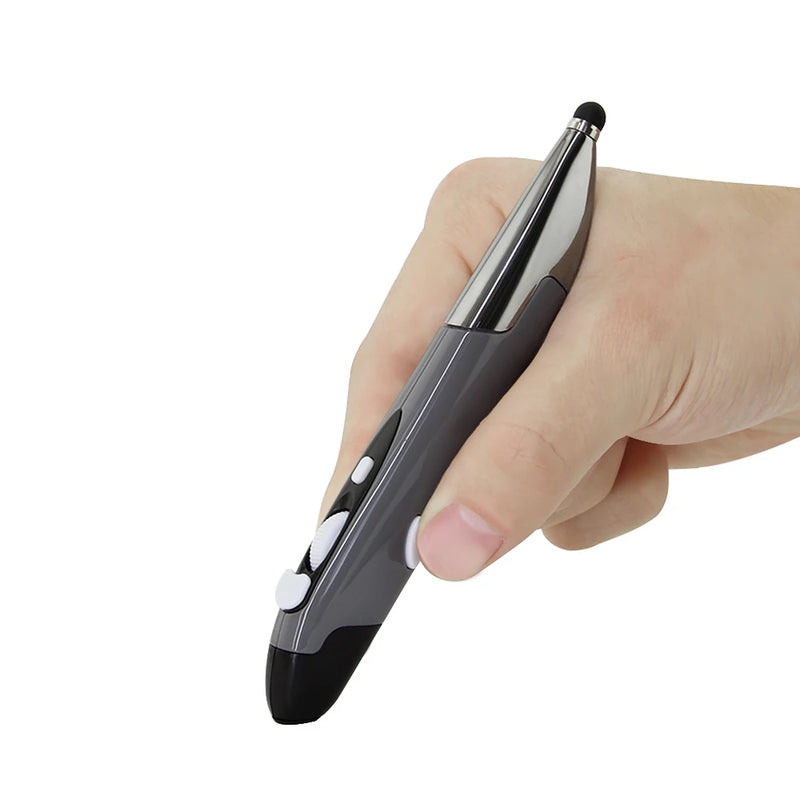
PenX — $37.95
⭐ MOST PORTABLE
Best for: Apple Pencil Pro users who want a cursor-input companion that's the same size as their stylus — pen mouse for iPad Pro M5.
The PenX is shaped like a pen and functions as a full wireless mouse. For M5 iPad Pro users who already carry an Apple Pencil Pro, the PenX sits alongside it in your accessory kit: Pencil Pro for creative work, PenX for cursor work. Same form factor. Different function. Zero additional bulk.
At $37.95, it's the cheapest M5-compatible mouse in this guide — and the smallest by far. Available in Gray, Blue, and Red. For iPad Pro M5 owners who want cursor control without adding anything larger than a pen to their setup, the PenX is the accessory that proves a mouse doesn't have to look like a mouse to work like one. Bluetooth compatible with the M5's Bluetooth 6.
Best Vertical Value Mouse for iPad Pro M5
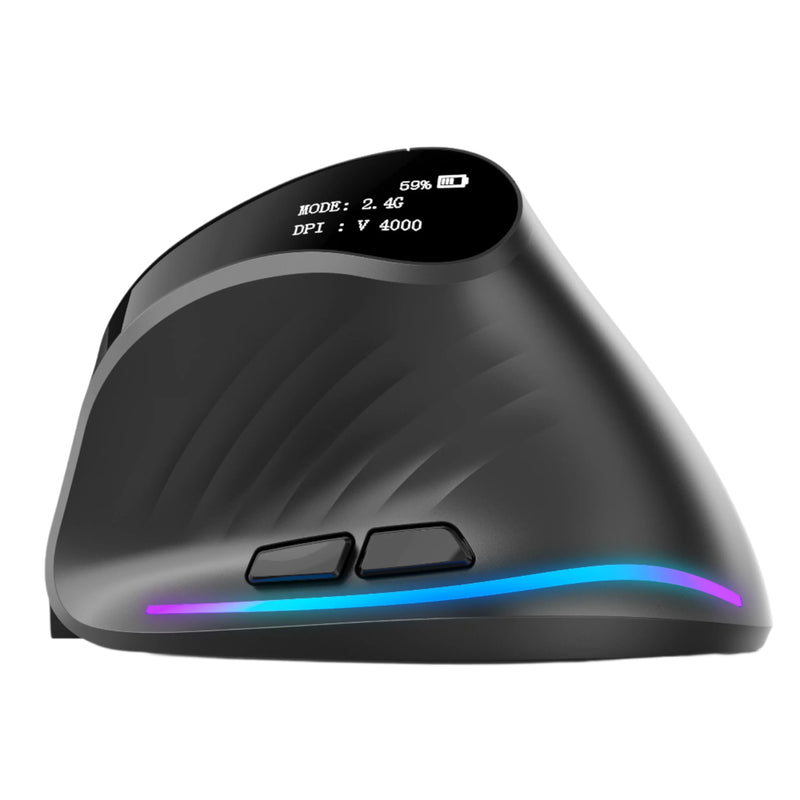
Verta — $59
⭐ BEST VERTICAL VALUE
Best for: iPad Pro M5 desk users who want vertical ergonomic comfort at $30 less than the Elevate Pro.
The Verta delivers the handshake-grip vertical design at $59 — $30 below the Elevate Pro. For M5 iPad Pro users who've set up a desk workstation with a stand and keyboard and want ergonomic wrist support during long Stage Manager sessions, the Verta provides that support at a mid-range price. Wireless, side buttons for iPadOS navigation, and a fixed tilt angle calibrated for most hand sizes. At $59, it costs $20–$40 less than Apple's Magic Mouse while providing genuine ergonomic benefit the Magic Mouse completely lacks.
Best Mid-Range Mouse for iPad Pro M5
ErgoGlide — $49.95
⭐ BEST MID-RANGE
Best for: iPad Pro M5 users who want ergonomic comfort without the $89 price tag — students, freelancers, and anyone building an M5 workstation on a budget.
The M5 iPad Pro starts at $999. The ErgoGlide costs $49.95 — 5% of the base tablet price. That 5% buys you a wireless mouse with ergonomic contouring, responsive tracking, smooth scrolling, and Bluetooth connectivity that pairs with the M5 in seconds. For M5 owners who've already invested significantly in the tablet itself and want to complete their setup without another $89 accessory expense, the ErgoGlide is the smart mid-range choice.
Best Silent Mouse for iPad Pro M5
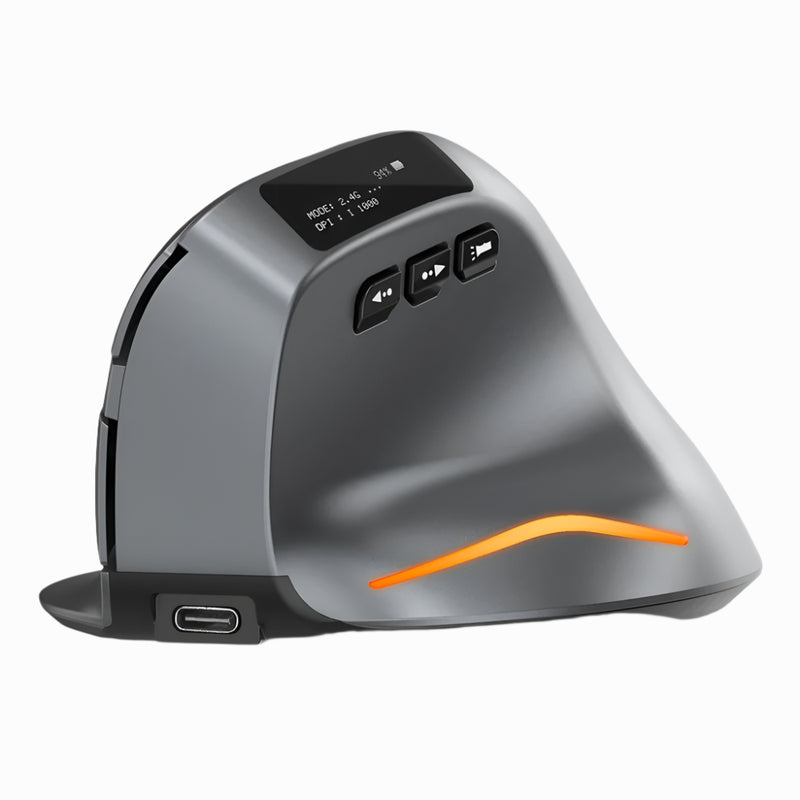
Lumos — $59
⭐ BEST SILENT
Best for: iPad Pro M5 users who navigate during FaceTime and Zoom calls, work in quiet studios, or use their M5 in shared environments.
The M5 iPad Pro has four studio-quality microphones that pick up everything — including your mouse clicks. The Lumos features silent click switches that keep your clicking out of the M5's sensitive mic array during calls, recordings, and screen-sharing sessions. Every press is soft, tactile, and virtually noiseless. For M5 users who present, teach, or collaborate on video calls while simultaneously navigating their tablet, the Lumos prevents your mouse from becoming background noise. At $59, wireless, Bluetooth, and quieter than touching the screen.
Best Trackball Mouse for iPad Pro M5
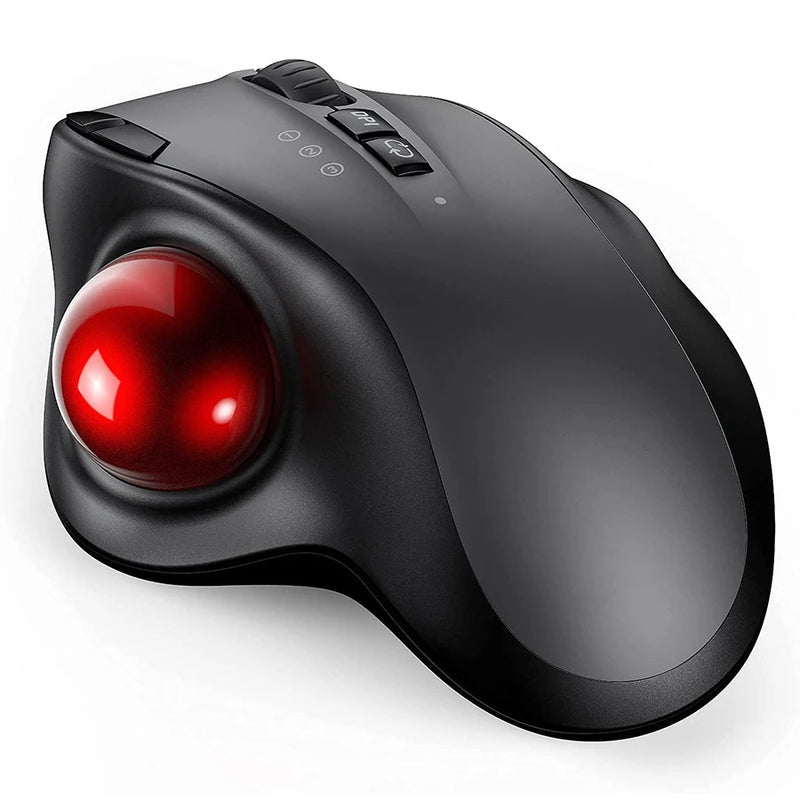
Orbit — $59
⭐ BEST TRACKBALL
Best for: iPad Pro M5 users who work on surfaces where there's no room to move a mouse — the M5 on an airplane tray, a tiny café table, or a bedside stand.
The M5 iPad Pro is 5.1mm thin and designed for mobile use. But mobile surfaces are rarely generous. An airplane tray barely fits the tablet itself. A café counter with a keyboard case leaves centimeters of free space. The Orbit solves this — thumb rolls the ball, cursor moves, mouse body stays fixed. Full iPadOS 26 cursor control in the footprint of a coaster.
iPadOS 26 supports trackball input natively via Bluetooth. At $59, the Orbit turns the M5's most cramped workspaces into fully functional setups with pointer control. For M5 owners who use their tablet on planes, trains, and surfaces where traditional mice can't operate — the Orbit is the pointing device that works anywhere you can fit the tablet.
Best Budget Mouse for iPad Pro M5

ErgoX — $34.95
⭐ BEST BUDGET
Best for: iPad Pro M5 owners who've spent $999–$2,599 on the tablet and need the cheapest possible mouse to unlock its full cursor capabilities.
You just spent at minimum $999 on the most powerful tablet Apple has ever made. The ErgoX costs $34.95 — 3.5% of that base price. That 3.5% unlocks every iPadOS 26 cursor feature the M5 supports: hover effects, right-click menus, scroll wheel navigation, Stage Manager window management, and external display cursor control. Without a mouse, those features sit unused. With a $34.95 ErgoX, they activate instantly.
Wireless. Ergonomic shaping. Bluetooth compatible with the M5's Bluetooth 6. At $34.95, the ErgoX is the cheapest way to turn the M5 iPad Pro from a touchscreen tablet into a cursor-driven workstation. The ROI is immediate and obvious from the first hour of use.
Which Mouse Is Right for Your iPad Pro M5?
| If you... | Get this |
|---|---|
| Present from your M5 AND do daily work | Air Nova ($89) |
| Run pro apps 5+ hours daily | Elevate Pro ($89) |
| Want Liquid Glass gesture interaction | Touch Flow ($89) |
| Carry your M5 everywhere | Seeker ($89) |
| Already carry Apple Pencil Pro | PenX ($37.95) |
| Want vertical at a mid-range price | Verta ($59) |
| Building an M5 workstation under budget | ErgoGlide ($49.95) |
| Navigate during M5 video calls | Lumos ($59) |
| Work on airplane trays and tiny surfaces | Orbit ($59) |
| Need the cheapest M5 cursor unlock | ErgoX ($34.95) |
Frequently Asked Questions
Does the iPad Pro M5 support mouse input?
Yes — fully. The M5 iPad Pro running iPadOS 26 supports Bluetooth mouse input with cursor, hover effects (Liquid Glass), right-click context menus, scroll wheel, side buttons, Stage Manager navigation, and independent cursor control on external displays. Any standard Bluetooth HID mouse works. Every mouse in this guide connects via Bluetooth and supports the M5's full cursor feature set.
Do I need a mouse if I have the Magic Keyboard for iPad Pro?
The Magic Keyboard includes a small trackpad, which handles basic cursor input. However, a dedicated mouse offers faster cursor movement, a physical scroll wheel, side buttons for navigation shortcuts, and ergonomic support for long sessions. For M5 users running pro workflows in Final Cut Pro, Xcode, or Figma — or navigating an external display — a mouse is significantly faster and more precise than the Magic Keyboard's trackpad.
Is the Apple Magic Mouse good for iPad Pro M5?
The Magic Mouse pairs and supports gestures, but it has no ergonomic shaping, no scroll wheel, charges via a port on the bottom (unusable while charging), and costs $79–$99. For the same price, the Air Nova from Smart Mouse Co offers an ergonomic body, scroll wheel, side buttons, and a built-in presentation remote. For $40 less, the Verta adds vertical ergonomic design. The Magic Mouse works but is outclassed by alternatives at every price point.
Does the M5's Bluetooth 6 improve mouse performance?
Bluetooth 6 on the M5 iPad Pro provides faster pairing, more stable connections, and better power efficiency. Bluetooth mice — including all models in this guide — connect faster to the M5 than to older iPads and maintain a more reliable connection during extended use. You don't need a Bluetooth 6 mouse specifically; any standard Bluetooth mouse benefits from the M5's improved radio.
Can I use a mouse on my iPad Pro M5's external display?
Yes — and you need one. When you connect an external monitor via Thunderbolt/USB 4, iPadOS 26 provides independent cursor control on that display. The iPad's touchscreen only controls the tablet's own screen. A Bluetooth mouse is the only way to interact with content on your external monitor. This makes a mouse essential for any M5 user with an external display setup.
What's the cheapest mouse that unlocks full M5 cursor features?
The ErgoX at $34.95. It connects via Bluetooth, supports all iPadOS 26 cursor features (hover, right-click, scroll, Stage Manager, external display), and includes ergonomic shaping. At 3.5% of the base M5 iPad Pro price, it's the most cost-effective way to access the full cursor experience Apple built into iPadOS 26.
Conclusion — You Bought the Most Powerful iPad Ever Made. Now Give It a Mouse.
The iPad Pro M5 has laptop-class silicon, a desktop-class display, an operating system with windowed multitasking, external monitor support at 6K, and Apple Intelligence powered by a 16-core Neural Engine. Apple built it to be used as a real computer. But they shipped it without the one input device that makes computer-style interaction possible: a mouse.
A Bluetooth mouse costs $34.95 to $89. It pairs in under 30 seconds. It unlocks Liquid Glass hover effects, Stage Manager window management, external display cursor control, right-click menus, scroll wheel navigation, and 8-hour ergonomic comfort. It's 3.5 to 9% of the cost of the tablet it transforms. And it ships free, worldwide, from Smart Mouse Co.
You invested $999 to $2,599 in the hardware. Invest $34.95 to $89 in the input device that makes it work the way Apple designed it to.
Your M5 iPad Pro Is Missing One Thing
17 wireless mice. Bluetooth-ready for M5. Built for iPadOS 26 and Liquid Glass.
- ✓ Pairs with M5's Bluetooth 6 in seconds
- ✓ Unlocks hover effects, Stage Manager & external display cursor
- ✓ Ergonomic, vertical, trackball, pen & trackpad designs
- ✓ $34.95–$89 · Free worldwide shipping
Shop All M5-Compatible Mice →





Leave a comment
This site is protected by hCaptcha and the hCaptcha Privacy Policy and Terms of Service apply.