
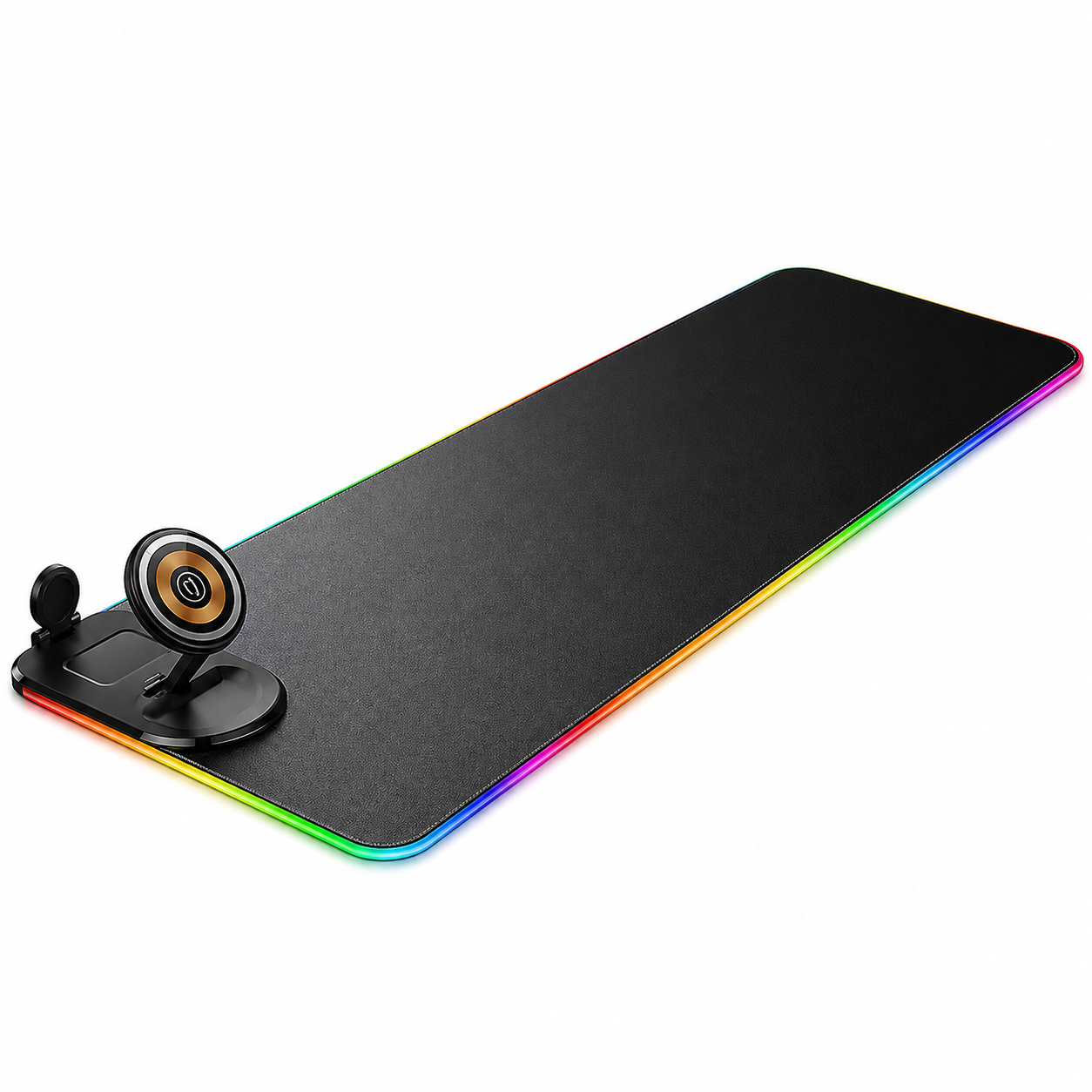
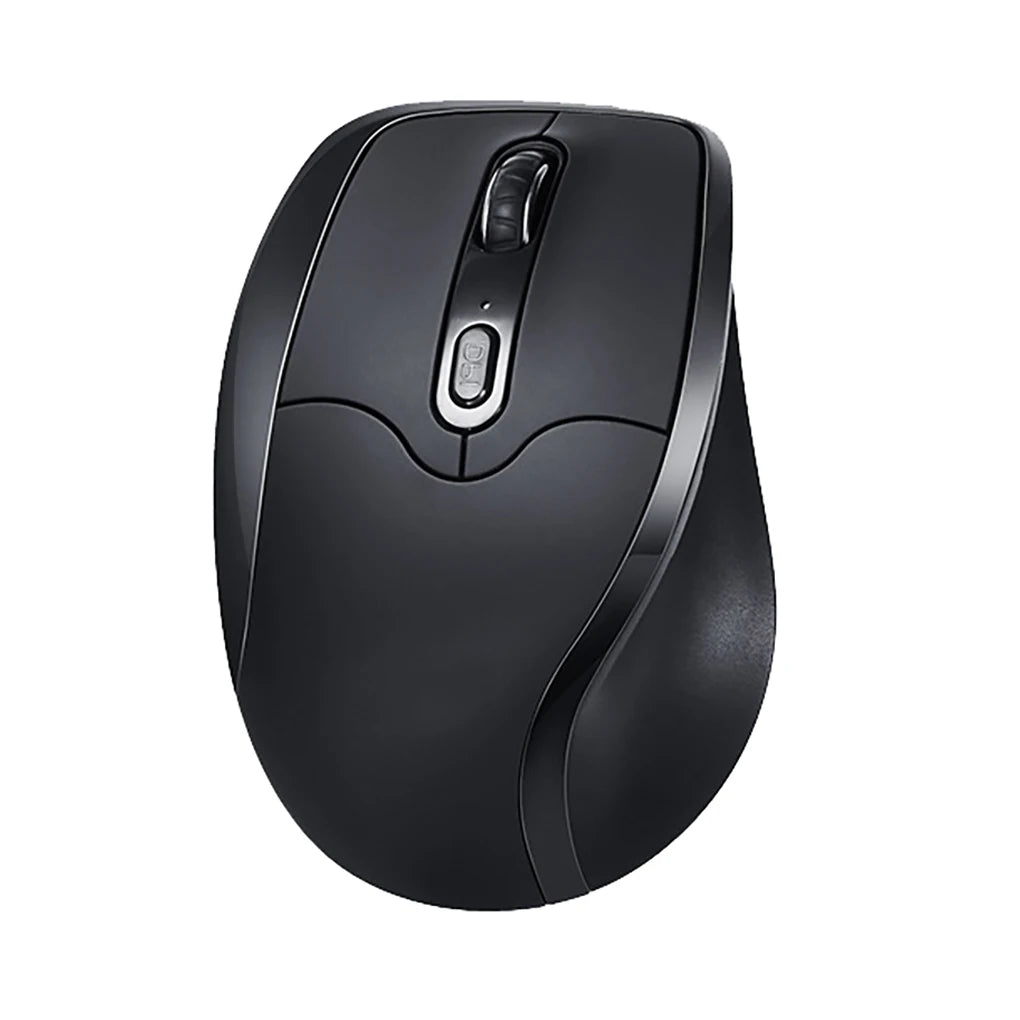
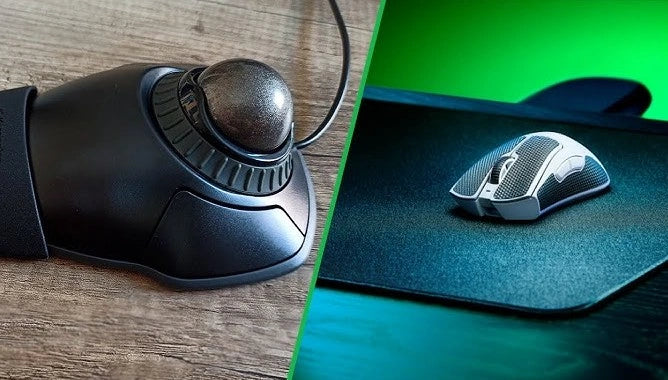
Left-handed users have spent decades adapting to a right-handed input world. But when they finally decide to switch to a device that works with their dominant hand, a new problem appears: which device?
A dedicated left handed mouse vs trackball vs pen tablet three fundamentally different tools, each with genuine advantages, each with real trade-offs, and each claiming to be the best option for left-handed workflows. The internet is full of opinions. This guide gives you the facts.
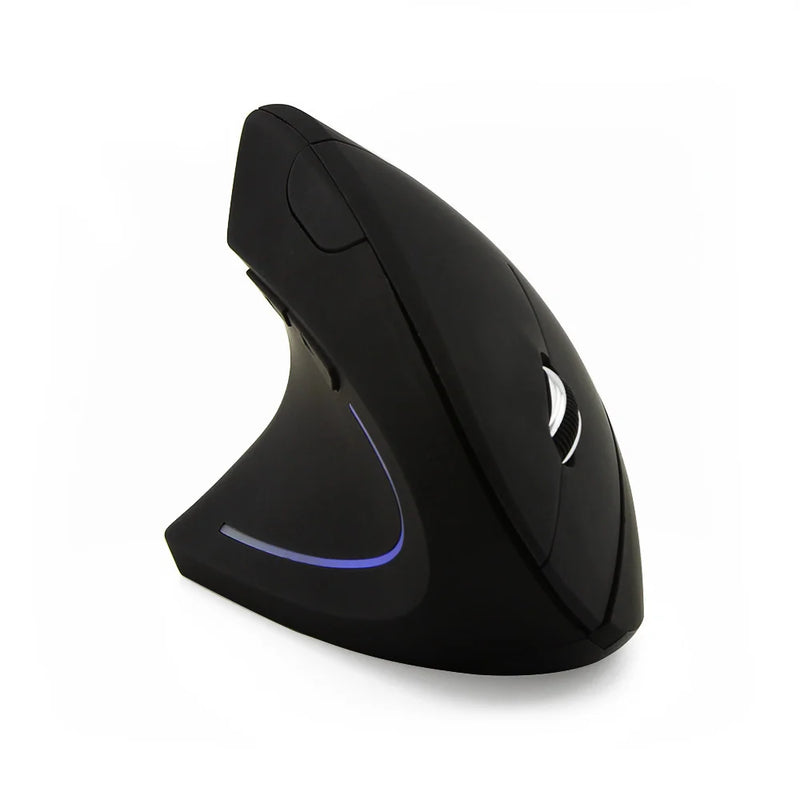
The truth is that no single device is universally "best." A left handed mouse is best for most general work. A trackball is best for users with extreme space constraints or specific precision needs. A pen tablet is best for digital artists and illustrators. The question isn't which is better in the abstract — it's which matches your workflow, your desk, your hours, and your hands. By the end of this guide, you'll know exactly which one that is.
At Smart Mouse Co, we specialize exclusively in mice — including one of the deepest dedicated left-handed mouse collections anywhere. We're biased toward mice for good reason: they solve the widest range of left-handed workflows at the most accessible price points. But this guide will be honest about when a trackball or pen tablet genuinely serves you better. That honesty is how you build trust — and how you help left-handed users make the right decision instead of the wrong one.
Quick Comparison: Left Hand Mouse vs Trackball vs Pen Tablet
| Factor | Left Hand Mouse | Trackball | Pen Tablet |
|---|---|---|---|
| Best for | General work, gaming, browsing | Tiny desks, precision data work | Digital art, illustration, photo editing |
| Learning curve | Minimal (3–5 days) | Moderate (5–10 days) | Steep (2–4 weeks) |
| Desk space needed | Moderate | Minimal (stays fixed) | Large (tablet surface) |
| Ergonomic options | Vertical, contoured, wireless | Fixed position, thumb-operated | Flat surface, arm movement |
| Left-hand availability | Growing (specialist brands) | Very limited | Ambidextrous by nature |
| Price range | $34.95–$59.95 | $30–$150 | $50–$500+ |
| Gaming capable | Yes | Limited | No |
| Portability | High | Low–Moderate | Low |
What Is a Left Handed Mouse?
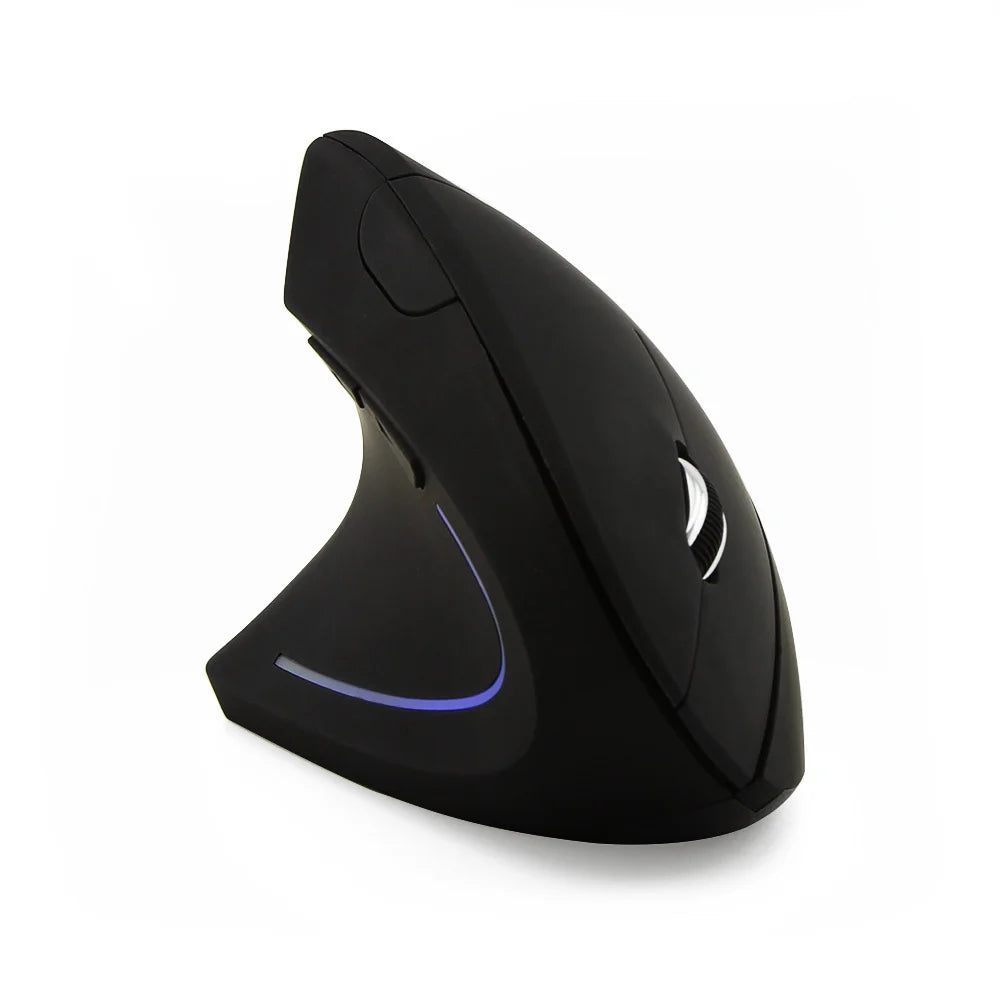
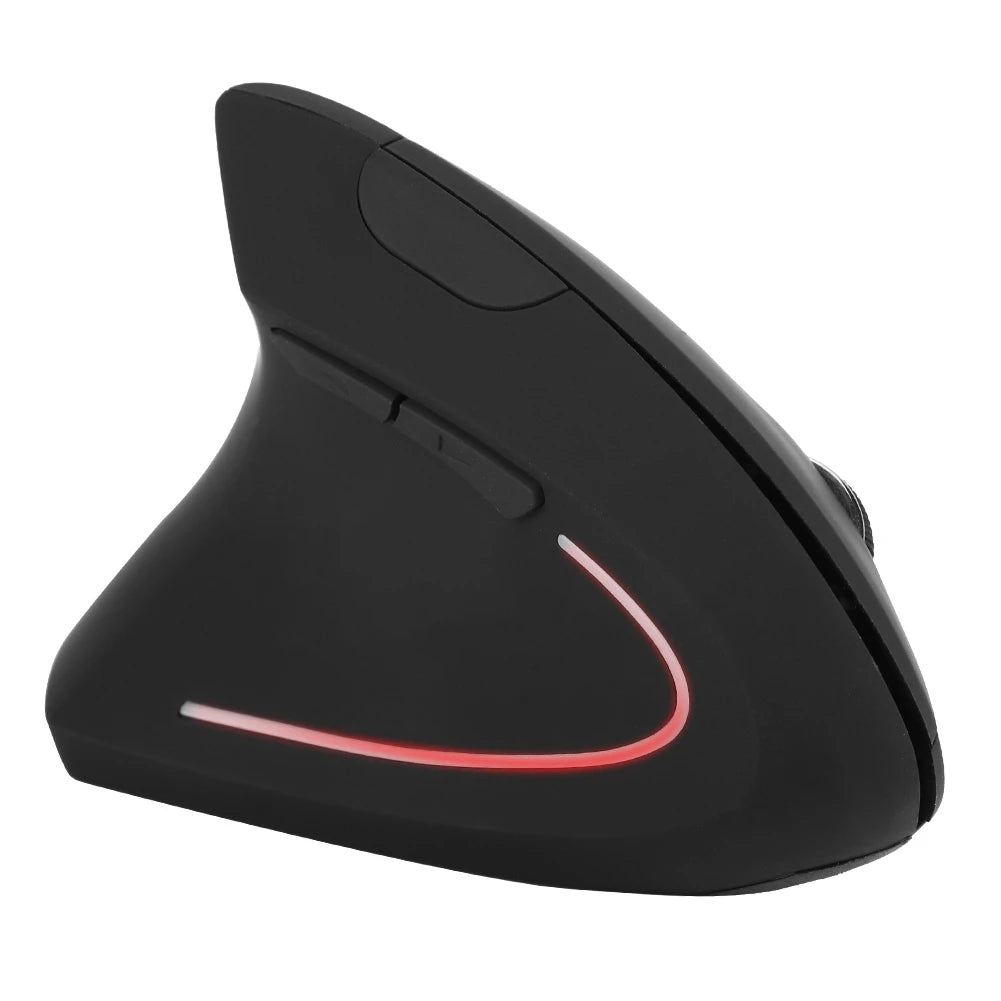
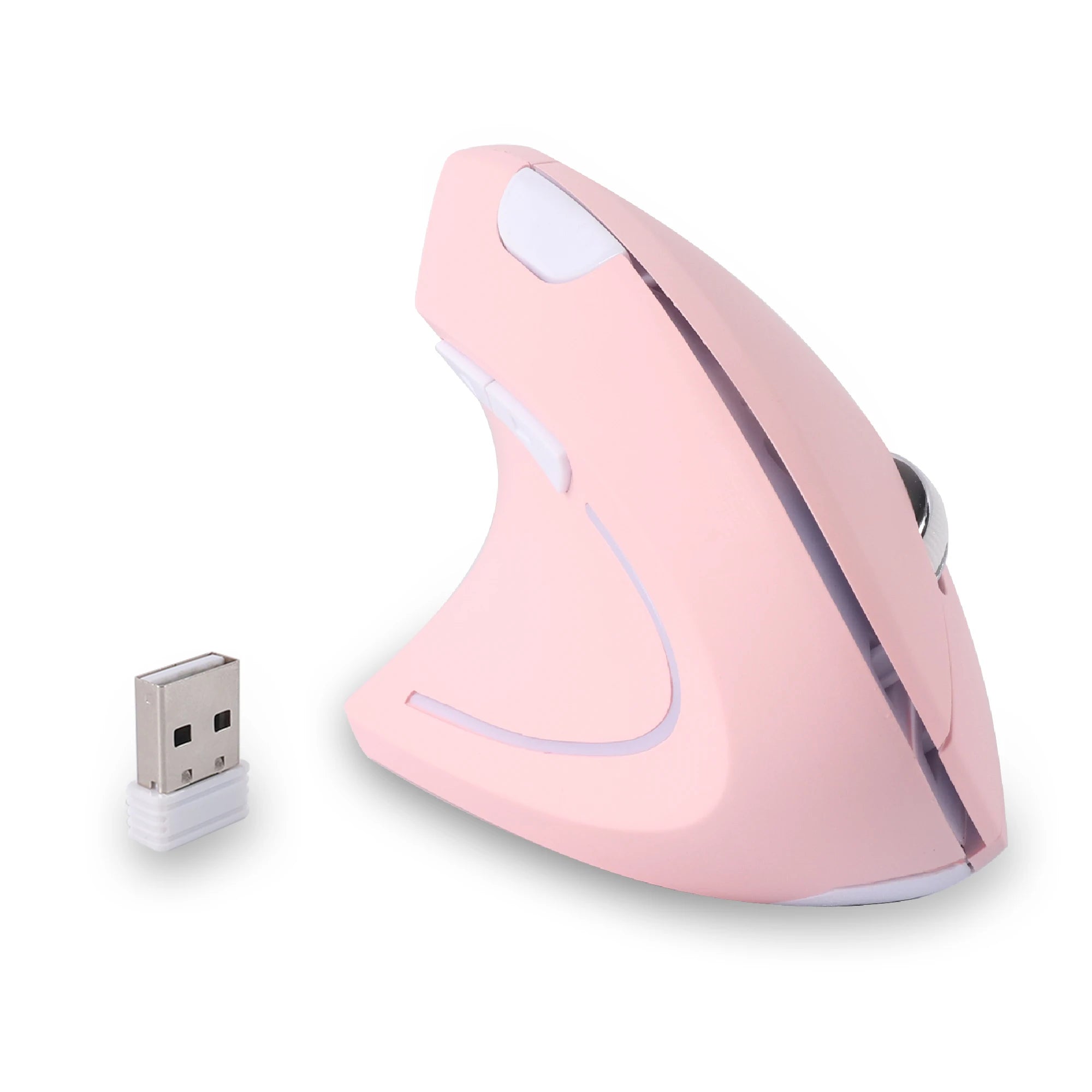
A left handed mouse is a traditional pointing device — you grip it, move it across a surface, and the cursor follows. What makes it specifically "left-handed" is the physical design: the grip contour follows a left palm, the thumb rest sits on the right side of the body, side buttons are positioned under the left thumb, and in vertical models, the tilt angle is oriented for a left wrist. This is fundamentally different from an ambidextrous mouse, which is symmetrical and doesn't support either hand specifically.
Left-handed mice come in two primary shapes. Traditional designs keep a lower profile with a palm-down orientation. Vertical designs tilt your hand into a handshake position that reduces wrist pronation during extended use. Both types are available in wireless configurations, and both place buttons where a left hand can actually reach them.
Strengths for left-handed users: Familiar cursor control with minimal learning curve. Works for every type of task — office work, browsing, design, gaming, coding. Vertical ergonomic options that genuinely reduce wrist tension. Available at accessible price points ($34.95–$59.95 for dedicated left-handed models). Portable and wireless.
Limitations: Requires desk space for mouse movement. The dedicated left-handed market is smaller than right-handed, though specialist brands like Smart Mouse Co have expanded options significantly.
What Is a Trackball?
A trackball is a stationary pointing device. Instead of moving the mouse body across a surface, you roll a ball — usually with your thumb or fingers — to move the cursor. The device itself stays fixed on the desk. Some trackballs are designed for thumb control (the ball sits on the side), while others use finger control (the ball sits on top).
Strengths for left-handed users: The device doesn't move, so it requires almost zero desk space. Some models are ambidextrous or available in left-handed configurations. Excellent for precision work like data point selection, fine cursor placement, and CAD navigation. Eliminates arm movement entirely, which can reduce shoulder and elbow fatigue during extremely long sessions.
Limitations — and this is where the left handed mouse vs trackball debate gets real:
- Very few left-handed trackball options exist. Most trackballs are designed for right-hand thumb control. The Logitech MX Ergo, the most popular trackball on the market, is right-handed only. Left-handed trackball users have a handful of finger-controlled options (like the Kensington Expert or SlimBlade) and almost no dedicated thumb-operated left-handed models. The selection problem that affects left-handed mice is even worse for left-handed trackballs.
- Longer learning curve. Trackball control is a genuinely different motor skill. Most users need 5–10 days to reach the same proficiency they have with a mouse. Some users never fully adapt — the thumb-based fine control doesn't click for everyone.
- Poor for gaming. Fast, wide cursor movements — the kind required in FPS, MOBA, and action games — are significantly harder with a trackball. Competitive gaming on a trackball is technically possible but functionally impractical for most genres.
- Drag-and-drop is awkward. Holding a button while simultaneously rolling the ball requires coordination that a mouse handles naturally. Tasks like dragging files, selecting text blocks, or repositioning objects in design tools are less fluid on a trackball.
- Cleaning maintenance. Trackball bearings accumulate dust and oil from skin contact. The ball needs periodic removal and cleaning to maintain smooth tracking — a maintenance step mice don't require.
What Is a Pen Tablet?
A pen tablet (also called a graphics tablet or drawing tablet) is a flat surface paired with a pressure-sensitive stylus. You move the pen across the tablet surface and the cursor follows on screen. The pen detects pressure levels (usually 4,096 to 8,192 levels), tilt angle, and sometimes rotation — making it the tool of choice for digital illustration, painting, photo retouching, and graphic design.
Strengths for left-handed users: Pen tablets are inherently ambidextrous — the flat surface works identically for left and right hands. Pressure sensitivity enables workflows that mice and trackballs physically cannot replicate. For digital artists, illustrators, and photo editors, pen tablets are not optional — they're essential.
Limitations:
- Steepest learning curve of all three. Moving a pen on a tablet while looking at a separate screen (standard tablets) requires eye-hand coordination that takes 2–4 weeks to develop. Display tablets (pen-on-screen) reduce this but cost $400–$3,000+.
- Impractical for general work. Browsing, spreadsheets, email, document editing, and file management are all slower and less precise with a pen tablet than with a mouse. No one uses a Wacom tablet to navigate Gmail.
- Requires significant desk space. Even small pen tablets (like a Wacom Intuos) need a flat, stable area plus room for the pen. Medium and large tablets consume more desk space than a mouse and a trackball combined.
- Zero gaming capability. Pen tablets are not designed for gaming input and perform poorly in any game genre.
- Expensive. Entry-level pen tablets start around $50. Professional models run $200–$500. Display tablets (Wacom Cintiq, XP-Pen Artist) range from $400 to $3,000+. The cost is justified for artists but disproportionate for anyone who doesn't need pressure-sensitive drawing input.
Left Handed Mouse vs Trackball — The Core Comparison
This is the matchup most left-handed users are actually weighing. Both are pointing devices. Both are available (to varying degrees) for left-handed use. Both serve daily computer workflows. Here's how they compare across the factors that matter most:
Versatility: A left-handed mouse handles everything — office work, gaming, browsing, design, coding, creative work. A trackball handles office work and precision tasks well but struggles with gaming and drag-heavy workflows. If you use your computer for multiple types of work, the mouse wins on versatility.
Ergonomics: Both offer genuine ergonomic benefits, but differently. A vertical left-handed mouse reduces wrist pronation through its tilt angle. A trackball eliminates arm movement entirely by keeping the hand stationary. For users with shoulder or elbow concerns from arm movement, the trackball may be preferable. For users with wrist tension from flat mice, a vertical left-handed mouse directly addresses the problem. Neither is universally "more ergonomic" — they solve different physical issues.
Desk space: Trackball wins decisively. It stays fixed in one spot. A mouse needs room to move — typically 15–25cm of pad space. If your desk is severely space-constrained, the trackball's zero-movement footprint is a real advantage.
Left-handed availability: Left-handed mice have a growing market with specialist brands offering dedicated vertical designs from $34.95. Left-handed trackballs are extremely rare — most popular trackballs (Logitech MX Ergo, Elecom HUGE) are right-hand-only. Left-handed users who want a thumb-operated trackball have almost no options. Finger-operated trackballs (ball on top) work for either hand but sacrifice the thumb precision that makes trackballs appealing in the first place.
Price: A dedicated left-handed vertical mouse costs $34.95–$59.95 at Smart Mouse Co. A quality trackball ranges from $30 (basic models) to $100–$150 (Logitech MX Ergo, Kensington Expert). Dollar for dollar, a left-handed mouse delivers more ergonomic value at a lower price point — especially given the near-absence of dedicated left-handed trackball options.
The bottom line: For the majority of left-handed users, a dedicated left-handed vertical mouse is the better choice — more versatile, more accessible, more affordable, and available in true left-handed designs. A trackball makes sense for the specific subset of users who need zero arm movement, have extremely limited desk space, or do precision-heavy work that benefits from stationary cursor control. But for general productivity, gaming, and everyday use, the left handed mouse wins the comparison.
When to Choose Each Device
| Choose this... | If you... |
|---|---|
| Left-handed mouse | Do general office work, gaming, browsing, coding, or any combination. Want a dedicated left-hand design. Want vertical ergonomics. Need portability. Have a normal desk setup. |
| Trackball | Have extremely limited desk space. Do precision data work (CAD, analytics). Want to eliminate arm movement entirely. Don't game. Can find a left-hand-compatible model. |
| Pen tablet | Do digital illustration, painting, photo retouching, or graphic design. Need pressure sensitivity. Use the tablet alongside (not instead of) a mouse for general work. |
| Mouse + trackball | Want the best of both worlds — mouse for general work and gaming, trackball for precision tasks or zero-movement sessions. Some power users run both. |
| Mouse + pen tablet | Are a digital artist who also does general computer work. Use the pen tablet for creative work and the mouse for everything else. This is the standard setup in most creative studios. |
Best Left-Handed Mouse Options for Users Coming from Trackball or Pen Tablet
If this comparison has you leaning toward a dedicated left-handed mouse — or if you want to add one alongside your trackball or pen tablet — here are the four models in Smart Mouse Co's left-handed collection, ranked from most affordable to most refined.
Left Hand Ergonomic Vertical Mouse – Wireless 2.4G with Side Buttons — $34.95
⭐ BEST ENTRY POINT
Best for: Trackball users who want to try a left-handed mouse without a big investment — and anyone switching from a right-handed or ambidextrous mouse for the first time.
At $34.95, this is the lowest-risk way to answer the left handed mouse vs trackball question for yourself. True left-handed vertical design with a grip contour that follows a left palm. Side buttons under the left thumb. Wireless 2.4GHz connection. The vertical orientation holds your hand in a handshake position — the same fundamental ergonomic benefit that made you consider a trackball in the first place, but with the familiar cursor-follows-movement control that requires almost no learning curve.
If you're a trackball user who's frustrated by the lack of left-handed trackball options — or a pen tablet user who needs a mouse for non-creative work — this is the model to start with. At $34.95, the decision costs less than a single co-working day pass.
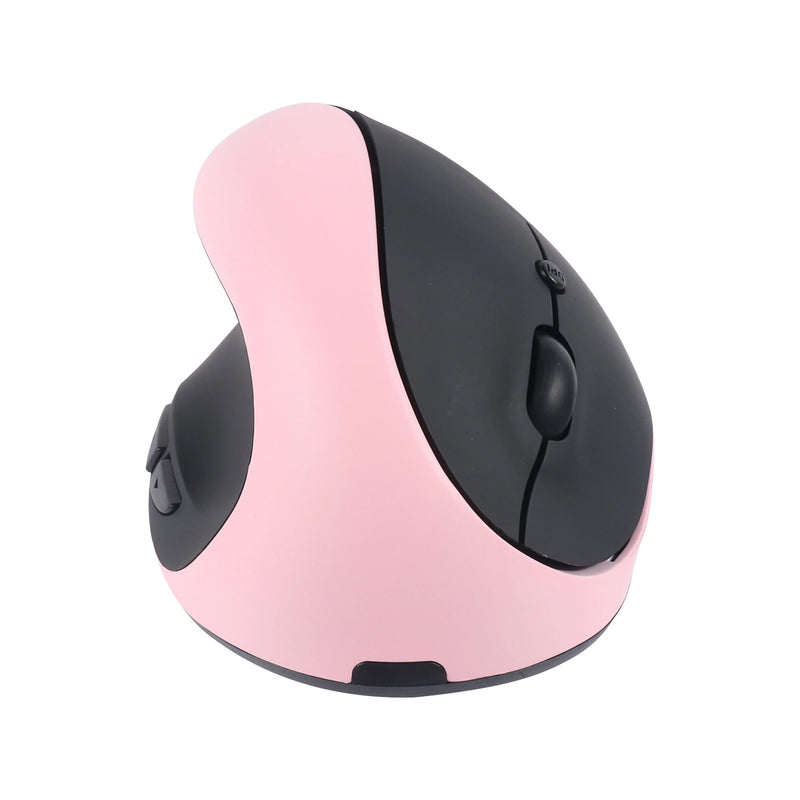
Left Hand Ergonomic Vertical Mouse with Side Buttons — $34.95
⭐ BEST FOR SHORTCUT-HEAVY WORKFLOWS
Best for: Left-handed users who rely on side buttons for browser navigation, application switching, or mapped shortcuts — especially those coming from trackballs with limited button options.
Same $34.95 price point, same vertical ergonomic design, same wireless 2.4GHz. The differentiation is in the side button layout — this model positions its thumb buttons with spacing and tactile feedback optimized for frequent use. If your workflow involves heavy side-button usage — browser back/forward, copy/paste macros, app switching — the button accessibility here matters.
For trackball users who found button access frustrating on their trackball (a common complaint — many trackballs have awkward button placement), this mouse puts navigation shortcuts exactly where your left thumb rests. No grip shift. No reach. Just press.
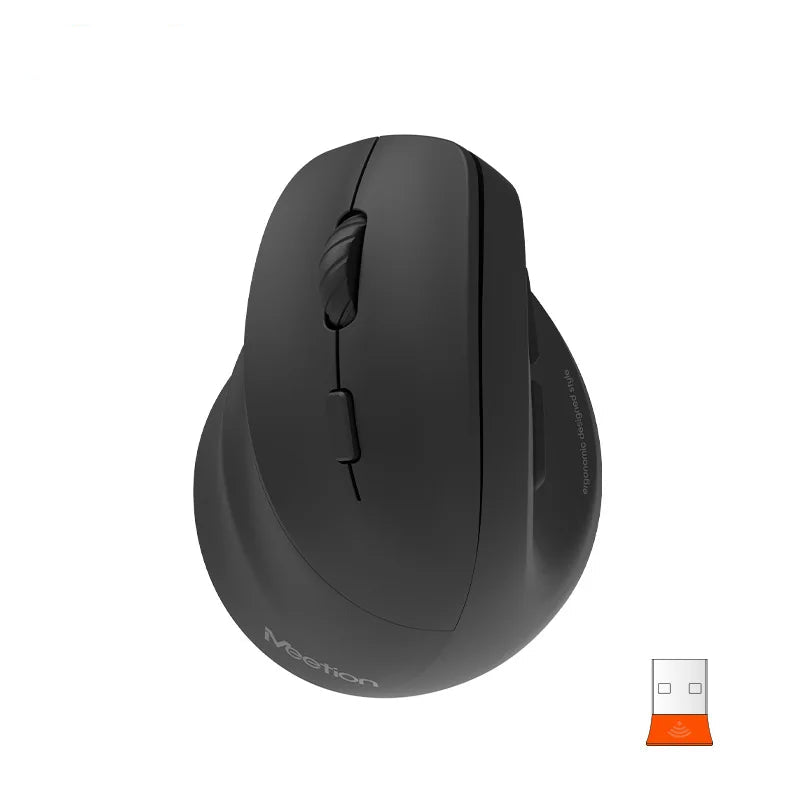
Left Hand Ergonomic Wireless Vertical Mouse for Left-Handed Users — $59.95
⭐ BEST COMFORT UPGRADE
Best for: Left-handed users who work 4–8 hours daily and want the most comfortable transition from a trackball or ambidextrous mouse to a dedicated left-handed vertical design.
The $25 step up from $34.95 buys refined ergonomic contouring, better surface texturing for grip stability, and a body shape engineered for sustained use. This is the mouse for users who've already decided the left handed mouse vs trackball question — and want the best daily-driver left-handed mouse available under $60.
For former trackball users, the vertical design delivers a similar ergonomic philosophy (reduced wrist pronation, more neutral hand position) but with the cursor-follows-movement control that makes general work, browsing, and gaming dramatically easier. The adjustment from trackball to vertical mouse takes 2–3 days. From that point forward, everything is faster.
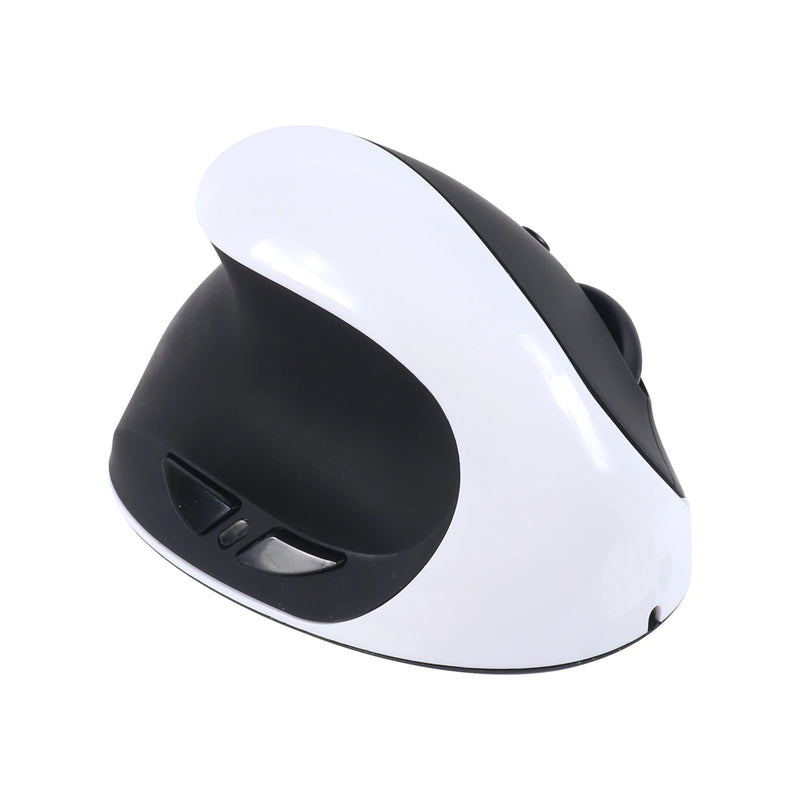
Left Hand Ergonomic Vertical Mouse for Left-Handed Users — $59.95
⭐ BEST FOR ALL-DAY USE
Best for: Left-handed professionals who log 6–10+ hour sessions and need the most sustained comfort available — the premium tier of dedicated left-handed vertical mice.
This model is optimized for the longest sessions. The grip profile supports a full palm in the vertical position with a thumb ledge that prevents drift during extended work. The contouring distributes hand weight evenly across the palm rest. The scroll mechanism is smooth and precise. For left-handed users who sit at a desk all day — developers, analysts, designers, writers, project managers — this is the mouse that still feels good at hour eight.
At $59.95, it matches or undercuts the price of most quality trackballs (Logitech MX Ergo: $99, Kensington Expert: $80+) while offering a true left-handed design that those trackballs simply don't have. The ergonomic benefit is comparable. The versatility is dramatically higher. The left-handed fit is purpose-built rather than adapted.
Why Smart Mouse Co for Left-Handed Mice?
The left-handed trackball market is a wasteland. The most popular trackballs — Logitech MX Ergo, Elecom HUGE, Elecom Deft Pro — are all right-handed. Left-handed users get finger-operated models that sacrifice the thumb precision that defines the trackball experience, or they get nothing.
The left-handed mouse market isn't perfect either — but it's dramatically better. And at Smart Mouse Co, left-handed mice aren't an afterthought. They're a dedicated collection with four purpose-built models, each designed from the ground up for left-hand use. Not adapted. Not symmetrical. Not "compatible." Designed.
Free worldwide shipping on every order. Every mouse includes a wireless receiver. Every product page shows the actual mouse you'll receive. This is what a specialist looks like when left-handed users are the priority — not a niche checkbox on a spec sheet.
Frequently Asked Questions
Is a left-handed mouse better than a trackball?
For most left-handed users, yes. A dedicated left-handed mouse is more versatile (handles gaming, browsing, design, and office work), has a shorter learning curve (3–5 days vs 5–10 for trackball), and is available in true left-handed designs at accessible prices ($34.95–$59.95). A trackball is better only for users who need zero desk movement, have extreme space constraints, or do specific precision work that benefits from stationary cursor control. The biggest factor: dedicated left-handed trackballs barely exist, while dedicated left-handed mice are available now.
Can I use a right-handed trackball with my left hand?
Thumb-operated trackballs (like the Logitech MX Ergo) are right-hand-only — the thumb ball is on the left side, unreachable by a left thumb. Finger-operated trackballs (ball on top, like the Kensington Expert) work with either hand since you control the ball with your fingers. However, finger-operated trackballs sacrifice the thumb precision that makes trackballs compelling, and their button layouts are typically designed around right-hand finger placement.
Is a pen tablet a good mouse replacement for left-handed users?
Only if you're a digital artist. Pen tablets excel at pressure-sensitive creative work — illustration, painting, photo retouching. For everything else — office work, browsing, gaming, coding, spreadsheets — a pen tablet is slower and less practical than a mouse. Most professional creatives use a pen tablet for creative work AND a mouse for general computer use. The two devices complement each other; they don't replace each other.
What if I've been using a trackball for years and want to try a mouse?
The transition from trackball to a vertical left-handed mouse takes about 2–3 days. The vertical design shares a similar ergonomic philosophy with trackballs — neutral wrist position, reduced pronation — so the hand posture feels familiar. The difference is that you're moving the mouse body instead of rolling a ball. Most former trackball users adapt quickly and appreciate the increased versatility for tasks that trackballs handle poorly, like drag-and-drop and gaming.
Can I use a left-handed mouse and a trackball together?
Yes, and some power users do exactly this. Mouse for general work, gaming, and browsing. Trackball for sustained precision tasks or zero-movement sessions when desk space is tight. The two devices complement each other well if your workflow spans both use patterns. Both connect wirelessly, so switching between them is seamless.
Why are there so few left-handed trackballs?
The same market dynamics that limit left-handed mice apply even more severely to trackballs. Left-handed people are ~10% of the population. Trackball users are ~2–5% of all mouse users. Left-handed trackball users are a fraction of a fraction — a market too small for most manufacturers to justify dedicated molds and production runs. The result is that left-handed trackball options are nearly nonexistent, while left-handed mice have reached a viable market size through specialist brands.
Conclusion — The Verdict for Left-Handed Users
The left handed mouse vs trackball debate has a clear winner for most left-handed users: a dedicated left-handed vertical mouse. It's more versatile. It's more affordable. It has a shorter learning curve. And critically — it's actually available in true left-handed designs, which left-handed trackballs are not.
A trackball is the right choice for the small subset of users who need zero arm movement, have extreme space limitations, or do precision work that benefits from stationary control. A pen tablet is the right choice for digital artists who need pressure sensitivity. For everyone else — and that's the overwhelming majority of left-handed computer users — a dedicated left-handed mouse does everything better, at a lower price, with hardware that was actually designed for your hand.
The entire Smart Mouse Co left-handed collection runs $34.95 to $59.95. Free worldwide shipping. No ambidextrous compromises. No right-handed mice with swapped buttons. Just left-handed mice, built for left-handed people, priced to make the decision effortless.
The Left-Handed Mouse That Trackball Users Wish Existed
Dedicated left-handed vertical mice — ergonomic, wireless, and actually designed for your hand.
- ✓ True left-handed vertical design — not ambidextrous
- ✓ Thumb-side buttons built for left-hand access
- ✓ Wireless 2.4GHz — plug in the receiver and go
- ✓ $34.95–$59.95 · Free worldwide shipping
Shop Left-Handed Mice →










Leave a comment
This site is protected by hCaptcha and the hCaptcha Privacy Policy and Terms of Service apply.