






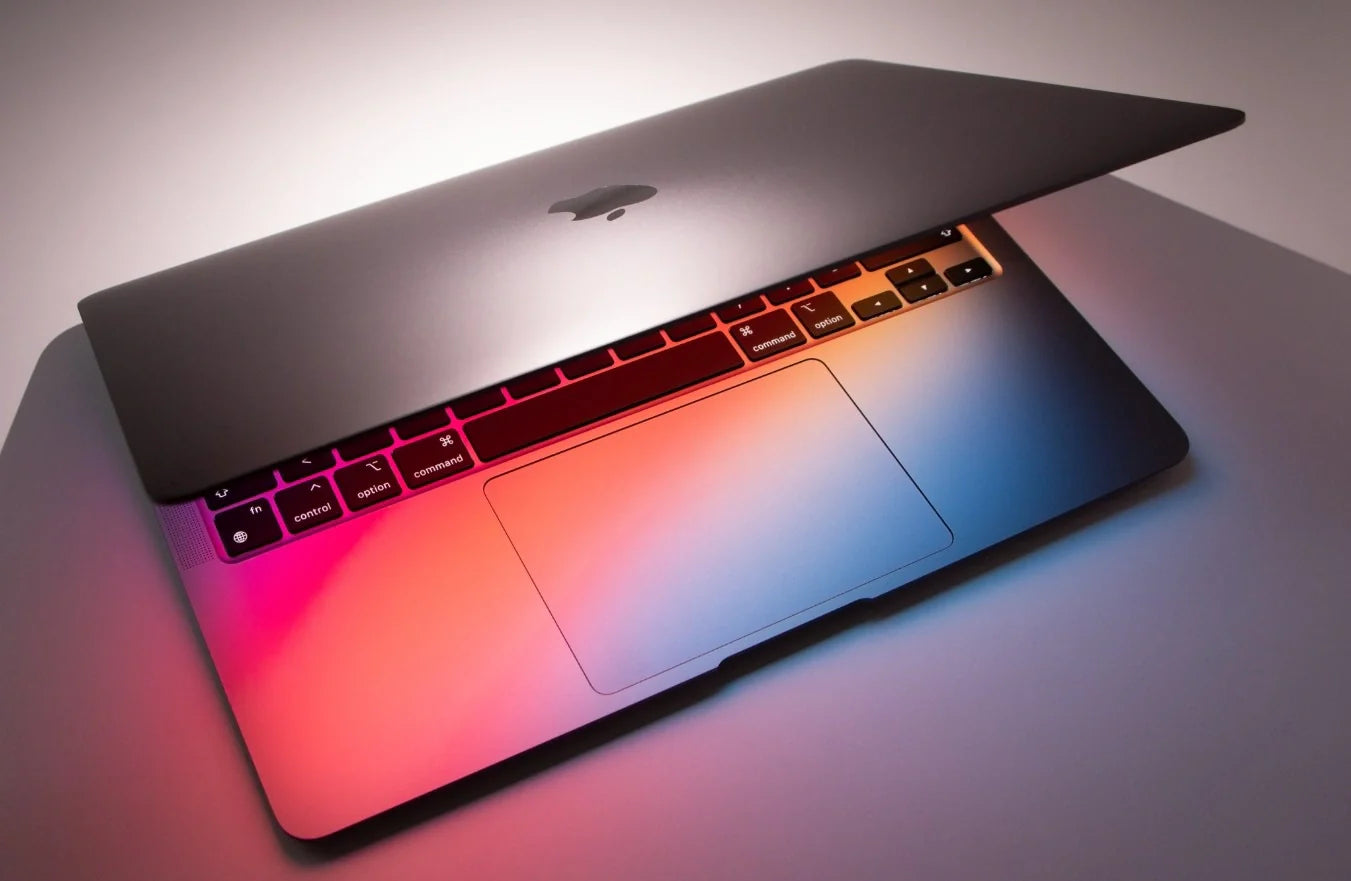
Your Mac costs between $999 and $7,299 depending on the model. It runs the fastest silicon Apple has ever made. It powers creative workflows, development environments, business operations, and design studios worldwide.
And yet the mouse Apple wants you to use with it is the Magic Mouse. A flat, low-profile slab that charges upside down, has zero ergonomic shaping, and has not been meaningfully redesigned since 2015. For a $3,000+ MacBook Pro or Mac Studio, that's the default pointing device. It doesn't have to be.
The right wireless mouse transforms how you use your Mac. Editing in Final Cut becomes more precise. Navigating large Figma canvases becomes fluid. Managing dozens of browser tabs, Slack channels, and documents simultaneously becomes faster. Scrolling through Xcode or VS Code for hours becomes sustainable instead of painful. And your desk — the clean, minimal setup Mac users are known for — stays wireless and clutter-free.
At Smart Mouse Co, mice are our entire business. Not a sub-category. Not an afterthought next to keyboards and webcams. Every mouse we carry is curated for wireless connectivity, ergonomic quality, and modern work setups — exactly what Mac users demand. This guide covers the 10 best wireless mice for Mac in 2026, with real workflow breakdowns, product images, pricing, and direct links to every model.
Quick Picks: Best Wireless Mouse for Mac by Use Case
| Mouse | Best For | Price | Highlight |
|---|---|---|---|
| Air Nova | Presentations + hybrid work |
|
⭐ Best Overall |
| Elevate Pro | Ergonomic vertical + long sessions |
|
⭐ Best Ergonomic |
| Touch Flow | Multi-touch trackpad replacement |
|
⭐ Best Magic Trackpad Alternative |
| Seeker | MacBook travel companion | $89 | ⭐ Best Travel |
| PenX | Ultra-portable pen mouse | $37.95 | ⭐ Most Portable |
| Verta | Vertical comfort + everyday Mac use | $59 | ⭐ Best Vertical Value |
| ErgoGlide | Ergonomic comfort on a budget | $49.95 | ⭐ Best Mid-Range |
| Lumos | Silent clicks for shared workspaces | $59 | ⭐ Best Silent |
| Orbit | Trackball precision + zero desk movement | $59 | ⭐ Best Trackball |
| ErgoX | Budget wireless for any Mac | $34.95 | ⭐ Best Budget |
Browse all 17 Smart Mouse Co mice →
Why Mac Users Need a Better Mouse Than Apple's Magic Mouse
Let's address the obvious: Apple's Magic Mouse ships with many Mac models and pairs instantly with macOS. It looks clean on a desk. It supports multi-touch gestures. And that's where its strengths end.
The Magic Mouse has zero ergonomic shaping. Your palm hovers over a flat glass surface for hours with no support. There is no thumb rest, no contoured grip, and no vertical option. After three or four hours of continuous use, the lack of hand support becomes fatigue that affects your precision and your focus. Apple hasn't updated the core design in over a decade — the same company that redesigns its phones annually ships a mouse whose ergonomic concept dates to 2009.
The charging port is on the bottom. To this day, the Magic Mouse charges via a port on its underside, which means it cannot be used while charging. A mouse that becomes unusable when its battery dies — even temporarily — is a workflow interruption that no professional should accept on a machine they paid $2,000+ for.
The price is $79–$99 for a device with no ergonomic design, no side buttons, no scroll wheel, and a charging solution that would be a meme if it came from any brand other than Apple. For the same money — or less — you get a wireless mouse from Smart Mouse Co with genuine ergonomic shaping, dedicated scroll control, side buttons for macOS navigation shortcuts, and a form factor that keeps your hand comfortable through an entire workday.
Why Smart Mouse Co? Because Mice Are Our Only Business
Amazon sells 47,000 mice. Best Buy stocks whatever Logitech, Razer, and Microsoft send them. Apple sells exactly one mouse and pretends it's enough. None of these retailers specialize in what's actually in your hand for 8 hours a day.
Smart Mouse Co is different. Mice are the entire brand. Every product in our collection is selected for wireless connectivity, ergonomic quality, build craftsmanship, and compatibility with modern work setups — including full macOS support. When you buy from a specialist, you skip the endless filtering through irrelevant products and get a curated selection where every option was chosen for people who care about their input devices.
Free worldwide shipping on every order. Bluetooth or 2.4GHz wireless on every mouse. No legacy wired-only inventory from 2019. No filler products added to inflate the catalog. Just mice — designed for the way people work in 2026.
macOS Compatibility: What You Need to Know
Every wireless mouse in this guide connects to Mac via Bluetooth — the same protocol macOS uses for the Magic Mouse, AirPods, and Apple Keyboard. No drivers required. Pair in System Settings → Bluetooth, and the mouse works immediately. macOS supports standard HID mouse input natively, which means left click, right click, scroll wheel, and side buttons all function without third-party software.
A few things Mac users should know:
- Scroll direction: macOS defaults to "natural" scrolling (scroll down moves the page up). This works identically with any Bluetooth mouse. You can reverse it in System Settings → Mouse if you prefer traditional scroll direction.
- Right-click: macOS fully supports right-click via any two-button mouse. No settings change needed — it works out of the box.
- Side buttons: macOS recognizes side mouse buttons for browser back/forward navigation by default. For custom mapping, free apps like BetterMouse or macOS's built-in Accessibility settings allow full button reassignment.
- USB-C dongles: Mice that include a 2.4GHz USB-A dongle work on modern MacBooks with a USB-C to USB-A adapter. However, Bluetooth-native mice are the cleaner solution since they require no dongle at all.
Every Wireless Mouse for Mac, Ranked by Category
Best Overall Wireless Mouse for Mac
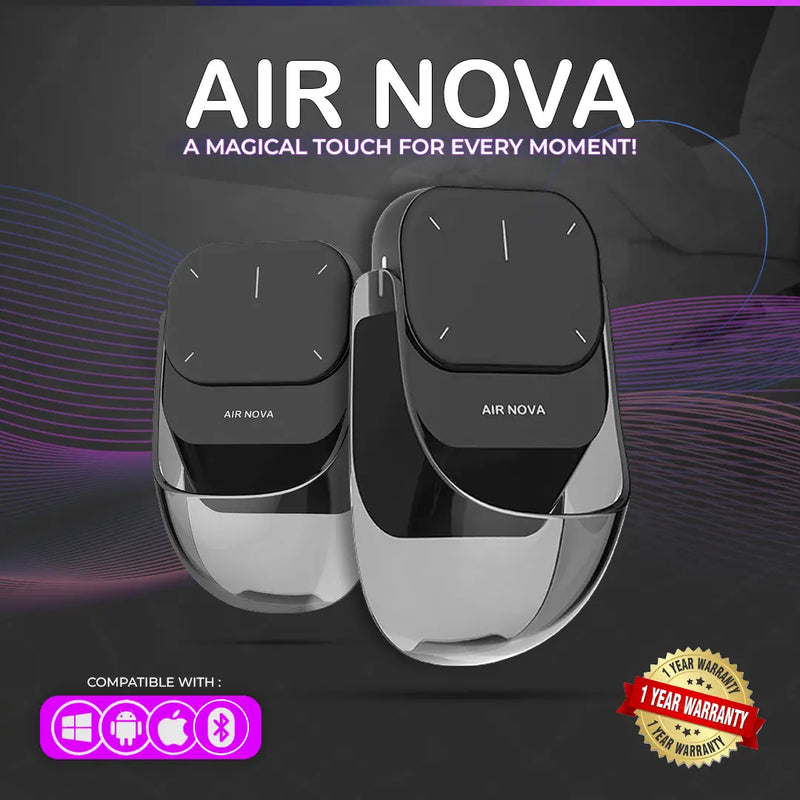
Air Nova — $149 $89
⭐ BEST OVERALL WIRELESS MOUSE FOR MAC
Best for: Mac professionals who present, teach, or lead meetings — and want one device that handles everyday work AND wireless presenting.
The Air Nova is Smart Mouse Co's flagship, and it is built for exactly the kind of multi-functional Mac user who refuses to carry three devices when one will do. The detachable dual-mode design lets you use it as a full Bluetooth mouse for daily macOS work — then detach the top section to become a wireless presenter with a built-in laser pointer and slide controls. That's Keynote, Google Slides, PowerPoint, and Zoom screen-sharing covered by a single device.
Bluetooth 5.1 pairs directly with any Mac — MacBook Air, MacBook Pro, iMac, Mac Mini, Mac Studio, Mac Pro. No dongle needed. No drivers to install. The ergonomic body is shaped for comfortable full-day use, not the flat-palm hovering that the Magic Mouse demands. At $89 (down from $149), you're paying $10 more than Apple's Magic Mouse and getting a mouse that actually fits a human hand plus a built-in presenter remote. Compatible with macOS, iPadOS, Windows, Android, and ChromeOS.
Best Ergonomic Wireless Mouse for Mac
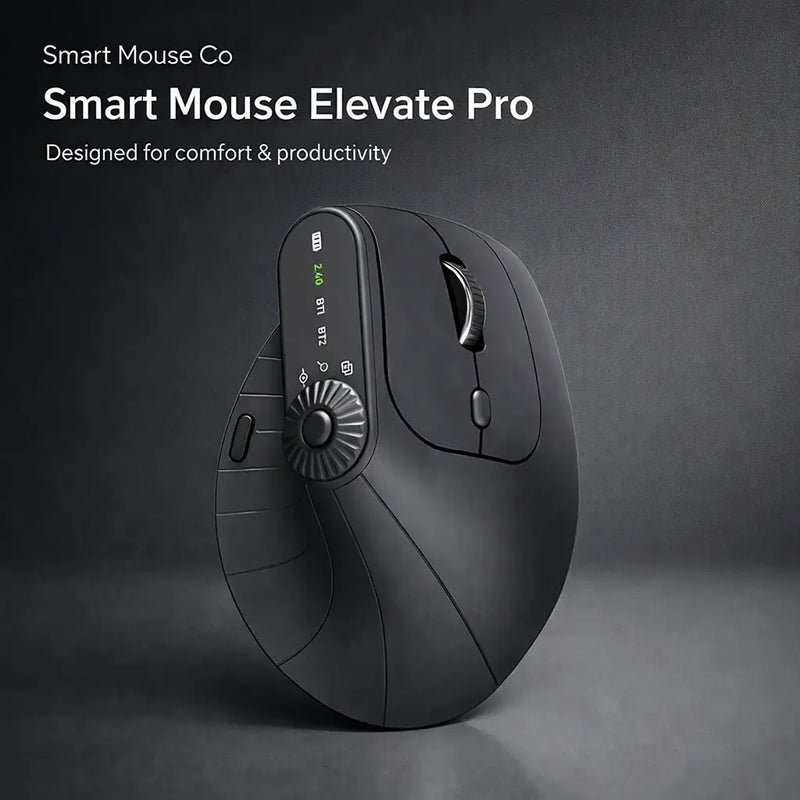
Elevate Pro — $129 $89
⭐ BEST ERGONOMIC
Best for: Mac users who work 6+ hours daily and want a vertical ergonomic mouse with adjustable tilt angle.
The Elevate Pro is a Bluetooth vertical mouse with a feature no other vertical mouse on the market offers: a physical adjustment knob that lets you dial in your exact preferred wrist angle. Vertical mice typically lock you into one fixed tilt. The Elevate Pro lets you find the angle that feels best for your hand, which is critical during the long sessions that Mac-based creative, development, and business work demands.
For Mac users who edit video in Final Cut Pro, design in Figma or Sketch, code in Xcode, or manage complex spreadsheets in Numbers or Google Sheets — the Elevate Pro keeps your wrist in a neutral position through the full workday. Bluetooth pairing is instant. Available in White (matches silver Macs perfectly), Black, and Beige. At $89, it's the same price as a Magic Mouse but exists in a different ergonomic universe.
Best Magic Trackpad Alternative
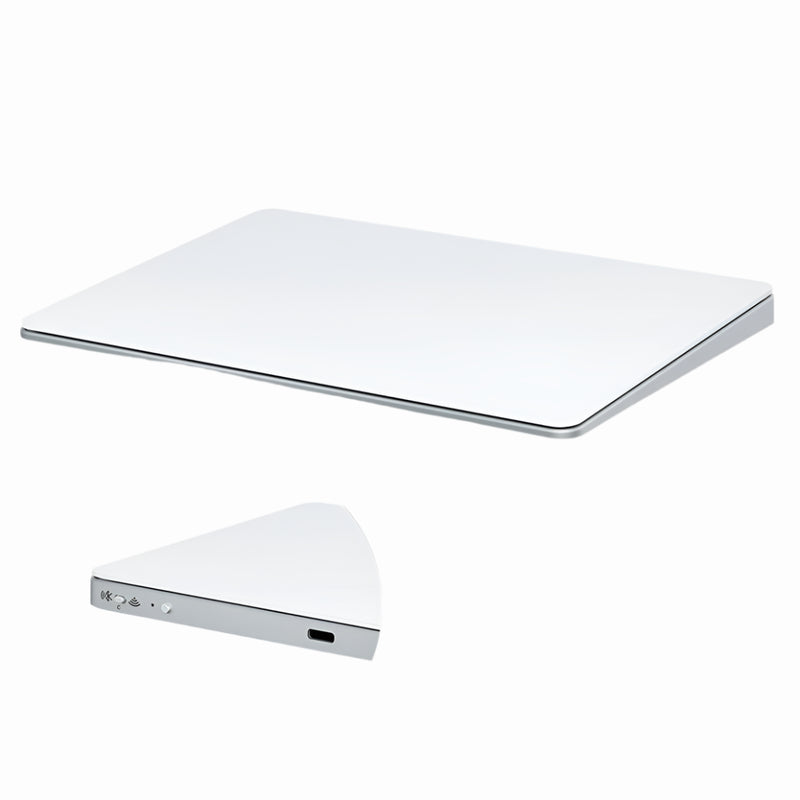
Touch Flow — $136.92 $89
⭐ BEST MAGIC TRACKPAD ALTERNATIVE
Best for: Mac users who love macOS trackpad gestures but want a more portable and affordable alternative to Apple's $129 Magic Trackpad.
The Touch Flow is a Bluetooth wireless trackpad with a smooth glass multi-touch surface. It supports the macOS gestures you already use: two-finger scrolling, pinch-to-zoom, three-finger swipe between desktops, four-finger Mission Control, and tap-to-click. It's the gesture experience Mac users expect, in a form factor that's more portable than Apple's Magic Trackpad and $40 cheaper at $89.
The glass surface matches the premium feel that Mac users demand from their peripherals. For MacBook users who love the built-in trackpad but want a larger, external gesture surface when working at a desk — without buying Apple's full-size $129 trackpad — the Touch Flow is the logical choice. Pairs instantly via Bluetooth with any Mac running macOS Monterey or later.
Best Travel Mouse for MacBook
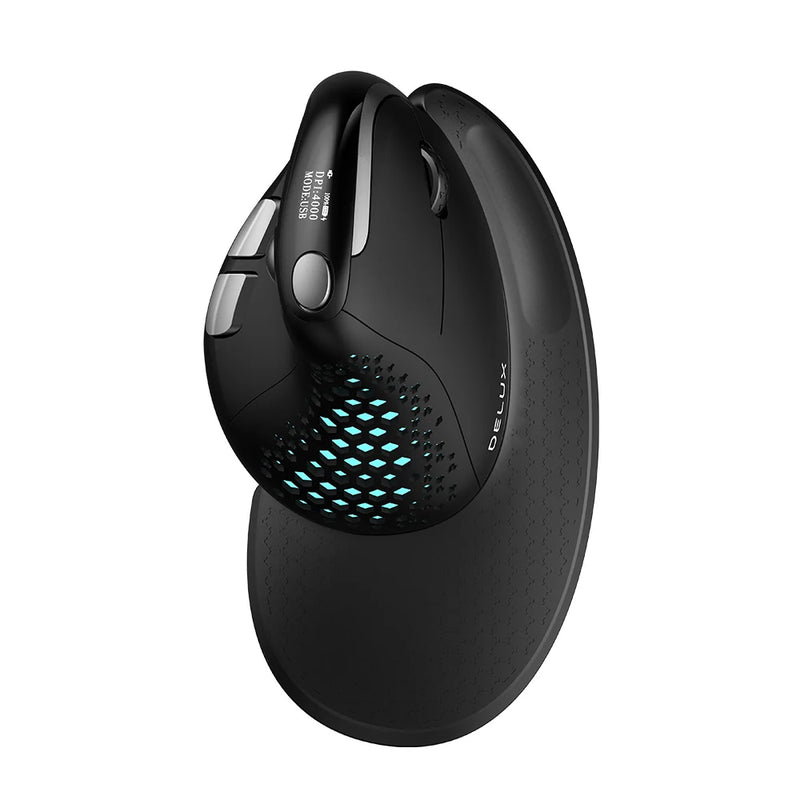
Seeker — $89
⭐ BEST TRAVEL MOUSE
Best for: MacBook users who work from cafés, airports, co-working spaces, and hotel rooms — and need a compact mouse that packs effortlessly.
The MacBook is the world's most popular portable professional computer. Its users don't sit at one desk — they work from everywhere. The Seeker is designed for that reality. Compact enough to drop into a laptop sleeve pocket or tech pouch, it pairs via Bluetooth for instant MacBook connectivity without a dongle taking up your limited USB-C ports.
Unlike ultra-small travel mice that cramp your hand after 30 minutes, the Seeker balances portability with enough body to remain comfortable during real work sessions. It tracks reliably on wood, glass, and textured surfaces — the unpredictable surfaces MacBook users actually encounter outside their home office. At $89, it's the mouse you throw in your bag every morning without a second thought.
Most Portable: Pen-Style Mouse
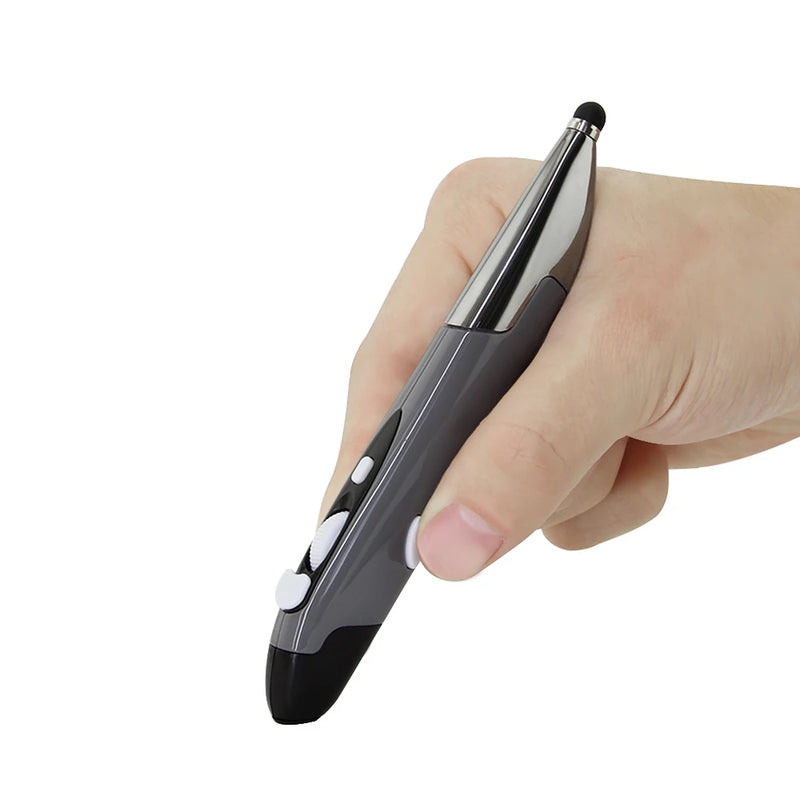
PenX — $37.95
⭐ MOST PORTABLE
Best for: Minimalist Mac users who want the smallest possible wireless pointing device — a pen-shaped mouse that fits in a shirt pocket.
The PenX reimagines the mouse entirely. Shaped like a pen, it functions as a full wireless mouse with click buttons and scroll control integrated into its cylindrical body. For Mac users who travel ultra-light — a MacBook Air, a charger, and nothing else — the PenX adds precision cursor control with literally zero additional bulk.
At $37.95, it's the most affordable mouse in this guide. Available in Gray, Blue, and Red. The pen form factor is ideal for Mac users who alternate between trackpad and mouse input throughout the day — pick it up when you need cursor precision, set it down when you switch to gestures. No other mouse brand offers this form factor. Bluetooth compatible with every Mac.
Best Vertical Value Mouse for Mac
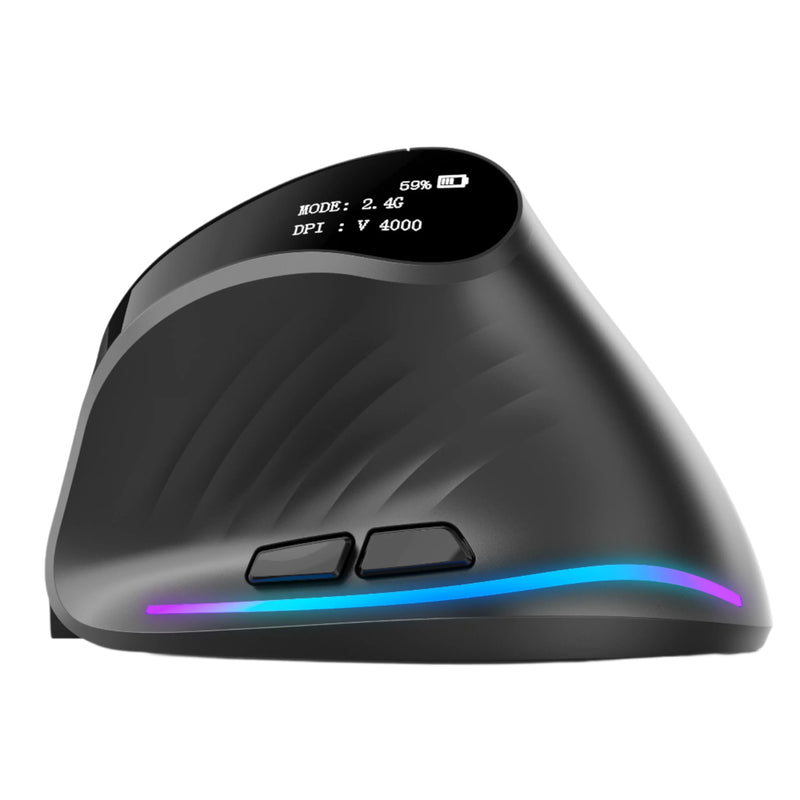
Verta — $59
⭐ BEST VERTICAL VALUE
Best for: Mac users who want a vertical ergonomic design without paying $89 — solid mid-range vertical mouse.
The Verta delivers the core benefit of a vertical mouse — a natural handshake grip that keeps your wrist neutral during extended use — at a price point $30 below the Elevate Pro. It lacks the adjustable tilt knob, but the fixed angle is well-calibrated for the majority of hand sizes. Wireless connectivity, responsive tracking, and side buttons positioned for comfortable thumb access.
For Mac users who have heard about vertical mice from colleagues or Reddit and want to try the concept without a premium investment, the Verta is the smart entry point. At $59, it costs $20–$40 less than the Apple Magic Mouse while providing genuine ergonomic benefit that Apple's mouse completely lacks.
Best Mid-Range Ergonomic Mouse for Mac
ErgoGlide — $49.95
⭐ BEST MID-RANGE
Best for: Mac users who want ergonomic comfort at a moderate price — students, freelancers, and home office workers.
The ErgoGlide sits in the sweet spot between the budget ErgoX and the premium vertical models. It provides genuine ergonomic contouring — a shaped grip that supports your palm and positions your fingers naturally — at a price that makes it accessible to anyone building or upgrading a Mac workstation.
Wireless connectivity, responsive tracking on varied surfaces, and a build quality that holds up through daily use. For Mac users who know the Magic Mouse isn't cutting it but aren't ready to commit to a $89 vertical design, the ErgoGlide at $49.95 is the upgrade that delivers immediate comfort improvement with zero learning curve.
Best Silent Mouse for Mac
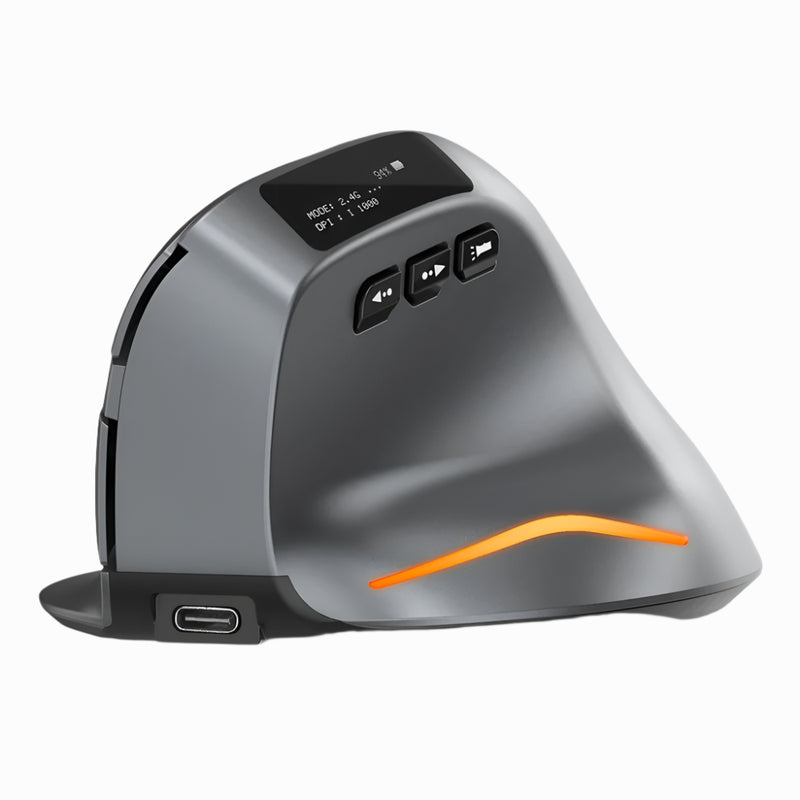
Lumos — $59
⭐ BEST SILENT
Best for: Mac users who take Zoom calls while navigating, work in shared offices, or use their Mac in quiet environments like libraries and studios.
Every click on the Lumos is soft, tactile, and virtually silent. For Mac users who spend half their day on video calls — clicking through tabs, navigating Notion, scrolling Slack — the Lumos prevents your mouse clicks from bleeding into your microphone. It's a problem most people don't think about until a colleague says "your clicking is really loud."
Beyond silence, the Lumos is a well-built wireless mouse with comfortable shaping and reliable Bluetooth connectivity. At $59, it's a straightforward upgrade for any Mac user working in sound-sensitive environments — recording studios, podcast setups, open-plan offices, libraries, or any room where other people can hear your inputs.
Best Trackball Mouse for Mac
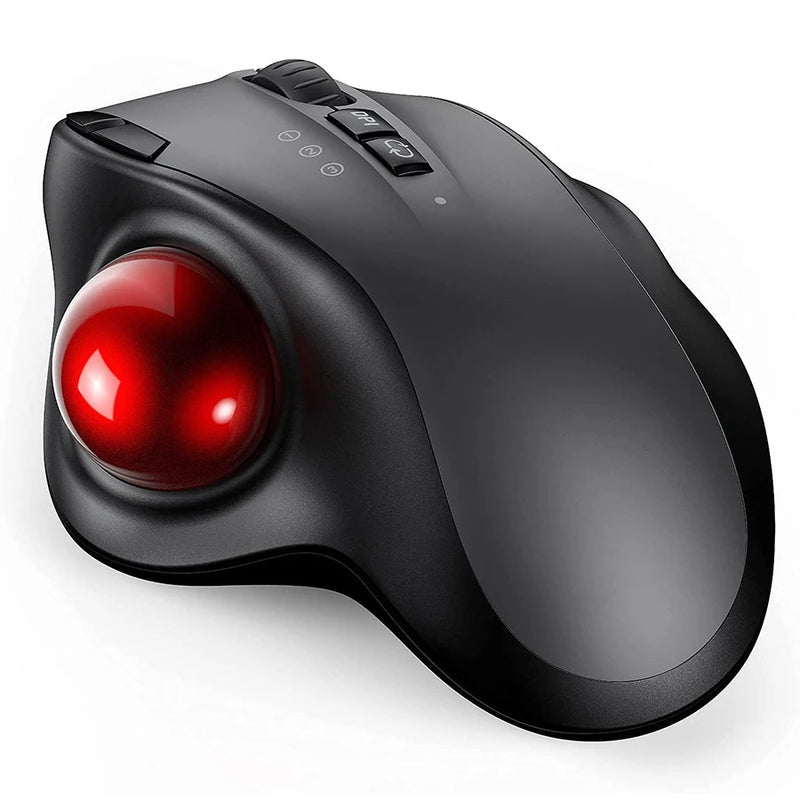
Orbit — $59
⭐ BEST TRACKBALL
Best for: Mac creatives, data analysts, and precision workers who want cursor control without moving the mouse body at all.
The Orbit is a trackball mouse — your thumb rolls the ball to move the cursor while the mouse stays stationary on the desk. For Mac users who work on small desks, crowded surfaces, or in setups where mouse movement space is limited, the Orbit gives you full cursor control in a fixed footprint.
Trackball mice have a dedicated following among designers, developers, video editors, and data analysts who value precision and minimal arm movement. macOS supports trackball input natively — no drivers, no configuration, just pair via Bluetooth and start working. At $59, the Orbit brings a genuinely different input paradigm to your Mac setup. Once you adapt (typically 3–5 days), many trackball users never go back to a traditional mouse.
Best Budget Wireless Mouse for Mac

ErgoX — $34.95
⭐ BEST BUDGET
Best for: Students, casual Mac users, and anyone who wants a reliable wireless mouse at the absolute lowest price.
The ErgoX costs $34.95. The Apple Magic Mouse costs $79. The ErgoX provides wireless connectivity, ergonomic shaping, responsive tracking, and a scroll wheel. The Magic Mouse provides a flat glass slab that charges upside down. The math is straightforward.
For Mac users who need a wireless mouse that works — reliably, wirelessly, comfortably — without spending a dollar more than necessary, the ErgoX delivers. It won't win awards for premium build or advanced features, but it does everything a mouse needs to do on macOS without the $79+ price tag Apple charges for less ergonomic design. The smartest entry point for any Mac user replacing their Magic Mouse or adding an external mouse for the first time.
Which Wireless Mouse Is Right for Your Mac?
| If you need... | Get this |
|---|---|
| Mouse + presentation remote in one device | Air Nova ($89) |
| Best ergonomic comfort with adjustable angle | Elevate Pro ($89) |
| macOS gesture trackpad cheaper than Apple's | Touch Flow ($89) |
| Compact travel mouse for MacBook | Seeker ($89) |
| Zero-bulk pen mouse for ultra-light travel | PenX ($37.95) |
| Vertical design at a moderate price | Verta ($59) |
| Ergonomic shape under $50 | ErgoGlide ($49.95) |
| Silent clicks for calls and shared spaces | Lumos ($59) |
| Trackball precision with no mouse movement | Orbit ($59) |
| Cheapest reliable wireless Mac mouse | ErgoX ($34.95) |
Frequently Asked Questions
Do wireless mice work with Mac without drivers?
Yes. macOS natively supports any Bluetooth HID-compliant mouse. Every mouse in this guide pairs through System Settings → Bluetooth and works immediately — left click, right click, scroll wheel, and side buttons. No drivers, no software downloads, no configuration required.
Is the Apple Magic Mouse worth buying?
The Magic Mouse pairs seamlessly and supports multi-touch gestures, which is its one genuine advantage. However, it has no ergonomic shaping, no scroll wheel, charges via a port on the bottom (unusable while charging), and costs $79–$99. For the same price or less, wireless mice from Smart Mouse Co offer ergonomic design, dedicated scroll control, side buttons, and a form factor that supports full-day comfort. Unless you specifically need Magic Mouse gesture input, the alternatives offer significantly more value.
Can I use a Bluetooth mouse and Apple's trackpad at the same time on Mac?
Yes. macOS supports simultaneous Bluetooth mouse and trackpad input. You can keep the Magic Trackpad (or MacBook's built-in trackpad) for gestures while using a Bluetooth mouse for cursor precision and clicking. Many Mac power users run both for different tasks.
What's the best wireless mouse for Mac on a budget?
The ErgoX at $34.95 is the most affordable wireless mouse in this guide that delivers reliable macOS-compatible Bluetooth performance. For $3 more, the PenX ($37.95) offers extreme portability in a pen form factor. Both are less than half the price of Apple's Magic Mouse.
Do vertical mice work with macOS?
Absolutely. Vertical mice like the Elevate Pro, Verta, and ErgoGlide connect to Mac via Bluetooth and function identically to any standard mouse. macOS treats them as standard pointing devices. The vertical grip position is especially beneficial for Mac users who spend long hours in creative apps, code editors, or spreadsheet-heavy workflows.
Will these mice match my Mac's aesthetic?
Several models in the Smart Mouse Co collection are available in White, Silver, and Beige color options that complement Mac hardware. The Elevate Pro's White variant pairs particularly well with silver MacBooks and iMacs. The Air Nova and Seeker come in neutral tones that fit clean desk setups. Mac users who prioritize desk aesthetics will find options that match.
Conclusion — Your Mac Deserves a Mouse That Matches Its Performance
You spent $999 to $7,299 on a Mac built around performance, design, and user experience. The mouse you use with it should reflect the same standards. Apple's Magic Mouse — flat, ergonomically shapeless, and unchanged since 2015 — doesn't meet those standards. It just happens to be the default.
Every wireless mouse in this guide connects to your Mac via Bluetooth, works without drivers, and ships with free worldwide delivery. Prices range from $34.95 to $89 — most options cost the same as or less than the Magic Mouse they replace while offering dramatically better ergonomics, functionality, and comfort.
This is what Smart Mouse Co does. Mice. Curated. For the way you actually work.
Your Mac Deserves Better Than a Magic Mouse
17 wireless mice. Full macOS compatibility. Every one ships free.
- ✓ Bluetooth — pairs with any Mac in seconds
- ✓ Ergonomic, vertical, trackball, pen & trackpad designs
- ✓ Free worldwide shipping, every order
- ✓ $34.95–$89 — less than or equal to a Magic Mouse
Shop All Wireless Mice for Mac →





Leave a comment
This site is protected by hCaptcha and the hCaptcha Privacy Policy and Terms of Service apply.