
Finding the right left handed mouse for laptop use is a different challenge than choosing a desktop mouse. You are not sitting at a permanent desk with unlimited space. You are working from a café table in Lisbon, a co-working hot desk in Austin, an airport lounge before a connecting flight, or a kitchen counter between meetings.
The mouse needs to be portable, wireless, comfortable for hours of use, and if you are left-handed — actually shaped for your hand. That last requirement eliminates most of what is on the market.
The reality is that nearly every compact travel mouse is designed for right-handed users. The shape, the side buttons, the ergonomic curve — all of it assumes a right hand. Left-handed laptop users have been stuck choosing between a trackpad that limits productivity, a right-handed mouse that never quite fits, or an ambidextrous mouse that compromises in every direction. None of those options are good enough when you are working four, six, or eight hours a day from a laptop.
This guide covers what to look for in a left handed mouse for laptop use, which types of mice work best for different mobile work scenarios, and how to choose the right model based on your actual workflow — whether you are a remote freelancer, a student, a hybrid professional, or a full-time digital nomad.
Why Laptop Users Need a Dedicated Left Handed Mouse
Laptop trackpads have improved dramatically, but they still fall short for sustained work. Precision editing, spreadsheet navigation, multi-tab browsing, design work, and even basic document management are all faster and more comfortable with an external mouse. If you have ever tried to drag-select a hundred cells in a spreadsheet using a trackpad, you already know this.
The problem for left-handed users is that adding an external mouse usually means adding a right-handed one. Most wireless travel mice — even the popular, well-reviewed models — are sculpted for a right hand. The thumb rest is on the wrong side. The side buttons are inaccessible. The grip curve works against your hand instead of with it. You gain the precision of a mouse but inherit the discomfort of a tool that was not built for you.
Laptop users also face space constraints that desktop users do not. You are often working on a small surface, which means your mouse needs to track reliably without a full mousepad, move precisely in tight quarters, and not require a massive range of motion. A dedicated left-handed mouse designed for portability solves both problems at once: it fits your hand correctly and fits your workspace practically.
For anyone spending real hours working from a laptop — and in 2026, that describes most knowledge workers — a purpose-built left-handed mouse is not an accessory. It is a core part of a functional mobile setup.
What Makes a Great Left Handed Mouse for Laptop Use

Portability and Compact Size
A laptop mouse needs to travel well. That means a size and weight that fits easily into a backpack pocket, laptop sleeve, or tech pouch without adding bulk. The best models balance compactness with enough surface area to support a comfortable grip. Ultra-small mice save space but cramp your hand after an hour. The sweet spot is a mouse that feels full-sized in use but packs down small.
Wireless Connectivity
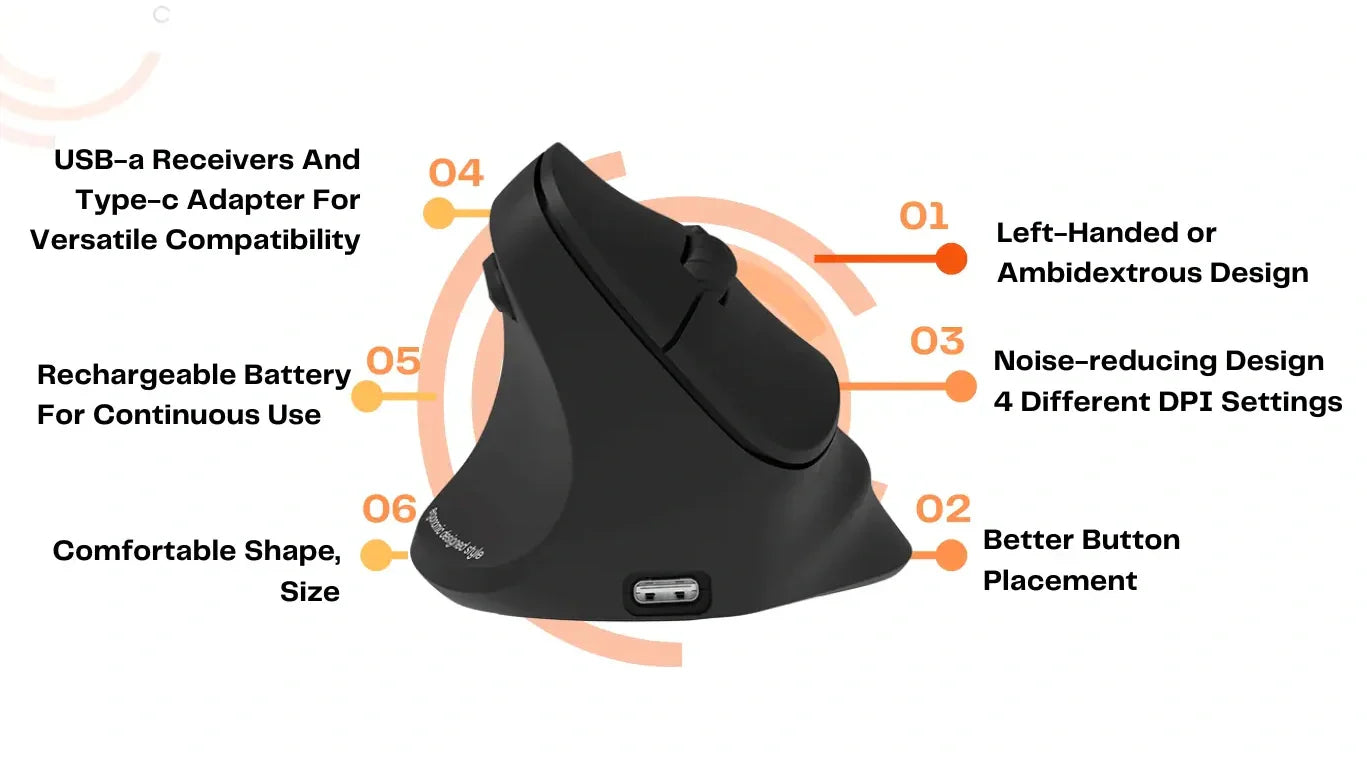
Cables are a nonstarter for mobile work. A wireless left-handed mouse should offer either Bluetooth, a 2.4GHz USB receiver, or both. Bluetooth is convenient for laptops with limited ports, especially MacBooks and ultrabooks where USB-A slots are scarce. A 2.4GHz dongle typically offers a more stable, lower-latency connection. Dual-mode mice that support both give you the most flexibility across different devices and environments.
Battery Life and Charging
Running out of battery mid-flight or mid-session with no way to charge is a real problem for mobile workers. Look for mice that offer weeks or months of battery life on a single charge or a single battery. Rechargeable models with USB-C charging are ideal since they share a cable with most modern laptops. Quick-charge features that give you hours of use from a few minutes of charging are especially valuable when you are on the move.
Ergonomic Shape for Left-Handed Use
This is where most laptop mice fail left-handed users entirely. A truly ergonomic left-handed mouse has a grip contour that follows a left palm, side buttons positioned under the left thumb, and — in vertical models — a tilt angle that supports a left wrist. Compact size should not come at the expense of ergonomic integrity. The mouse still needs to feel like it was designed for your hand, not shrunk from a right-handed model.
Reliable Tracking on Multiple Surfaces
Laptop users rarely have an ideal mouse surface. You might be working on a wooden café table, a glass co-working desk, a textured hotel surface, or literally your knee on a train. A good travel mouse needs an optical sensor that tracks accurately across these surfaces without skipping or drifting. This is a baseline requirement that eliminates cheap, generic options quickly.
Best Left Handed Mouse for Laptop Users in 2026

Best Left Handed Mouse for Digital Nomads
Digital nomads need a mouse that survives constant packing and unpacking, works across multiple devices, and stays comfortable across long, variable workdays. The priority is durability, wireless reliability, and a shape that does not cause fatigue whether you are working a two-hour sprint or a ten-hour push from a beach house in Bali.
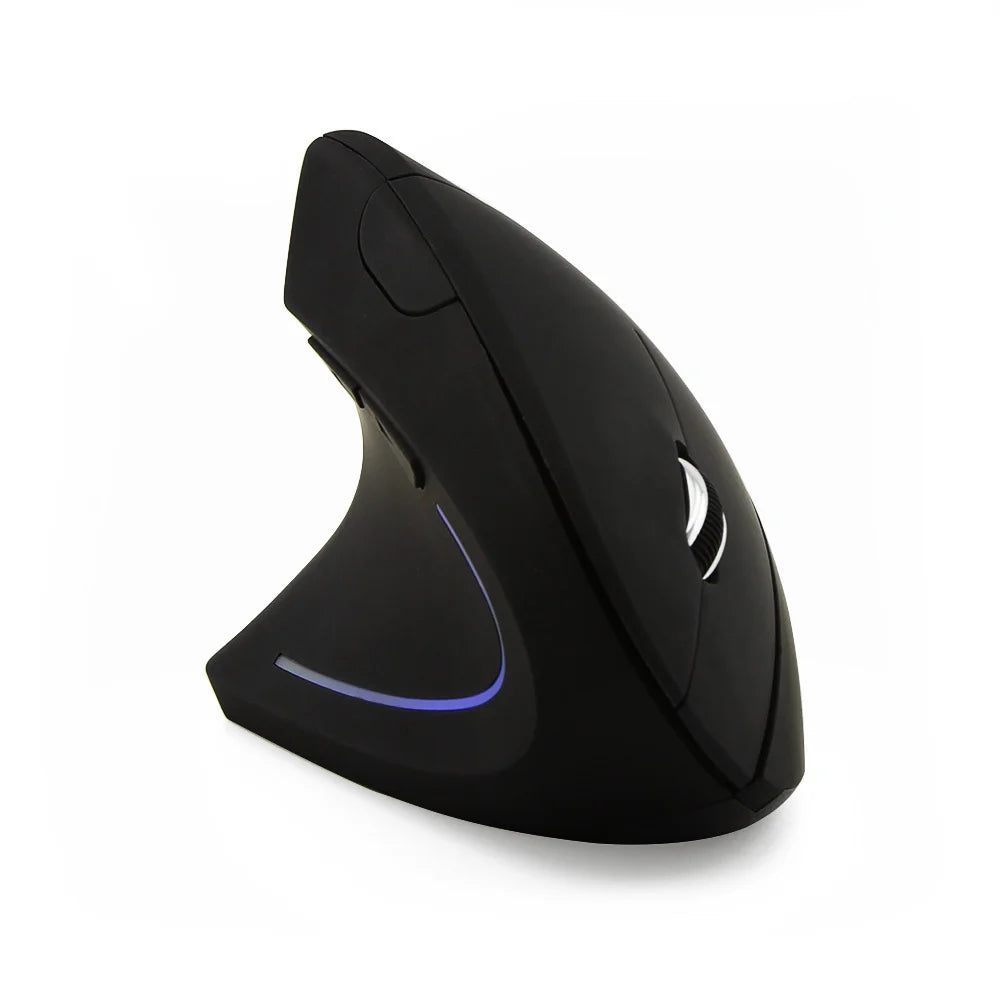
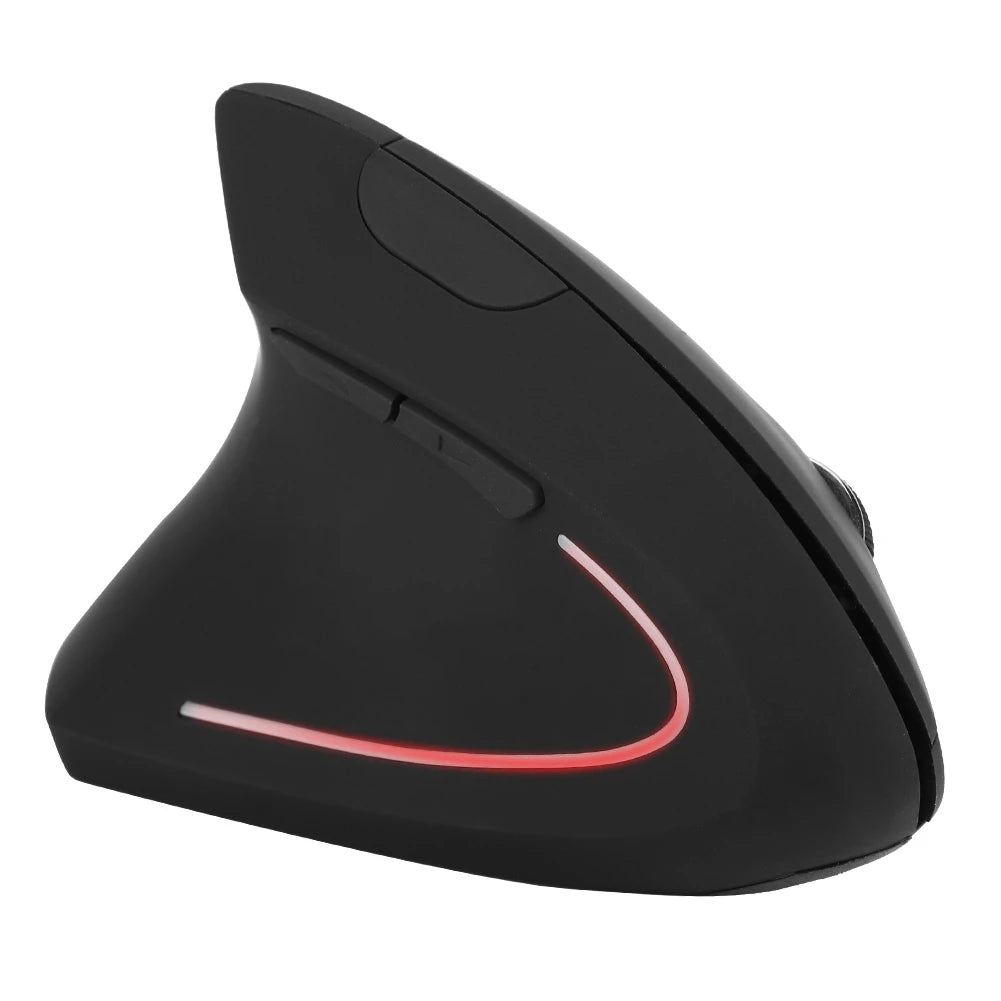
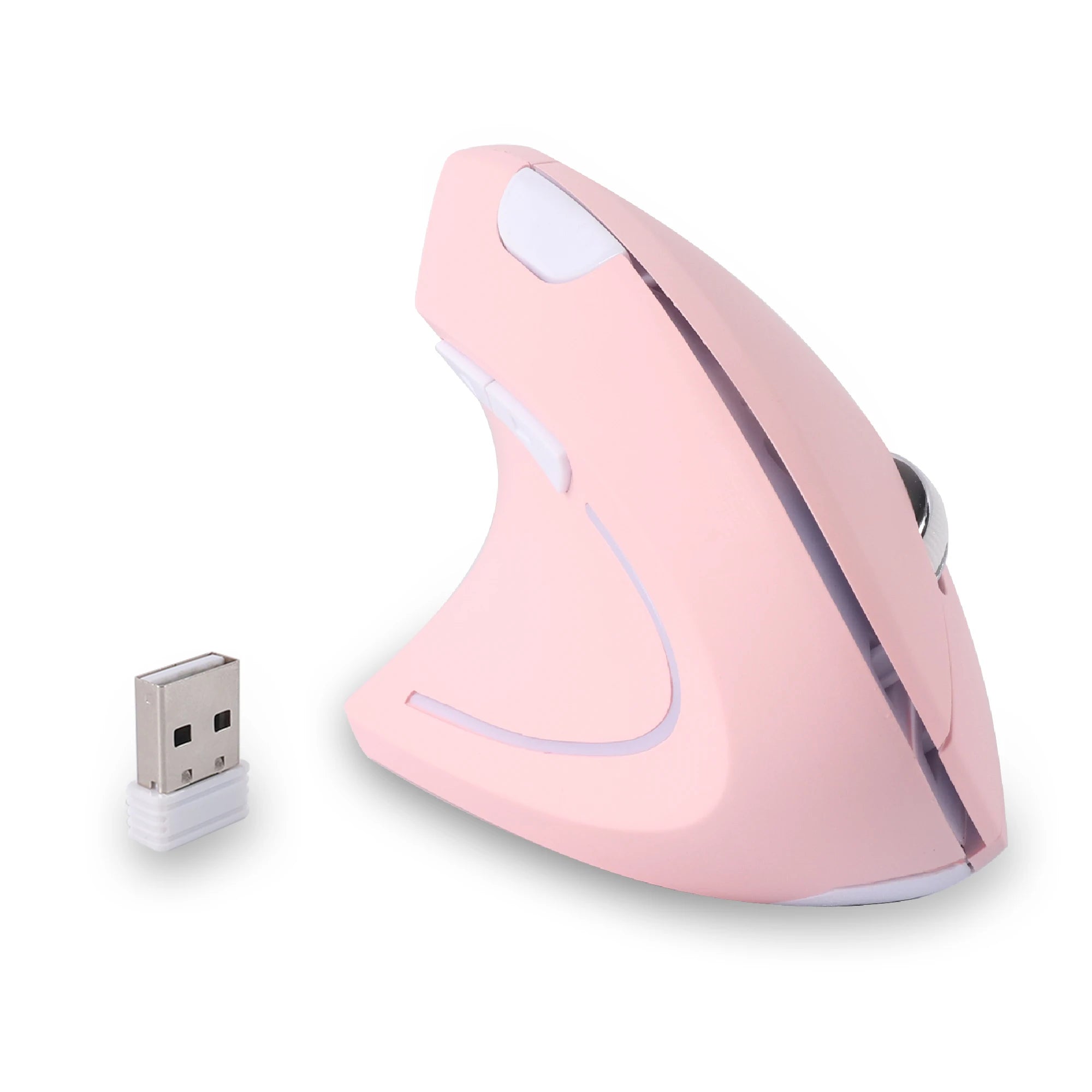
A wireless vertical design is particularly well-suited to nomadic work. The vertical grip reduces the wrist strain that builds up when you are working on improvised surfaces without proper desk ergonomics. The Left Hand Ergonomic Vertical Mouse – Wireless 2.4G with Side Buttons fits this profile — wireless, left-hand-specific, with thumb buttons positioned for actual left-hand use and a form factor that packs easily into a travel kit.
Best Left Handed Mouse for Remote Office Setups
If your laptop is the center of a semi-permanent home office or a regular co-working station, you have slightly more flexibility on size but the same need for left-handed ergonomics and wireless convenience. In this scenario, you can prioritize a fuller grip shape and more robust feature set since the mouse does not need to be ultra-compact for daily travel.
A full-sized wireless vertical mouse works well here. The larger body supports your hand more completely during long sessions, and the vertical orientation keeps your wrist neutral through hours of continuous use. The Left Hand Ergonomic Wireless Vertical Mouse for Left-Handed Users is built for exactly this kind of daily-driver use — comfortable enough for all-day sessions, wireless for a clean desk, and designed entirely around left-hand ergonomics.
Best Left Handed Mouse for Students and Everyday Use
Students move between lecture halls, libraries, dorm desks, and study groups. The mouse goes in and out of a bag multiple times a day. Reliability and simplicity matter more than advanced features. A straightforward wireless left-handed mouse with good battery life and a compact footprint covers the use case without overcomplicating things.
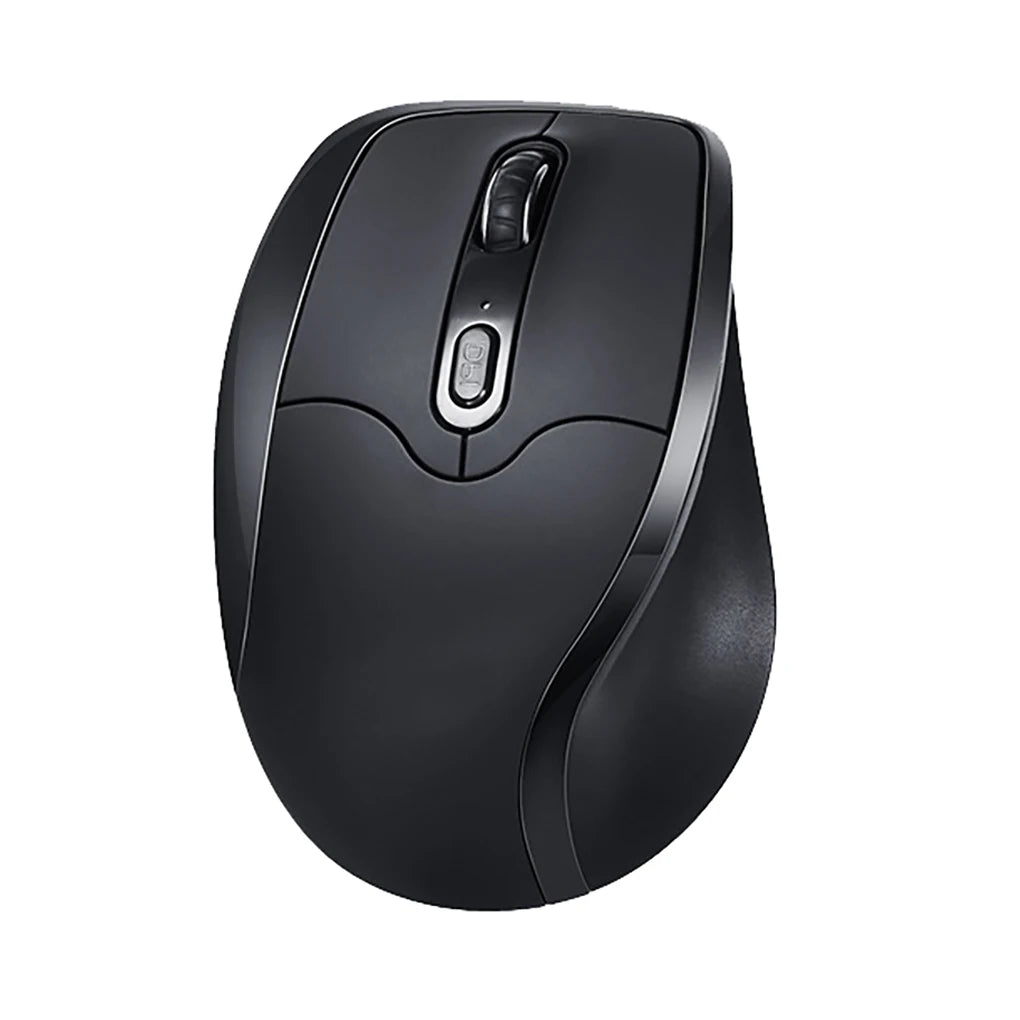
For students and everyday users who want ergonomic benefits without the learning curve of a vertical design, a compact left-handed mouse with a traditional shape and left-side thumb buttons is a solid choice. The key is making sure the mouse is genuinely left-handed — not just symmetrical — so the grip and button layout actually support your hand through hours of note-taking, research, and assignments.
If you are comparing options across all these categories, browsing the full left handed mouse for laptop collection gives you a clear view of what is available in dedicated left-hand designs with wireless connectivity.
Vertical vs Compact Traditional Mouse for Laptop Users
This is the most common question left-handed laptop users face once they have decided to get a dedicated mouse: do you go vertical or traditional?
A compact vertical mouse holds your hand in a tilted, handshake-like position that reduces wrist pronation. For laptop users who work long hours — especially on flat surfaces without wrist rests — this position can significantly reduce the fatigue and tension that builds in the forearm. The trade-off is slightly more desk space required and a short adjustment period if you have never used a vertical mouse before.
A compact traditional mouse keeps a low profile and a familiar feel. It packs flatter in a bag, works in tighter spaces, and requires no adjustment period. The ergonomic benefits are less pronounced than a vertical design, but a well-shaped traditional left-handed mouse is still a major improvement over a right-handed or ambidextrous alternative.
Here is a practical way to decide. If you work primarily from one or two consistent locations — a home office, a regular co-working desk — and your sessions run three hours or longer, a vertical design is likely the better investment. The comfort advantage over a full day outweighs the slightly larger footprint. If you change locations constantly, work in very tight spaces, or prefer the lowest possible transition friction, a compact traditional shape gives you solid left-handed ergonomics in a more packable form.
Both types are available in wireless configurations, which is non-negotiable for laptop use. And both can be found in true left-handed designs — not ambidextrous compromises — from brands that specialize in ergonomic mice for left-handed users.
How to Choose the Right Left Handed Mouse for Your Laptop Setup
With the landscape mapped out, here is how to narrow down your specific choice.
Assess your travel frequency. If you pack and unpack your mouse daily, size and weight become top priorities. If it mostly sits on one desk, you can opt for a fuller, more comfortable shape. Be realistic about how often the mouse actually moves.
Estimate your daily usage. Under two hours? Almost any left-handed mouse will work. Over four hours? Prioritize ergonomic shape — vertical if possible. Over six hours? Invest in the most comfortable option you can find, because your hand will tell you the difference by end of day.
Check your port situation. If your laptop only has USB-C ports (common on modern MacBooks and ultrabooks), make sure the mouse either connects via Bluetooth or comes with a USB-C compatible receiver or adapter. Running out of ports or needing a dongle for your dongle defeats the purpose of a clean mobile setup.
Decide between Bluetooth and 2.4GHz. Bluetooth is more universal and does not require a receiver. A 2.4GHz dongle is typically more responsive and stable. If your work involves precise cursor movement or you game on your laptop, the dongle is usually worth the port trade-off. For general productivity, Bluetooth is perfectly fine.
Consider your grip style. Palm grip users need a mouse large enough to fill the hand. Claw grip users prefer a shorter body with more pronounced button edges. Fingertip grip users want a lighter, smaller mouse they can move with minimal contact. Left-handed mice come in shapes that accommodate all three, but you need to know your preference before buying.
Match the mouse to your work type. Writing and email favor comfort over precision. Design, video editing, and data work need accurate tracking and accessible shortcut buttons. Gaming demands low latency and a stable grip. Choose the feature set that matches what you actually do, not the one with the longest spec sheet.
FAQ – Left Handed Mouse for Laptop
Is a wireless mouse better for laptop users?
For laptop users, wireless is effectively the only practical option. Cable management on a small or temporary desk surface adds friction and clutter. Bluetooth and 2.4GHz wireless mice offer the freedom and portability that laptop-based work demands. The latency difference between wireless and wired is negligible for all but competitive gaming at the highest level.
Can I use a vertical mouse with a laptop?
Absolutely. Vertical mice work with any device that supports a standard wireless mouse — laptops included. The only consideration is desk space: a vertical mouse has a taller profile that requires slightly more room than a flat mouse. On a standard café table or co-working desk, this is not an issue. On a tiny airplane tray, you might prefer a compact flat option.
Are left handed mice compatible with MacBooks?
Yes. Left-handed mice that connect via Bluetooth or a USB receiver are fully compatible with macOS. Button remapping and scroll direction settings can be adjusted in System Settings. If the mouse uses a USB-A dongle and your MacBook only has USB-C ports, you will need a small adapter or a mouse that includes a USB-C receiver.
Do travel mice sacrifice comfort?
Some do, but the best travel mice manage to balance compact size with genuine ergonomic shaping. The key is to avoid ultra-small mice that force you into a cramped finger-grip position. A well-designed compact mouse should still support your palm and fingers naturally, even if the overall footprint is smaller than a full desktop mouse.
What size mouse is best for working on the go?
For most adults, a mouse between 95mm and 115mm in length offers the best balance of portability and comfort. Shorter than that and your hand will cramp during long sessions. Longer than that and it starts to take up real space in your bag. Width and height matter too — look for a shape that fills your grip without forcing your fingers into unnatural positions.
Do I need a mousepad with a travel mouse?
Modern optical sensors track well on most surfaces, so a dedicated mousepad is not strictly necessary. However, highly reflective or very rough surfaces can cause tracking issues. A thin, foldable travel mousepad takes up almost no space and gives you a consistent surface anywhere. It is a worthwhile addition to a mobile kit if you work on unpredictable surfaces regularly.
Conclusion – Upgrade Your Laptop Setup with the Right Mouse
Your laptop is portable, your workflow is flexible, and your workspace changes with your schedule. Your mouse should keep up. For left-handed users, that means moving beyond the trackpad and beyond the right-handed travel mice that dominate the market.
A dedicated left-handed mouse built for laptop use gives you the ergonomic fit, the wireless freedom, and the portable design that modern mobile work requires. Whether you work from a home office, a co-working space, or a different city every month, the right mouse turns your laptop setup from functional into genuinely comfortable.
If you have been making do with a trackpad or a mouse that was never designed for your hand, now is a good time to explore what a purpose-built left-handed option actually feels like. Start with a model that matches your work style and give your hand a few days to adjust. Most left-handed users who make the switch wonder why they waited as long as they did.










Leave a comment
This site is protected by hCaptcha and the hCaptcha Privacy Policy and Terms of Service apply.