
Most left-handed people have never used a left hand mouse. That is not an exaggeration. Despite making up roughly ten percent of the global population, left-handed users have spent decades adapting to hardware designed entirely around right-handed grip patterns. The standard mouse that ships with every office setup, every laptop accessory kit, and every retail bundle is shaped, buttoned, and weighted for a right hand. And most left-handed users have simply accepted that as normal.
In 2026, that default is harder to justify than ever. Remote and hybrid work means people are spending more hours at their personal desks than at shared office stations. Clean, intentional desk setups are no longer a niche hobby — they are a productivity standard. And the peripheral market has matured enough that dedicated left-handed mice are no longer rare, overpriced, or compromised in quality. The question is no longer whether left hand mice exist. It is whether switching to one is actually worth it.
This guide breaks down the real differences between a left hand mouse and a regular mouse, explains who benefits most from switching, and helps you make a practical decision based on how you actually use your computer every day.
What Is a Regular Mouse Designed For?
A regular mouse — the kind that comes bundled with most computers or sits in the accessories aisle of any electronics store — is designed for right-handed use. This is true even when the product listing does not explicitly say "right-handed." The design bias is baked into the shape, the button layout, and the ergonomic assumptions of the product.
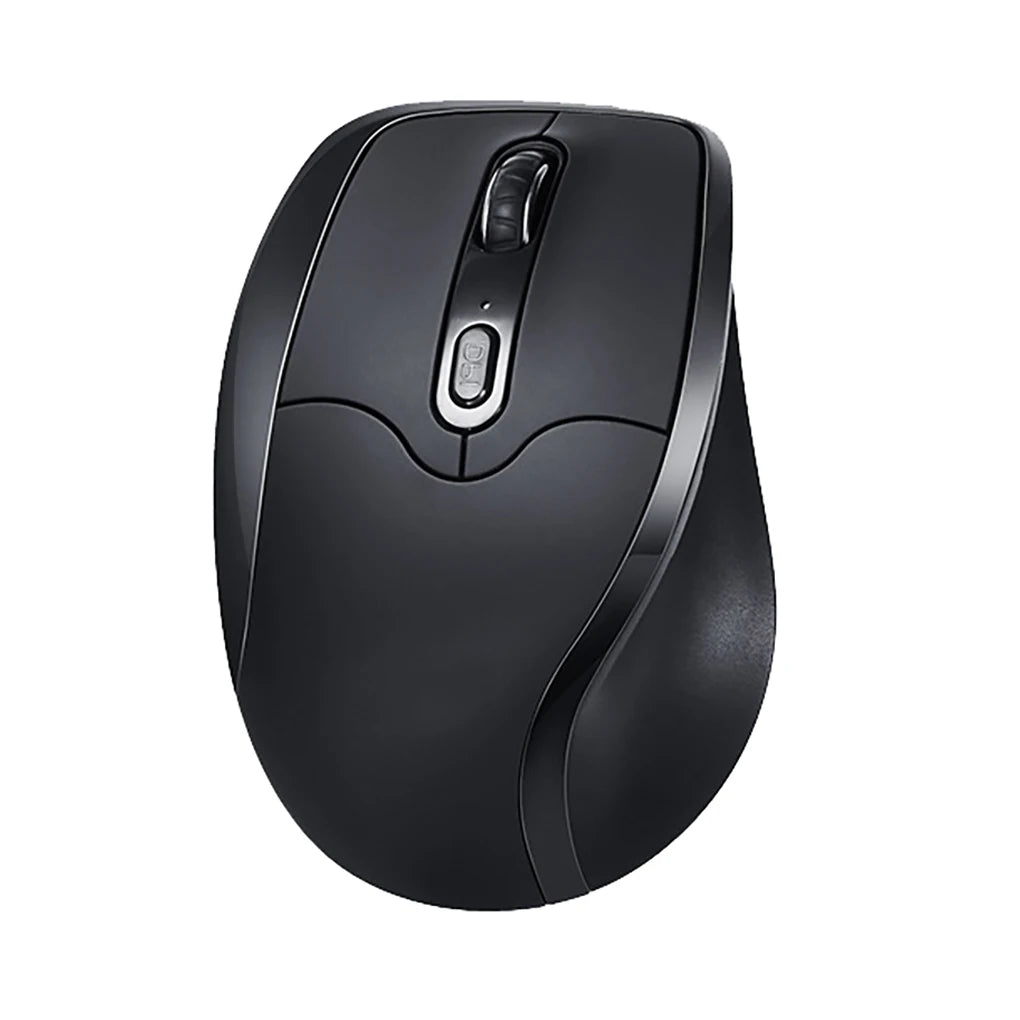
Start with the shape. Most standard mice have a subtle curve that slopes from left to right, following the natural arc of a right hand resting on a surface. The thumb groove, if present, sits on the left side of the mouse body. The pinky rest or flare is on the right. These contours are designed to cradle a right hand in a neutral position during use.
Then consider button placement. Side buttons — typically used for browser navigation, application shortcuts, or in-game commands — are positioned under the right thumb. For a left-handed user holding the same mouse, those buttons end up under the pinky finger, where they are functionally useless without a complete grip change.
Even the primary click behavior reflects this bias. While you can swap left and right click in your operating system settings, the physical button size, resistance, and travel are often tuned with the assumption that the index finger of a right hand handles the primary click. None of these details are dealbreakers on their own. Together, they create a mouse that a left-handed user can operate but never fully controls.
What Is a Left Hand Mouse?

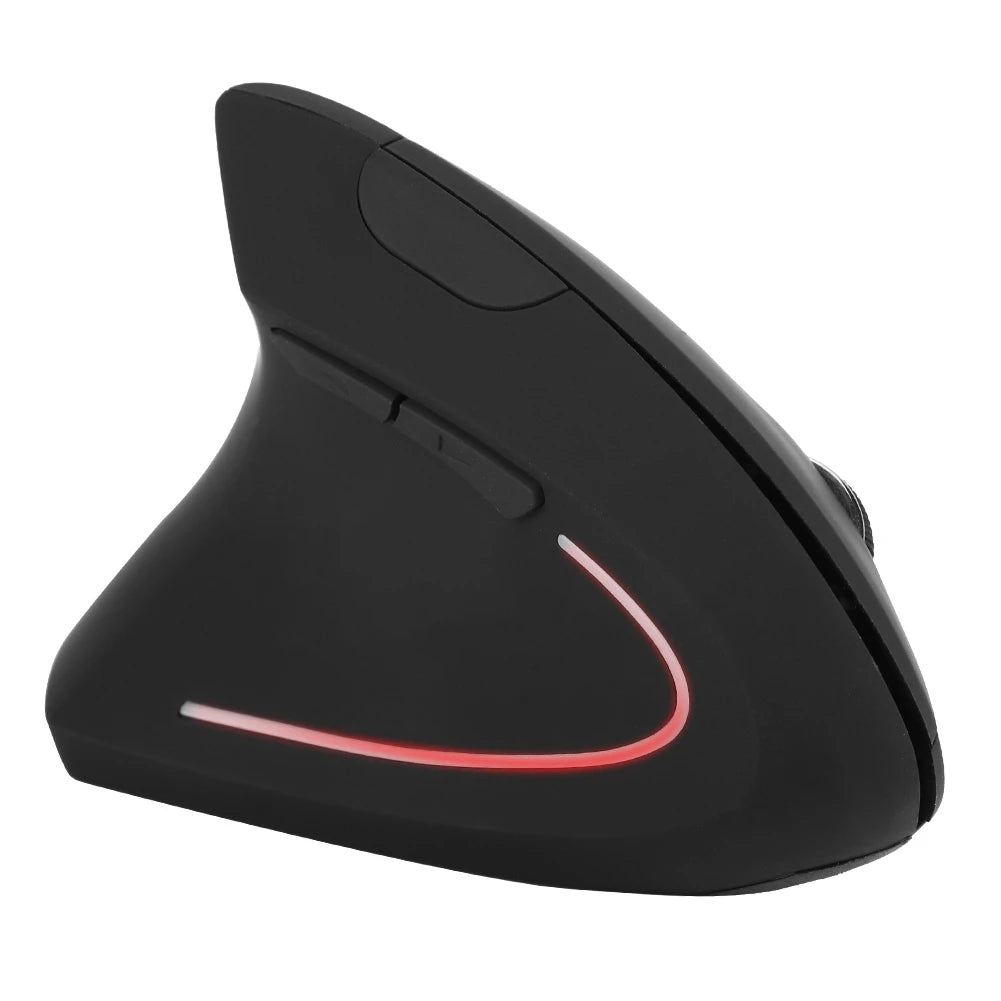
A left hand mouse is a mouse designed from the ground up for left-handed use. That means every physical element — the grip shape, the button orientation, the thumb rest, and in many models the vertical tilt angle — is built to match how a left hand naturally holds and operates a pointing device.
The most visible difference is the shape. A true left-handed mouse curves to support the left palm, with a thumb contour on the right side of the body and a finger rest on the left. This is not just a cosmetic mirror of a right-handed model. The weight distribution, surface texture placement, and button travel angles are all adjusted so the mouse feels natural rather than reversed.
Button placement follows the same logic. Side buttons sit where the left thumb rests, not where the right thumb would be. Forward and back navigation, DPI switching, and customizable shortcuts are all accessible without shifting your grip. The primary and secondary click buttons are positioned and sized for left-hand finger placement.
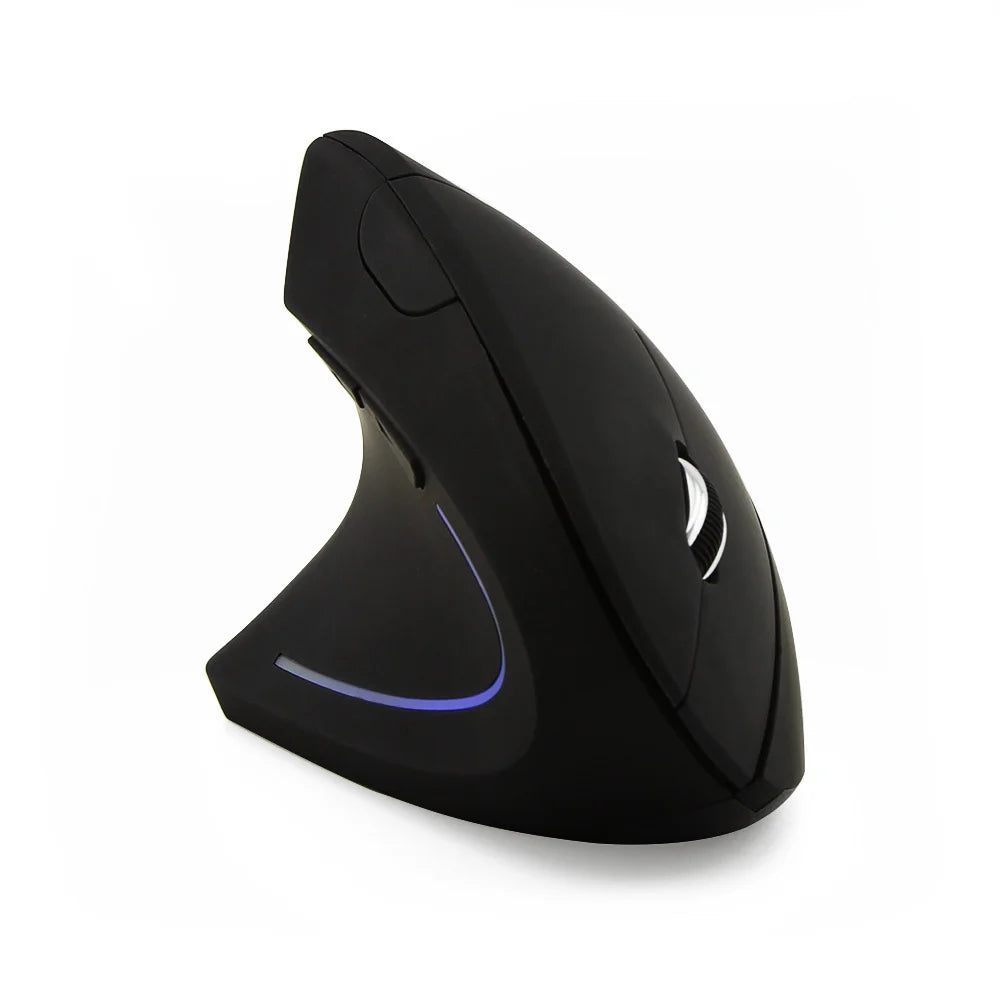
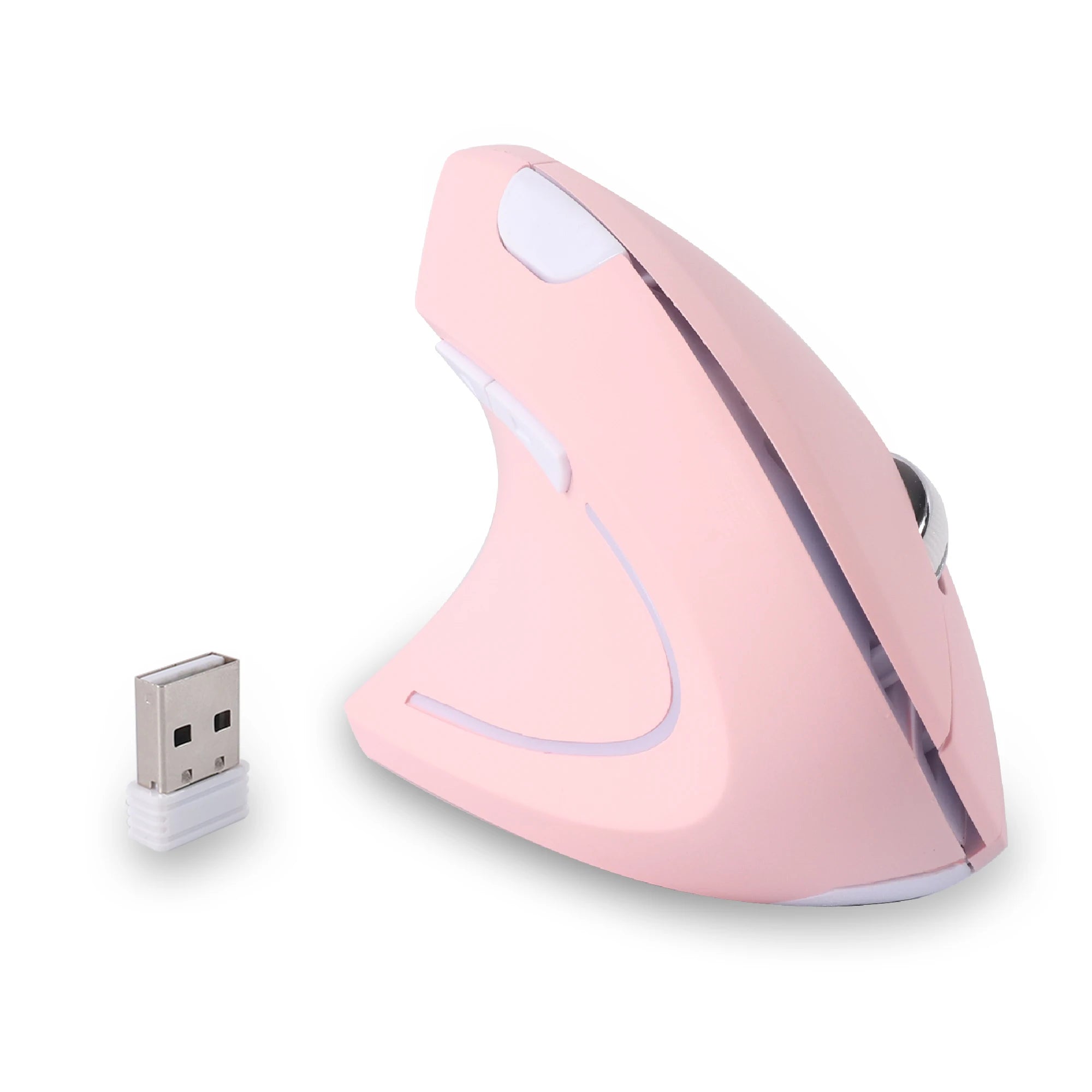
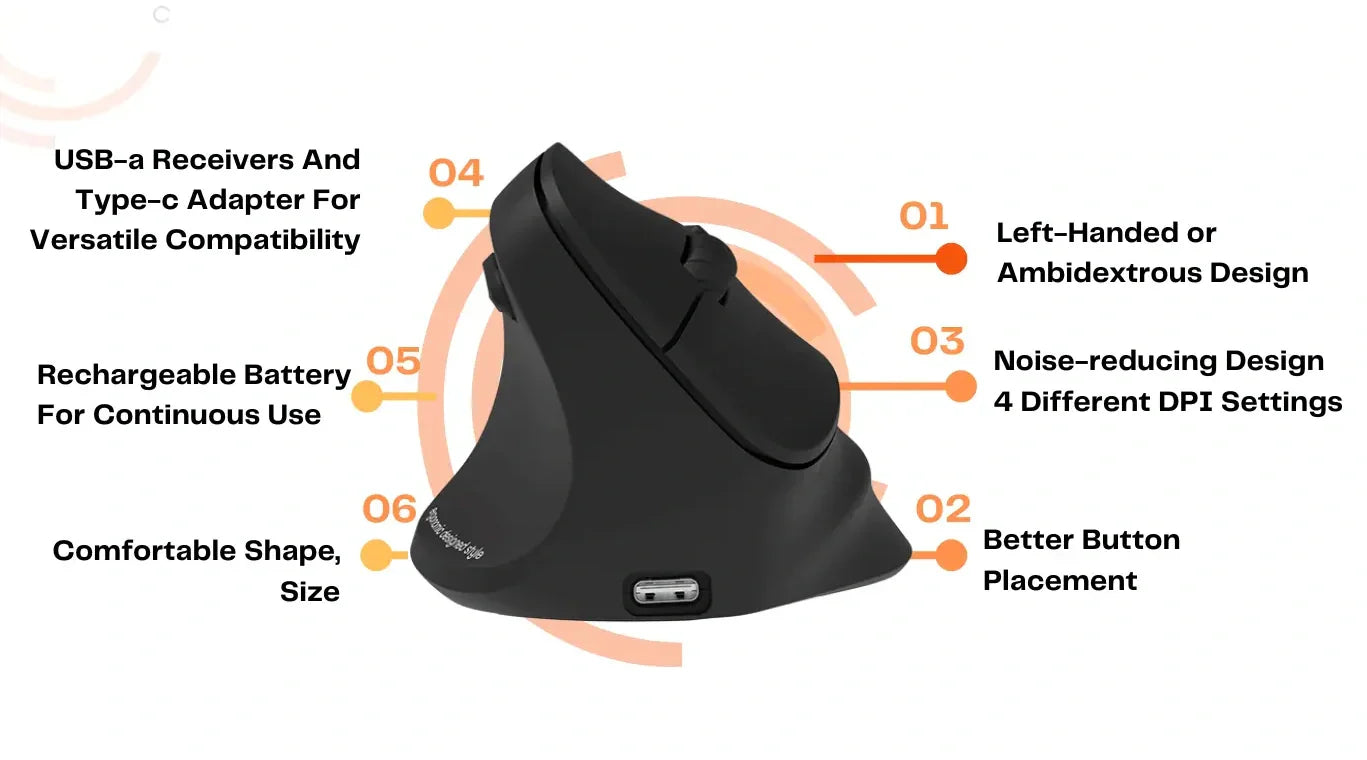
Many modern left-handed mice also come in vertical designs, where the mouse body is tilted at an angle that keeps the wrist in a more neutral, handshake-like position. For left-handed users, this means the tilt goes in the opposite direction from right-handed vertical mice — a detail that ambidextrous mice cannot replicate. Wireless connectivity via 2.4GHz receivers has become the standard, matching the clean, cable-free desk setups that most professionals now prefer.
Left Hand Mouse vs Regular Mouse – Key Differences
The differences between a left hand mouse and a regular mouse go beyond which hand holds it. Here is how they compare across the factors that matter most during daily use.
Comfort during long sessions. A regular mouse forces a left-handed user into a grip that does not match their hand's natural contour. Over a full workday, that mismatch creates low-level tension in the fingers, wrist, and forearm. A left hand mouse eliminates that tension by fitting the hand correctly from the start. The difference is subtle in the first hour and obvious by the fifth.
Button accessibility. Side buttons on a regular mouse are unreachable for a left-handed user without an awkward grip adjustment. On a left hand mouse, those buttons fall directly under the left thumb. This matters for everything from browser shortcuts in office work to ability bindings in games. Functionality that should be instant becomes instant.
Wrist positioning. A right-handed ergonomic mouse places wrist support and tilt angles for a right forearm. Using it with a left hand means your wrist sits at a slightly unnatural angle throughout the day. A dedicated left-handed model, particularly a vertical design, positions the wrist correctly and reduces the rotational strain that accumulates during extended use.
Workflow efficiency. Small friction points add up. Reaching for a button that is not quite where your thumb expects it. Adjusting your grip because the mouse shifts slightly in your hand. Compensating for a shape that does not support your palm. Individually, these are minor. Across eight hours of work, they cost focus, speed, and comfort. A left hand mouse removes those friction points entirely.
Gaming control. Competitive and casual gaming both demand fast, repeatable input. A left-handed user playing with a right-handed mouse is constantly compensating — slightly off-center aim, awkward thumb button access, imperfect grip stability. A left-handed mouse puts every input surface exactly where muscle memory expects it, which translates directly to more consistent performance.
Why Many Left-Handed Users Should Switch
The case for switching is strongest when your daily routine involves extended computer use across one or more of these scenarios.
Office and knowledge work. If your day revolves around documents, spreadsheets, email, and browser-based tools, you are making thousands of clicks and micro-movements per hour. A mouse shaped for your hand reduces the cumulative strain of those repetitive actions. In a modern hybrid or remote setup where you control your own desk hardware, there is no reason to default to a right-handed tool.
Remote and hybrid professionals. Home office setups are personal by definition. Unlike a shared corporate desk where standardized equipment is the norm, your home workstation should be optimized for you. Swapping in a dedicated left handed ergonomic mouse is one of the highest-impact, lowest-cost upgrades you can make to a desk you use every day.
Design, creative, and development work. Precision matters when you are navigating design canvases, editing timelines, or moving through code. A mouse that fits your hand gives you steadier, more predictable cursor control. For left-handed creatives who have been forcing right-handed mice for years, the improvement in fine motor accuracy after switching is often immediately noticeable.
Gaming. Left-handed gamers face a unique challenge: most gaming mice are aggressively shaped for right-handed ergonomics, with thumb rests, wing grips, and button clusters that are completely wrong for a left hand. A dedicated left-handed gaming mouse restores the advantage that right-handed players take for granted — every button within reach, every grip angle aligned.
Anyone logging four-plus hours daily. The threshold is not complicated. If you use a mouse for more than a few hours a day, the ergonomic mismatch of a right-handed design starts to matter. The longer your sessions, the stronger the case for switching.
When a Regular Mouse Might Still Work
Switching to a left hand mouse is not mandatory for every left-handed person. There are situations where a regular or ambidextrous mouse remains a reasonable choice.
If you use a computer for less than an hour or two per day, the ergonomic differences are unlikely to be significant. Casual browsing, occasional email, and light tasks do not put enough sustained strain on your hand to make the grip mismatch a meaningful issue.
Some left-handed users have trained themselves to mouse with their right hand since childhood. If that adaptation feels genuinely natural — not forced — and you experience no discomfort, there may be no practical reason to switch. The goal is comfort and efficiency, not ideological purity about hand dominance.
Budget can also be a factor, though less so than in previous years. Dedicated left-handed mice are now available at price points comparable to mainstream right-handed models, but if you are working with an extremely tight hardware budget, a basic symmetrical mouse is a functional (if imperfect) option.
The honest assessment: most left-handed users who spend serious time at a desk would benefit from a dedicated left hand mouse. But if your usage is light, your current setup is comfortable, and you have no issues with control or fatigue, switching is a preference rather than a necessity.
Vertical Left Hand Mouse vs Traditional Left Hand Mouse
Once you have decided to use a left-handed mouse, the next question is whether to go with a vertical or traditional design. Both are purpose-built for left-hand use, but they approach ergonomics differently.
A vertical left hand mouse holds your hand at a roughly 60-degree angle, similar to a natural handshake. This position keeps the two bones in your forearm parallel rather than crossed, which is the default state when your palm faces down on a flat mouse. For users who spend long hours at their desk — particularly in document-heavy or browser-based workflows — this wrist position reduces the rotational stress that builds throughout the day. Models like the Left Hand Ergonomic Vertical Mouse with Side Buttons are built specifically around this concept, with thumb-accessible buttons and a grip angle optimized for left-handed wrist alignment.
A traditional left hand mouse keeps a lower profile with a flatter shape. The hand rests in a more conventional palm-down position, which many users find familiar and comfortable for precision tasks. Fine cursor movements — dragging objects in design tools, selecting text, navigating complex interfaces — can feel more controlled with a traditional shape because the hand has a wider base of contact with the mouse surface.
The trend in modern desk setups is clearly moving toward vertical designs, especially for users who prioritize long-session comfort. But traditional shapes remain relevant for workflows that demand precise, lateral cursor control. Some users keep both and switch depending on the task. If you are choosing just one, consider whether your daily work is more about sustained clicking and scrolling (vertical advantage) or detailed cursor manipulation (traditional advantage).
For users exploring the vertical option, the Left Hand Ergonomic Wireless Vertical Mouse for Left-Handed Users offers a wireless design paired with the ergonomic tilt and left-side button placement that makes the vertical concept work properly for a left hand.
FAQ – Left Hand Mouse Explained
Is a left hand mouse really necessary?
For left-handed users who spend multiple hours a day on a computer, a dedicated left hand mouse makes a meaningful difference in comfort and efficiency. It is not strictly necessary for light, occasional use, but for daily work, gaming, or creative tasks, the ergonomic and functional benefits are tangible and immediate.
Can I just switch buttons on a regular mouse?
You can swap left and right click through your operating system settings, and that solves the click assignment problem. However, it does not change the physical shape of the mouse. The grip contour, thumb rest, side button placement, and weight distribution are still designed for a right hand. Software settings fix one issue but leave the core ergonomic mismatch in place.
Are left hand mice good for gaming?
Yes. Left-handed mice with properly positioned side buttons, responsive sensors, and stable grip shapes handle gaming well across genres. The advantage over using a right-handed mouse with your left hand is significant — every button is reachable, the grip is stable, and your thumb has full access to auxiliary controls without compromising your hold.
Is a vertical mouse better for left-handed users?
Vertical mice reduce wrist pronation by holding the hand at a more natural angle. For left-handed users who spend long hours at their desk, this can meaningfully reduce fatigue and strain compared to a flat mouse. Whether it is "better" depends on your use case — vertical excels for sustained productivity work, while traditional shapes may offer more precision for creative tasks.
Do left hand mice cost more?
Not as a rule. While the selection is smaller than the right-handed market, dedicated left-handed mice from specialist brands are now priced competitively with comparable right-handed models. You are not paying a premium for the mirror — you are paying for the same level of build quality and ergonomic design, just oriented for your hand.
What if I have been using a right-handed mouse my whole life?
Many left-handed users adapted to right-handed mice out of necessity, not preference. If you try a dedicated left hand mouse, expect a short adjustment period of a few days as your left hand takes over primary mousing duties. Most users who make the switch report that the left-handed mouse feels more intuitive and comfortable within the first week, and few choose to go back.
Conclusion – Should You Switch to a Left Hand Mouse?
If you are left-handed and you use a computer for more than a couple of hours a day, switching to a dedicated left hand mouse is one of the simplest, most effective upgrades you can make to your desk setup. The physical differences — grip shape, button placement, wrist angle — are not marketing language. They are engineering decisions that determine how comfortable and efficient your hand is across thousands of daily interactions.
A regular mouse works for left-handed users the way a right shoe works on a left foot. You can walk in it. You can even get used to it. But it was never built for you, and the compromise is constant, even when it stops being conscious.
The right move is to try a left-handed mouse that matches your workflow — vertical for all-day comfort, traditional for precision work, wireless for a clean modern setup — and give your hand a few days to adjust. For most left-handed users, the switch is a one-way trip. Once you experience a mouse that actually fits, the old way stops making sense.











Leave a comment
This site is protected by hCaptcha and the hCaptcha Privacy Policy and Terms of Service apply.