





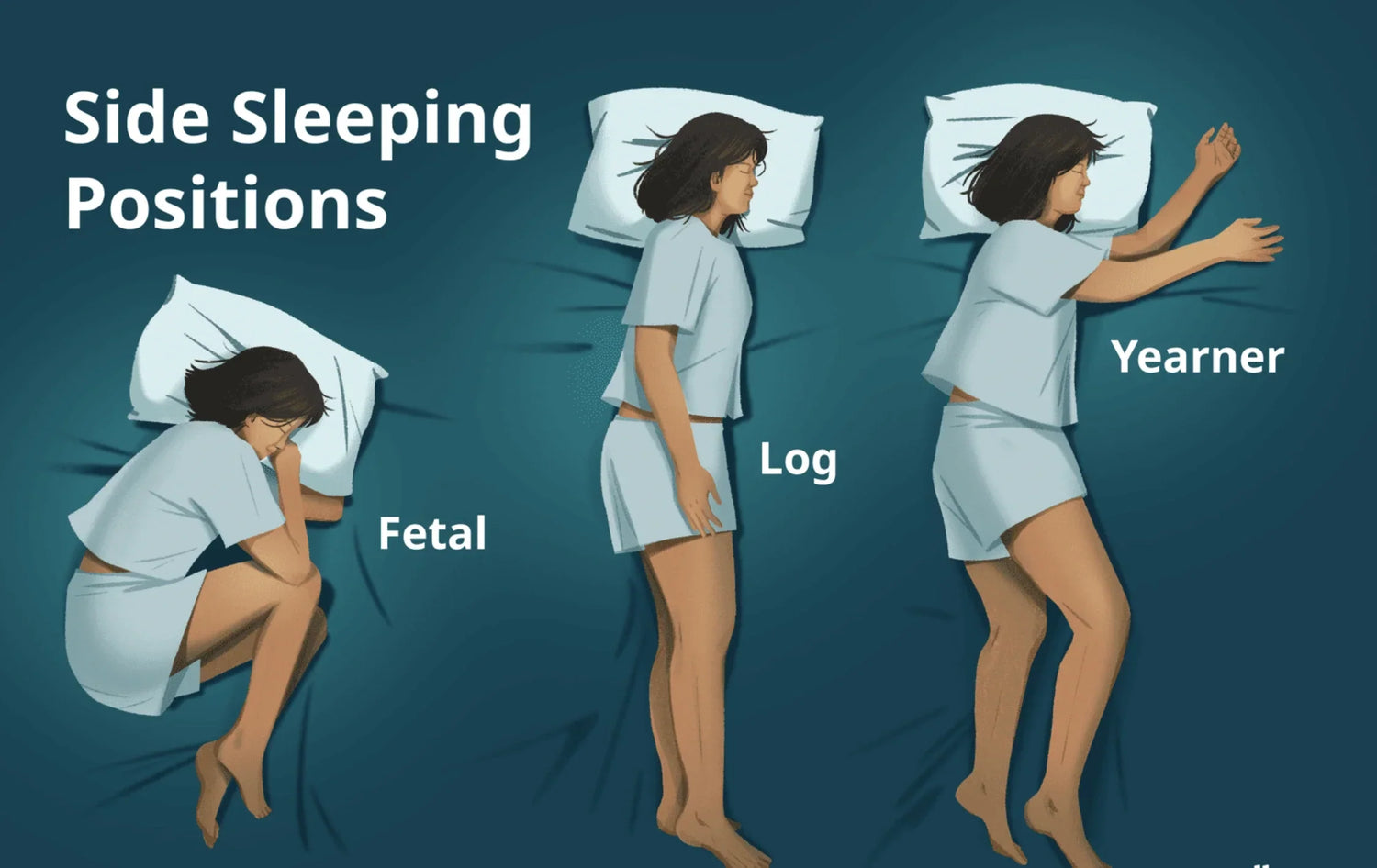
You wake up and your wrist aches. You flex it a few times, shake it out, and assume you slept on it wrong. Maybe you did — side sleepers compress their wrists against the mattress for hours every night.
But here's what nobody tells you: that morning wrist stiffness isn't just from sleeping. It's from sleeping on a wrist that was already fatigued, inflamed, and overworked from 8 hours of gripping a badly designed mouse the day before. Your sleep position reveals the damage. Your mouse caused it.
This is the article that connects two problems most people treat separately: wrist discomfort during the day (from your mouse) and wrist stiffness in the morning (from your sleep position). The truth is they're the same problem on a 24-hour loop. Your mouse creates tension during the day. Sleep compresses a wrist that's already tense. You wake up stiff. You sit down at your desk and grip the same mouse that caused the tension. Repeat. The cycle doesn't break until you fix the daytime input — because you can't change how you sleep, but you can absolutely change what's in your hand for 8 hours of waking work.
At Smart Mouse Co, mice are our entire business. This guide covers the best mice for people experiencing wrist discomfort — with a specific focus on ergonomic designs that reduce the forearm tension that makes everything worse when you lie down at night. No medical claims. No miracle cures. Just better tools that reduce the daily input stress your wrist is carrying into sleep.
Important: This article discusses comfort and ergonomic design, not medical treatment. If you have diagnosed carpal tunnel syndrome, tendinitis, or persistent pain, consult a healthcare professional. A mouse is a comfort tool, not a medical device.
Quick Picks: Best Mouse for Wrist Comfort
| Mouse | Best For | Price | Highlight |
|---|---|---|---|
| Elevate Pro | Adjustable vertical — best wrist position control |
|
⭐ Best Overall |
| Verta | Fixed-angle vertical at mid-range price | $59 | ⭐ Best Value Vertical |
| Orbit | Zero arm movement — trackball | $59 | ⭐ Best for Zero Movement |
| ErgoMax | Full-size palm support for large hands | $59 | ⭐ Best Full-Size |
| ErgoGlide | Semi-vertical entry point under $50 | $49.95 | ⭐ Best Starter |
| Lumos | Silent ergonomic for relaxed grip | $59 | ⭐ Best Silent |
| Air Nova | Ergonomic body + presentation mode |
|
⭐ Most Versatile |
| Touch Flow | Flat-hand trackpad — no grip required |
|
⭐ Best Grip-Free |
| Seeker | Portable ergonomic for travel | $89 | ⭐ Best Travel |
| ErgoX | Budget ergonomic to test the concept | $34.95 | ⭐ Best Budget |
Browse all 17 Smart Mouse Co mice →
The 24-Hour Wrist Pain Cycle — Why Your Mouse and Your Sleep Position Are Connected
Most people treat daytime wrist discomfort and morning wrist stiffness as separate issues. Ergonomics blogs talk about your desk setup. Sleep blogs talk about your mattress and pillow. Neither connects the two — but your wrist does.
Here's the cycle:
8am–6pm: Your mouse creates tension. A standard flat mouse forces your forearm into a pronated (palm-down) position. This rotates the radius and ulna bones in your forearm so they cross over each other. The muscles that hold this rotation are engaged continuously — every minute, every hour, for the entire workday. By evening, those muscles carry accumulated tension that you may or may not consciously feel.
6pm–11pm: You rest, but the tension remains. Evening activities — cooking, scrolling your phone, driving — don't fully release the forearm tension from a day of mouse use. The muscles are fatigued but not recovered. Your wrist enters sleep already carrying the day's accumulated strain.
11pm–7am: Sleep position compresses the fatigued wrist. Side sleepers frequently tuck their wrist under their pillow, fold it against their chest, or compress it between their body and the mattress. A healthy, rested wrist tolerates these positions fine. A wrist carrying 8 hours of pronation tension from a flat mouse does not. The compression during sleep stiffens tissues that are already tense, creating the stiffness and aching you feel in the morning.
7am: You wake up stiff, sit down, and grip the same mouse. The cycle restarts.
The fix isn't a new mattress or a new sleeping position. You can't consciously control how your wrist moves during sleep. The fix is breaking the cycle at the point you CAN control: the 8 hours of daytime input that creates the tension in the first place. That means changing your mouse.
What Makes a Mouse Good for Wrist Comfort
The ergonomic features that reduce daytime wrist tension — and therefore reduce the strain you carry into sleep — are specific and measurable:
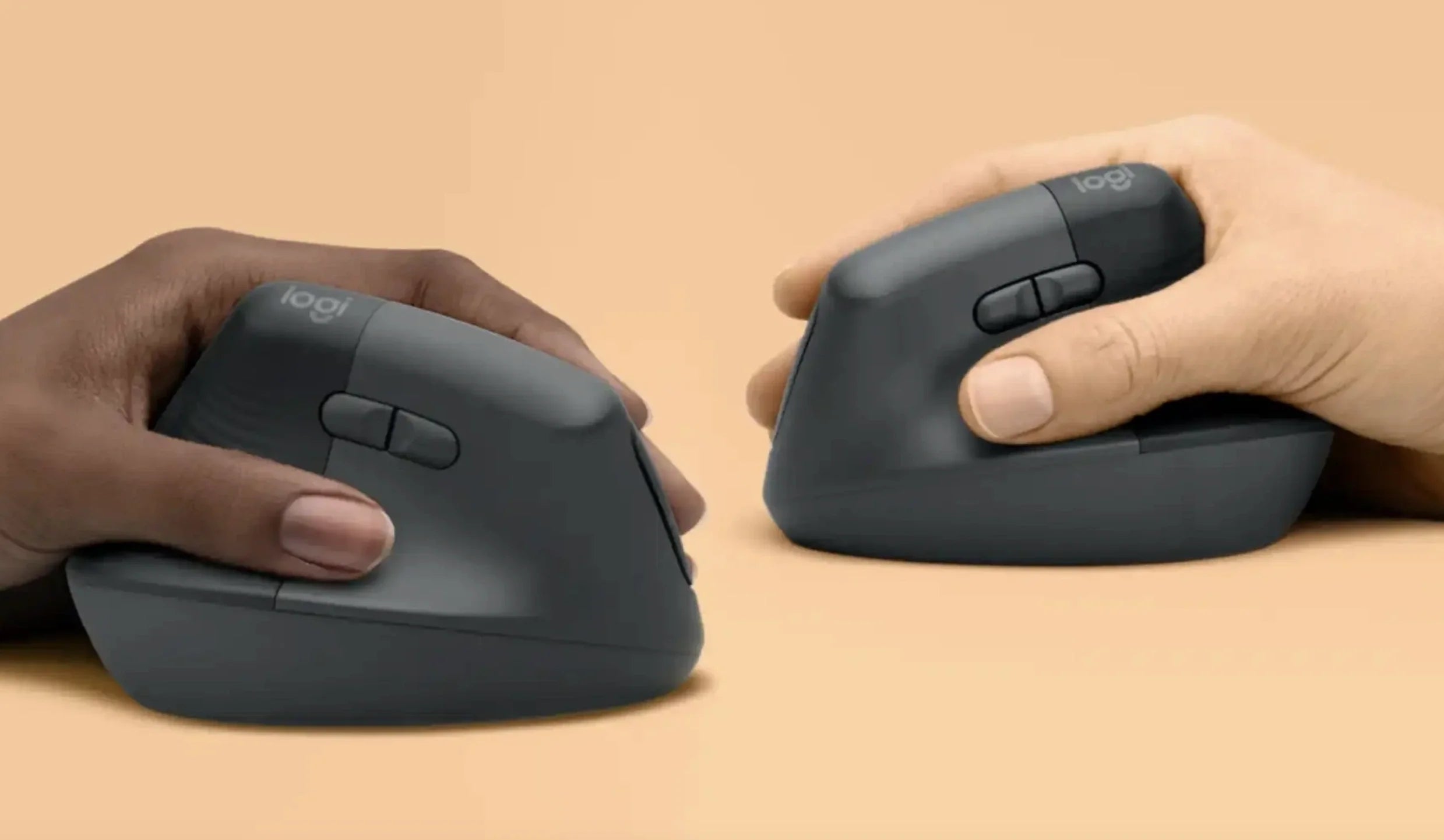
Vertical orientation (most important). A vertical mouse tilts your hand into a handshake position at roughly 50–70 degrees. This keeps your radius and ulna parallel instead of crossed, eliminating the pronation that creates forearm tension. This single change addresses the primary mechanical cause of mouse-related wrist fatigue. It's the most impactful upgrade you can make.
Adjustable tilt angle. Not all hands are the same size. Not all wrists have the same neutral angle. A vertical mouse with a fixed angle works for some hands and forces others into a slightly off position. An adjustable tilt mechanism lets you find the exact angle where your forearm is most relaxed — the angle where the muscles holding your wrist position are under the least possible load.
Palm support. A mouse that fills your palm distributes the weight of your hand across a larger surface area. A mouse that leaves your palm hovering forces the grip muscles in your fingers and palm to hold your hand's weight in addition to controlling the mouse. Over 8 hours, that extra load creates tension that concentrates in the wrist.
Wireless freedom (no cable drag). Cable drag creates asymmetric resistance — a constant small pull against your mouse movement. Your wrist compensates subconsciously, adding tension with every movement in the direction the cable resists. Wireless eliminates this entirely.
Lightweight construction. A heavy mouse requires more force to move and more grip tension to control. A lighter mouse glides with less effort, reducing the cumulative force your wrist absorbs across thousands of daily movements.
Stationary option (trackball). For users whose wrist discomfort is partly caused by repetitive arm movement (not just pronation), a trackball mouse eliminates arm movement entirely. Your thumb controls the cursor. Your wrist stays in one fixed position. Zero repetitive wrist motion.
Why Smart Mouse Co? Because Mice Are Our Only Business
When you search "best mouse for wrist pain" on Amazon, you get 5,000 results — gaming mice marketed as "ergonomic," generic vertical mice with 2-star durability reviews, and $150 options that are overkill for the problem you're trying to solve. The listings don't tell you which mice actually reduce forearm pronation. The reviews don't distinguish between "comfortable for 20 minutes" and "comfortable for 8 hours."
Smart Mouse Co is different. Mice are the entire brand. Every product is curated for ergonomic quality, wireless connectivity, and the sustained comfort that turns an 8-hour wrist-straining session into an 8-hour wrist-neutral session. We stock vertical mice, trackballs, ergonomic contoured mice, and trackpads — every category of pointing device that addresses the specific mechanical causes of wrist fatigue.
Free worldwide shipping on every order. Every mouse is wireless. Every mouse works with Mac, Windows, iPad, and Chromebook. No driver software required.
The 10 Best Mice for Wrist Comfort, Ranked by Approach
Best Overall — Adjustable Vertical Mouse
Elevate Pro — $129 $89
⭐ BEST OVERALL FOR WRIST COMFORT
Best for: Anyone whose wrist aches by end of day or stiffens overnight — the most complete ergonomic solution for the 24-hour wrist cycle.
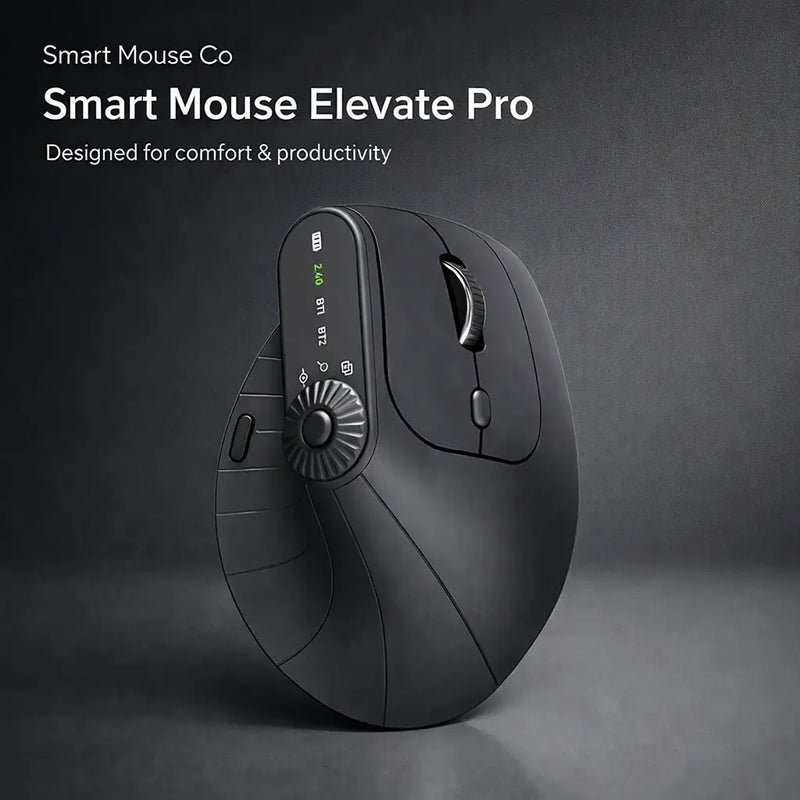
The Elevate Pro is the only vertical mouse on the market with a physical adjustment knob that lets you dial in your exact preferred wrist angle. This matters enormously for wrist comfort because the "right" angle isn't the same for every hand. The Logitech MX Vertical locks you at 57 degrees. The Evoluent VerticalMouse locks you at approximately 80 degrees. If neither angle suits your hand, you're stuck with residual tension from a position that's better than flat but still not optimal for you.
The Elevate Pro lets you find your zero — the angle where your forearm muscles are under the absolute minimum load. That's the angle where 8 hours of mouse use creates the least possible tension. That's the angle where your wrist enters sleep with the least accumulated strain. That's the angle where the 24-hour cycle starts to break.
Bluetooth wireless. Available in White, Black, and Beige. At $89 (down from $129), it's the same price as the Evoluent VerticalMouse 4 and $9 above the Logitech MX Vertical — with the tilt adjustment that neither competitor offers at any price.
Best Value Vertical Mouse for Wrist Comfort
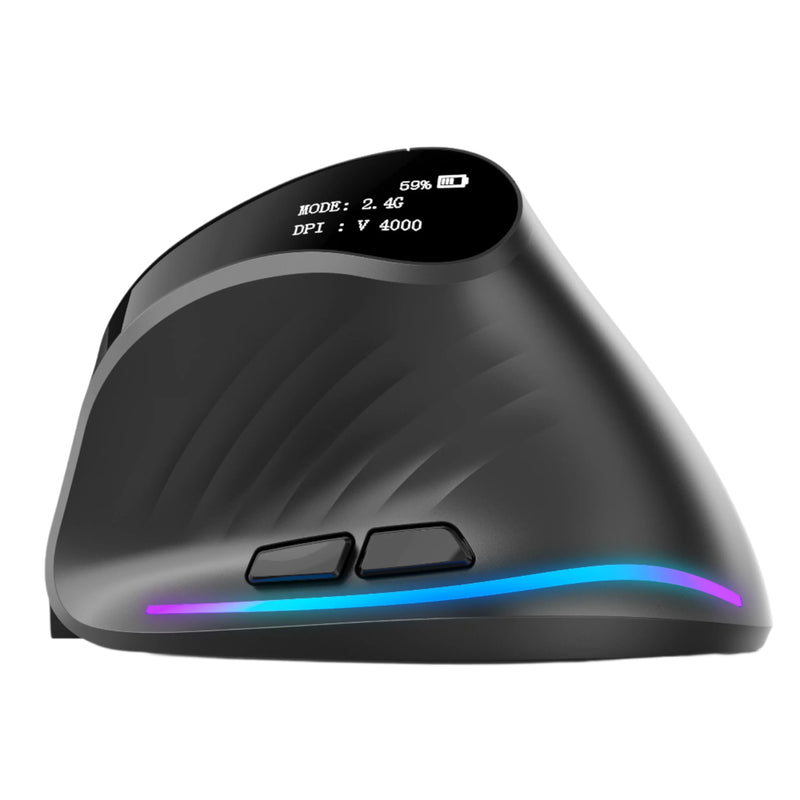
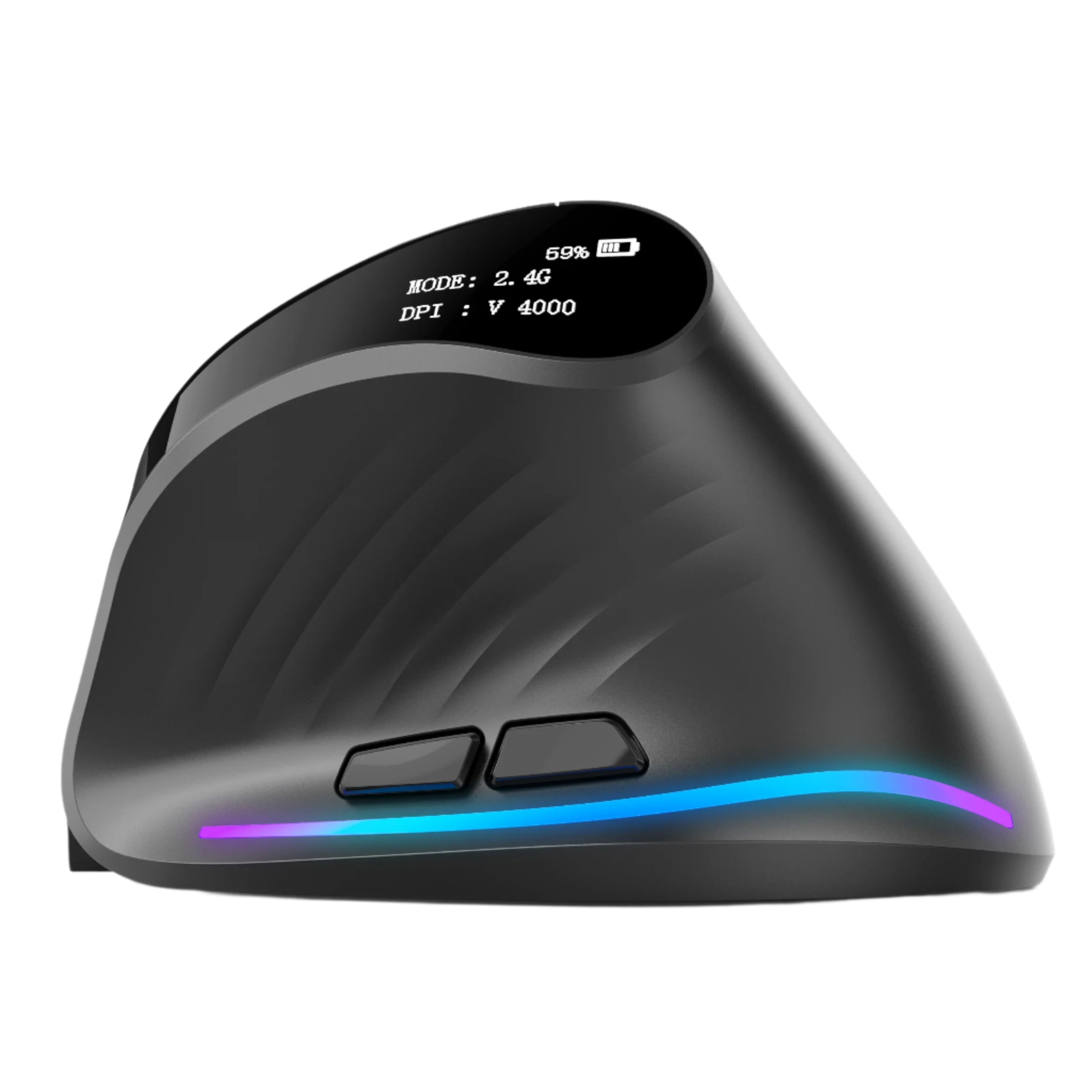
Verta — $59
⭐ BEST VALUE VERTICAL
Best for: Users who want the core vertical mouse benefit — neutral wrist position — at $30 less than the Elevate Pro.
The Verta delivers the fundamental ergonomic upgrade that matters most for wrist comfort: a handshake grip that eliminates forearm pronation. The fixed tilt angle is well-calibrated for the majority of hand sizes. It lacks the Elevate Pro's adjustable knob, which means you can't fine-tune the angle — but for many users, the fixed angle is close enough to their neutral position that the comfort improvement is still dramatic compared to any flat mouse.
At $59, the Verta is the most practical entry point for anyone experiencing wrist discomfort and wanting to test whether a vertical mouse breaks their daily tension cycle. If it helps (it likely will), you can later upgrade to the Elevate Pro for fine-tuned angle control. If vertical isn't for you, you've invested $59 instead of $89.
Best for Zero Wrist Movement — Trackball
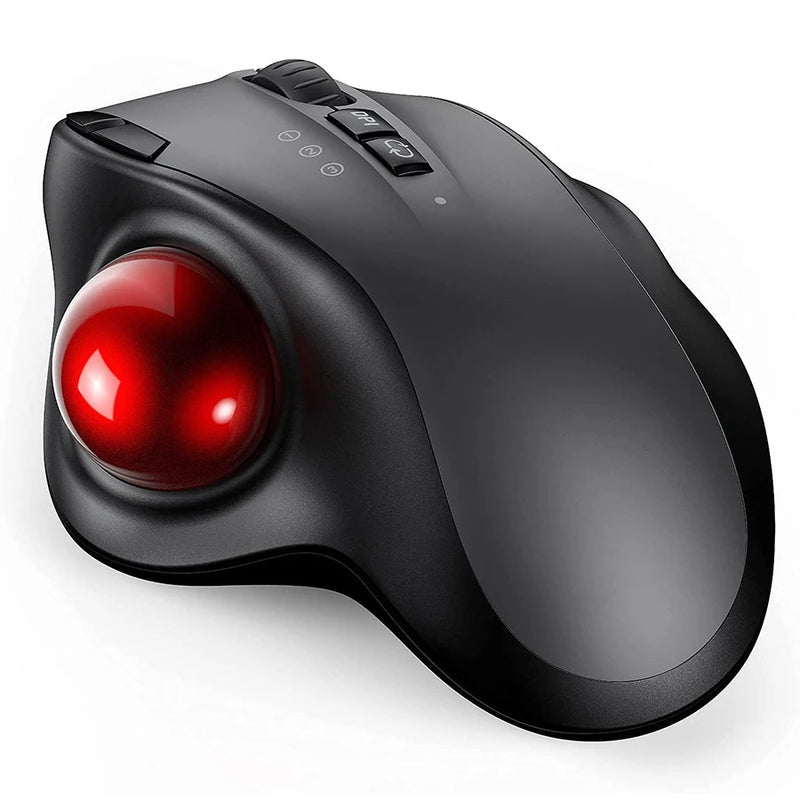
Orbit — $59
⭐ BEST FOR ZERO WRIST MOVEMENT
Best for: Users whose wrist discomfort is caused by repetitive arm and wrist movement — not just pronation. The only option that eliminates wrist motion entirely.
Vertical mice fix the angle problem. The Orbit fixes the movement problem. It's a trackball — your thumb rolls the ball to move the cursor while the mouse body and your wrist stay completely stationary. Zero arm movement. Zero wrist deviation. Zero repetitive lateral motion. Your wrist sits in one fixed position for the entire work session.
For users whose morning stiffness is driven by repetitive wrist motion (not just forearm rotation), the Orbit removes the motion entirely. It's a fundamentally different approach — and it requires a 5–7 day adaptation period. But for the subset of users who need their wrist to stay absolutely still during work, no vertical mouse or ergonomic contoured mouse can match a trackball's zero-movement profile. At $59, wireless, Bluetooth compatible.
Best Full-Size Ergonomic for Large Hands
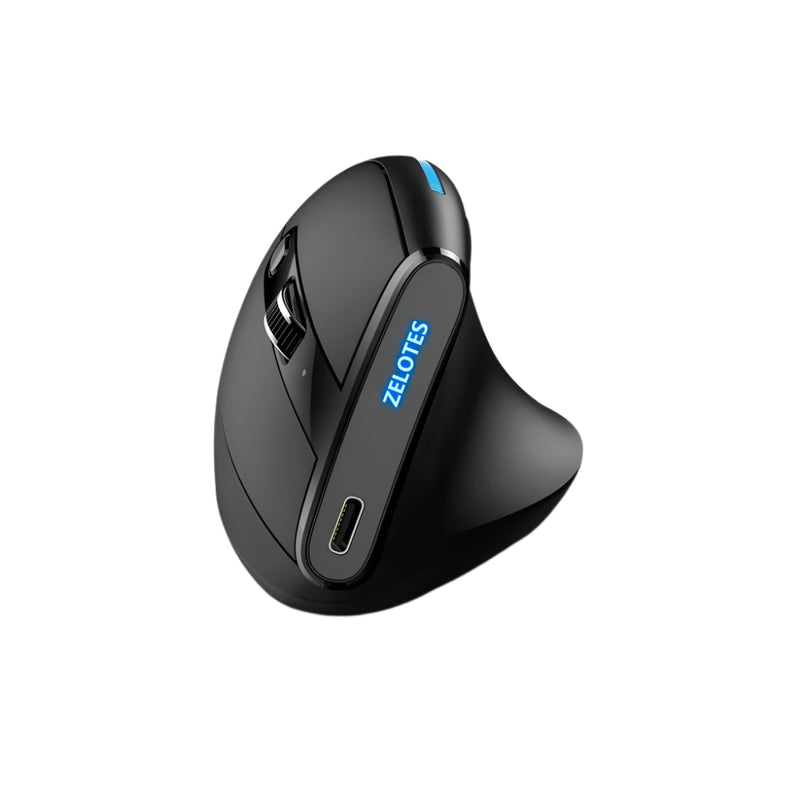
ErgoMax — $59
⭐ BEST FULL-SIZE
Best for: Users with medium-to-large hands whose wrist discomfort is partly caused by gripping a mouse that's too small — forcing the hand into a claw or cramped position.
An underrated cause of wrist tension: a mouse that doesn't fill your palm. When the mouse is too small, your fingers curl inward and your grip muscles engage to hold the mouse in position. That sustained grip tension travels directly through the tendons in your wrist. The ErgoMax solves this with a full-size body that supports a complete palm grip — no curling, no clamping, no overgrip.
If you've tried ergonomic mice before and they felt too small, the ErgoMax is the model that finally fits. The full palm support distributes hand weight naturally instead of concentrating it on your grip fingers and wrist. At $59, wireless, built for permanent desk setups where wrist comfort is non-negotiable.
Best Starter Ergonomic Under $50
ErgoGlide — $49.95
⭐ BEST STARTER
Best for: Users who want to test whether an ergonomic mouse helps their wrist — the lowest-investment way to break the daily tension cycle.
The ErgoGlide offers a contoured ergonomic shape with a moderate tilt — more angled than a flat mouse, less extreme than a full vertical. For users who've never tried an ergonomic mouse and want to see if the concept helps before investing $89 in a premium vertical, the ErgoGlide is the $49.95 test. If your wrist feels better after a week of use, you've validated the approach. If you want more angle, upgrade to the Verta or Elevate Pro. Either way, the ErgoGlide costs less than a single physical therapy co-pay.
Best Silent Ergonomic Mouse
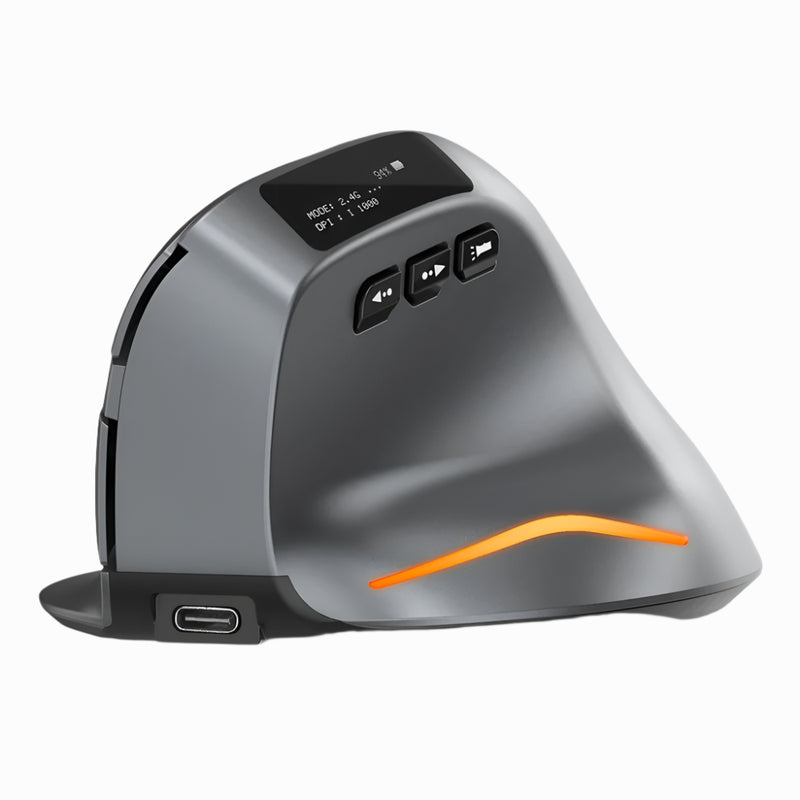
Lumos — $59
⭐ BEST SILENT
Best for: Users whose wrist discomfort is partly caused by forceful clicking — the Lumos requires significantly less click force, reducing per-click strain on fingers and wrist tendons.
Standard mouse switches require a specific activation force — typically 50–60 grams of finger pressure per click. Over thousands of clicks per day, that force travels through your finger tendons to your wrist. The Lumos features silent click switches with a softer activation — every press requires less force, produces no audible noise, and maintains tactile feedback. Less force per click × thousands of clicks per day = meaningfully less cumulative wrist strain.
The silent benefit also matters for evening and nighttime computer use — the hours closest to sleep when wrist tension is at its daily peak. Quieter, softer clicks in the last hours before bed mean less activation force during the window that matters most. At $59, wireless, ergonomic, and gentler on the tendons that carry tension into your pillow.
Most Versatile — Mouse + Presentation Remote
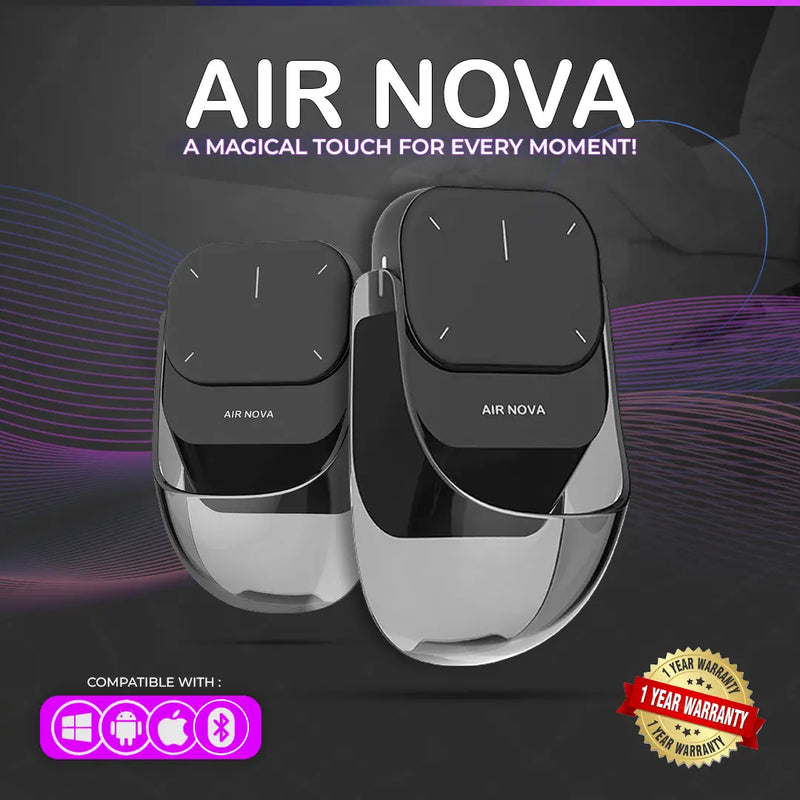
Air Nova — $149 $89
⭐ MOST VERSATILE
Best for: Professionals who need an ergonomic mouse for daily work AND a wireless presenter — reducing tool count reduces grip-switching, which reduces wrist strain from handling multiple devices.
Every device you grip differently adds a different strain pattern to your wrist. Mouse grip. Phone grip. Clicker grip. Each one engages slightly different tendons. The Air Nova reduces this by combining two devices into one: a Bluetooth mouse with a detachable wireless presenter. One device. One grip pattern. Less variety of strain on already-fatigued tendons.
The ergonomic body is shaped for full-day comfort. Bluetooth 5.1 connects to any device. The detachable presenter includes a laser pointer for Keynote, PowerPoint, and Google Slides. At $89 (down from $149), it replaces two devices — mouse and clicker — which means one fewer grip pattern taxing your wrist across a typical work week.
Best Grip-Free Option — Trackpad
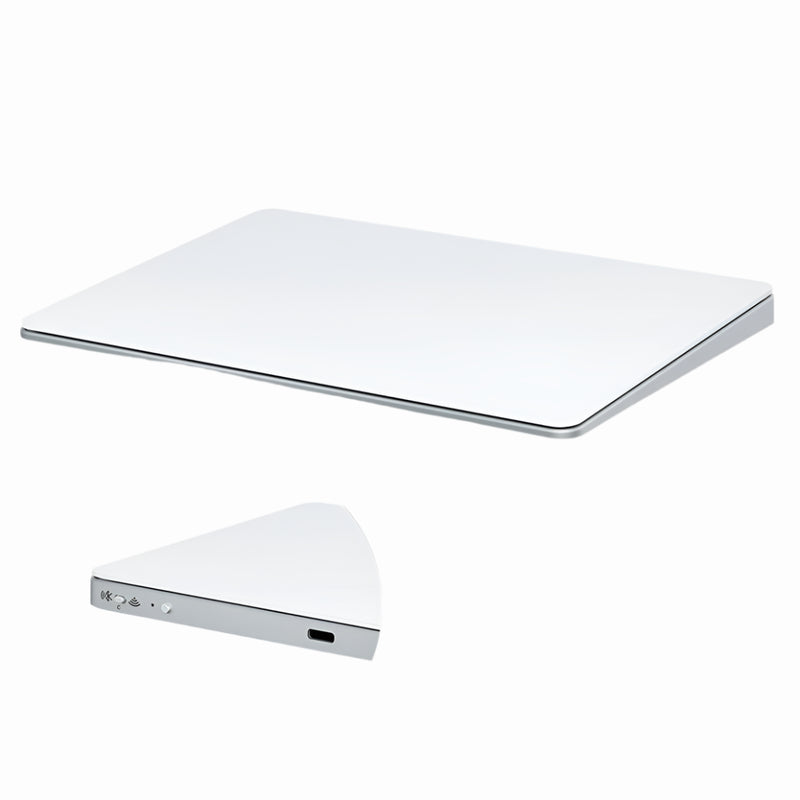
Touch Flow — $136.92 $89
⭐ BEST GRIP-FREE
Best for: Users whose wrist discomfort is specifically caused by gripping — the Touch Flow requires zero grip force because your fingers glide across a flat glass surface.
A mouse requires grip. Even an ergonomic vertical mouse requires your hand to hold a shaped body. A trackpad doesn't. The Touch Flow is a Bluetooth wireless trackpad with a smooth glass multi-touch surface — your fingers glide across it with zero grip force. No clamping. No holding. No squeeze. For users whose wrist tension is primarily grip-driven (not pronation-driven), a trackpad fundamentally changes the input dynamic.
Supports two-finger scroll, pinch-to-zoom, and multi-gesture navigation on Mac and iPad. At $89 (down from $136.92), it's $40 cheaper than Apple's Magic Trackpad and offers a more portable form factor. For wrist-conscious users who prefer gesture input over mouse clicking, the Touch Flow eliminates grip as a factor entirely.
Best Travel Ergonomic Mouse
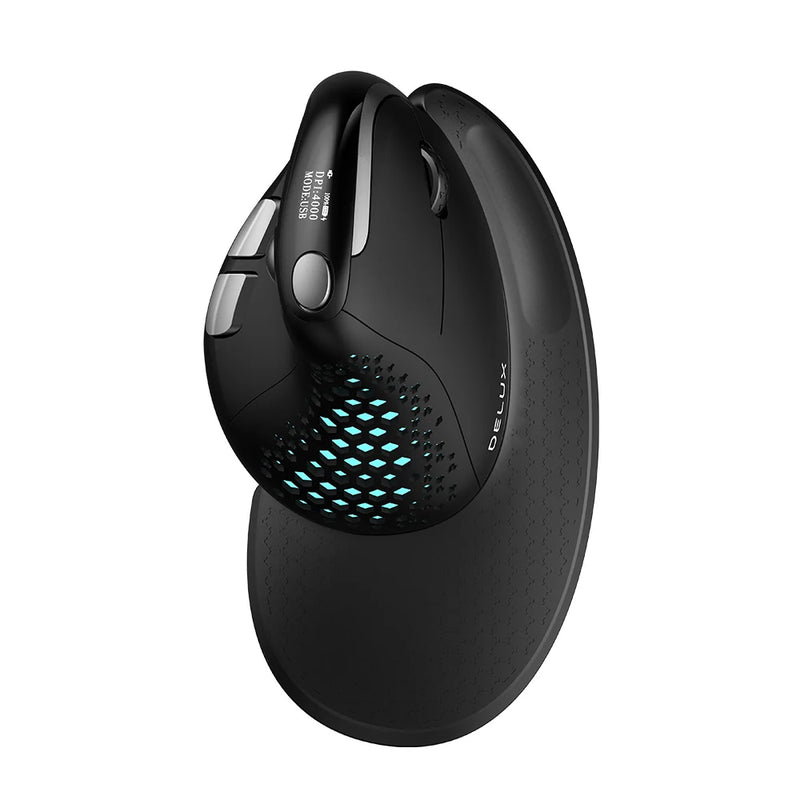
Seeker — $89
⭐ BEST TRAVEL
Best for: Users who travel frequently and need portable wrist comfort — because hotel desks, airplane trays, and café tables are the worst ergonomic environments for an already-fatigued wrist.
Your wrist doesn't get a vacation when you travel. The surfaces get worse — smaller, harder, less adjustable. A portable ergonomic mouse ensures that your wrist comfort level stays consistent regardless of location. The Seeker balances compact portability with enough body to maintain a comfortable grip during real work sessions. Bluetooth, no dongle. At $89, it's the wrist-friendly mouse you can take anywhere.
Best Budget Entry Point

ErgoX — $34.95
⭐ BEST BUDGET
Best for: Users who want to test whether a better mouse improves their wrist situation — at the lowest possible investment.
If you're reading this article because your wrist hurts and you're not sure if a mouse change will help, the ErgoX is the $34.95 experiment. Wireless. Ergonomic shaping. Scroll wheel. Side buttons. It won't deliver the pronation correction of a vertical mouse or the zero-movement benefit of a trackball — but it will demonstrate whether basic ergonomic contouring makes a noticeable difference in your daily wrist tension. At $34.95, the risk is a single takeout meal. The potential upside is breaking a tension cycle you've been carrying for months or years.
Which Approach Is Right for Your Wrist?
| If your wrist issue is... | The best approach is... | Get this |
|---|---|---|
| Forearm tension from flat mouse pronation | Vertical mouse (handshake grip) | Elevate Pro ($89) or Verta ($59) |
| Repetitive arm/wrist movement fatigue | Trackball (zero movement) | Orbit ($59) |
| Grip tension from too-small mouse | Full-size palm support | ErgoMax ($59) |
| Click force strain on tendons | Silent switches (less force per click) | Lumos ($59) |
| All grip-related tension | Trackpad (zero grip required) | Touch Flow ($89) |
| Not sure what's causing it | Start with a vertical mouse | Verta ($59) or ErgoGlide ($49.95) |
Beyond the Mouse: Complementary Wrist Comfort Habits
A better mouse is the highest-impact single change. But it works best alongside these habits:
Microbreaks every 30–45 minutes. A 30-second pause where you release the mouse, open and close your fist, and gently rotate your wrist. This interrupts the sustained muscle load that creates cumulative tension. Break-reminder software (Time Out, Stretchly, or macOS's built-in Focus modes) can prompt you.
Neutral wrist position at your desk. Your wrist should be straight — not bent up, down, or sideways — when using your mouse. If your desk is too high, your wrist bends upward. If your mouse is too far to the side, your wrist bends laterally. Adjust your chair height and mouse position so your forearm extends straight from elbow to fingertip.
Keyboard placement matters too. If your keyboard forces your mouse too far to the right (or left), your arm reaches laterally during every mouse use. A compact or tenkeyless keyboard brings your mouse closer to center, reducing the lateral reach that puts sideways stress on your wrist.
Avoid heavy wrist rests. Counterintuitively, padded wrist rests can increase pressure on the carpal tunnel by pressing against the underside of the wrist. Ergonomic research suggests floating your wrist above the surface and resting your palm on the mouse body — which is exactly what a properly shaped ergonomic mouse enables.
For side sleepers specifically. If you sleep on your side, try keeping your wrist in a neutral position (not tucked or folded) as you fall asleep. A light wrist splint worn overnight during flare-ups can keep the wrist straight during sleep. But the most effective intervention remains reducing the daytime tension that makes nighttime compression problematic in the first place.
Frequently Asked Questions
Can a mouse really cause wrist pain?
A mouse doesn't cause pain directly — but a poorly designed mouse forces your hand and forearm into a pronated, tense position for hours daily. That sustained tension creates fatigue in the forearm muscles and tendons that pass through the wrist. Over weeks and months, this cumulative tension can manifest as stiffness, aching, and reduced grip strength. An ergonomic mouse reduces the tension. It doesn't treat a medical condition, but it addresses one of the most common mechanical contributors to wrist discomfort.
Is a vertical mouse better for wrist pain than a regular mouse?
For the majority of users, yes. A vertical mouse eliminates the forearm pronation that flat mice create — the single most common mechanical cause of mouse-related wrist tension. Multiple ergonomic studies confirm that vertical handshake-grip positions reduce forearm muscle activity compared to flat pronated positions. The Elevate Pro's adjustable tilt goes further by letting you find your specific optimal angle.
How long does it take for a new mouse to help?
Most users feel a difference within the first week. The vertical grip requires 3–5 days of adaptation, during which the new position may feel unfamiliar. After adaptation, users typically report noticeably less end-of-day forearm tension and, over subsequent weeks, less morning wrist stiffness. The improvement is gradual — you're reversing a pattern that developed over months or years of flat-mouse use.
Should I see a doctor about my wrist pain?
If your wrist pain is persistent, worsening, or accompanied by numbness, tingling, or loss of grip strength, consult a healthcare professional. These symptoms can indicate conditions like carpal tunnel syndrome or tendinitis that require medical evaluation. An ergonomic mouse can complement medical treatment but should not replace professional advice. This article discusses comfort tools, not medical devices.
Is a trackball better than a vertical mouse for wrist problems?
They solve different problems. A vertical mouse addresses forearm pronation (the rotation issue). A trackball addresses repetitive wrist movement (the motion issue). If your discomfort is primarily from the twisting position of a flat mouse, a vertical mouse is the better choice. If your discomfort is primarily from constant arm and wrist movement, a trackball may help more. Some users benefit from both — vertical for general work, trackball for sessions requiring minimal wrist motion.
What's the cheapest mouse that will help my wrist?
The ErgoX at $34.95 provides basic ergonomic contouring that's meaningfully better than a flat mouse. For the core vertical mouse benefit (pronation correction), the Verta at $59 or the ErgoGlide at $49.95 are the most affordable options that address the primary mechanical cause of mouse-related wrist tension.
Conclusion — Break the Cycle Where You Can Control It
You can't control how your wrist positions itself during sleep. Side sleepers compress. Back sleepers extend. Stomach sleepers flex. These are unconscious positions you've maintained for decades. Trying to change them is impractical and unlikely to work.
What you CAN control is the 8 waking hours that determine how much tension your wrist carries into sleep. A vertical mouse with adjustable tilt. A trackball with zero wrist movement. A trackpad with zero grip. A silent mouse with less click force. Each one addresses a specific mechanical cause of the daily tension that makes nighttime sleep positions problematic.
The mice in this guide range from $34.95 to $89. Free worldwide shipping. The most expensive option costs less than a single physical therapy appointment. The cheapest costs less than a wrist brace from a drugstore — and unlike a brace, it fixes the input that creates the problem instead of bracing against the symptom.
Your wrist runs on a 24-hour cycle. Fix the daytime input, and the nighttime recovery takes care of itself.
Fix the Day. Fix the Night.
Ergonomic mice that reduce the daily wrist tension you carry into sleep — vertical, trackball, trackpad & silent options.
- ✓ Adjustable vertical tilt — find your zero-tension angle
- ✓ Trackball option for zero wrist movement
- ✓ Silent clicks — less force per press, less tendon strain
- ✓ $34.95–$89 · Free worldwide shipping
Shop Ergonomic Mice →






Leave a comment
This site is protected by hCaptcha and the hCaptcha Privacy Policy and Terms of Service apply.