





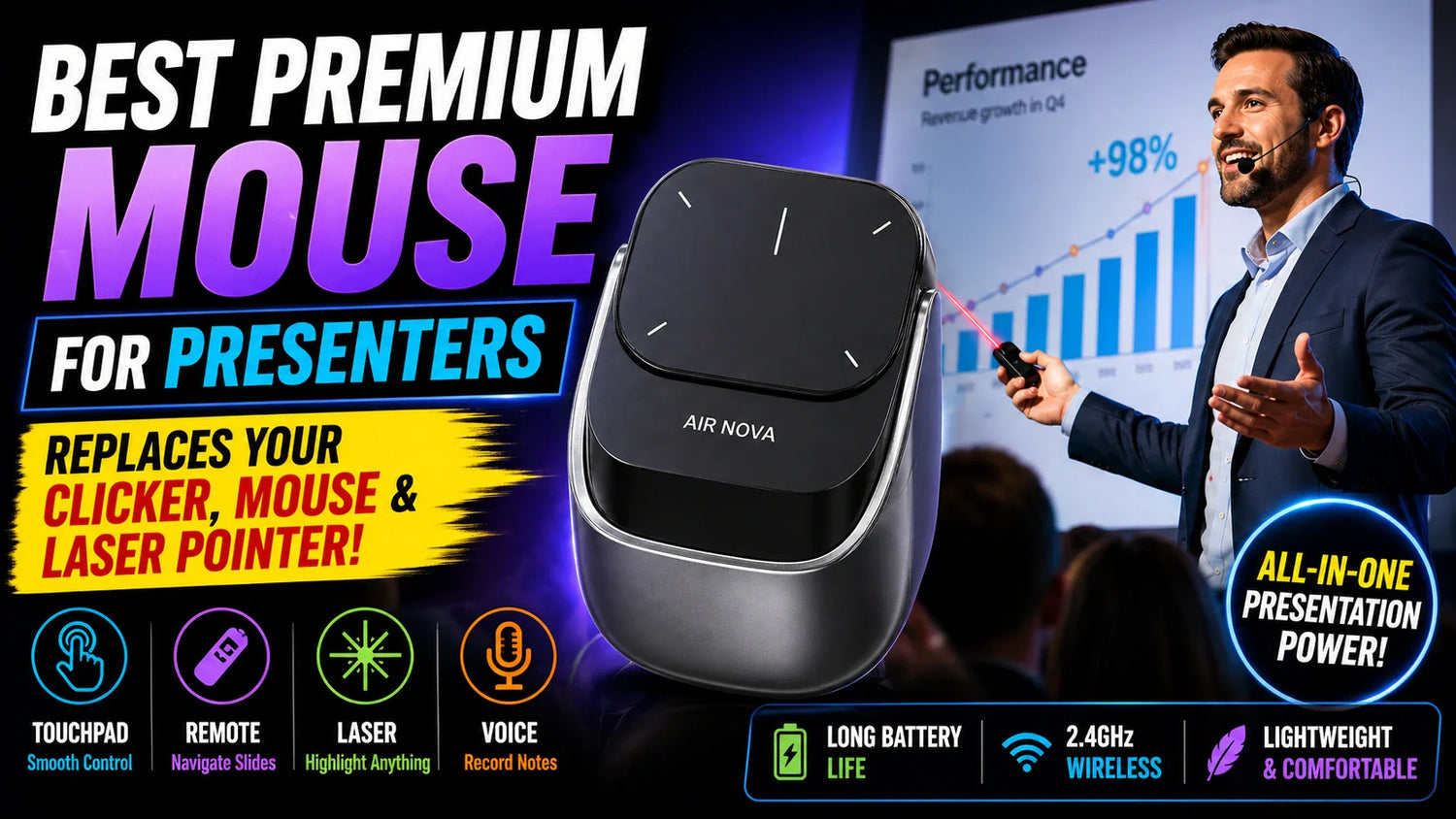
Right now, on your desk or in your laptop bag, you carry three separate devices for one workflow: a wireless mouse for daily work, a presentation clicker for slides, and a laser pointer for highlighting content on screen.
Three devices. Three chargers. Three things to forget in a hotel room. Three things to fumble between when a client asks you to switch from presenting to demonstrating something live on your laptop. The Air Nova Smart Mouse from Smart Mouse Co eliminates all three — because it IS all three.
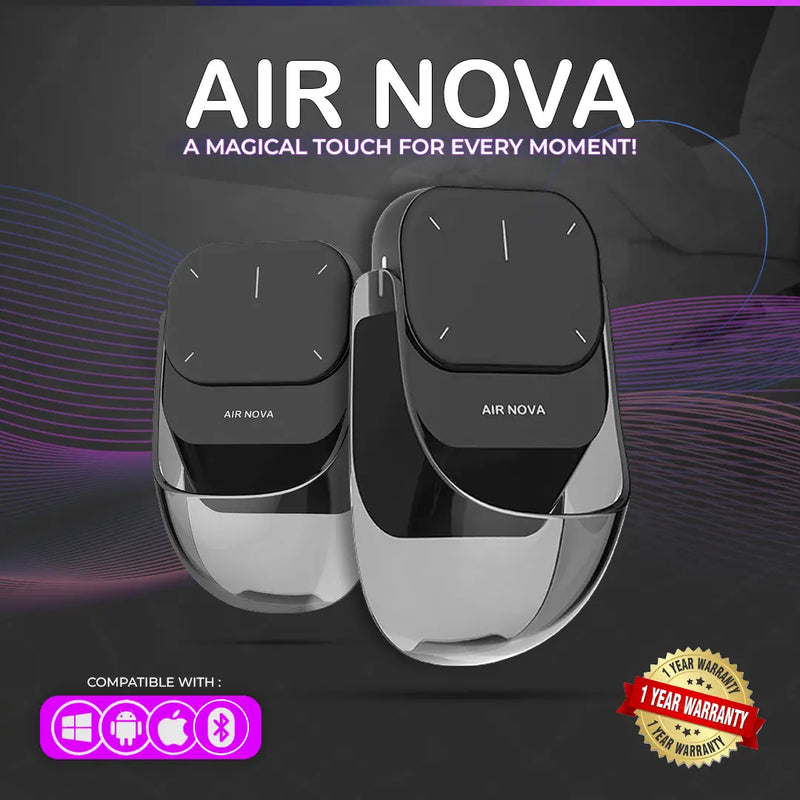
The Air Nova is a detachable dual-mode Bluetooth mouse that functions as a full wireless mouse for everyday work — then the top section magnetically detaches to become a wireless presentation remote with a built-in laser pointer, slide control, zoom functionality, and gesture navigation. One device. Two modes. Every presentation scenario covered. Every daily work task handled. No switching between gadgets. No "hold on, let me find my clicker." Just grab the Air Nova, walk to the front of the room, detach, and present.
At Smart Mouse Co, the Air Nova is our flagship product — the single best-selling item in our entire catalog. It exists because we asked a simple question: why do presenters still carry three devices for one job? This article covers every feature, every use case, every scenario where the Air Nova outperforms the separate-device approach, and why it's the only mouse a presenter needs to own.
What the Air Nova Actually Does — Both Modes Explained
Desktop Mode — Full Wireless Mouse
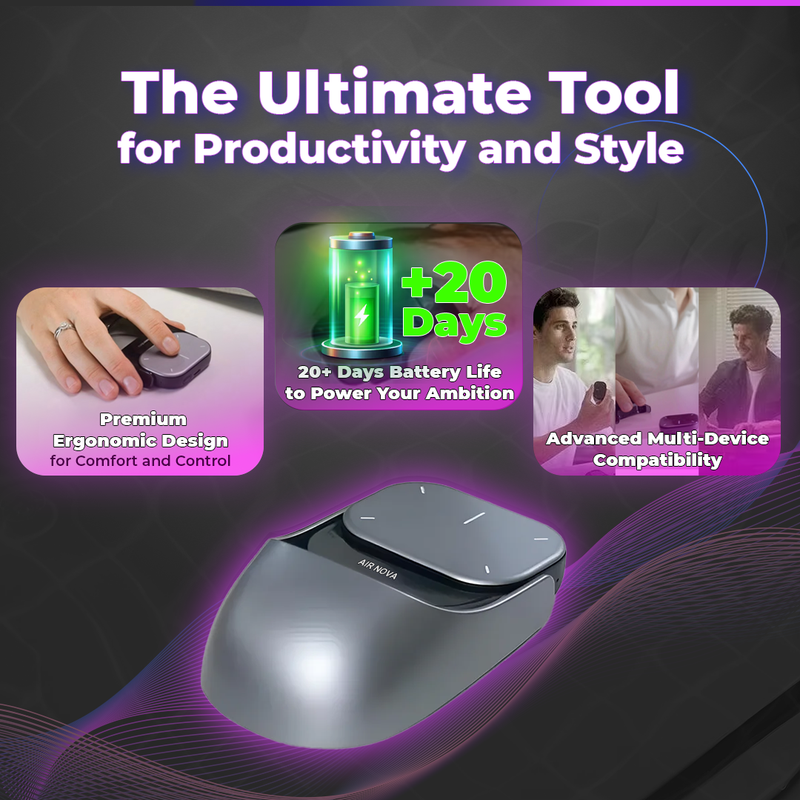
When assembled, the Air Nova functions as a complete Bluetooth wireless mouse with an ergonomic body, smooth cursor control, and gesture-based navigation. This is the mode you use 90% of the time — daily work, email, browsing, spreadsheets, design tools, coding, file management. It connects via Bluetooth 5.1 to any device without a dongle, pairs with up to 3 devices simultaneously, and switches between them instantly.
Desktop mode features:
- Left/Right click — standard precision clicking
- Vertical slide — scroll through pages with a single touch on the surface
- Two-finger slide — switch between desktops (macOS Spaces, Windows Virtual Desktops)
- Pinch zoom — zoom in/out with gesture control on the touch surface
- Multitasking slide — slide up to display all open windows (Mission Control / Task View)
- Show desktop — two-finger slide gesture for instant desktop access
These aren't gimmick gestures. They're the same navigation shortcuts that macOS and Windows power users rely on daily — mapped to a touch-sensitive surface on the mouse body instead of requiring keyboard shortcuts or trackpad gestures.
Air Mode — Wireless Presenter + Laser Pointer
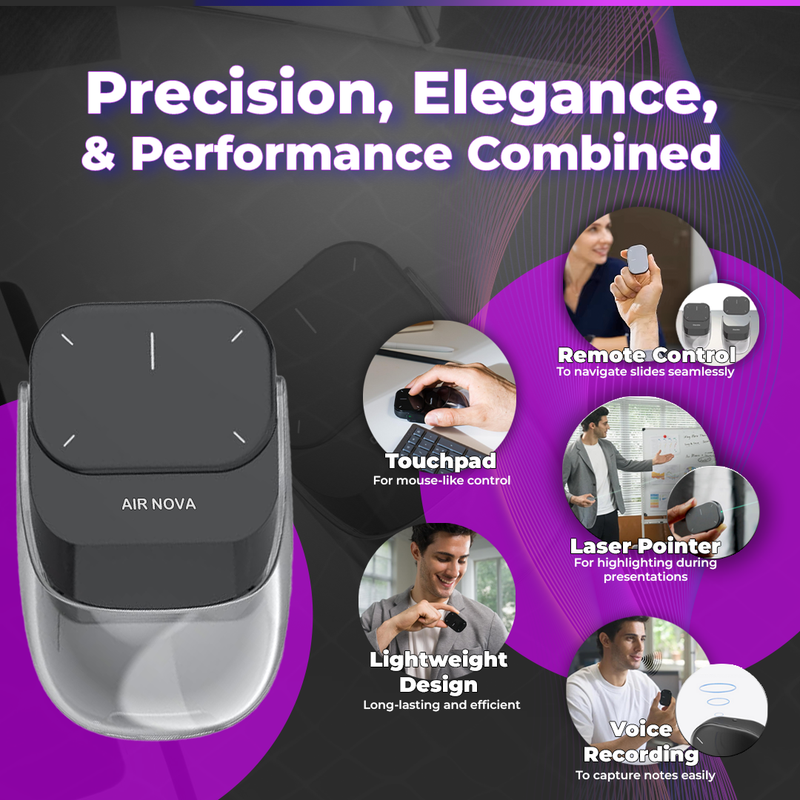
Detach the top section and the Air Nova transforms into a handheld wireless presenter. This is the mode you use in meetings, lectures, pitches, and any scenario where you're standing in front of an audience and controlling content on a screen.
Air mode features:
- Slide forward/back — press the top edge for previous, bottom edge for next. Works with Keynote, PowerPoint, Google Slides, Prezi, and any application that responds to arrow key input.
- Built-in laser pointer — a real laser that projects a visible dot on any surface. Highlight data points on a chart. Draw attention to a specific line of text. Point to a detail in a design comp. The laser works on screens, walls, whiteboards, and projector surfaces.
- Digital spotlight mode — an on-screen spotlight effect that dims everything except the area you're pointing to. This is the presentation feature that makes audiences pay attention.
- Touch surface cursor control — glide across the touch surface to move the cursor even in air mode. If you need to click something on screen during a presentation — open a link, switch an app, play a video — you can do it without walking back to your laptop.
- Edge slide gestures — lateral and vertical precision scrolling for navigating documents or zooming during live demos.
The transition between modes takes one second. Magnetic attachment means the top section snaps back onto the base with satisfying precision. No pairing. No reconnecting. Detach to present. Reattach to mouse. The Bluetooth connection stays live through both modes.
Who Needs the Air Nova — Every Presenter Profile
Corporate Professionals

Quarterly business reviews. Board presentations. Client pitches. Strategy decks. Sales demos. If your job involves standing in front of stakeholders and walking through slides, you currently carry a mouse AND a clicker. The Air Nova replaces both. Present your slides with the laser pointer and slide controls. When a stakeholder asks you to pull up a live spreadsheet or navigate to a different document — reattach the top section and mouse to the answer. No "hold on, let me switch devices." No walking back to your laptop to click. Seamless transition between prepared presentation and live demonstration.
Teachers and Professors
Classroom presentations run 50–90 minutes. During that time, you switch between slides, live demonstrations, web browsing, and application demos dozens of times. The Air Nova stays in your hand throughout — presenting when you're lecturing, mousing when you're demonstrating, pointing when you're highlighting. For educators who present daily, the reduction from three devices to one isn't convenience — it's sanity.
Sales Teams
Sales presentations are unpredictable. A prospect asks to see a different feature. A competitor comparison needs to be pulled up mid-pitch. A pricing page needs to be navigated live. The Air Nova lets you flow between prepared slides and live product demos without breaking the narrative or losing the room's attention. For sales professionals who present to clients in conference rooms, on video calls, or at trade shows — the device that handles both modes wins deals that the "hold on, let me switch to my mouse" moment loses.
Remote and Hybrid Workers
Screen-sharing on Zoom, Teams, Meet, and Webex IS the modern presentation. You're presenting slides while navigating your desktop, switching between apps, and responding to chat questions. The Air Nova handles all of it from one device. Present in air mode. Mouse in desktop mode. Switch in one second. No audience sees you fumble. No one hears "sorry, let me find my clicker."
Consultants and Freelancers
You present to different clients in different environments — their conference room, your home office, a co-working space, a hotel business center. You can't control the setup. You CAN control what's in your bag. The Air Nova is one device that works in every environment via Bluetooth. No "does this room have a USB port?" No "does this projector support my clicker?" Bluetooth connects to any device. The laser works on any surface. One device, every client, every room.
Conference Speakers and Event Presenters
On stage, you need maximum control with minimum hardware. A clicker in one hand and a mouse tethered to a laptop you can't reach doesn't work. The Air Nova in air mode gives you slide control, laser pointing, and cursor navigation from anywhere in the room — up to Bluetooth's standard range. Walk the stage. Point at the screen. Advance slides. Click a live demo. All from the same device in your hand.
The Air Nova vs Carrying Three Separate Devices
| Scenario | Without Air Nova | With Air Nova |
|---|---|---|
| Daily desk work | Wireless mouse (Device #1) | Air Nova in desktop mode |
| Presenting slides | Presentation clicker (Device #2) | Air Nova in air mode |
| Highlighting on screen | Laser pointer (Device #3) | Air Nova's built-in laser |
| Live demo during presentation | Put down clicker, pick up mouse, navigate | Reattach Air Nova top, mouse immediately |
| Devices to charge | 3 devices, 3 cables | 1 device, 1 cable |
| Devices to forget in a hotel | 3 opportunities to leave something behind | 1 device. That's it. |
| Total cost | Mouse $40–$80 + Clicker $25–$60 + Laser $15–$30 = $80–$170 | $89 total |
Air Nova vs Logitech Spotlight vs Kensington Presenter
| Feature | Air Nova | Logitech Spotlight | Kensington Presenter |
|---|---|---|---|
| Price | $99–$129 | $39–$79 | |
| Full mouse mode | ✅ Complete Bluetooth mouse | ❌ Presenter only | ❌ Presenter only |
| Laser pointer | ✅ Physical laser | ✅ Digital highlight | ✅ Physical laser |
| Slide control | ✅ Forward/back | ✅ Forward/back | ✅ Forward/back |
| Zoom control | ✅ Pinch gesture | ✅ Software-based | ❌ No |
| Digital spotlight | ✅ Yes | ✅ Yes (requires software) | ❌ No |
| Cursor in presenter mode | ✅ Touch surface | ❌ No cursor control | ❌ No cursor control |
| Daily desk use | ✅ Full mouse | ❌ Not a mouse | ❌ Not a mouse |
| Bluetooth | ✅ 5.1 | ✅ + USB receiver | ✅ + USB receiver |
| Driver software needed | ❌ No | ✅ Logitech Presentation app | ❌ No |
| Devices replaced | 3 (mouse + clicker + laser) | 1 (clicker only) | 1 (clicker only) |
The critical difference: The Logitech Spotlight ($99–$129) and Kensington Presenter ($39–$79) are excellent presentation clickers. But that's ALL they are — clickers. You still need a separate mouse for daily work. You still carry two devices. You still switch between them mid-presentation when someone asks you to demo something live. The Air Nova at $89 replaces the clicker, the laser pointer, AND the mouse. One device. Three functions. Lower total cost than buying a Spotlight plus a mouse.
Full Technical Specifications

| Spec | Detail |
|---|---|
| Connectivity | Bluetooth 5.1 |
| Multi-device pairing | Up to 3 devices simultaneously |
| Modes | Desktop (full mouse) + Air (presenter/laser) |
| Laser pointer | Built-in physical laser |
| Digital spotlight | On-screen spotlight / highlight mode |
| Zoom | Pinch gesture on touch surface |
| Battery life | Up to 20 days on a single charge |
| Charging | USB-C |
| Attachment | Magnetic detachable design |
| Colors | Gray, Black |
| Drivers required | None — plug and play via Bluetooth |
| Compatible OS | macOS, Windows, iOS, iPadOS, Android, ChromeOS, Linux |
| Compatible apps | Keynote, PowerPoint, Google Slides, Prezi, Zoom, Teams, Meet, Webex + all standard applications |
| Retail price |
|
Why Buy From Smart Mouse Co — Not Amazon

The Air Nova has gained significant attention on social media, and copycat products have started appearing on Amazon and other third-party platforms. These imitations look similar in product photos but lack the precision engineering, gesture control quality, and build durability of the genuine Air Nova.
Smart Mouse Co is the only authorized retailer for the Air Nova Smart Mouse. When you buy from smartmouseco.com:
- Authentic product guaranteed — not a knock-off with a similar photo
- Free worldwide shipping on every order
- Direct customer support — contact@smartmouseco.com / +1 240-202-9397
- Physical address — 200 E Pratt St, Baltimore, MD 21202
- 7,322 verified customer reviews with a 4.85/5 rating
Anonymous Amazon third-party sellers with 6-week-old storefronts can't match this. When you buy a $89 precision device, buy it from the brand that designed it, stands behind it, and answers the phone when you call.
Frequently Asked Questions
Does the Air Nova work with PowerPoint, Keynote, and Google Slides?
Yes — all three, plus Prezi, Canva Presentations, and any application that responds to forward/back slide commands. The Air Nova sends standard keyboard arrow-key signals for slide navigation, which means it works with every presentation software on every platform without custom drivers or configuration.
Can I control the cursor during a presentation without walking back to my laptop?
Yes. In air mode, the Air Nova's touch surface provides cursor control. You can move the cursor, click, and navigate without touching your laptop. This is the feature that separates the Air Nova from every standard presentation clicker — the ability to mouse AND present from the same device, anywhere in the room.
How does the magnetic attachment work?
The top presenter section attaches to the base mouse section via embedded magnets. It clicks into place with a satisfying snap and stays firmly attached during normal mouse use. To detach, pull gently — the magnets release smoothly. Reattachment is instant and alignment is automatic. The Bluetooth connection remains active through both modes — no re-pairing needed.
What's the battery life?
Up to 20 days on a single charge with normal use. Charges via USB-C — the same cable that charges your laptop, phone, and every other modern device. Unlike the Apple Magic Mouse, the Air Nova is fully usable while charging.
Is $89 expensive for a presenter mouse?
The Logitech Spotlight presentation remote costs $99–$129 — and it's only a clicker, not a mouse. The Logitech R500 costs $39 — and it's a basic clicker with no laser, no spotlight, and no mouse function. A separate wireless mouse costs $40–$80. To match the Air Nova's functionality with separate devices, you'd spend $80–$170 on a mouse + clicker + laser. The Air Nova at $89 replaces all three for less than most people pay for the clicker alone.
Does it work for Zoom/Teams screen-sharing presentations?
Yes. When screen-sharing on Zoom, Microsoft Teams, Google Meet, or Webex, the Air Nova controls your slides and laser pointer exactly as it would in a live, in-room presentation. The laser pointer appears as a visible dot on the shared screen. Slide forward/back works normally. Cursor control works normally. Remote presentations and in-person presentations use the same device with the same controls.
What's in the box?
The Air Nova Smart Mouse (base + detachable presenter), a USB-C charging cable, and a user guide. No dongle required — Bluetooth 5.1 connects directly. No driver disc — plug and play on all platforms.
Can I use it as a daily mouse if I don't present often?
Absolutely. Most Air Nova owners use it as their primary mouse 90% of the time and switch to air mode only when presenting. The desktop mode is a full-featured Bluetooth mouse with gesture controls — not a presentation tool pretending to be a mouse. It handles daily work as well as any standalone wireless mouse, with the bonus that the presenter is always right there when you need it.
Conclusion — One Device. Three Functions. Zero Excuses.

You present. You mouse. You point. You've been doing all three with separate devices because nobody made one device that did them all. The Air Nova does them all — and it does each one well enough that you stop carrying the separate devices entirely.
Bluetooth 5.1. Magnetic detachable design. Built-in laser pointer. Digital spotlight mode. Gesture zoom and scroll. Slide forward/back. Full cursor control in both modes. 20-day battery life. USB-C charging. Compatible with every device and every presentation platform. $89 (down from $149). Free worldwide shipping. 7,322 verified reviews at 4.85/5.
The presentation clicker industry exists because mice can't present. The Air Nova makes the presentation clicker obsolete — because now your mouse CAN present.
Mouse. Presenter. Laser. One Device.
The Air Nova Smart Mouse — detachable dual-mode Bluetooth mouse with built-in laser pointer and slide control.
- ✓ Full Bluetooth mouse for daily work
- ✓ Detachable wireless presenter with laser pointer
- ✓ Works with Keynote, PowerPoint, Google Slides, Zoom, Teams
- ✓ 20-day battery life · USB-C charging
- ✓
$149$89 · Free worldwide shipping
Shop the Air Nova — $89 →





Leave a comment
This site is protected by hCaptcha and the hCaptcha Privacy Policy and Terms of Service apply.