





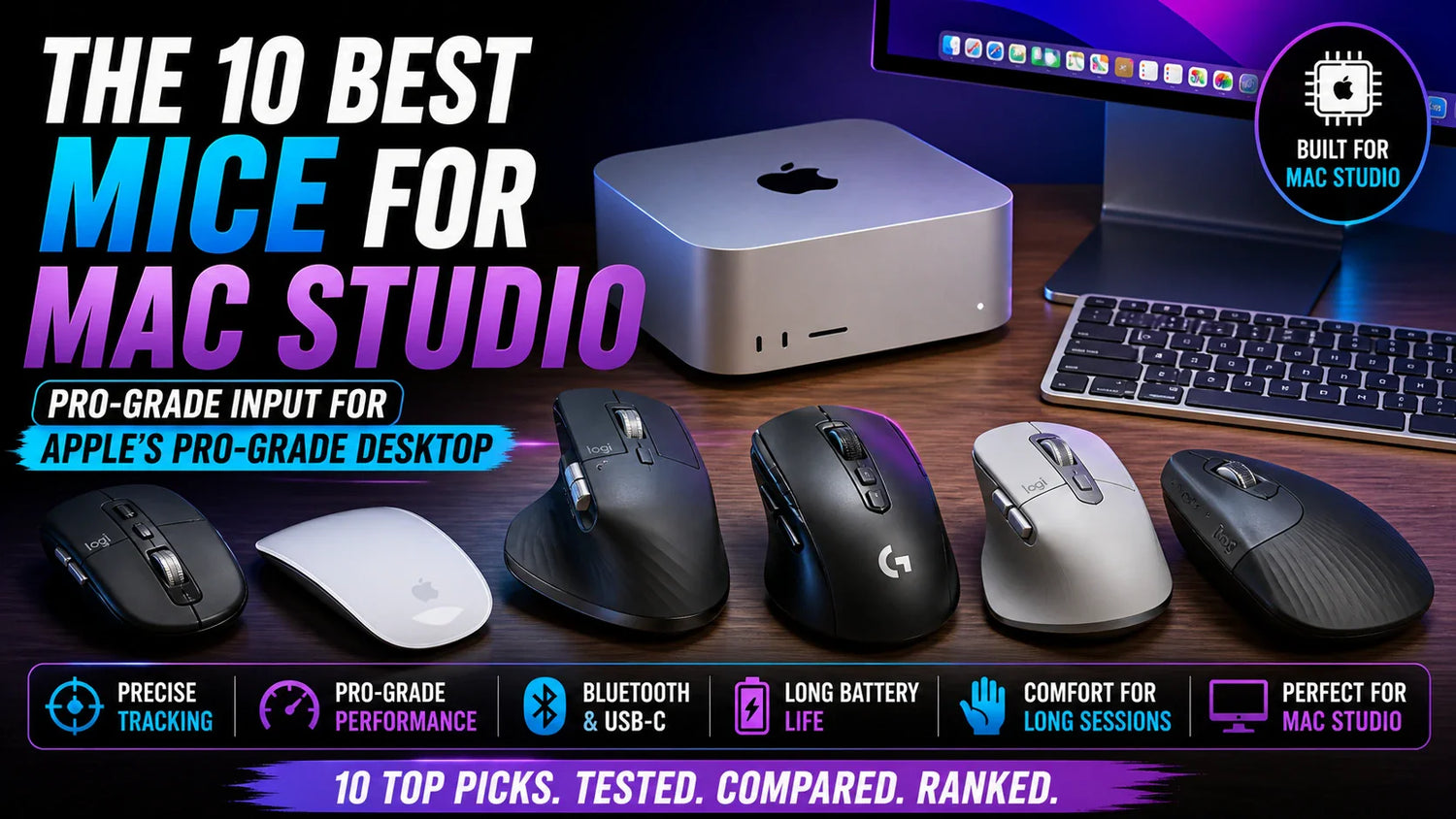
The Mac Studio starts at $1,999 for the M4 Max and climbs to $3,999+ for the M3 Ultra with 96GB of unified memory. It drives up to eight simultaneous displays. It plays back 24 streams of 8K ProRes video. It runs LLMs entirely in memory. It renders 3D scenes with hardware-accelerated ray tracing.
Apple designed the Mac Studio for the most demanding creative and professional workflows on the planet. And then they said: "for your pointing device, here's a Magic Mouse." A flat glass rectangle with no ergonomic shaping, no scroll wheel, and a charging port on the bottom. For a $1,999–$3,999 workstation. That's the default.
Mac Studio users are not casual computer users. They're video editors cutting feature films in Final Cut Pro and DaVinci Resolve. Music producers building 200-track sessions in Logic Pro. 3D artists rendering in Blender and Cinema 4D. Photographers processing thousands of RAW files in Lightroom. Developers compiling massive codebases in Xcode. Data scientists running machine learning models. These are 8–12 hour sessions on a machine built for sustained, precision-heavy professional work. The mouse — the tool that navigates every timeline, every canvas, every code file, every menu — should match that level of intent.
At Smart Mouse Co, mice are our entire business. Every mouse in our collection is wireless, Bluetooth-compatible, and designed for the sustained creative and professional workflows that Mac Studio users run. This guide covers the 10 best mice for Mac Studio, with workflow-specific recommendations and honest Magic Mouse comparisons.
Quick Picks: Best Mouse for Mac Studio by Workflow
| Mouse | Best For | Price | Highlight |
|---|---|---|---|
| Elevate Pro | All-day creative sessions (video, music, 3D) |
|
⭐ Best Overall |
| Air Nova | Creative pros who also present to clients |
|
⭐ Best for Presenters |
| Touch Flow | macOS gesture power users |
|
⭐ Best Gesture Input |
| ErgoMax | Large-hand pros at permanent desks | $59 | ⭐ Best Full-Size |
| Orbit | Precision editing + cluttered creative desks | $59 | ⭐ Best Trackball |
| Verta | Vertical comfort at mid-range price | $59 | ⭐ Best Vertical Value |
| Lumos | Silent clicks for music studios + podcast setups | $59 | ⭐ Best for Audio Pros |
| ErgoGlide | Ergonomic comfort under $50 | $49.95 | ⭐ Best Mid-Range |
| PenX | Secondary cursor for Wacom/tablet users | $37.95 | ⭐ Best Secondary Mouse |
| ErgoX | Budget Bluetooth for Mac Studio | $34.95 | ⭐ Best Budget |
Browse all 17 Smart Mouse Co mice →
Why Mac Studio Users Need a Better Mouse Than Anyone Else
The Mac Studio is unique in Apple's lineup. It's the only Mac that ships with no display, no keyboard, and no mouse. You choose everything. Apple sells Magic Mouse, Magic Trackpad, and Magic Keyboard as separate accessories — but unlike the iMac, nothing is included in the box. This means Mac Studio buyers are the only Mac users who actively choose their mouse from day one. And most of them default to the $79 Magic Mouse because it's the first Apple option in the checkout flow.
That default is especially wrong for Mac Studio users. Here's why:
Longest sustained sessions in the Mac ecosystem. Mac Studio users don't check email for 30 minutes. They edit 4K and 8K video timelines for 6 hours. They mix 200-track Logic Pro sessions for 8 hours. They render 3D scenes overnight and adjust them the next morning. They process 2,000 RAW photos in Lightroom in a single afternoon. These are the longest, most mouse-intensive sessions of any Mac user — and the Magic Mouse's flat, unsupported design fails hardest in exactly these use cases.
Precision-dependent workflows. Scrubbing a Final Cut Pro timeline. Adjusting a Bezier curve in After Effects. Selecting a 2-pixel-wide layer edge in Photoshop. Clicking a specific node in a Nuke compositing tree. Mac Studio workflows demand cursor precision that a flat glass surface without a scroll wheel cannot match.
Multi-display navigation. The M4 Max Mac Studio supports up to five displays, while the M3 Ultra supports up to eight. Navigating across five to eight screens with a Magic Mouse — a device with no scroll wheel, no side buttons, and a flat profile that provides zero grip stability — is an exercise in frustration. A mouse with a physical scroll wheel, side buttons for display switching, and an ergonomic grip transforms multi-display navigation from tedious to fluid.
Thunderbolt 5 peripherals demand Bluetooth. The Mac Studio features Thunderbolt 5 with transfer rates up to 120Gb/s. Those ports are for external storage, displays, audio interfaces, and high-bandwidth peripherals — not for a mouse dongle. A Bluetooth mouse keeps every Thunderbolt and USB port free for the professional peripherals Mac Studio users actually need. The M4 Max model has two front USB-C ports plus an SDXC slot; the M3 Ultra has two front Thunderbolt 5 ports. None of these should be occupied by a mouse receiver.
Why Smart Mouse Co for Mac Studio?
Mac Studio buyers are the most discerning hardware purchasers in Apple's ecosystem. They researched chips, compared M4 Max vs M3 Ultra, evaluated display options, and selected storage configurations down to the terabyte. They should apply that same rigor to their mouse — the tool they'll touch more than any other peripheral every single day.
Smart Mouse Co is different from Amazon or Best Buy. Mice are the entire brand. Every mouse in our collection is curated for wireless Bluetooth connectivity, ergonomic quality, and the sustained pro workflows that Mac Studio owners run. No gaming mice with RGB lights pretending to be creative tools. No generic office mice designed for spreadsheets. Just mice selected for the 8–12 hour creative sessions that justify owning a $1,999–$3,999 desktop.
Free worldwide shipping. Every mouse connects via Bluetooth — no Thunderbolt ports consumed. Every mouse works natively with macOS without drivers. $34.95 to $89.
The 10 Best Mice for Mac Studio, Ranked
Best Overall Mouse for Mac Studio
Elevate Pro — $129 $89
⭐ BEST OVERALL MOUSE FOR MAC STUDIO
Best for: Video editors, 3D artists, music producers, photographers, and developers who work 6–12 hours daily on their Mac Studio — the mouse for the longest, most demanding sessions.
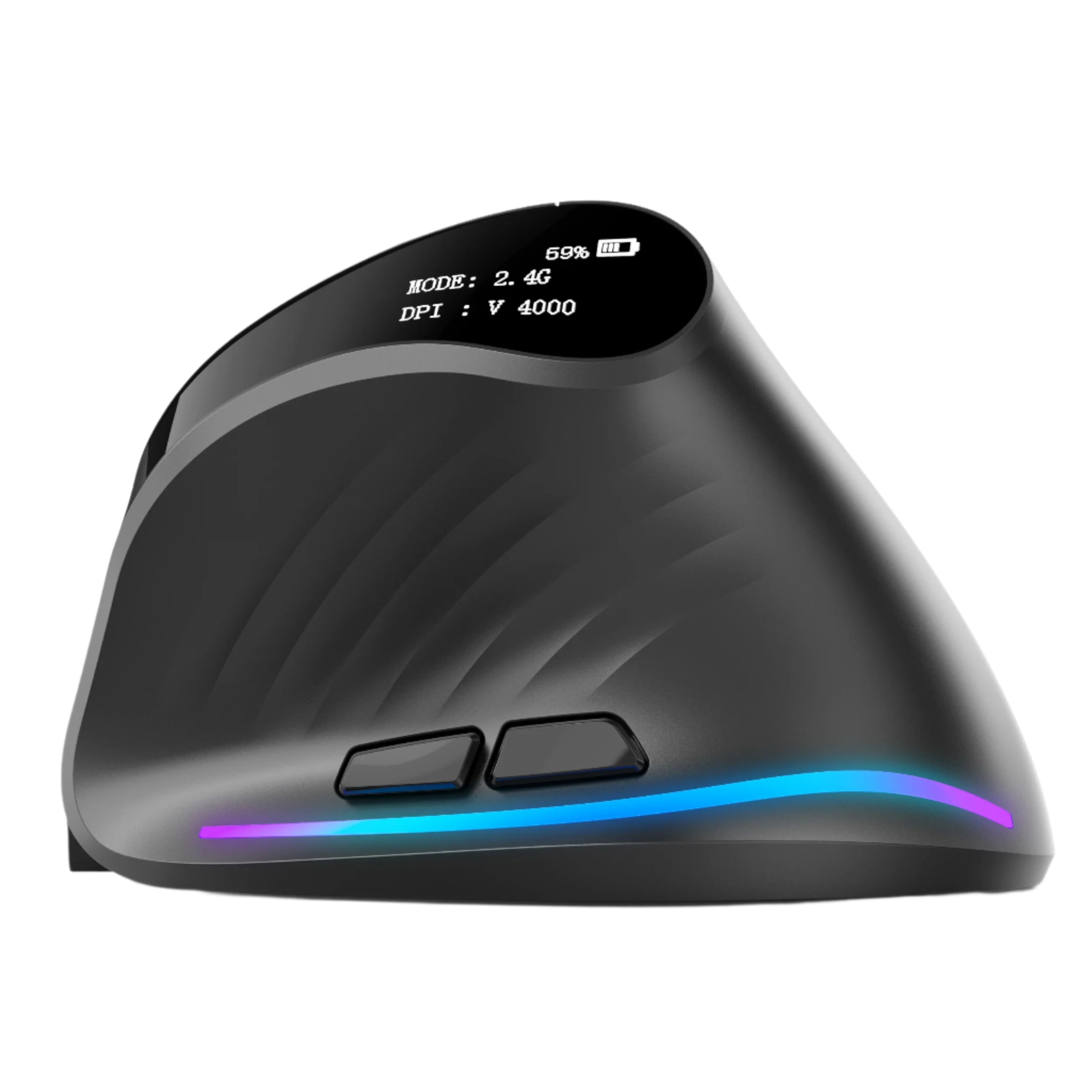
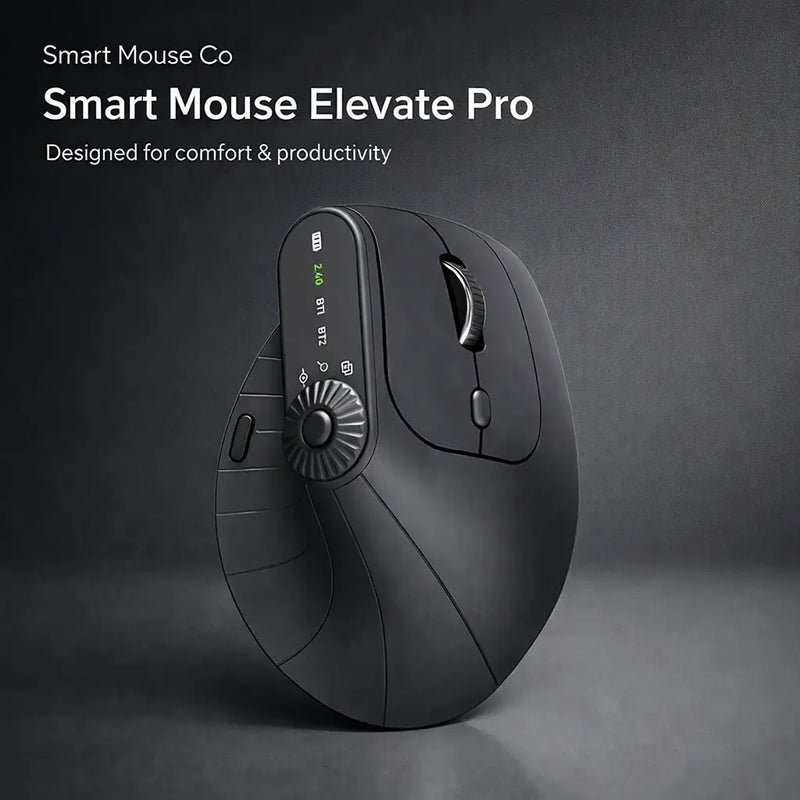
The Mac Studio's reason for existing is sustained pro performance. The Elevate Pro's reason for existing is sustained pro comfort. It's a Bluetooth vertical mouse with a physical adjustment knob that lets you dial in the exact wrist angle for your hand — the only vertical mouse with this feature at any price.
For a Mac Studio user editing an 8K timeline in DaVinci Resolve for 6 hours, mixing a film score in Logic Pro for 8 hours, or rendering and adjusting 3D scenes in Blender through a full workday — the adjustable vertical grip means your wrist stays neutral, your forearm stays relaxed, and your cursor control stays precise from hour 1 to hour 10. The Magic Mouse provides zero wrist support for those same hours. Available in White (matches Mac Studio's silver aluminum), Black, and Beige. Bluetooth, $89 (down from $129).
Best Mouse for Presenters with Mac Studio

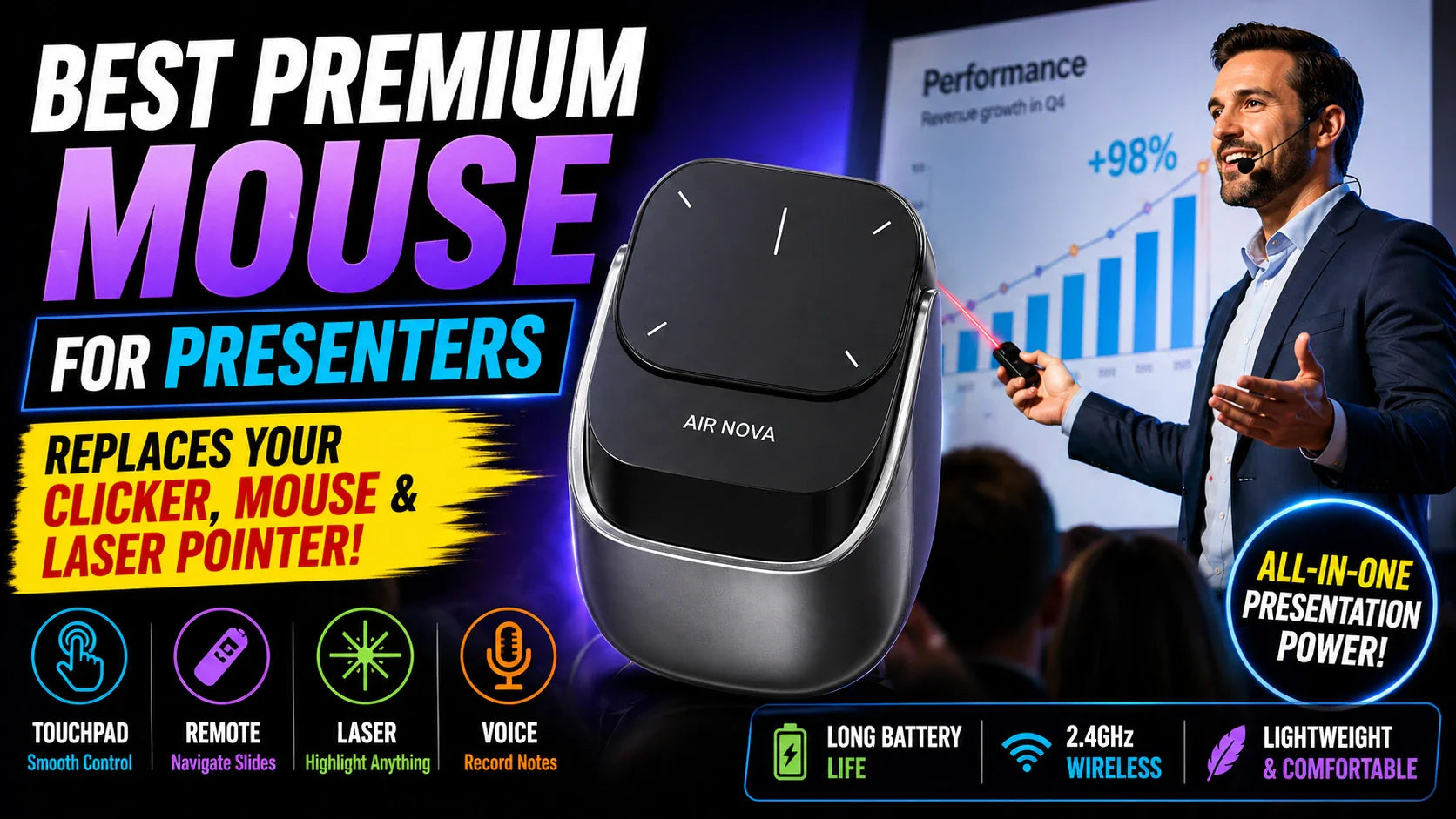
Air Nova — $149 $89
⭐ BEST FOR PRESENTERS
Best for: Creative directors, studio leads, and freelancers who use their Mac Studio for production work AND present to clients — design reviews, edit screenings, pitch meetings.
Mac Studio users in creative studios frequently present their work — showing cuts to clients, walking through design directions, demonstrating visual effects. The Air Nova's detachable dual-mode design handles both: full Bluetooth mouse for daily creative work, then detach the top section for a wireless presenter with built-in laser pointer and slide control. One device for production and presentation. Bluetooth 5.1, $89 (down from $149).
Best Gesture Input for Mac Studio
Touch Flow — $136.92 $89
⭐ BEST GESTURE INPUT
Best for: Mac Studio users who manage multiple desktops and displays using macOS gestures — three-finger swipe, Mission Control, pinch-to-zoom — and want a dedicated gesture surface alongside their mouse.
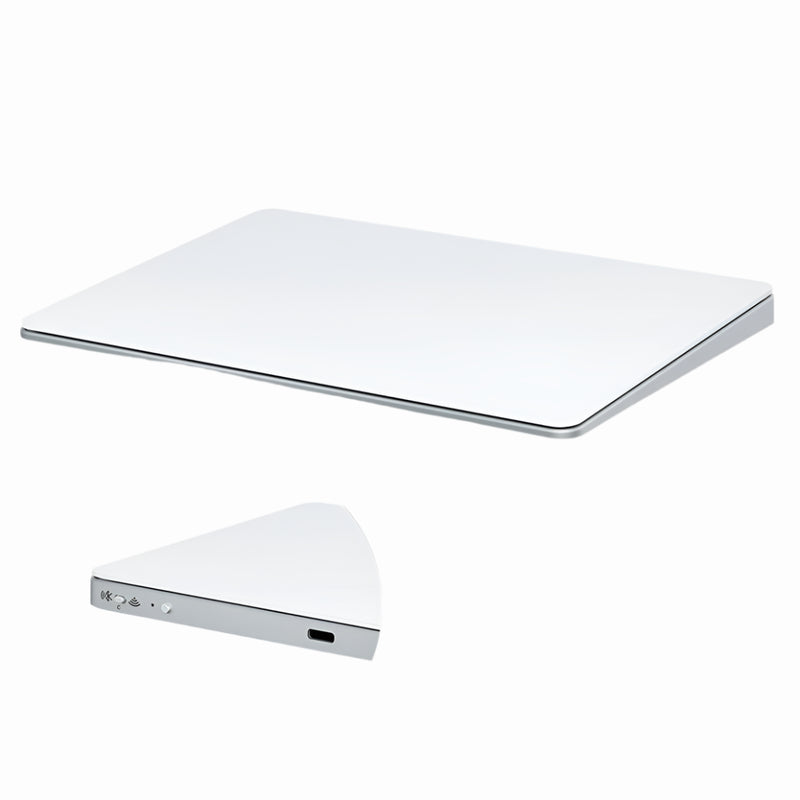
Many Mac Studio power users run both a mouse and a trackpad — mouse for precision clicking and scrolling, trackpad for macOS gesture navigation. The Touch Flow is a Bluetooth wireless trackpad with a smooth glass multi-touch surface at $89 — $40 less than Apple's Magic Trackpad ($129). For Mac Studio users navigating across five to eight displays, gesture-based desktop switching is essential. The Touch Flow provides that gesture layer without Apple's premium price.
Best Full-Size Mouse for Mac Studio
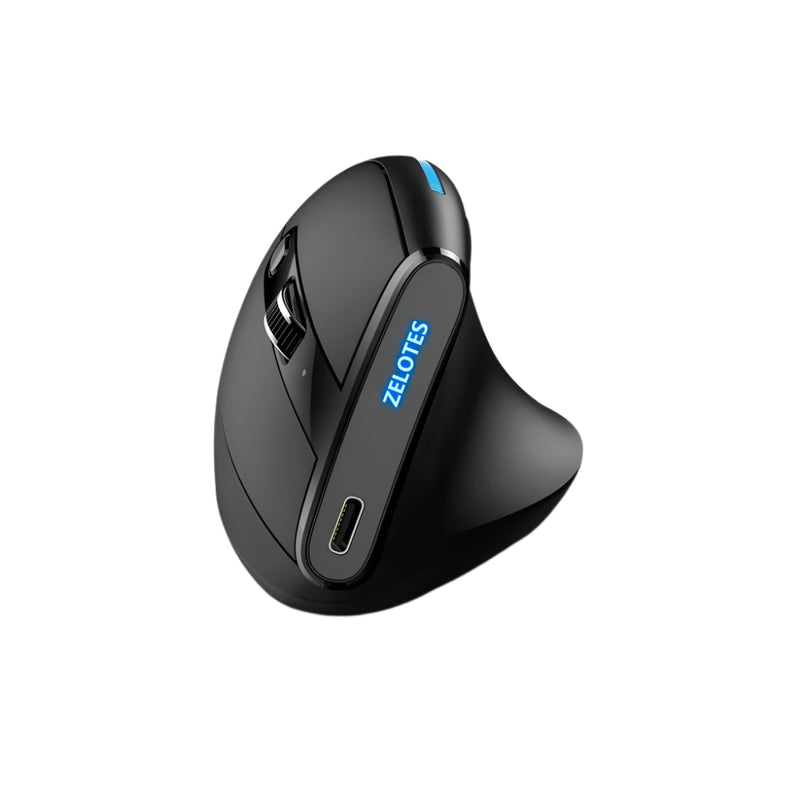
ErgoMax — $59
⭐ BEST FULL-SIZE
Best for: Mac Studio users with larger hands who sit at a permanent desk all day — the full-size palm support that the Magic Mouse's tiny body can't provide.
The Mac Studio sits under your display on a permanent desk. It's not a laptop. You're not moving it. Your mouse should match that permanence with a full-size body that supports your entire palm through all-day sessions. The ErgoMax fills a medium-to-large grip completely — no finger cramping, no hovering palm, no overgrip tension. Wireless, $59, built for the desk where your Mac Studio lives permanently.
Best Trackball for Mac Studio
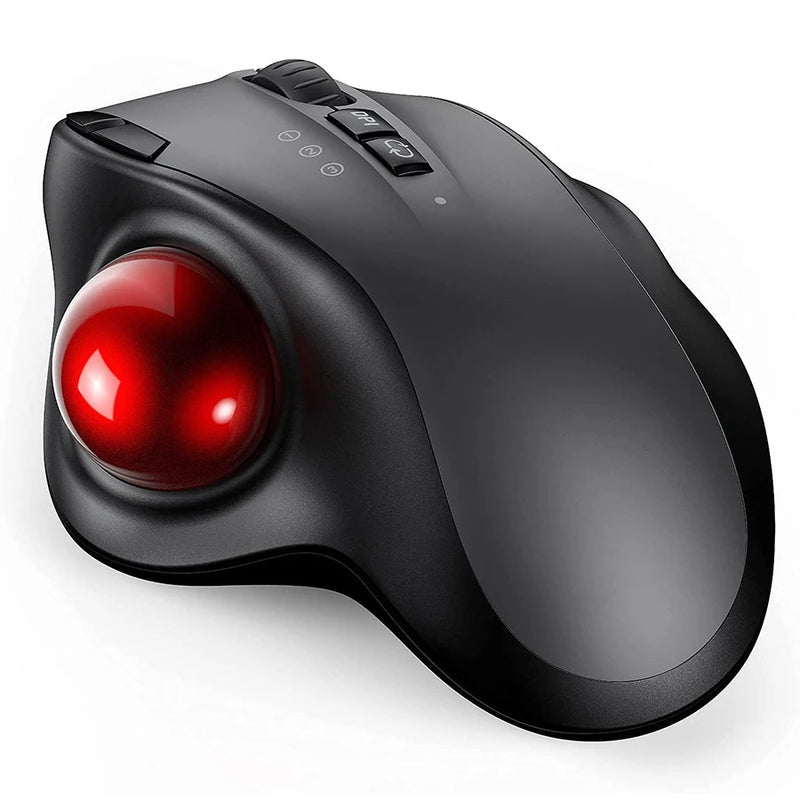
Orbit — $59
⭐ BEST TRACKBALL
Best for: Mac Studio users whose desks are filled with audio interfaces, MIDI controllers, drawing tablets, external drives, and reference monitors — leaving minimal mouse movement space.
A Mac Studio creative desk accumulates gear. Audio interface. Studio monitors. MIDI keyboard. Drawing tablet. External SSD for scratch disks. Reference display calibrator. By the time you've arranged your production tools, mouse movement space is a 6-inch square between the keyboard and the audio interface. The Orbit gives you full cursor precision in a fixed footprint — your thumb moves the cursor, the mouse stays still. Zero desk space consumed. For Mac Studio studios where every inch is occupied, the Orbit is the pointing device that fits. Bluetooth, $59.
Best Vertical Value for Mac Studio
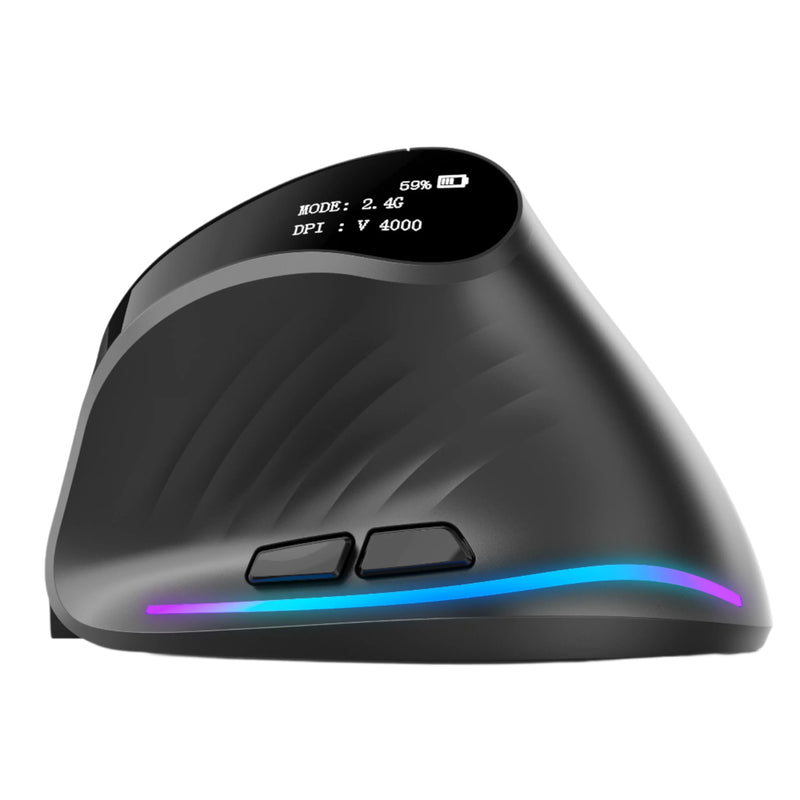
Verta — $59
⭐ BEST VERTICAL VALUE
Best for: Mac Studio users who want vertical ergonomic comfort at $30 less than the Elevate Pro.
The Verta delivers the handshake-grip vertical design that reduces forearm pronation during long creative sessions — at $59 instead of $89. For Mac Studio users who've already spent $1,999–$3,999 on the computer and want ergonomic wrist support without another $89 accessory expense, the Verta provides real vertical benefit at a mid-range price. Wireless, side buttons, fixed tilt angle. Less than the Magic Mouse. More ergonomic than anything Apple sells.
Best Silent Mouse for Mac Studio — Audio Production
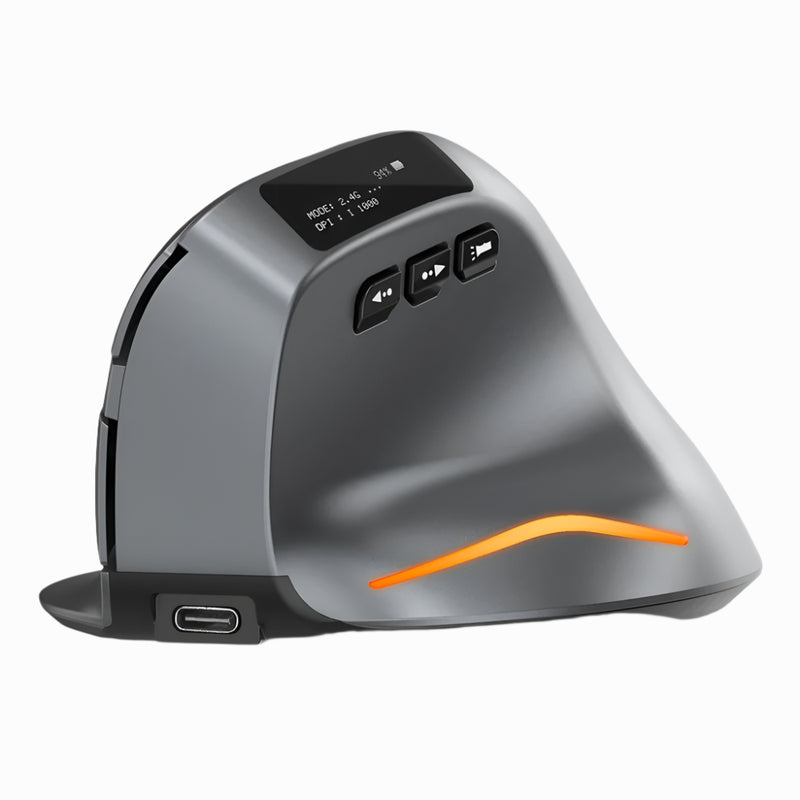
Lumos — $59
⭐ BEST FOR AUDIO PROFESSIONALS
Best for: Music producers, podcast editors, voiceover artists, and sound designers who use their Mac Studio in acoustically treated environments where every sound matters.
Mac Studio is the engine behind countless recording studios and podcast production setups. In these environments, microphones are always on or always near. Standard mouse clicks bleed into recordings, force re-takes, and contaminate audio. The Lumos features silent click switches — every press is soft, tactile, and virtually noiseless. For Mac Studio users in Logic Pro, Pro Tools, Audition, or any audio workflow where the room needs to stay silent, the Lumos is the only mouse that doesn't compromise your recordings. $59, wireless, Bluetooth.
Best Mid-Range Mouse for Mac Studio
ErgoGlide — $49.95
⭐ BEST MID-RANGE
Best for: Mac Studio users who want ergonomic comfort without the vertical form factor — a contoured traditional shape at a moderate price.
Not every Mac Studio user wants a vertical mouse. The ErgoGlide delivers ergonomic contouring in a traditional shape — palm support, comfortable grip, smooth scroll — at $49.95. For Mac Studio users who prefer the familiar flat-ish mouse profile but want significantly better hand support than the Magic Mouse, the ErgoGlide is the upgrade that doesn't require learning a new grip. Wireless, Bluetooth, $30 less than the Magic Mouse.
Best Secondary Mouse for Mac Studio Tablet Users
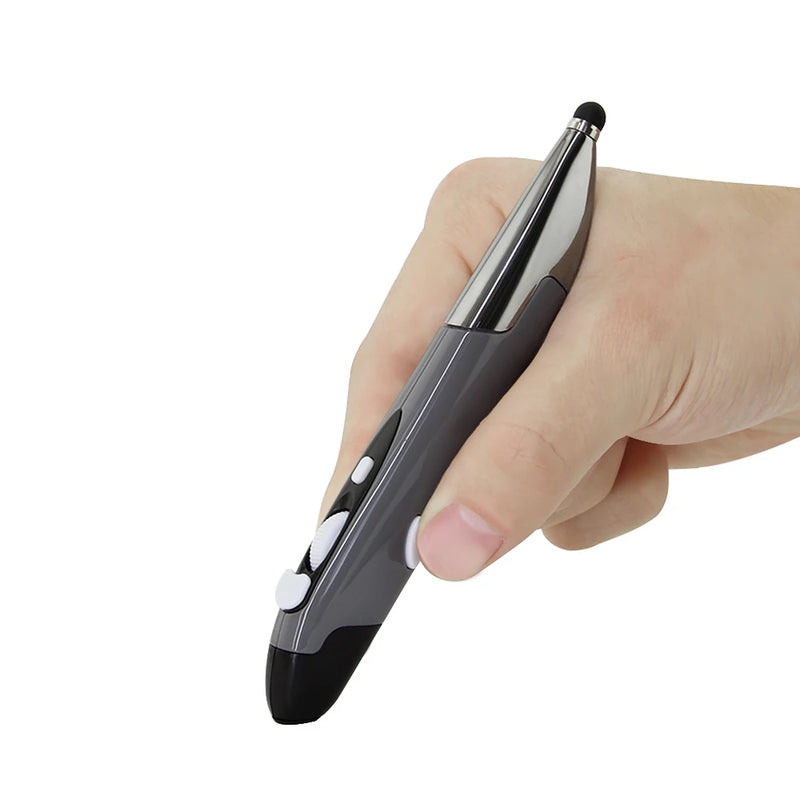
PenX — $37.95
⭐ BEST SECONDARY MOUSE
Best for: Mac Studio illustrators, designers, and retouchers who use a Wacom or Huion tablet as their primary input and need a lightweight cursor device for non-creative tasks — file management, email, browsing.
Pen tablet users don't need a full mouse for creative work — they have a stylus. But they DO need cursor input for everything the stylus is wrong for: navigating Finder, managing files, browsing the web, responding to Slack messages, dragging items between applications. The PenX is shaped like a pen and functions as a wireless mouse — click, scroll, cursor — in a form factor that sits next to your tablet stylus without taking mouse-sized desk space. $37.95, the smallest and lightest mouse in this guide.
Best Budget Mouse for Mac Studio

ErgoX — $34.95
⭐ BEST BUDGET
Best for: Mac Studio buyers who spent $1,999–$3,999 on the computer, $1,599+ on a display, and need a functional mouse at the absolute lowest price while they save for a premium upgrade.
The Mac Studio doesn't include any peripherals. By the time you've bought the computer ($1,999+), a display ($500–$1,599+), a keyboard ($99–$199), and potentially an audio interface or drawing tablet — the budget is stretched. The ErgoX at $34.95 gives you a wireless Bluetooth mouse with ergonomic shaping, a scroll wheel, and side buttons for less than 2% of the base Mac Studio price. It's not the mouse you'll use forever. It's the mouse that gets you working today while you plan the premium upgrade for next month.
Mac Studio Mouse Compatibility — What You Need to Know
The Mac Studio has Bluetooth 5.3 built in. Every Bluetooth mouse in this guide pairs directly — no dongle needed, no Thunderbolt or USB port consumed. Here's what Mac Studio users should know:
- Keep Thunderbolt 5 ports free. The Mac Studio's four rear Thunderbolt 5 ports handle 120Gb/s transfers for external storage, displays, and pro audio interfaces. Using one for a mouse receiver is a waste. Bluetooth mice leave every port available for pro peripherals.
- Front USB-C ports are for workflow. The front USB-C ports and SDXC card slot are positioned for quick file transfers — plugging in a camera card, connecting a portable SSD, importing footage. A Bluetooth mouse keeps these ports free for their intended purpose.
- No drivers needed. macOS recognizes any standard Bluetooth HID mouse natively. Left click, right click, scroll, and side buttons work immediately. Custom button mapping is available through System Settings → Accessibility or free apps like BetterMouse.
- Multi-display cursor. The Mac Studio supports up to 5 displays (M4 Max) or 8 displays (M3 Ultra). Your Bluetooth mouse cursor moves seamlessly across all connected screens without configuration.
Which Mouse Fits Your Mac Studio Workflow?
| If your Mac Studio workflow is... | Get this |
|---|---|
| Video editing (Final Cut, DaVinci, Premiere) | Elevate Pro ($89) — adjustable vertical for 6+ hour timeline scrubbing |
| Music production (Logic, Pro Tools, Ableton) | Lumos ($59) — silent clicks that don't bleed into microphones |
| 3D rendering (Blender, Cinema 4D, Houdini) | Elevate Pro ($89) or Orbit ($59) for precision node work |
| Photography (Lightroom, Capture One) | Verta ($59) — vertical comfort for batch editing sessions |
| Software development (Xcode, VS Code) | Elevate Pro ($89) — adjustable vertical for code-heavy scrolling |
| Client presentations from your studio | Air Nova ($89) — mouse + detachable laser presenter |
| Illustration/design with pen tablet | PenX ($37.95) — cursor companion for your stylus |
| Cluttered desk with audio gear everywhere | Orbit ($59) — zero-movement trackball |
| Multi-display gesture navigation | Touch Flow ($89) — gesture trackpad alongside your mouse |
| Just need something that works on day one | ErgoX ($34.95) — immediate, affordable, upgradable later |
Frequently Asked Questions
Does the Mac Studio come with a mouse?
No. Unlike the iMac, the Mac Studio ships as a standalone computer with no peripherals included. You choose and purchase your mouse, keyboard, and display separately. Apple sells the Magic Mouse ($79–$99) as an add-on, but it's not included in any Mac Studio configuration.
Should I buy the Magic Mouse with my Mac Studio?
The Magic Mouse pairs seamlessly and supports gesture scrolling. However, it has no ergonomic shaping, no scroll wheel, no side buttons, and charges via a port on the bottom that disables the device during charging. For Mac Studio users who work 6–12 hour creative sessions, the Magic Mouse's flat design creates hand fatigue that alternatives in this guide specifically address. Every mouse here costs the same as or less than the Magic Mouse while providing better ergonomics and more functionality.
Will a Bluetooth mouse use one of my Thunderbolt 5 ports?
No. Bluetooth connects wirelessly through the Mac Studio's built-in Bluetooth 5.3 radio. No port is consumed. All four rear Thunderbolt 5 ports and front USB-C ports remain available for displays, storage, audio interfaces, and other pro peripherals.
Can I use a mouse and Magic Trackpad together with Mac Studio?
Yes. macOS supports simultaneous Bluetooth mouse and trackpad input. Many Mac Studio power users run both — a mouse for precision clicking and scrolling, a trackpad for macOS gesture navigation (Mission Control, desktop switching, pinch-to-zoom). This dual-input setup is especially useful when managing 5–8 displays.
What's the best mouse for video editing on Mac Studio?
The Elevate Pro ($89) for all-day timeline editing. The vertical grip with adjustable tilt keeps your wrist neutral during the sustained scrubbing, clicking, and scrolling that video editing demands. The physical scroll wheel provides tactile timeline navigation that the Magic Mouse's gesture surface can't match.
What's the best mouse for music production on Mac Studio?
The Lumos ($59). Music studios require silence. The Lumos's silent click switches prevent mouse noise from bleeding into microphones, contaminating recordings, or forcing re-takes. It's the only mouse in this guide — and one of the few on the market — designed specifically for sound-sensitive environments.
Conclusion — Your $1,999+ Mac Studio Deserves a Mouse That Works as Hard as It Does
Apple built the Mac Studio for professionals who push hardware to its limits. M4 Max with 40-core GPU. M3 Ultra with 60-core GPU. Up to 512GB of unified memory. Up to eight simultaneous displays. Thunderbolt 5 at 120Gb/s. This is a machine built without compromise for people who won't accept compromise in their tools.
Your mouse should meet the same standard. A physical scroll wheel for timeline and document navigation. Ergonomic shaping for 8–12 hour sessions. Side buttons for workflow shortcuts. Silent clicks for studio environments. Vertical tilt for wrist comfort. Bluetooth connectivity that doesn't waste a single Thunderbolt port. $34.95 to $89. Free worldwide shipping. From Smart Mouse Co — the brand that does nothing but mice.
Pro Machine. Pro Mouse. No Compromise.
17 wireless mice curated for Mac Studio creative workflows — by the only brand that does nothing but mice.
- ✓ Bluetooth — zero Thunderbolt ports consumed
- ✓ Ergonomic, vertical, trackball, silent & trackpad options
- ✓ Built for 8–12 hour creative sessions
- ✓ $34.95–$89 · Free worldwide shipping
Shop All Mac Studio-Compatible Mice →






Leave a comment
This site is protected by hCaptcha and the hCaptcha Privacy Policy and Terms of Service apply.