
If you have ever searched for a "lefty mouse," you are not alone. Thousands of left-handed users type that exact phrase every month looking for a mouse that actually fits their hand. The problem is that most results lead to ambidextrous mice, generic product listings, or advice that completely misses the point. A lefty mouse is not just a symmetrical mouse you can use with either hand. It is a mouse intentionally shaped, weighted, and buttoned for left-handed grip and control.
This guide breaks down exactly what a lefty mouse is, how it differs from ambidextrous designs, who benefits most from one, and what to look for when choosing the right model. Whether you are an office worker dealing with wrist discomfort, a gamer looking for precision, or someone who has never used a mouse that truly fits your dominant hand, this is the resource that will get you to the right decision.
By the end, you will understand the term, know what separates a good left-handed mouse from a mediocre one, and have a clear sense of which type suits your daily workflow.
What Does "Lefty Mouse" Actually Mean?
A lefty mouse is an informal, widely used term that refers to a computer mouse designed specifically for left-handed users. The phrase has become a common shorthand in online searches, forums, and product discussions. While it is not an official product category, it points to a real and distinct type of hardware: a mouse where the shape, button layout, and ergonomic contours are mirrored or purpose-built for left-hand use.
The term is often used interchangeably with "left-handed mouse" or "left hand mouse," but in practice, people searching for a "lefty mouse" are usually at an earlier stage. They may have just realized that their current mouse was never designed for them, or they heard the term from another left-handed user and want to know what options exist.
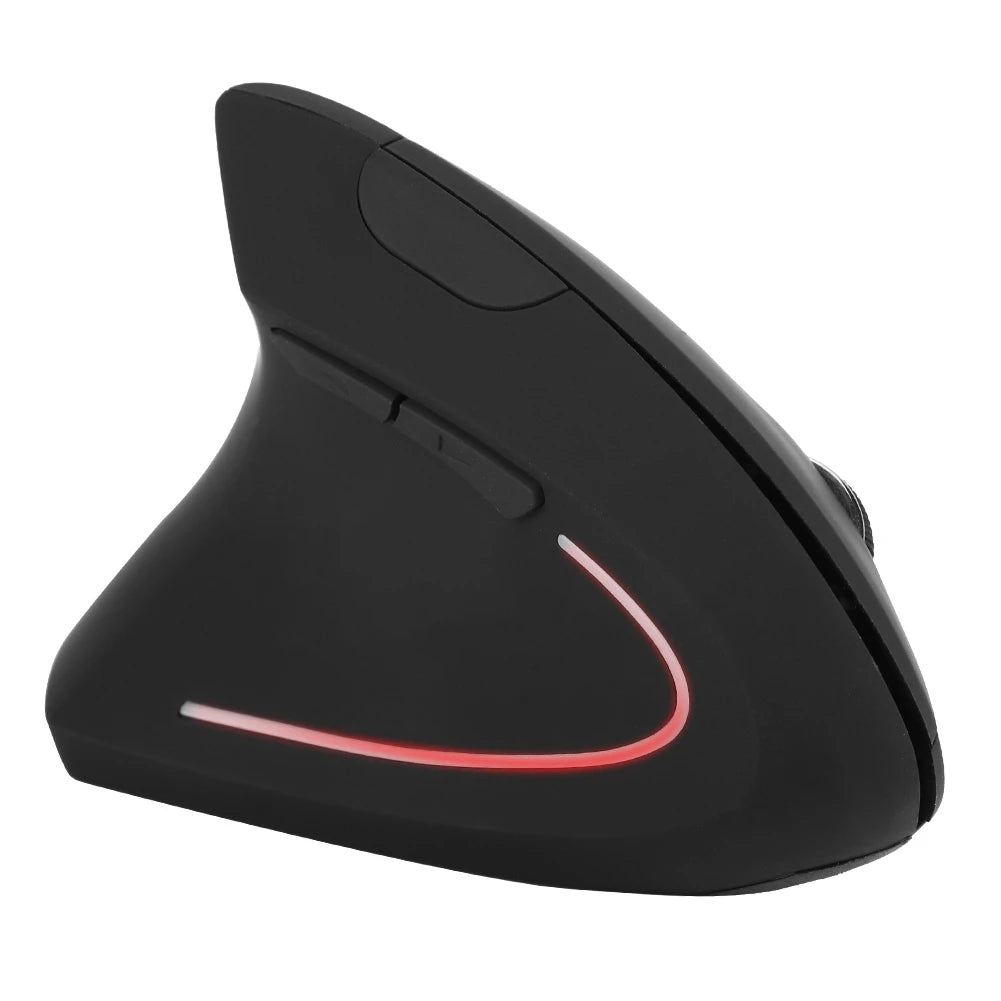
What makes a lefty mouse different from a standard mouse comes down to physical design. The grip curvature follows the natural angle of a left hand. Side buttons sit under the left thumb instead of the right. In vertical models, the tilt angle supports a left-handed wrist position that reduces pronation. These are not cosmetic changes. They directly affect comfort, accuracy, and long-term joint health during extended use.
Lefty Mouse vs Ambidextrous Mouse
This is the comparison that trips up most buyers. Ambidextrous mice are symmetrical, meaning both sides look and feel the same. On paper, that sounds like a fair solution for left-handed users. In practice, it is often a compromise rather than a real fit.
A true left-handed mouse is contoured to match the natural curve of a left hand. The body slopes in the correct direction. The thumb rest, if present, sits on the right side of the mouse where a left-handed user's thumb naturally falls. Side buttons are accessible without awkward stretching. In vertical designs, the tilt angle is specifically oriented for a left wrist.
An ambidextrous mouse eliminates these ergonomic advantages by design. Because it must work for both hands, it cannot commit to a shape that truly favors either. The result is a flat, neutral profile that may feel "okay" but never feels natural for extended use. Some ambidextrous mice include removable side buttons that can be swapped to either side, which helps with functionality but does nothing for the grip shape itself.
The key difference is this: an ambidextrous mouse tolerates left-handed use. A dedicated lefty mouse is built for it. If you spend more than a couple of hours a day on a computer, that distinction matters more than most people realize.
Who Actually Needs a Lefty Mouse?

The short answer: anyone who is left-handed and uses a computer regularly. But some users benefit more than others, and understanding where you fall helps you choose the right model.
Office workers and remote professionals make up the largest group. If you spend six to ten hours a day clicking, scrolling, and navigating spreadsheets or documents, a mouse that does not match your hand creates low-level strain that compounds over weeks and months. A lefty mouse shaped for your grip reduces the micro-adjustments your hand makes throughout the day.
Gamers need precise, fast input with zero hesitation. Using a right-handed or ambidextrous mouse with your left hand means your thumb cannot reach side buttons efficiently, your grip angle is slightly off, and you are compensating constantly. A dedicated left-handed mouse puts every button and surface exactly where your fingers expect them.
Designers, developers, and analysts rely on sustained accuracy. Whether you are drawing in CAD software, navigating code editors, or pivoting through data dashboards, a left-handed ergonomic mouse gives you consistent control without the fatigue that comes from fighting a shape built for someone else's hand.
Anyone experiencing wrist or hand discomfort from prolonged mouse use should consider whether their current mouse is part of the problem. Left-handed users forcing a right-biased grip pattern are at higher risk of strain simply because the tool does not match their biomechanics.
What to Look for in a Good Lefty Mouse
Not all left-handed mice are created equal. Here are the factors that separate a good one from a forgettable one.
Ergonomic Shape
The body of the mouse should follow the natural curve of a left hand at rest. This means the right side of the mouse (where your thumb sits) should have a supportive contour, and the left side should accommodate your ring and pinky fingers comfortably. If the mouse feels like a mirrored afterthought of a right-handed model, it probably is. Look for designs where the left-handed version was engineered as its own product.
Button Placement for Left Thumb
Side buttons should sit where your left thumb naturally rests, without requiring you to shift your grip. This is one of the most overlooked details. Many mice marketed as "left-handed" simply swap the primary click but leave side buttons in positions that are awkward or unreachable for a left thumb.
Vertical vs Traditional Design
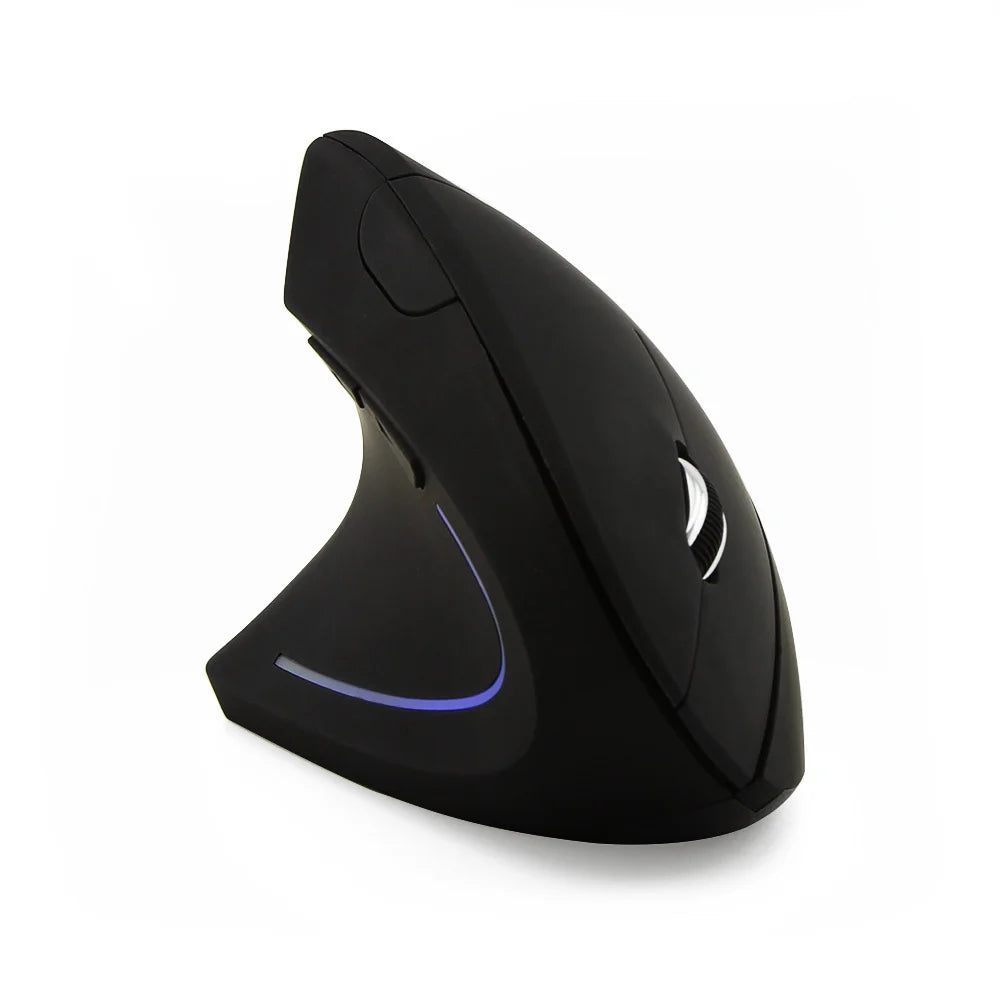
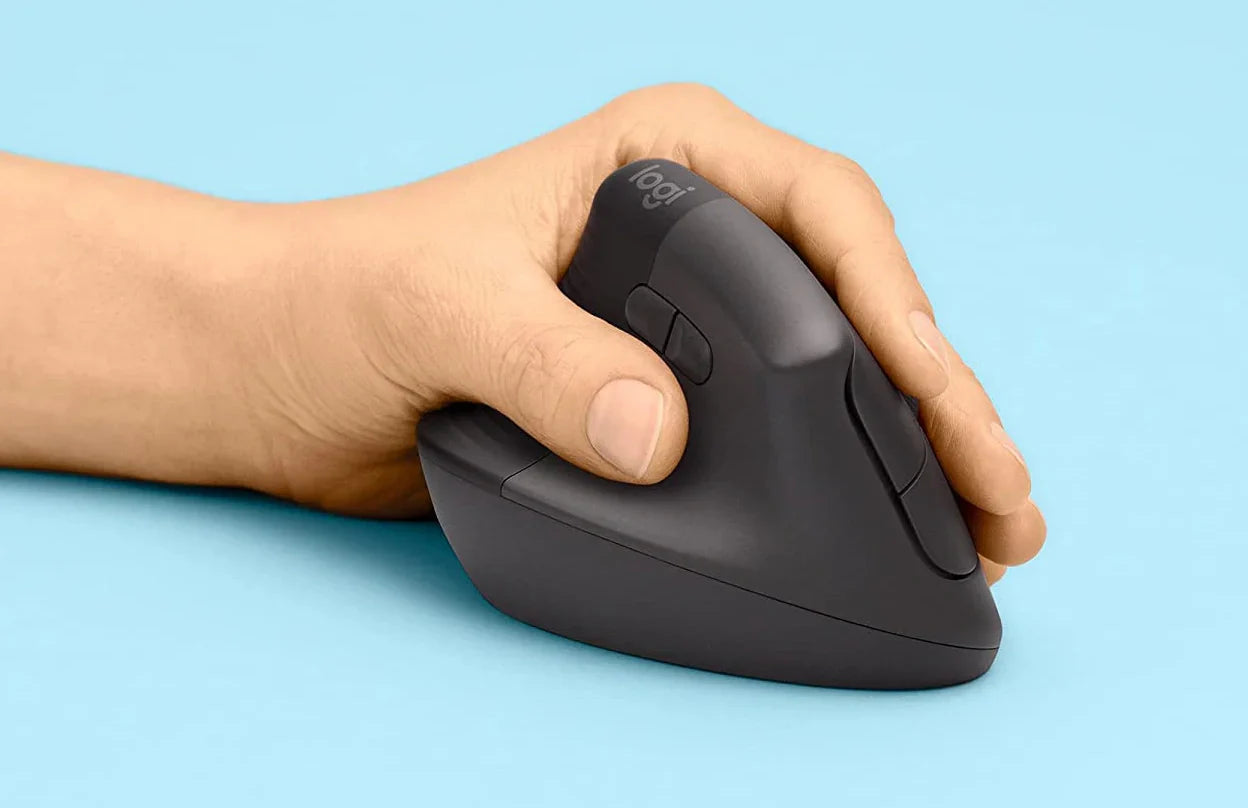
Vertical mice hold your hand in a handshake position, which reduces wrist pronation. For left-handed users, a left-handed ergonomic mouse with a vertical design can make a significant difference in comfort during long sessions. Traditional flat mice are more familiar but put more rotational stress on the forearm. Both have their place depending on your use case and preference.
Wireless vs Wired
Wireless mice offer a cleaner desk setup and more freedom of movement. Modern 2.4GHz wireless connections have virtually no perceptible lag for office and general use. Wired mice still have a slight edge in competitive gaming where every millisecond counts. For most left-handed users, wireless is the more practical and comfortable choice.
Comfort for Long Sessions
Weight, surface texture, and size all contribute to how a mouse feels after four or five hours of continuous use. A lefty mouse that is too small forces you to claw grip. One that is too heavy causes fatigue. The best models strike a balance where the mouse feels like an extension of your hand, not something you are gripping and controlling.
Best Lefty Mouse Options to Try
When choosing a lefty mouse, the right pick depends on how you use your computer and what matters most to you: comfort, precision, portability, or a combination of all three.
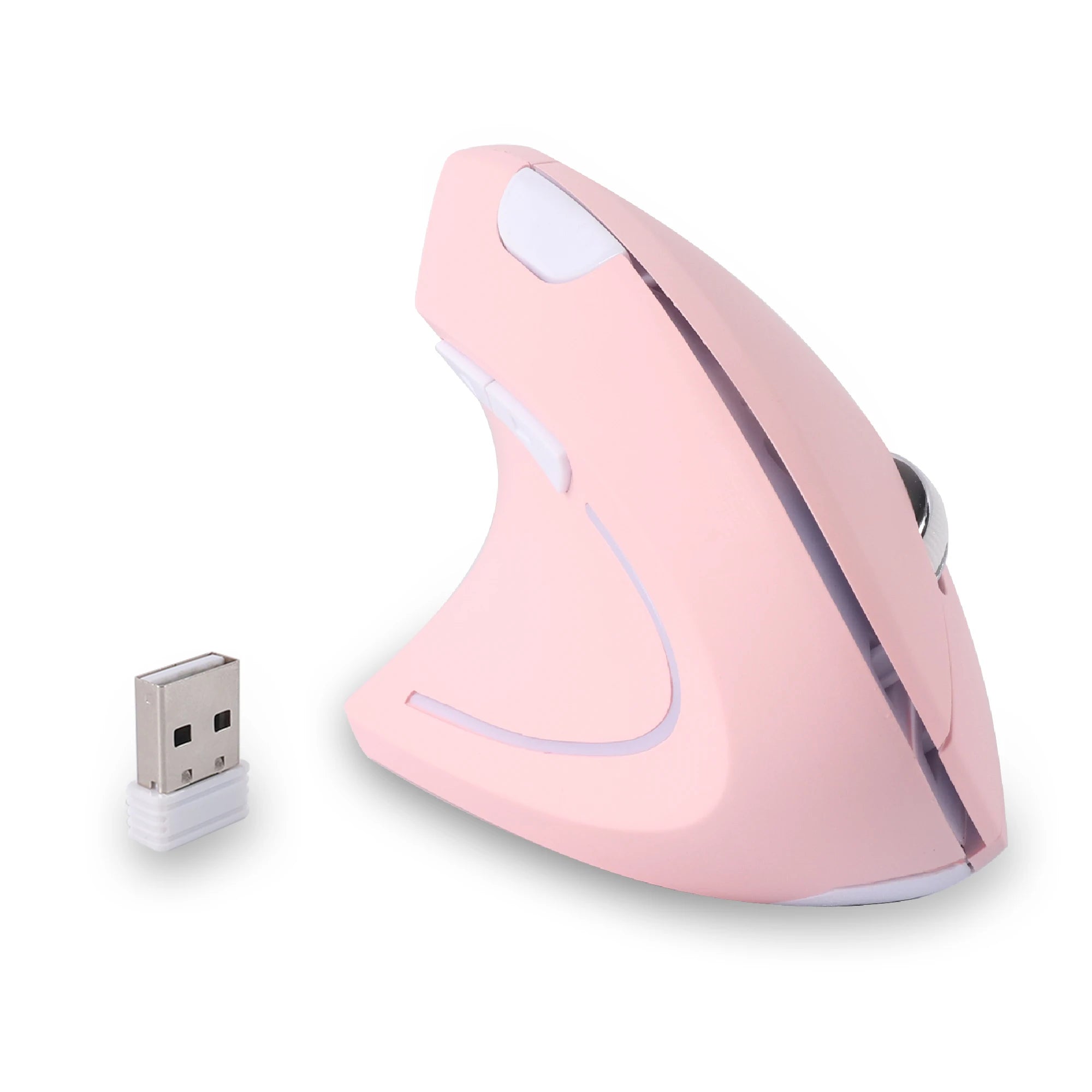
For most left-handed office workers and remote professionals, a wireless vertical mouse with side buttons is the strongest starting point. The vertical orientation keeps your wrist in a neutral position throughout the day, and wireless connectivity eliminates cable drag that can interfere with natural movement. Models like the Left Hand Ergonomic Vertical Mouse – Wireless 2.4G with Side Buttons are designed around this exact use case, with thumb buttons positioned for left-hand access and an ergonomic tilt that supports long work sessions.
If your workflow involves detailed creative work, data analysis, or tasks requiring sustained precision, a higher-sensitivity vertical mouse with adjustable DPI gives you finer control without sacrificing comfort. The Left Hand Ergonomic Wireless Vertical Mouse for Left-Handed Users fits this profile, offering the ergonomic benefits of vertical design with the responsiveness needed for detailed screen work.
For gamers who are left-handed, the priorities shift toward response time, button accessibility, and tracking accuracy. A left-handed mouse with well-placed side buttons and a comfortable grip that holds up during intense sessions is essential. While competitive esports players sometimes prefer wired connections, a quality 2.4GHz wireless mouse handles the vast majority of gaming scenarios without noticeable delay.
Across all categories, the common thread is this: the mouse should be designed from the ground up for left-hand use, not adapted from a right-handed model. That means the shape, buttons, and weight distribution all favor your dominant hand. You can browse the full range of ergonomic mice for left-handed users to compare options side by side.
Vertical Lefty Mouse vs Traditional Design
The vertical mouse has become one of the most talked-about ergonomic innovations in recent years, and for left-handed users, the benefits are especially pronounced.
A vertical lefty mouse positions your hand at roughly a 60 to 70 degree angle, similar to a natural handshake. This reduces the inward rotation of your forearm (pronation) that occurs with flat mice. Over a full workday, that difference in wrist angle translates to significantly less strain on the tendons and muscles running from your wrist to your elbow.
Traditional flat mice keep your palm facing down, which forces your forearm bones to cross over each other. This position is not inherently harmful in short bursts, but sustained use over hours creates cumulative stress. For left-handed users already compensating for a right-biased mouse shape, adding pronation stress on top of an imperfect grip compounds the problem.
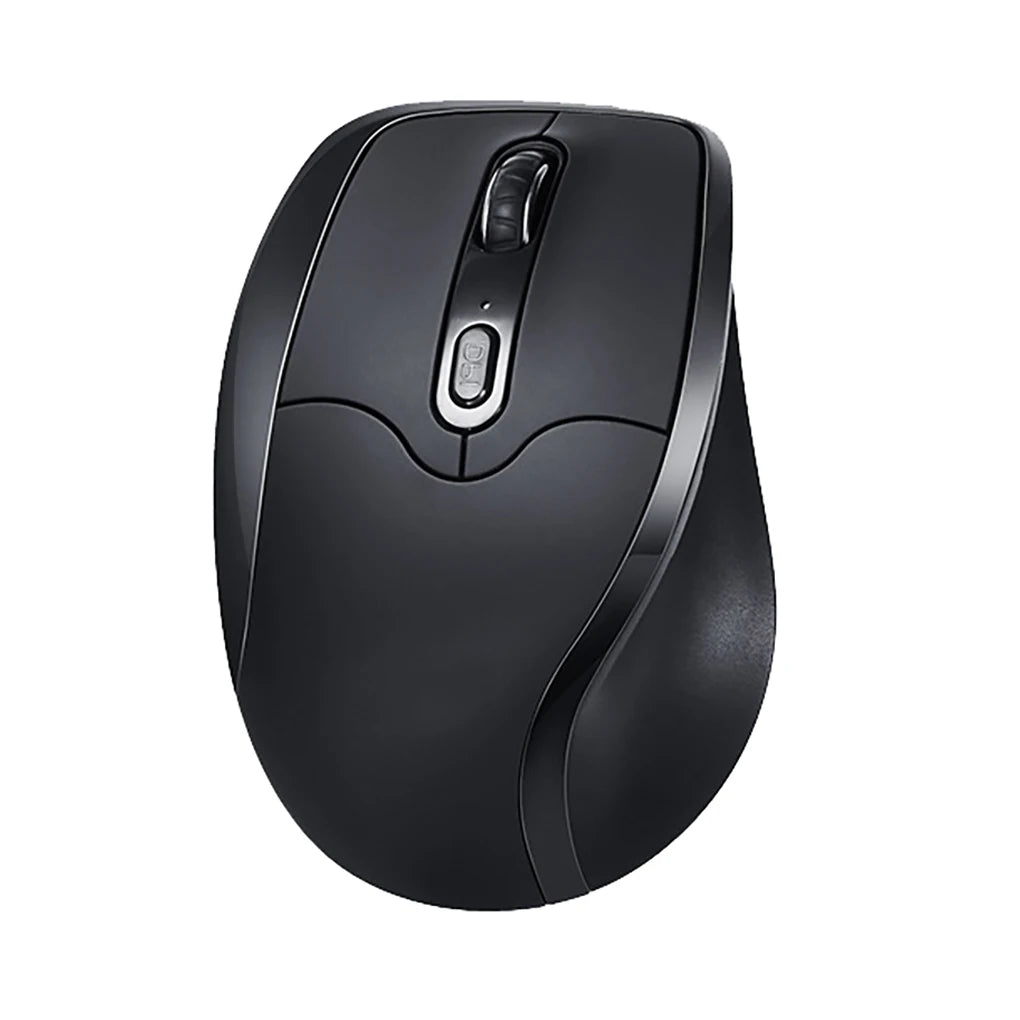
That said, traditional designs still have merit. They tend to offer more precise lateral movement for tasks like graphic design or photo editing where fine horizontal control matters. They are also more familiar, which means a shorter adjustment period. Some users simply prefer the lower profile for travel or for switching between a mouse and a trackpad.
The practical recommendation: if you spend most of your day in documents, spreadsheets, browsers, or communication tools, a vertical lefty mouse is likely the better long-term choice. If your work demands fine cursor control in creative applications, a traditional ergonomic shape may serve you better, or you may want both for different tasks.
FAQ – Lefty Mouse Explained
Is a lefty mouse the same as a left-handed mouse?
Yes. "Lefty mouse" is the informal, conversational version of "left-handed mouse." Both terms refer to a mouse designed specifically for left-handed use, with ergonomic shaping and button placement optimized for a left-hand grip. The only difference is phrasing, not function.
Are ambidextrous mice good enough for left-handed users?
They can work in a pinch, but they are not ideal. Ambidextrous mice are symmetrical, which means they lack the contoured shape that supports a left hand properly. For occasional use, they are fine. For daily use over several hours, a dedicated left-handed mouse provides noticeably better comfort and control.
Can a left-handed mouse be used for gaming?
Absolutely. Left-handed mice with properly placed side buttons, responsive sensors, and comfortable grip shapes work well for gaming. The key is finding a model where the thumb buttons are positioned for quick access during gameplay without shifting your grip.
Is a vertical lefty mouse hard to get used to?
Most users adapt within three to five days. The initial feeling is different because your hand sits at an angle rather than flat on the desk, but the transition is faster than most people expect. Many users report that switching back to a flat mouse after using a vertical one feels noticeably less comfortable.
Do left-handed mice cost more than regular mice?
Not necessarily. While left-handed models were once rare and carried a premium, the market has expanded significantly. You can find well-built left-handed ergonomic mice at price points comparable to their right-handed counterparts. The key is to prioritize build quality and ergonomic design over brand name.
Why are there so few left-handed mice on the market?
Left-handed people make up roughly 10% of the population, which means most manufacturers focus on right-handed designs for the larger market. However, specialist brands have stepped in to fill the gap with dedicated left-handed models that prioritize ergonomic quality over mass-market volume.
Conclusion – Is a Lefty Mouse Worth It?
A lefty mouse is not a luxury or a niche novelty. It is a practical tool that matches the way your hand actually works. If you are left-handed and you have been using a right-handed or ambidextrous mouse, you have been making constant micro-compromises in grip, reach, and comfort that add up over time.
The right left-handed mouse removes those compromises entirely. Whether you choose a vertical design for all-day comfort or a traditional shape for precision work, the goal is the same: a mouse that fits your hand, supports your wrist, and puts every button where your fingers naturally fall.
If you have been curious about making the switch, the best approach is to start with a well-designed ergonomic model and give yourself a few days to adjust. The difference in comfort and control is something most left-handed users notice almost immediately, and very few go back.











Leave a comment
This site is protected by hCaptcha and the hCaptcha Privacy Policy and Terms of Service apply.