





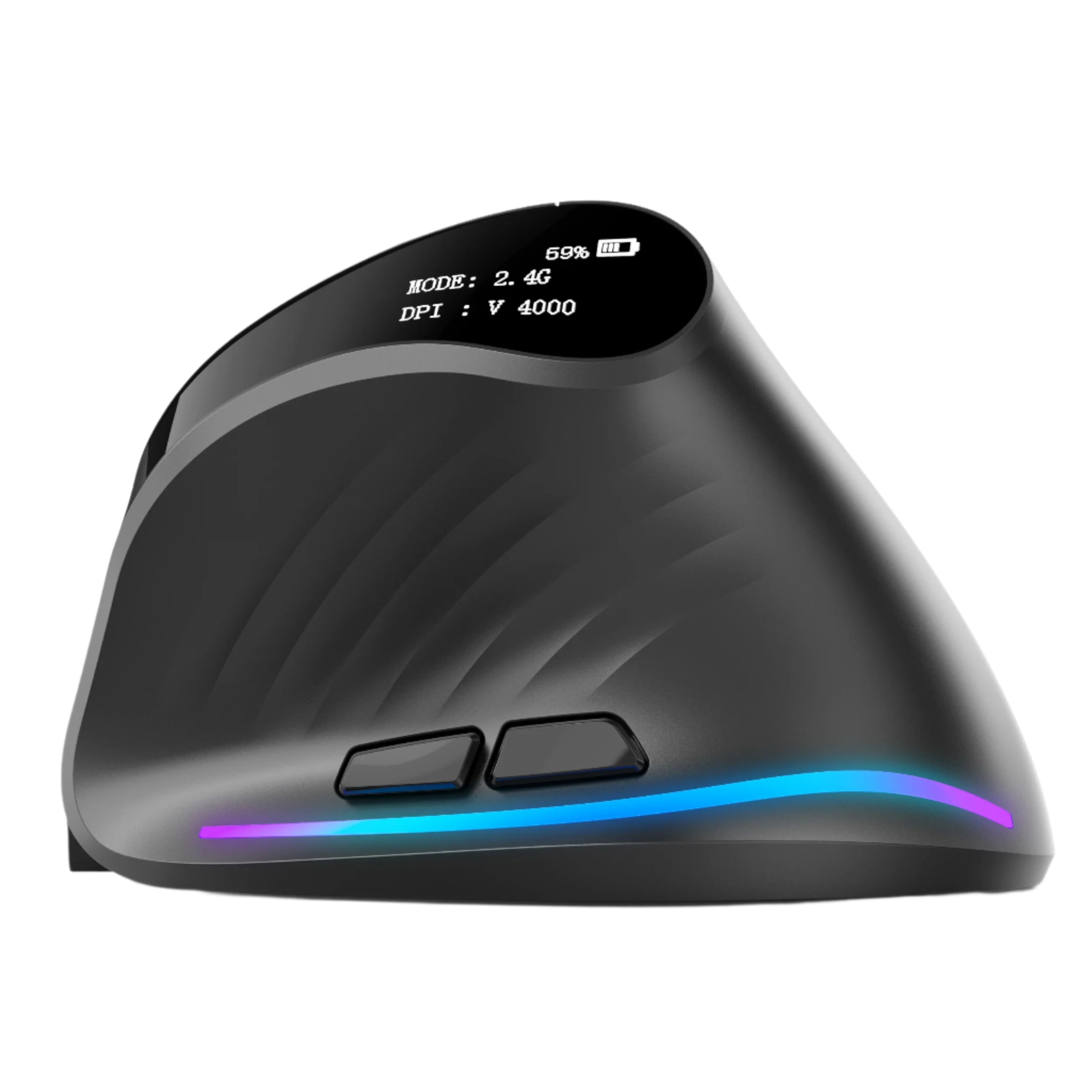
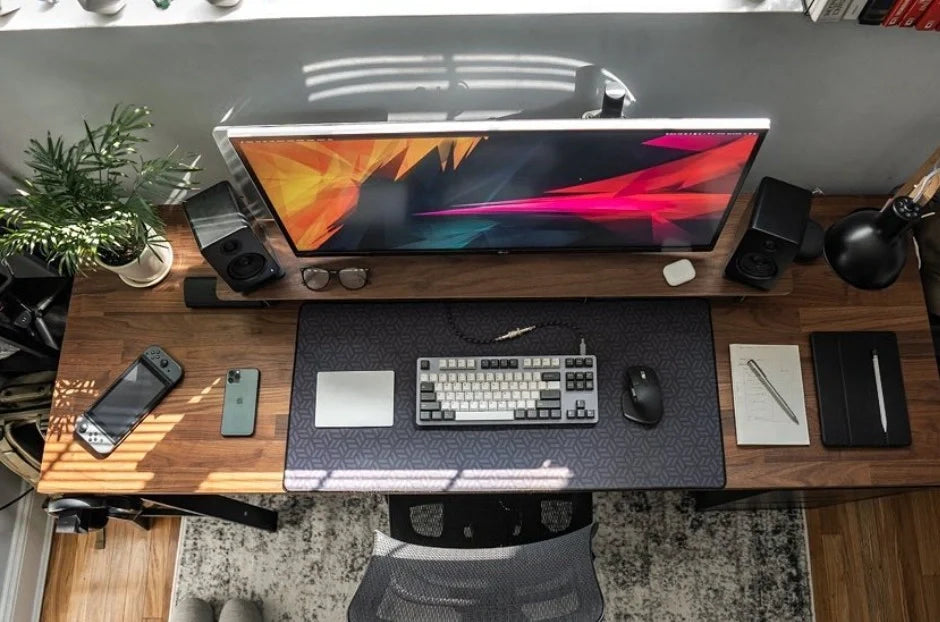
You spend 2,000+ hours per year with your hand on a mouse. That's more time than you spend sleeping in a single bed, more time than most people spend exercising in a decade, and more time than you'll spend on any other tool you own — including your laptop, your phone, and your keyboard combined.
And yet, most people use whatever mouse came in the box or the cheapest wireless option they found on a 2-minute Amazon search. Your mouse is the most-used, least-considered tool in your entire work setup.
The right wireless computer mouse transforms your workday. Spreadsheets become navigable. Design tools become precise. Scrolling through documents and code becomes fluid instead of tedious. Your wrist stops aching at 4pm. Your cursor stops overshooting targets. Your desk stays clean and cable-free. And the fatigue you attributed to "just a long day" turns out to have been your mouse fighting your hand for eight hours straight.
At Smart Mouse Co, mice are our entire business. Not a subcategory. Not an afterthought behind keyboards and webcams. Every mouse in our collection is curated for wireless connectivity, ergonomic design, and the way professionals actually work in 2026 — remotely, across multiple devices, for hours that stretch well past what any mouse from 2015 was designed to handle. This guide covers the 10 best computer mice for work, ranked by the workflows that matter most.
Quick Picks: Best Computer Mouse for Work by Category
| Mouse | Best For | Price | Highlight |
|---|---|---|---|
| Air Nova | Presentations + hybrid office work |
|
⭐ Best Overall |
| Elevate Pro | Ergonomic vertical for long sessions |
|
⭐ Best Ergonomic |
| Touch Flow | Gesture trackpad for Mac power users |
|
⭐ Best Trackpad |
| Seeker | Compact travel + hybrid commuters | $89 | ⭐ Best Travel |
| Verta | Vertical comfort at mid-range price | $59 | ⭐ Best Vertical Value |
| Lumos | Silent clicks for open offices + calls | $59 | ⭐ Best Silent |
| ErgoMax | Full-size ergonomic for permanent desks | $59 | ⭐ Best Full-Size |
| ErgoGlide | Ergonomic comfort under $50 | $49.95 | ⭐ Best Mid-Range |
| Orbit | Trackball for precision + tiny desks | $59 | ⭐ Best Trackball |
| ErgoX | Cheapest reliable wireless mouse | $34.95 | ⭐ Best Budget |
Browse all 17 Smart Mouse Co mice →
Why Your Work Mouse Matters More Than Your Keyboard
Everyone obsesses over keyboards. Mechanical switches, ergonomic splits, custom keycaps, hot-swappable boards. Keyboard ergonomics gets 74,000+ monthly searches. But here's the reality most desk workers overlook: your mouse hand does more repetitive work per hour than your keyboard hand. Clicking, scrolling, dragging, pointing, micro-adjusting — thousands of small, identical movements every single hour, with the same fingers, in the same position, on the same tool.
A bad keyboard makes typing uncomfortable. A bad mouse makes everything uncomfortable — because you use your mouse for every task that isn't typing. Email navigation. Spreadsheet management. Browser tabs. Slack channels. Design tools. File management. Video call controls. Presentation navigation. Calendar scheduling. Every non-typing interaction on your computer runs through your mouse. That's 60–70% of your total computer interaction, happening through a device most people spend less than 3 minutes choosing.
The fix isn't complicated. It's a wireless computer mouse with ergonomic shaping, a reliable scroll wheel, accessible side buttons, and a form factor that supports your hand through an 8-hour day instead of fighting it. The price range is $34.95 to $89. The ROI is immediate. And the difference between "I'm fine" and "I had no idea how much better this could feel" is one mouse swap.
Ergonomic Mouse vs Standard Mouse — What Actually Matters
The word "ergonomic" gets thrown on every mouse listing that isn't perfectly flat. Here's what actually separates a genuinely ergonomic work mouse from a standard one:
Palm support. A standard mouse is a low-profile shell. Your hand hovers over it with partial contact. An ergonomic mouse fills your palm — the body rises to meet your hand so your grip is supported, not strained. Over 8 hours, that support prevents the fatigue that builds when your hand muscles sustain a half-grip position all day.
Vertical orientation. The best ergonomic vertical mouse designs tilt your hand into a handshake position (roughly 60 degrees). This keeps the two bones in your forearm parallel instead of crossed — the crossed position is what happens when your palm faces flat down on a standard mouse. Vertical mice reduce the rotational tension in your forearm that accumulates during sustained use. Brands like Evoluent pioneered this concept; it's now available across price points from specialist brands.
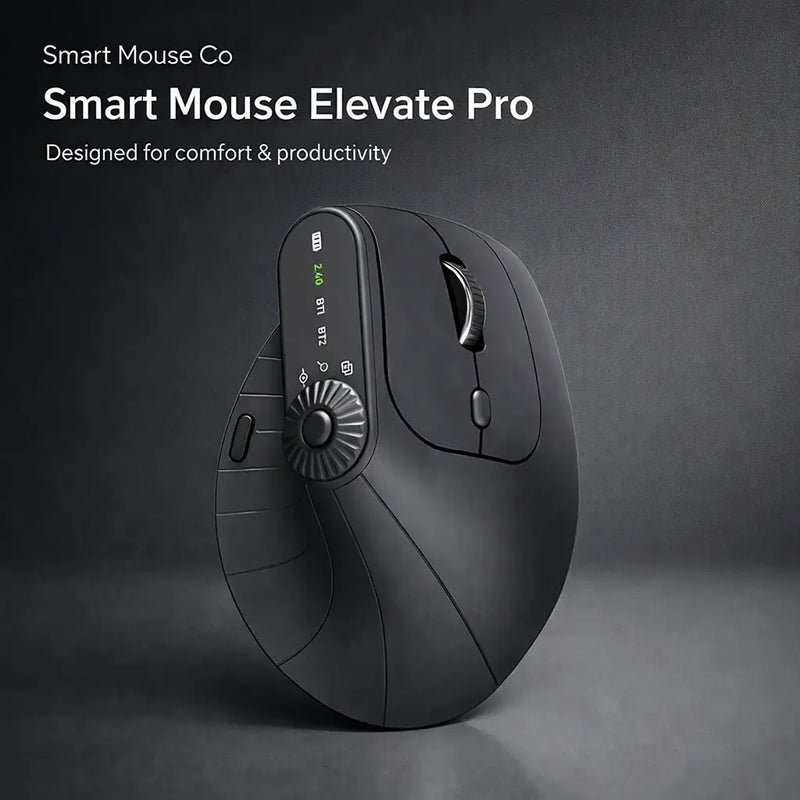
Wrist angle. Standard mice force your wrist into a flat, pronated position. Ergonomic mice — especially vertical models — allow your wrist to rest at a natural angle. Some models, like the Elevate Pro, include adjustable tilt mechanisms that let you dial in the exact angle that feels best for your hand. This is a meaningful upgrade over fixed-angle designs.
Button placement. On a standard mouse, side buttons are positioned generically. On an ergonomic work mouse, buttons are placed where your fingers naturally rest in the supported grip — particularly thumb buttons for browser navigation and application shortcuts. The difference is whether you use side buttons constantly (ergonomic placement) or forget they exist (standard placement).
Weight and balance. A mouse that's too heavy causes drag fatigue. Too light and it feels insubstantial, leading to grip tension as you overcompensate. A well-designed work mouse balances weight so it glides smoothly without feeling like you're pushing or chasing it.
Wireless vs Wired — Why Wireless Is the Default for Work in 2026
This debate is settled. For work use in 2026, a wireless computer mouse is the standard — not the upgrade. Here's why:
Cable drag is an ergonomic problem. A wire pulling against your mouse movement creates uneven resistance. Your hand compensates subconsciously, adding tension to every movement. Wireless eliminates this entirely.
Desk aesthetics matter for focus. Clean desks produce clearer thinking. A wireless mouse eliminates one more cable from your workspace. In modern hybrid offices and home setups where your desk is visible on video calls, cable-free is the professional standard.
Modern wireless has zero perceptible lag. Bluetooth and 2.4GHz wireless connections in 2026 deliver response times that match wired mice for every work task. The latency difference — fractions of a millisecond — is imperceptible for anything except competitive esports at the professional level.
Multi-device flexibility. Bluetooth mice pair with laptops, tablets, and desktops. Some support multi-device switching. In a world where many professionals use a laptop at home and a desktop at the office, a wireless mouse moves between setups without cables or configuration.
Why Smart Mouse Co? Because Mice Are Our Entire Business
Logitech makes 200+ mouse models alongside keyboards, webcams, headsets, and speakers. Razer makes mice alongside gaming chairs, keyboards, and streaming gear. Microsoft makes mice alongside an entire operating system. None of them specialize.
Smart Mouse Co is different. Mice are the entire brand. Every product in our collection is curated for wireless connectivity, ergonomic quality, and the workflows that modern professionals — remote workers, hybrid commuters, designers, developers, analysts, managers — actually use. No filler products. No gaming mice pretending to be office tools. No decade-old designs occupying shelf space. Just mice, selected by people whose entire job is finding the best ones.
Free worldwide shipping on every order. Every mouse works with Mac, Windows, iPad, Chromebook. Every mouse is wireless. This is what a specialist retailer looks like when the specialty is the tool you use 2,000 hours per year.
The 10 Best Computer Mice for Work, Ranked by Category
Best Overall Computer Mouse for Work
Air Nova — $149 $89
⭐ BEST OVERALL WORK MOUSE
Best for: Professionals who present in meetings AND do daily desk work — managers, consultants, teachers, sales teams, and anyone who screen-shares on Zoom.
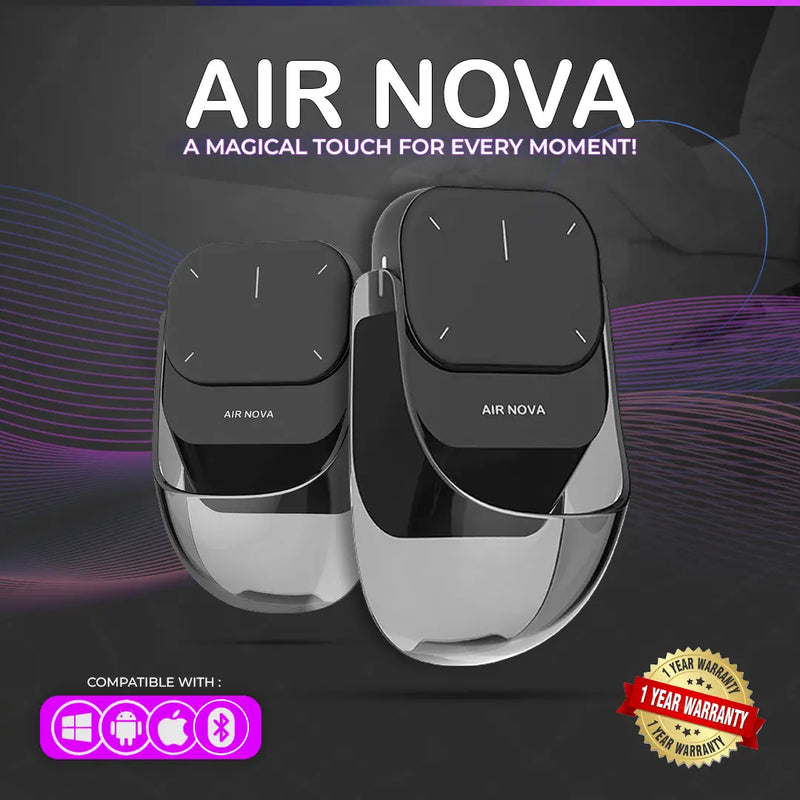
The Air Nova earns the top spot because it eliminates a problem every office worker faces: carrying two wireless devices for daily work and presentations. Its detachable dual-mode design works as a full Bluetooth mouse for everyday tasks — then the top section detaches to become a wireless presenter with a built-in laser pointer for Keynote, PowerPoint, Google Slides, and Zoom screen-sharing.
In a typical work week, you'll use it as a mouse 90% of the time and a presenter 10%. But that 10% — client calls, team meetings, all-hands presentations — is when having a dedicated presenter matters most. Instead of fumbling between a mouse and a separate clicker, the Air Nova handles both. Bluetooth 5.1 connects to any device. No drivers. No dongle needed. Ergonomic body for full-day comfort. At $89 (down from $149), it replaces two devices for less than most people pay for one Logitech MX-series mouse.
Best Ergonomic Vertical Mouse for Work
Elevate Pro — $129 $89
⭐ BEST ERGONOMIC VERTICAL MOUSE
Best for: Desk workers who log 6+ hours daily and want the best ergonomic vertical mouse available — analysts, developers, designers, writers, project managers.
If you search "best ergonomic vertical mouse" or "Logitech MX Vertical alternative," this is the mouse you're looking for. The Elevate Pro is a Bluetooth vertical mouse with a feature no other vertical mouse on the market offers: a physical adjustment knob that lets you dial in your exact preferred wrist angle. The Logitech MX Vertical locks you into one fixed 57-degree angle. The Evoluent VerticalMouse offers a steeper fixed angle. The Elevate Pro lets you find what's right for your specific hand.
The vertical orientation holds your hand in a natural handshake position — reducing the forearm pronation that flat mice force during sustained use. The adjustable tilt means the scroll wheel and buttons sit exactly where your fingers naturally fall, regardless of your hand size or grip preference. Available in White, Black, and Beige. Bluetooth for any device. At $89 (down from $129), it undercuts the Logitech MX Vertical ($79.99) and the Evoluent VerticalMouse ($89.95) while offering the tilt adjustment that neither competitor provides.
Best Gesture Trackpad for Work
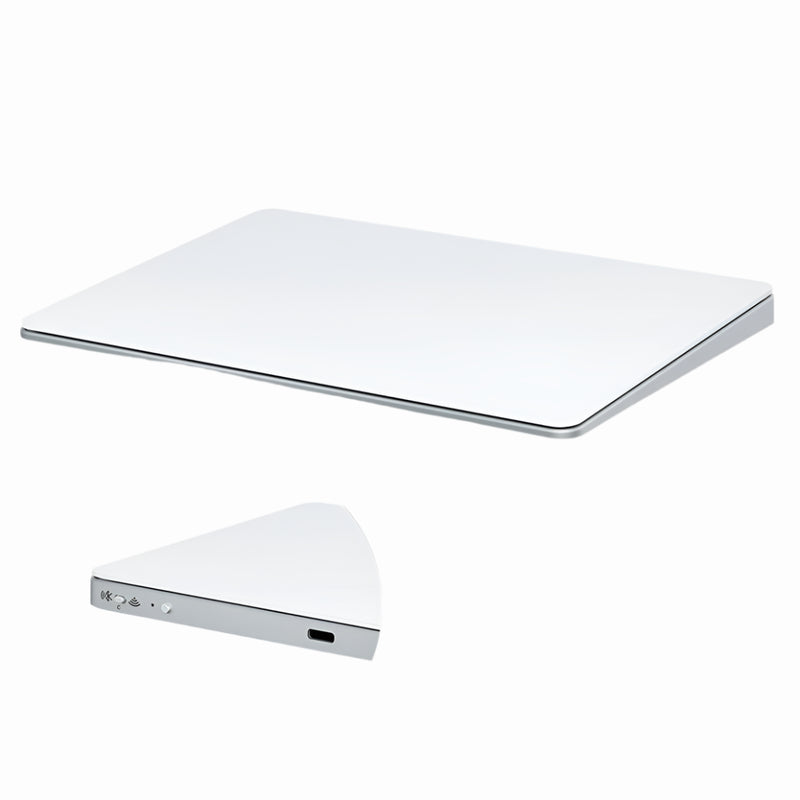
Touch Flow — $136.92 $89
⭐ BEST TRACKPAD FOR WORK
Best for: Mac power users, multi-desktop navigators, and professionals who prefer gesture input over traditional mouse clicking.
The Touch Flow is a Bluetooth wireless trackpad with a smooth glass multi-touch surface — think Apple's Magic Trackpad, but more portable and $40 cheaper. It supports all macOS gestures natively: two-finger scroll, pinch-to-zoom, three-finger swipe between desktops, four-finger Mission Control. On Windows, it handles two-finger scrolling and basic gestures.
For professionals who manage multiple virtual desktops, navigate complex design tools with gesture shortcuts, or simply prefer the tactile precision of a glass trackpad surface over a mouse — the Touch Flow is the external input device that extends your laptop's gesture capabilities to any desk setup. At $89 (down from $136.92), it undercuts the Apple Magic Trackpad ($129) while offering a more travel-friendly form factor.
Best Travel Mouse for Hybrid Workers
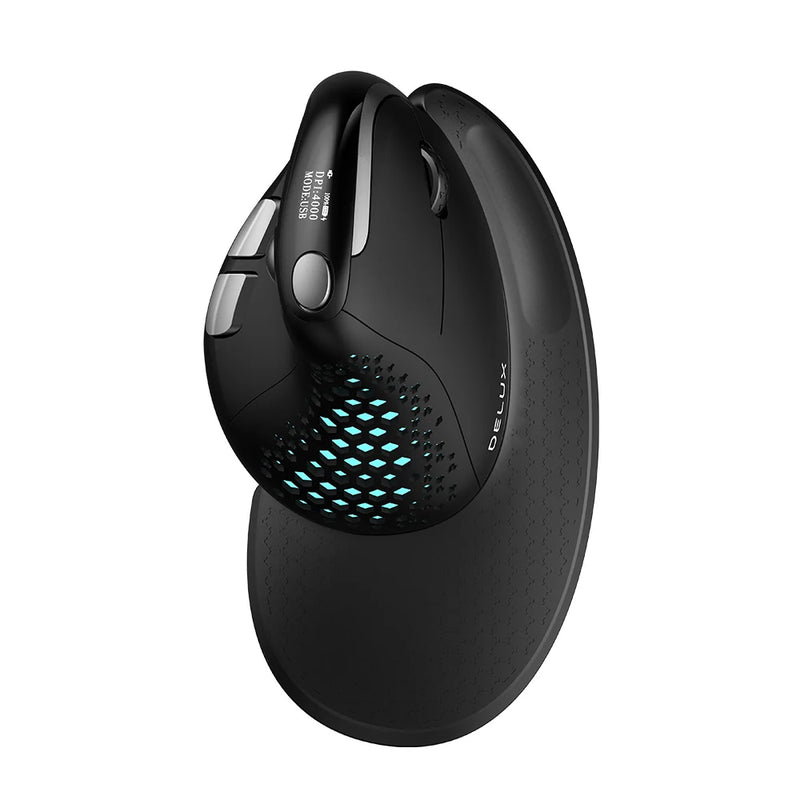
Seeker — $89
⭐ BEST TRAVEL MOUSE
Best for: Hybrid workers who commute between home and office — and need a wireless computer mouse that travels in a laptop bag without adding bulk.
Hybrid work means your mouse goes where you go. Home office Monday and Friday. Corporate desk Tuesday through Thursday. Client site occasionally. Co-working space when you need a change. The Seeker is designed for this reality — compact enough to drop into a laptop bag pocket, Bluetooth for instant pairing at any desk, and reliable tracking on every surface you encounter across your weekly rotation.
Unlike ultra-small travel mice that sacrifice comfort for portability, the Seeker balances both. The body is large enough to support a natural grip during full work sessions — not just a 30-minute check-in. At $89, it's the wireless computer mouse that makes hybrid work seamless instead of a daily setup hassle.
Best Vertical Value Mouse for Work
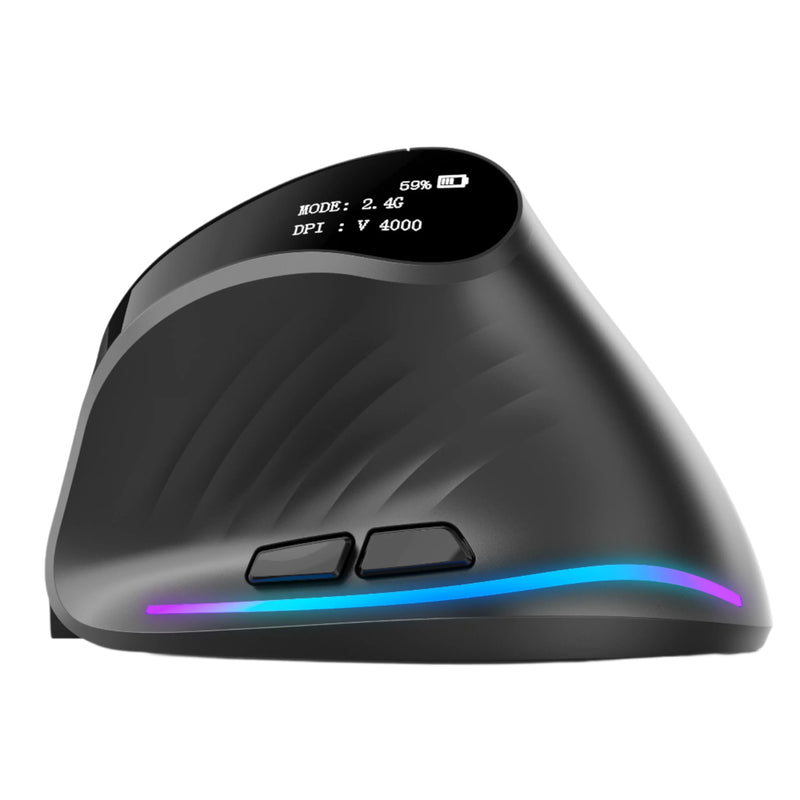
Verta — $59
⭐ BEST VERTICAL VALUE
Best for: Workers who want vertical ergonomic comfort at $30 less than the Elevate Pro — the sensible mid-range vertical mouse for everyday office use.
The Verta delivers the core benefit of a vertical mouse — a handshake grip that keeps your wrist neutral during extended work — at a price that fits departmental budgets and personal expense limits. It lacks the Elevate Pro's adjustable tilt knob, but the fixed angle is calibrated for the majority of hand sizes. Wireless, with side buttons for browser navigation.
At $59, the Verta sits well below the Logitech MX Vertical ($79.99) and the Evoluent VerticalMouse 4 ($89.95) while delivering genuine vertical ergonomic benefit. For offices equipping multiple desks, or for individual workers who want vertical comfort without a premium price tag, the Verta makes the math easy.
Best Silent Mouse for Work
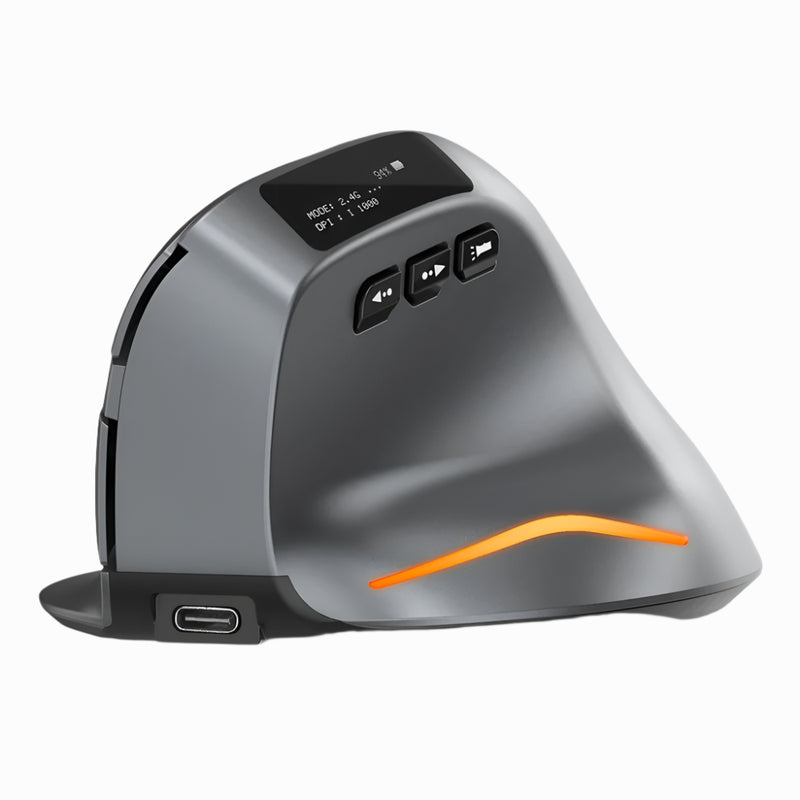
Lumos — $59
⭐ BEST SILENT WORK MOUSE
Best for: Open-plan office workers, video call navigators, shared workspace professionals, and anyone whose clicking disturbs colleagues or microphones.
The Logitech M330 Silent Plus (6,600 monthly searches) proved the market for silent mice exists. The Lumos delivers the same silent click concept with better ergonomic shaping and a design that doesn't look like a $20 Office Depot mouse on your desk.
Silent click switches eliminate audible clicking. Every press is soft, tactile, and virtually noiseless. For the modern workplace — where 60% of your day is spent on video calls while simultaneously clicking through documents, spreadsheets, and browser tabs — the Lumos prevents your mouse from becoming background noise on every call. Open-plan offices. Shared home offices. Libraries. Recording studios. Anywhere other humans can hear your inputs. At $59, wireless, Bluetooth, and quieter than a touchscreen tap.
Best Full-Size Ergonomic Mouse for Work
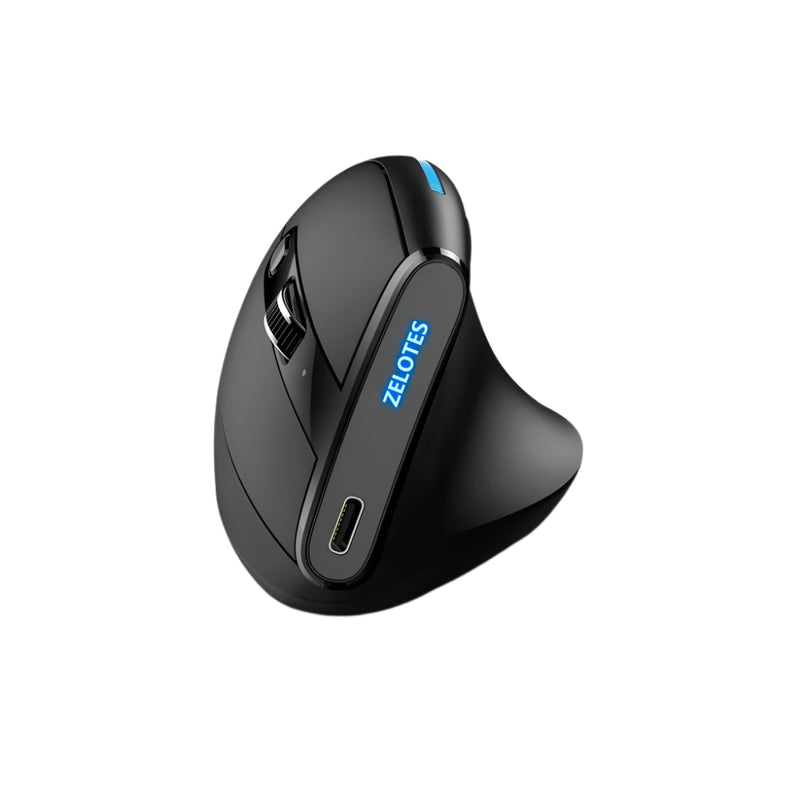
ErgoMax — $59
⭐ BEST FULL-SIZE
Best for: Workers with medium-to-large hands who sit at a permanent desk and want maximum palm support — the Logitech Marathon Mouse alternative with better ergonomics.
The Logitech Marathon Mouse M705 (27,100 monthly searches) proved that full-size, long-battery-life work mice have a massive audience. The ErgoMax serves the same need — a full-size wireless mouse for permanent desk use — with a body that's more ergonomically contoured and a shape designed for 2026 work habits rather than 2012 ones.
If compact travel mice feel too small for your hand, the ErgoMax is the answer. Full palm support. Generous body that fills a medium-to-large grip without finger cramping. Wireless connectivity. Responsive scroll wheel positioned for comfortable long-session use. At $59, it's the workhorse mouse for professionals who don't need portability — they need a mouse that's right for the desk they sit at every day.
Best Mid-Range Mouse for Work
ErgoGlide — $49.95
⭐ BEST MID-RANGE
Best for: Office workers, freelancers, and remote professionals who want genuine ergonomic shaping at a price that doesn't require manager approval.
The ErgoGlide is the Goldilocks mouse. Not as basic as the $34.95 ErgoX. Not as specialized as the $89 vertical models. It delivers a contoured ergonomic grip that supports your palm, responsive tracking, smooth scrolling, and wireless connectivity at a price that makes the decision effortless for anyone who's been using a generic flat mouse and wants something meaningfully better.
At $49.95, the ErgoGlide fits the sweet spot where most office workers actually shop — above the throwaway tier, below the premium tier, and in the range where genuine ergonomic quality is available without compromise. For teams equipping remote workers or for individuals upgrading a home office on a moderate budget, this is the price-to-comfort ratio winner.
Best Trackball Mouse for Work
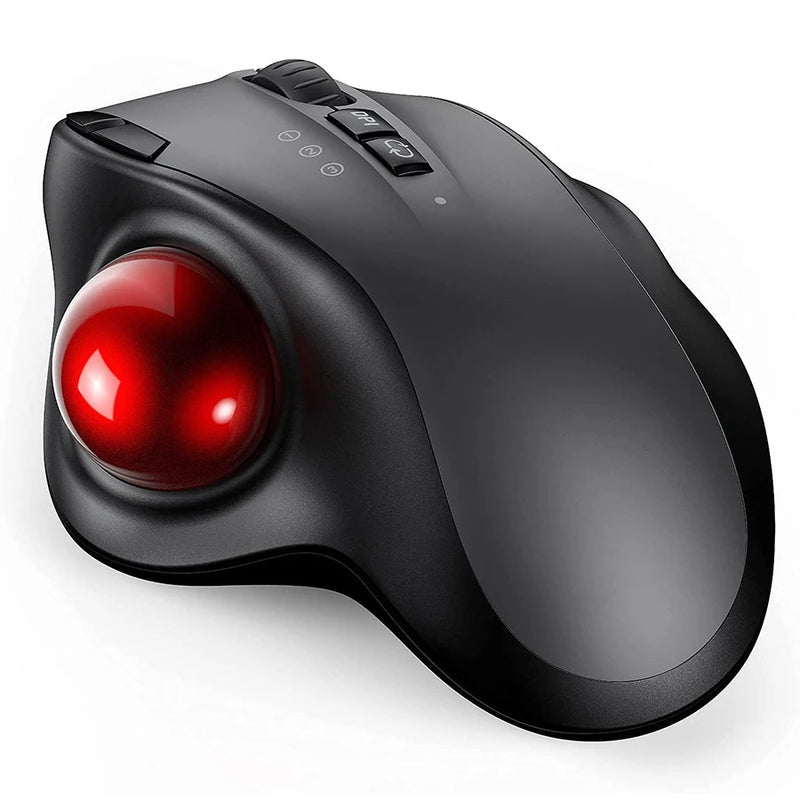
Orbit — $59
⭐ BEST TRACKBALL
Best for: Data analysts, CAD professionals, accountants, and precision workers who want cursor control without arm movement — plus anyone with severely limited desk space.
The Logitech MX Ergo (the most-searched trackball for work) proved that stationary cursor control has a dedicated professional audience. The Orbit serves that same need — thumb-controlled ball movement, zero arm motion, precision cursor placement — at a lower price point and with a design focused specifically on desk-bound work rather than gaming crossover.
Trackball mice eliminate arm and shoulder movement entirely. Your thumb moves the cursor. Your arm stays still. For professionals who process large spreadsheets, navigate complex CAD models, or do precision data work for hours — the Orbit changes the physical experience of that work. At $59, wireless, Bluetooth compatible, and fully functional on Mac, Windows, and iPad.
Best Budget Mouse for Work

ErgoX — $34.95
⭐ BEST BUDGET WORK MOUSE
Best for: New hires, interns, students entering the workforce, and anyone who needs a reliable wireless work mouse at the absolute lowest price.
People searching "computer mouse Walmart" and "computer mouse Target" (combined 9,500 monthly searches) are looking for the cheapest reliable mouse they can find. The ErgoX at $34.95 beats most big-box store options on ergonomic quality while matching them on price — and it ships free directly to your door instead of requiring a store trip.
Wireless connectivity. Ergonomic shaping that's better than any $15–$25 flat mouse from a retail aisle. Responsive tracking on any desk surface. Side buttons for browser navigation. The ErgoX isn't the most premium mouse in this guide — it's the one that proves you don't need to spend $80 to get a wireless computer mouse that handles real work comfortably. At $34.95, the cost-per-hour over a year is less than two cents. That's the cheapest productivity upgrade available.
Which Work Mouse Is Right for You?
| If you... | Get this |
|---|---|
| Present on Zoom AND do daily desk work | Air Nova ($89) |
| Want the best ergonomic vertical mouse | Elevate Pro ($89) |
| Prefer gesture-based trackpad input | Touch Flow ($89) |
| Commute between home and office | Seeker ($89) |
| Want vertical at a lower price | Verta ($59) |
| Need silent clicks for open offices and calls | Lumos ($59) |
| Have large hands and a permanent desk | ErgoMax ($59) |
| Want ergonomic comfort under $50 | ErgoGlide ($49.95) |
| Want trackball precision + zero arm movement | Orbit ($59) |
| Need the cheapest reliable wireless mouse | ErgoX ($34.95) |
Frequently Asked Questions
What is the best ergonomic mouse for all-day work?
The Elevate Pro ($89) — a vertical ergonomic mouse with an adjustable tilt knob that lets you customize the wrist angle to your hand. Vertical mice reduce forearm pronation during sustained use, and the adjustable tilt is a feature no other vertical mouse in this price range offers. For 6+ hour work sessions, it's the most comfortable option available.
Is a vertical mouse better than a regular mouse for work?
For sustained use (4+ hours daily), yes. A vertical mouse positions your hand in a natural handshake grip that reduces the rotational tension flat mice create in your forearm. The adaptation period is 3–5 days. After that, most users find the vertical grip more sustainable and more comfortable than a flat mouse for all-day work. For short, occasional use under 2 hours, the difference is less significant.
Do I need a wireless mouse for work or is wired fine?
Wireless is the standard for work in 2026. Modern Bluetooth and 2.4GHz wireless connections have zero perceptible lag for any work task. Wireless eliminates cable drag (an ergonomic issue), reduces desk clutter (a focus issue), and enables multi-device pairing for hybrid setups. Wired mice are only preferable for competitive gaming at the professional level.
What's the best silent mouse for an open office?
The Lumos ($59) features silent click switches that eliminate audible clicking — every press is soft and tactile with virtually zero noise. For open-plan offices, shared workspaces, and video call environments where standard mouse clicking is disruptive, the Lumos solves the problem at a price that works for individuals and office procurement budgets.
Can I use my work mouse for gaming too?
Yes. Every wireless mouse in this guide handles casual gaming — RPGs, strategy, MMOs, simulation, indie titles. For competitive FPS gaming at a high level, a dedicated gaming mouse with higher polling rates may provide a marginal edge. For everything else — which covers 95% of gaming — a quality wireless work mouse doubles as a capable gaming mouse. The ergonomic gaming mouse segment (12,100 monthly searches) confirms this crossover demand.
What's the best computer mouse for work under $50?
The ErgoGlide at $49.95 delivers the best ergonomic shaping at that price. The ErgoX at $34.95 is the cheapest option that's genuinely comfortable for daily work. Both are wireless, both work on Mac and Windows, and both outperform any generic mouse from a retail store at the same price point.
Conclusion — Your Most-Used Tool Deserves More Than 3 Minutes of Thought
You researched your laptop for days. Your keyboard for hours. Your monitor for a weekend. Your mouse? Most people spend less time choosing their mouse than ordering lunch. And then they use that mouse for 2,000 hours a year — clicking, scrolling, dragging, pointing — with a tool they never intentionally selected.
A wireless computer mouse built for real work costs $34.95 to $89. It connects in seconds. It works on every device you own. It makes every interaction more precise and more comfortable. And the difference between "this is fine" and "why did I wait so long" is one mouse swap.
Every mouse in this guide ships free worldwide from Smart Mouse Co — the brand that does nothing but mice, for people who use them all day.
2,000 Hours a Year. Make Them Comfortable.
17 wireless mice curated for real work — ergonomic, vertical, silent, trackball & trackpad — by the only brand that does nothing but mice.
- ✓ Ergonomic vertical designs with adjustable tilt
- ✓ Bluetooth & 2.4GHz wireless — zero cable drag
- ✓ Works with Mac, Windows, iPad & Chromebook
- ✓ $34.95–$89 · Free worldwide shipping
Shop All Work Mice →






Leave a comment
This site is protected by hCaptcha and the hCaptcha Privacy Policy and Terms of Service apply.