





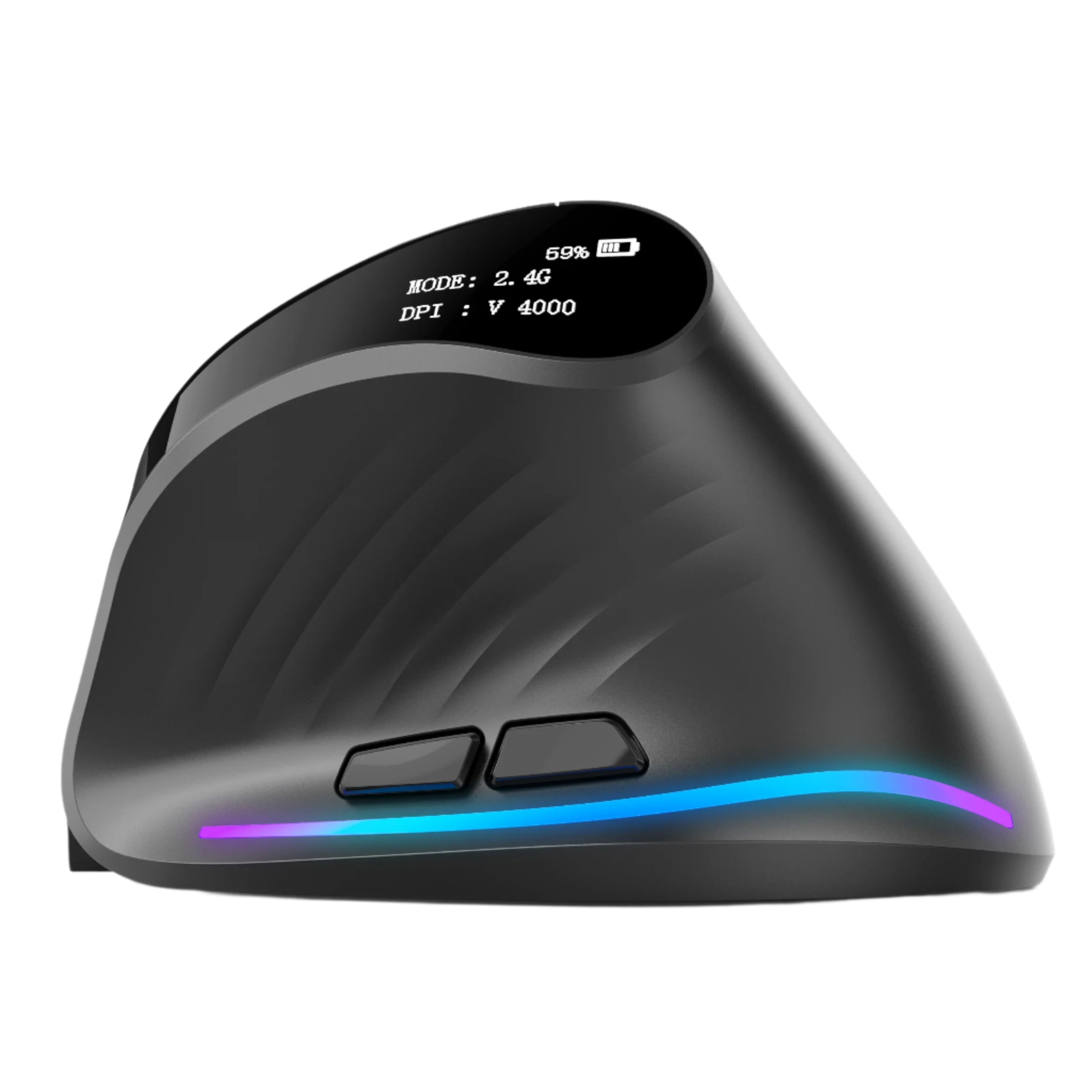

The iMac M4 starts at $1,299 and climbs to $2,499+ fully configured. It ships in seven colors — Blue, Green, Purple, Pink, Orange, Yellow, and Silver — with a color-matched Magic Keyboard and a color-matched Magic Mouse. Apple spent years perfecting the iMac's aesthetic.
Then they included a mouse that hasn't been meaningfully redesigned since 2015, has zero ergonomic shaping, no scroll wheel, and still charges via a port on the bottom that makes it unusable while charging. The Magic Mouse is the worst accessory in Apple's best product.
Here's the uncomfortable truth: the Magic Mouse ships with every iMac because it matches the color, not because it matches the way humans hold mice. It's a design object first and an input device second. After 3 hours of use, your palm hovers unsupported over a flat glass surface, your wrist sits in a pronated position with no tilt or rest, and your fingers make tiny gesture swipes on a touch surface that provides zero tactile feedback. The iMac deserves a mouse that matches its performance, not just its color scheme.
At Smart Mouse Co, mice are our entire business. Every mouse in our collection is wireless, Bluetooth-compatible, and designed for the kind of sustained, precision-dependent work that iMac users do — design, video editing, photography, music production, development, and the multi-hour creative sessions that justify buying a $1,299+ all-in-one desktop. This guide covers the 10 best mice for iMac, with honest Magic Mouse comparisons and direct links to every product.
Quick Picks: Best Mouse for iMac by Use Case
| Mouse | Best For | Price | Highlight |
|---|---|---|---|
| Air Nova | Presentations + daily iMac work |
|
⭐ Best Overall |
| Elevate Pro | Ergonomic vertical for creative pros |
|
⭐ Best Ergonomic |
| Touch Flow | Gesture trackpad for macOS power users |
|
⭐ Best Magic Mouse Alternative |
| Seeker | Compact secondary mouse for iMac | $89 | ⭐ Best Compact |
| PenX | Pen mouse for iMac creatives | $37.95 | ⭐ Most Unique |
| Verta | Vertical comfort at mid-range price | $59 | ⭐ Best Vertical Value |
| ErgoMax | Full-size for large hands at a desk | $59 | ⭐ Best Full-Size |
| Lumos | Silent clicks for studios + calls | $59 | ⭐ Best Silent |
| Orbit | Trackball precision for designers | $59 | ⭐ Best Trackball |
| ErgoX | Cheapest Bluetooth mouse for iMac | $34.95 | ⭐ Best Budget |
Browse all 17 Smart Mouse Co mice →
Why the Magic Mouse Is the Weakest Link in Your iMac Setup
Apple designed the M4 iMac with an M4 chip (up to 10-core CPU, 10-core GPU), a 24-inch 4.5K Retina display with 500 nits of brightness and P3 wide color, a studio-quality three-microphone array, six speakers with Spatial Audio, a 12MP Center Stage camera, Thunderbolt 4 ports, Wi-Fi 6E, and Apple Intelligence. Then they paired it with a mouse that has:
- Zero ergonomic shaping. The Magic Mouse is a flat, low-profile slab of aluminum and glass. There's no palm support, no contoured grip, no thumb rest, no wrist angle. Your hand hovers over it in a pronated position for the entire work session. After 3–4 hours, the lack of support creates fatigue that most iMac users attribute to "just a long day" rather than their mouse.
- No scroll wheel. The Magic Mouse uses a touch-sensitive glass surface for scrolling. There's no physical wheel. No tactile feedback. No notched precision. Scrolling through a long Figma canvas, a 200-page PDF, or a Final Cut Pro timeline requires repeated gesture swipes on a surface that provides zero resistance or control.
- Charges upside down. The Lightning port (now USB-C on 2024 models) is on the bottom. When the battery dies mid-session — which it will, because the battery lasts 1–2 months — you plug in the cable, flip the mouse over, and wait. You cannot use the Magic Mouse while it charges. In 2026, Apple's own mouse still has this design flaw.
- Costs $79–$99. For a mouse with no ergonomic design, no scroll wheel, no side buttons, and a charging port that disables the device. At $79, the Magic Mouse is one of the most expensive basic mice on the market — and one of the least ergonomic.
The Magic Mouse exists because it matches the iMac's color and design language. That's a valid aesthetic choice. It's not a valid ergonomic or productivity choice — especially for users who bought a $1,299–$2,499 computer to do serious creative and professional work.
What Makes a Great Mouse for iMac
Bluetooth is required. The M4 iMac has only Thunderbolt 4 / USB-C ports — no USB-A. Mice that rely on a USB-A nano receiver need a dongle adapter. Bluetooth mice pair directly through macOS System Settings without consuming a port or adding an adapter. For an iMac desk where cable management and clean aesthetics matter, Bluetooth is the only clean solution.
macOS compatibility must be native. Mice that require Logitech Options+, Razer Synapse, or other driver software add a layer of dependency that can break with macOS updates. The best iMac mice work via standard Bluetooth HID protocol — left click, right click, scroll, and side buttons all function natively without third-party software. If you want custom button mapping, free macOS apps like BetterMouse handle it without manufacturer lock-in.
Ergonomic design matters more on a desktop. iMac users sit at their desk for longer, more sustained sessions than laptop users. You're not switching between a trackpad and a mouse. The mouse is your sole pointing device for the entire session. That makes ergonomic shaping — palm support, wrist angle, vertical tilt options — more important on an iMac than on any other platform.
Aesthetic compatibility counts. iMac users care about desk aesthetics. The seven iMac colors — Blue, Green, Purple, Pink, Orange, Yellow, Silver — create a design-conscious environment. A bulky black gaming mouse on a Pink iMac desk looks wrong. Several mice in this guide come in White, Silver, and neutral tones that complement the iMac's design language without clashing.
A scroll wheel transforms productivity. The Magic Mouse's gesture scrolling is imprecise and tiring during scroll-intensive work. A physical scroll wheel provides tactile, controlled scrolling — the kind that makes navigating spreadsheets, timelines, code editors, and long documents dramatically faster. This single feature is the #1 reason iMac users switch from the Magic Mouse.
Why Smart Mouse Co for iMac?
Search "mouse for iMac" on Amazon and you'll get results dominated by gaming mice with RGB lighting, Windows-optimized office mice, and generic Bluetooth options that may or may not pair cleanly with macOS. The listings don't tell you if side buttons work natively on macOS. The reviews mix Windows and Mac experiences. The photos show mice on Windows desktops. The experience is not designed for iMac users.
Smart Mouse Co is different. Mice are the entire brand. Every mouse in our collection connects via Bluetooth, works natively with macOS without drivers, and is curated for the workflows that iMac users actually run — design, development, video editing, music production, photography, and the multi-hour creative sessions that define iMac ownership. When we say a mouse works with iMac, we mean it pairs via Bluetooth, functions fully on macOS, and delivers a better experience than the Magic Mouse it replaces.
Free worldwide shipping. Every mouse is wireless. Every mouse is iMac-compatible. $34.95 to $89 — every option costs the same as or less than the Magic Mouse it replaces, while providing dramatically better ergonomics.
The 10 Best Mice for iMac, Ranked
Best Overall Mouse for iMac

Air Nova — $149 $89
⭐ BEST OVERALL MOUSE FOR IMAC
Best for: iMac professionals who present on Zoom and Keynote AND use their iMac for daily creative/productivity work.
The Air Nova takes the top spot because it solves the iMac user's dual workflow: all-day desk work plus frequent presentations. Its detachable dual-mode design works as a full Bluetooth mouse for navigating macOS — then the top section detaches to become a wireless presenter with a built-in laser pointer for Keynote, PowerPoint, and Google Slides.
iMac users present from their desks constantly — screen-sharing on Zoom, walking through slides for clients, demonstrating designs for stakeholders. The Air Nova replaces both the Magic Mouse and a separate wireless clicker with a single device. Bluetooth 5.1 pairs directly with the iMac's Bluetooth 5.3 radio. No dongle. No driver. Ergonomic body that actually supports your palm — unlike the Magic Mouse's flat glass surface. At $89 (down from $149), it costs the same as Apple's Magic Mouse and does twice as much.
Best Ergonomic Vertical Mouse for iMac
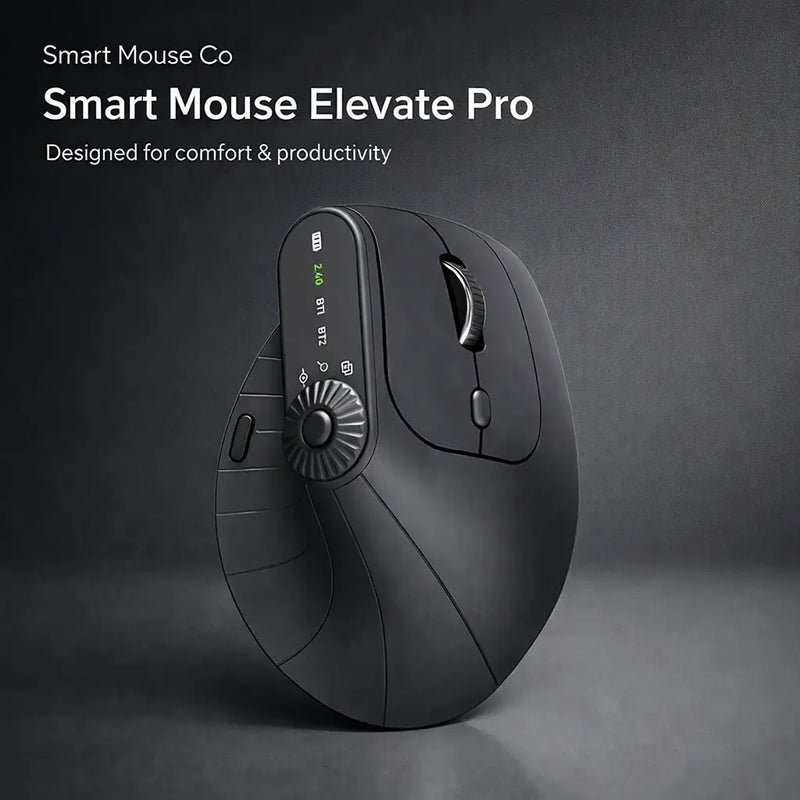
Elevate Pro — $129 $89
⭐ BEST ERGONOMIC
Best for: iMac creative professionals — designers, video editors, photographers, developers — who work 5+ hours at their desk daily and need ergonomic wrist support the Magic Mouse doesn't provide.
The iMac is a desktop. You sit at it for hours. The Magic Mouse offers zero wrist support for those hours. The Elevate Pro is a Bluetooth vertical mouse with a physical adjustment knob that lets you dial in your exact preferred wrist angle — the only vertical mouse with this feature at any price. The handshake grip keeps your forearm neutral. The adjustable tilt means the scroll wheel and buttons sit where your fingers naturally fall, regardless of hand size.
For iMac users running Final Cut Pro, Logic Pro, Figma, Photoshop, Lightroom, or Xcode — the applications that justify buying a $1,299+ desktop — the Elevate Pro provides comfort that scales with session length. Available in White (matches Silver iMac perfectly), Black, and Beige. Bluetooth, $89 (down from $129), same price as the Magic Mouse with infinitely better ergonomics.
Best Magic Mouse Alternative — Gesture Trackpad
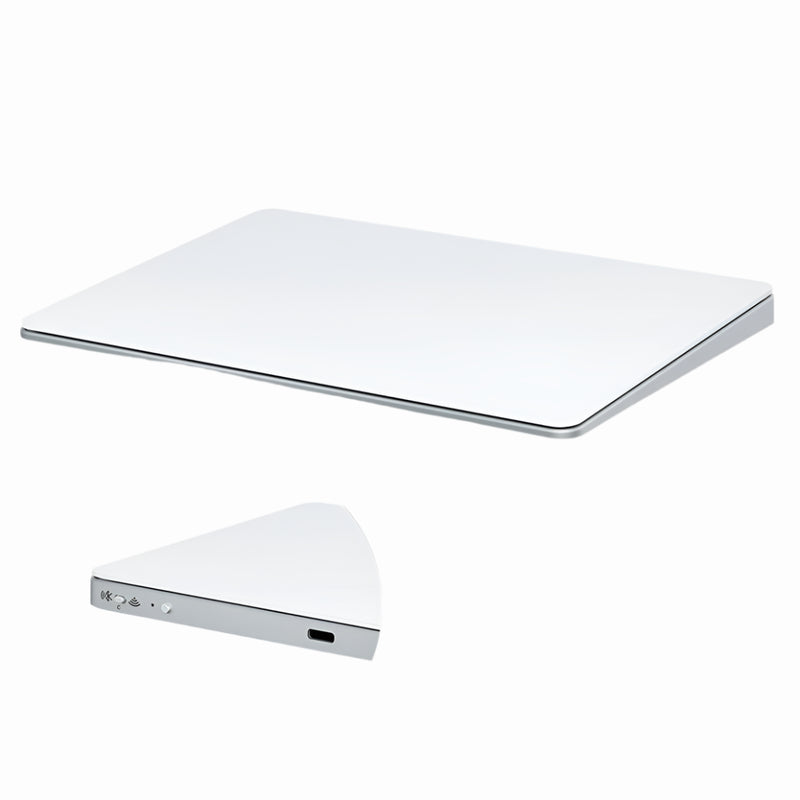
Touch Flow — $136.92 $89
⭐ BEST MAGIC MOUSE ALTERNATIVE
Best for: iMac users who love macOS gesture input (the one thing the Magic Mouse does well) but want it on a larger, more comfortable, more affordable surface.
The Magic Mouse's single legitimate advantage is gesture scrolling — two-finger swipe to scroll, pinch to zoom, swipe between desktops. If you've built your macOS workflow around these gestures and don't want to lose them, the Touch Flow is the device that keeps gesture input while fixing everything else the Magic Mouse gets wrong.
The Touch Flow is a Bluetooth wireless trackpad with a smooth glass multi-touch surface that supports all macOS gestures natively — including the gestures the Magic Mouse handles. But the surface is larger, the device sits flat on the desk (no hovering palm), and it costs $89 (down from $136.92) — $40 less than Apple's standalone Magic Trackpad ($129) and the same price as the Magic Mouse. For iMac users who want to keep gestures but escape the Magic Mouse's ergonomic prison, the Touch Flow is the direct swap.
Best Compact Mouse for iMac
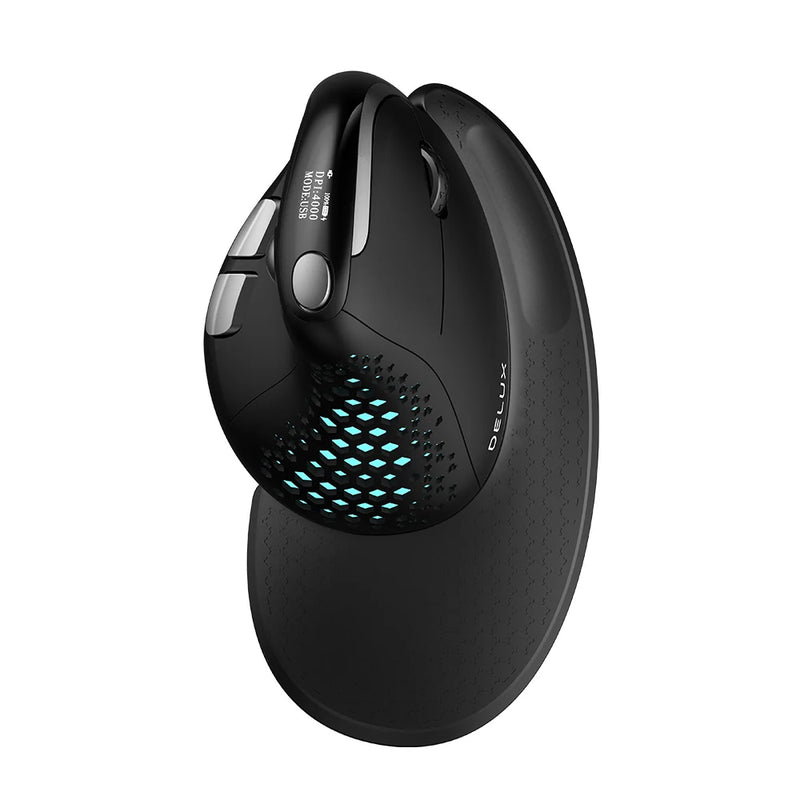
Seeker — $89
⭐ BEST COMPACT
Best for: iMac users who want a small-footprint mouse that doesn't dominate the desk — maintaining the clean, minimal aesthetic the iMac is known for.
iMac desks are deliberately minimal. The computer is the centerpiece. Peripherals should complement, not compete. The Seeker's compact form factor sits quietly beside the iMac without visual bulk — smaller than a full-size ergonomic mouse, larger than the Magic Mouse, and significantly more comfortable than both extremes. Bluetooth pairs instantly. Clean lines. Neutral tones.
For iMac users who prioritize desk aesthetics alongside function — and who don't need the vertical orientation of the Elevate Pro — the Seeker delivers everyday comfort in a form factor that respects the iMac's design philosophy. At $89, it replaces the Magic Mouse at the same price point.
Most Unique — Pen Mouse for iMac Creatives
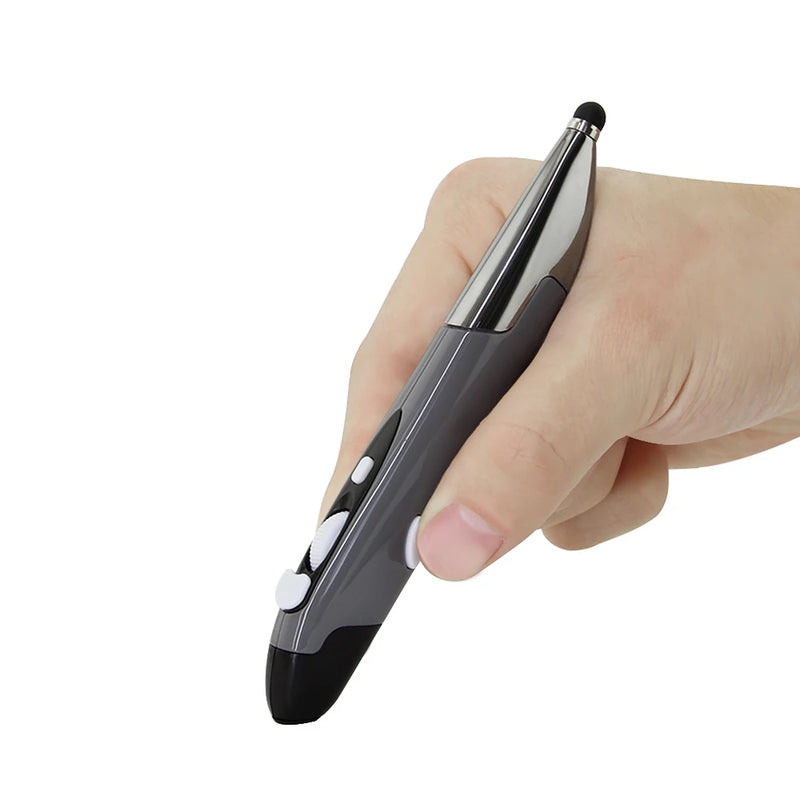
PenX — $37.95
⭐ MOST UNIQUE
Best for: iMac creatives who use a Wacom or drawing tablet as their primary input and want a lightweight cursor-control device for non-creative navigation — without a full mouse cluttering the desk.
Many iMac users — illustrators, graphic designers, photo retouchers — use a pen tablet for creative work and a mouse for everything else (file management, browsing, email, Slack). The PenX is shaped like a pen and functions as a wireless mouse — click, scroll, and cursor control in a cylindrical body that sits next to your stylus without taking up mouse-sized desk space. At $37.95, it's the cheapest and smallest option in this guide. Available in Gray, Blue, and Red.
Best Vertical Value for iMac
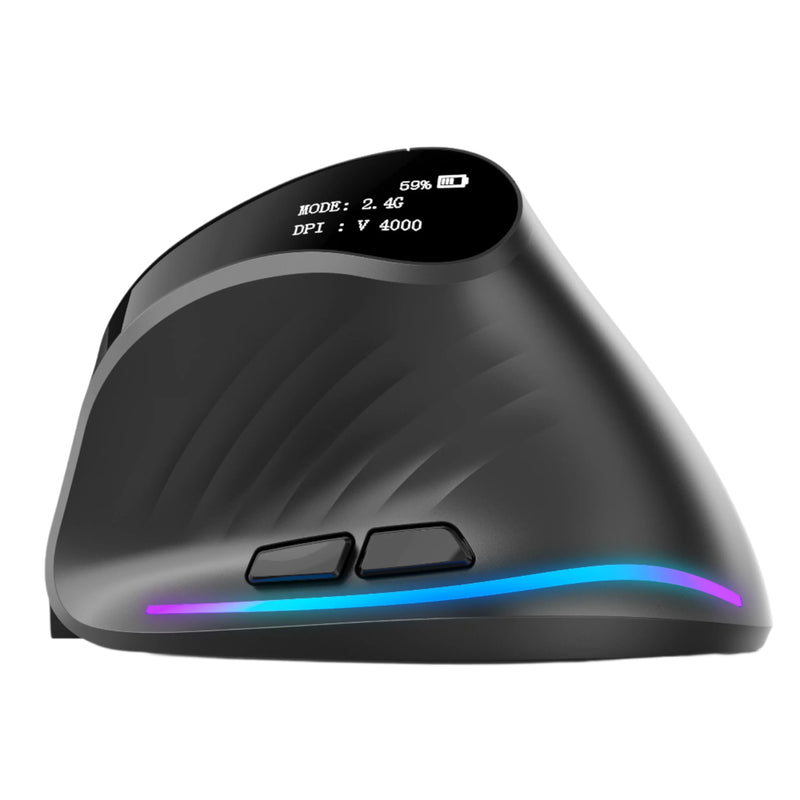
Verta — $59
⭐ BEST VERTICAL VALUE
Best for: iMac users who want vertical ergonomic comfort at $30 less than the Elevate Pro.
The Verta delivers the handshake-grip vertical design at $59 — less than the Magic Mouse. For iMac users who've read about vertical mice and want to try the concept at a reasonable price, the Verta provides real vertical ergonomic benefit without the premium of the Elevate Pro. Fixed tilt angle, wireless, side buttons.
Best Full-Size Mouse for iMac
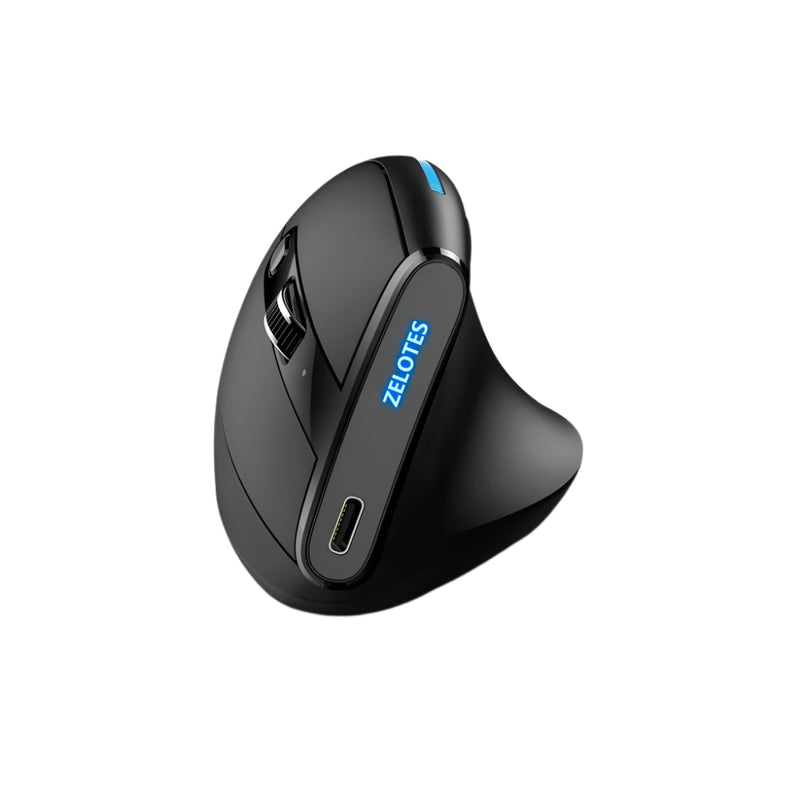
ErgoMax — $59
⭐ BEST FULL-SIZE
Best for: iMac users with larger hands who find the Magic Mouse (and most compact mice) too small — the full-size palm support option.
The Magic Mouse is one of the smallest mice on the market. For users with medium-to-large hands, it forces a cramped fingertip grip that creates tension within minutes. The ErgoMax is the opposite — a full-size ergonomic body that fills your palm, supports your fingers naturally, and provides a stable base for all-day iMac work. At $59, less than the Magic Mouse, with dramatically better hand support.
Best Silent Mouse for iMac
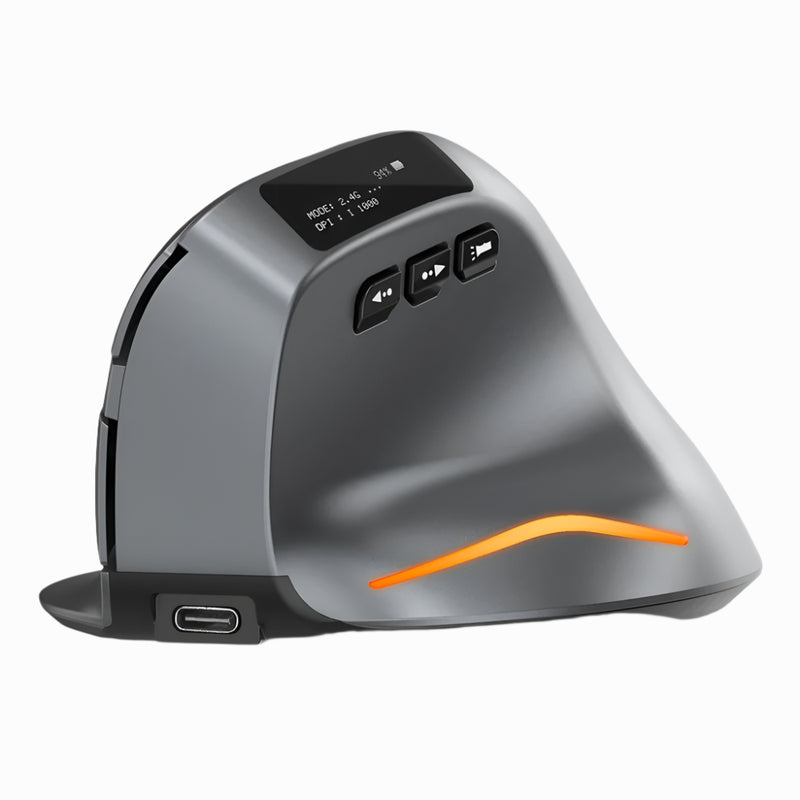
Lumos — $59
⭐ BEST SILENT
Best for: iMac users in music studios, podcast setups, shared offices, and home environments where click noise is disruptive — especially during iMac FaceTime calls and recordings.
The iMac has a studio-quality three-microphone array designed to capture your voice with crystal clarity. It also captures every click of your mouse. The Lumos features silent click switches — soft, tactile, virtually noiseless. For iMac users who record podcasts, produce music in Logic Pro, or spend hours on FaceTime and Zoom calls, the Lumos keeps your clicking out of the iMac's sensitive microphones. At $59, wireless, less than the Magic Mouse.
Best Trackball for iMac
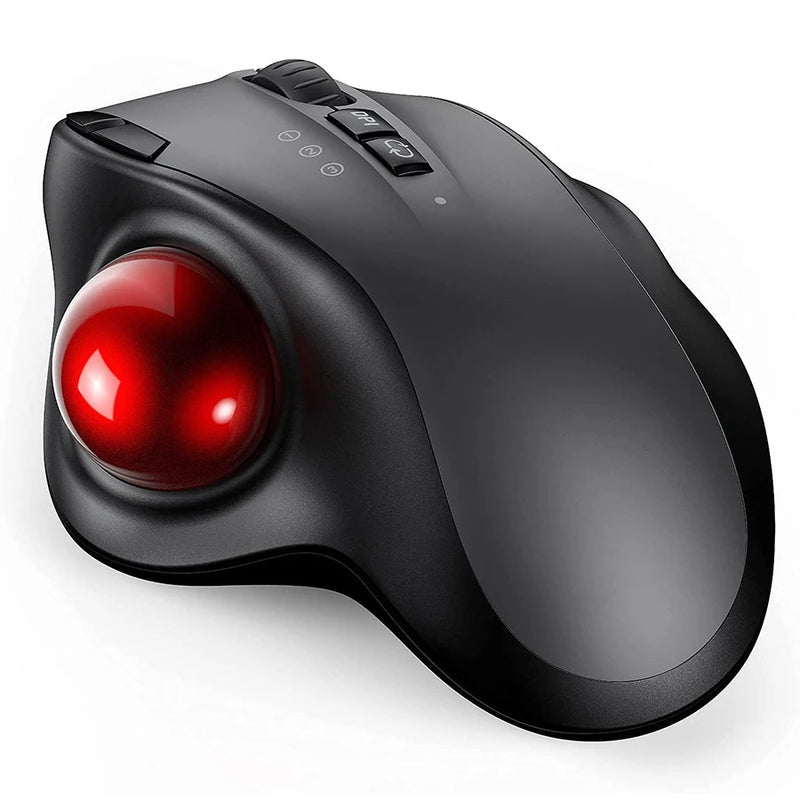
Orbit — $59
⭐ BEST TRACKBALL
Best for: iMac designers, video editors, and data professionals who want precision cursor control without arm movement — especially on cluttered creative desks.
iMac creative desks accumulate gear: drawing tablet, secondary monitor, speaker monitors, MIDI controller, reference materials. Mouse movement space shrinks. The Orbit solves this — your thumb rolls the ball, the cursor moves, the mouse stays fixed. Full precision in a fixed footprint. Bluetooth compatible, $59.
Best Budget Mouse for iMac

ErgoX — $34.95
⭐ BEST BUDGET
Best for: iMac users who want to replace the Magic Mouse at the lowest possible price — students, home users, and anyone who knows $79 for Apple's mouse is absurd.
The Math: Apple Magic Mouse = $79. ErgoX = $34.95. The ErgoX costs less than half the price of the mouse Apple includes with your iMac — and it has an ergonomic contoured grip, a physical scroll wheel, side buttons, and wireless connectivity. The Magic Mouse has a flat glass surface that charges upside down. At $34.95, the ErgoX isn't just the budget option — it's the option that makes you question why Apple charges $79 for the Magic Mouse at all.
Magic Mouse vs Smart Mouse Co — Feature Comparison
| Feature | Apple Magic Mouse | Air Nova | Elevate Pro | ErgoX |
|---|---|---|---|---|
| Price | $79–$99 | $89 | $89 | $34.95 |
| Ergonomic shaping | ❌ Flat | ✅ Contoured | ✅ Vertical + adjustable | ✅ Contoured |
| Scroll wheel | ❌ Touch gesture | ✅ Physical wheel | ✅ Physical wheel | ✅ Physical wheel |
| Side buttons | ❌ None | ✅ Yes | ✅ Yes | ✅ Yes |
| Usable while charging | ❌ No (port on bottom) | ✅ Yes | ✅ Yes | ✅ N/A (battery) |
| Presenter mode | ❌ No | ✅ Detachable | ❌ No | ❌ No |
| Gesture scrolling | ✅ Yes | ❌ No | ❌ No | ❌ No |
| Color match to iMac | ✅ 7 colors | Neutral tones | White/Black/Beige | Standard |
The Magic Mouse's one genuine advantage: gesture scrolling and color matching. Every other category — ergonomics, scroll control, side buttons, charging, price — is won by the alternatives.
Frequently Asked Questions
Do I need a special mouse for iMac?
No special mouse is required. Any Bluetooth HID mouse works with iMac running macOS. Every mouse in this guide pairs via Bluetooth and functions natively without drivers. Left click, right click, scroll wheel, and side buttons all work on macOS out of the box. No configuration needed.
Is the Magic Mouse really that bad?
The Magic Mouse isn't broken — it works, pairs well, and supports gestures. It's bad relative to its $79–$99 price and relative to what alternatives offer. It has zero ergonomic design for a device you use 4–8 hours daily. No scroll wheel. No side buttons. Charges upside down. At its price point, multiple alternatives provide dramatically better comfort, more functionality, and modern charging — which is why "best mouse for iMac" is a frequently searched topic.
Will I lose macOS gesture scrolling if I switch?
If you switch to a traditional mouse (Air Nova, Elevate Pro, Verta, etc.), yes — you'll use a physical scroll wheel instead of gesture scrolling. Most users find this faster and more precise. If you specifically want to keep gesture scrolling, the Touch Flow ($89) is a Bluetooth trackpad that supports all macOS gestures on a glass surface — the same gestures the Magic Mouse offers, but on a larger, more comfortable device.
Which mouse matches my iMac's color?
The Elevate Pro comes in White, which pairs cleanly with Silver iMacs. Most mice in this guide come in neutral tones (black, white, gray) that complement any iMac color without clashing. For the best aesthetic match, White or Silver-toned mice work with all seven iMac colors. No third-party mouse currently matches Apple's exact color-matched system — but ergonomic function should outweigh exact color matching for a device your hand sits on 2,000+ hours per year.
Can I use a Bluetooth mouse and the Magic Trackpad together on iMac?
Yes. macOS supports simultaneous Bluetooth mouse and trackpad input. Many iMac power users run both: a mouse for precision clicking and scrolling, a trackpad for macOS gestures. This is a common setup for creative professionals who want the best of both input methods.
What's the cheapest mouse that's better than the Magic Mouse?
The ErgoX at $34.95 — less than half the Magic Mouse's price — provides an ergonomic contoured grip, a physical scroll wheel, side buttons, and wireless connectivity. It beats the Magic Mouse on ergonomics, scroll control, and functionality while costing $44 less. The Magic Mouse's only advantage over the ErgoX is gesture scrolling and color matching.
Conclusion — Your $1,299+ iMac Deserves a Mouse That Matches Its Power, Not Just Its Color
Apple spent years engineering the M4 iMac: 4.5K Retina display, M4 chip, studio-quality audio, Center Stage camera, seven stunning colors. They designed every detail to be beautiful and functional. Then they included a mouse whose primary design goal is matching the color of the computer — not supporting the hand of the person using it.
The Magic Mouse is a design object. The mice in this guide are input devices. They have ergonomic shaping, scroll wheels, side buttons, vertical tilt options, and charging ports that don't disable the device. They cost $34.95 to $89 — every option at or below the Magic Mouse's price. And they ship free, worldwide, from Smart Mouse Co.
Your iMac's color is beautiful. Your mouse's ergonomics should be too.
Your iMac Came With a Design Object. Replace It With an Input Device.
17 wireless mice built for iMac users — ergonomic, precise, and cheaper than the Magic Mouse they replace.
- ✓ Bluetooth — pairs with iMac natively, no dongle
- ✓ Ergonomic, vertical, trackball, pen & trackpad options
- ✓ Physical scroll wheel + side buttons — what the Magic Mouse lacks
- ✓ $34.95–$89 · Free worldwide shipping
Shop All iMac-Compatible Mice →







Leave a comment
This site is protected by hCaptcha and the hCaptcha Privacy Policy and Terms of Service apply.