






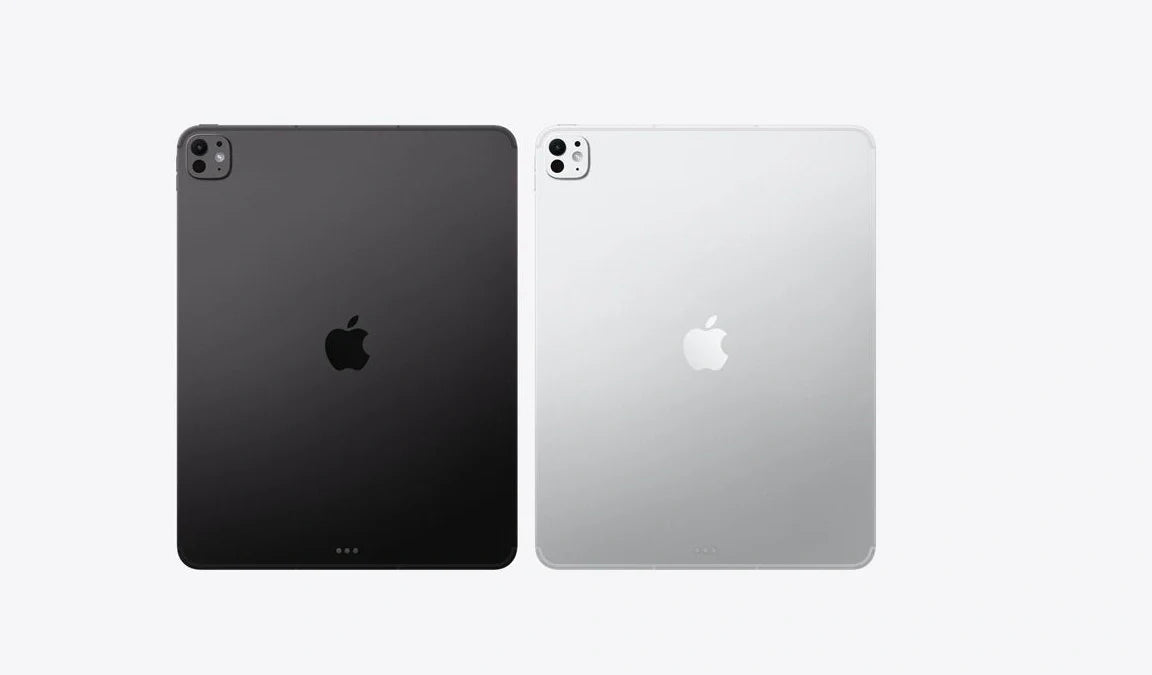
The iPad Pro starts at $999 for the M4 model and climbs past $1,599 for the 13-inch with cellular and storage upgrades. Apple positioned it as a laptop replacement — with desktop-class performance, Stage Manager multitasking, and external display support.
But out of the box, it ships with one input method: your finger on glass. No mouse. No trackpad. No precision pointing device. For a device Apple wants you to use for real work, that's a significant gap.
Adding a mouse to your iPad Pro changes everything. Spreadsheets become manageable. Design apps become precise. Multitasking with Stage Manager becomes fluid instead of frustrating. Text editing, file management, and browser-based work all become faster and more controlled. The problem? Most mice on the market are designed for desktops. They're bulky, wired, or require drivers that iPadOS doesn't support. What you need is a Bluetooth mouse built for portable, minimal setups — exactly what the iPad Pro demands.
At Smart Mouse Co, we specialize exclusively in mice — it's literally in our name. Not a sidebar. Not a sub-category buried behind keyboards and webcams. Every mouse in our collection is selected, tested, and curated for the way people actually work today: wirelessly, portably, and across multiple devices including iPad Pro. This guide covers the 10 best options for iPad Pro users, with real use-case breakdowns and direct links to every product.
Quick Picks: Best Mouse for iPad Pro by Use Case
| Mouse | Best For | Price | Highlight |
|---|---|---|---|
| Air Nova | Presentations + remote work |
|
⭐ Best Overall |
| Elevate Pro | Ergonomic vertical + long sessions |
|
⭐ Best Ergonomic |
| Touch Flow | Trackpad-style control |
|
⭐ Most Unique |
| Seeker | Compact travel + multi-device | $89 | ⭐ Best Travel |
| PenX | Pen-style precision + portability | $37.95 | ⭐ Most Portable |
| ErgoGlide | Ergonomic comfort on a budget | $49.95 | ⭐ Best Value Ergonomic |
| Verta | Vertical design + everyday work | $59 | ⭐ Best Vertical |
| ErgoX | Budget-friendly wireless | $34.95 | ⭐ Best Budget |
| Orbit | Trackball precision + desk-bound | $59 | ⭐ Best Trackball |
| Lumos | Silent clicks + shared spaces | $59 | ⭐ Best Silent |
Browse all 17 Smart Mouse Co mice →
Why Your iPad Pro Needs a Mouse (And Why Most Mice Don't Work)
iPadOS has supported mouse and trackpad input since iPadOS 13.4, and with each update Apple has deepened that integration. In 2026, the iPad Pro running iPadOS 18 supports hover effects, full right-click menus, scroll gestures, drag-and-drop between apps in Stage Manager, and multi-display navigation. A mouse turns the iPad Pro from a consumption device into a genuine production tool.
But not every mouse works well with an iPad. Here's what you need to know:
- Bluetooth is mandatory. The iPad Pro has no USB-A ports. USB-C mice technically work with adapters, but that defeats the purpose of a wireless tablet setup. Mice that rely on a 2.4GHz USB-A dongle without a Bluetooth fallback won't connect to most iPad setups cleanly. You need native Bluetooth.
- Drivers don't exist on iPadOS. Mice that require custom software for button configuration (Logitech Options, Razer Synapse) lose those features on iPad. What you get is basic HID mouse input. Mice that work well out-of-the-box without software are the ones that perform best.
- Portability matters. iPad Pro users don't work at permanent desks. They work from café tables, airplane trays, co-working hot desks, kitchen counters, and hotel rooms. A big, heavy desktop mouse defeats the entire point of having an ultra-portable workstation.
- Ergonomics still matter. Just because the device is portable doesn't mean your sessions are short. Many iPad Pro users work 4–8 hours straight on their tablet. A flat, cramped travel mouse causes the same fatigue on iPad that it causes on a laptop.
Why Smart Mouse Co? Because Mice Are All We Do
Most retailers sell mice as a subcategory — sandwiched between keyboards, webcams, monitors, and cable adapters. At Smart Mouse Co, mice are the entire business. Every product is curated for precision, comfort, wireless connectivity, and modern work setups. When you buy from a specialist, you get curation that Amazon's algorithmic recommendations can't match — because every product in the collection was selected for people who care about what's in their hand for 6+ hours a day.
Smart Mouse Co offers free worldwide shipping, dedicated customer support, and a focused product range where every mouse is Bluetooth or wireless compatible. No filler products. No outdated wired-only models. No generic bulk inventory from 2019. Just mice designed for the way people actually work in 2026.
Every Mouse, Ranked by Category
Best Overall Mouse for iPad Pro
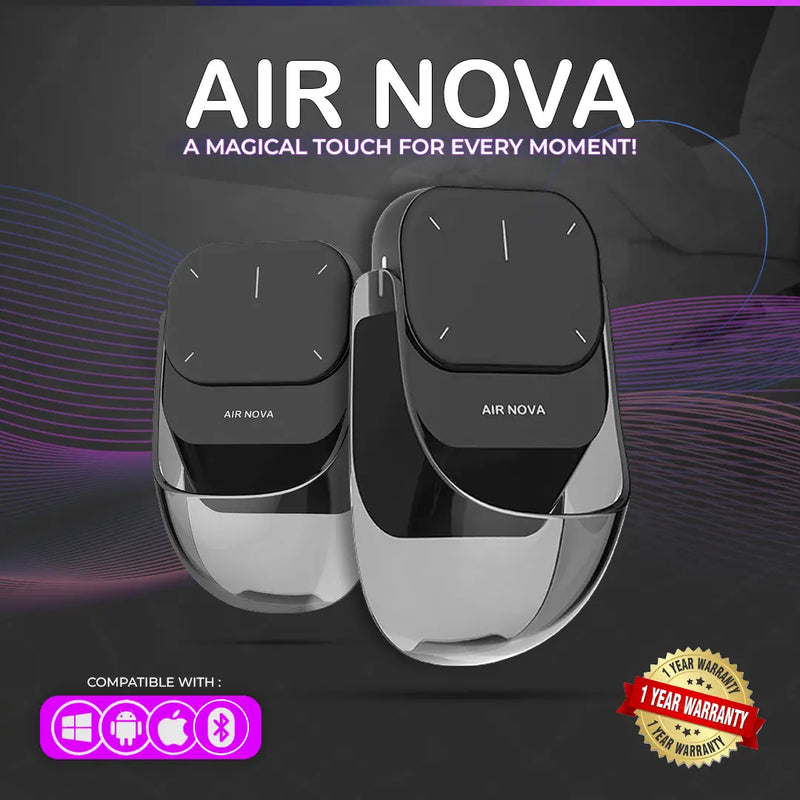
Air Nova — $149 $89
⭐ BEST OVERALL MOUSE FOR IPAD PRO
Best for: iPad Pro users who present, teach, or lead meetings — plus anyone who wants a versatile all-in-one mouse.
The Air Nova is the flagship of Smart Mouse Co, and it is built for exactly the kind of multi-functional use that iPad Pro demands. It features a detachable dual-mode design — use it as a full Bluetooth mouse for everyday work, then detach the top section for presentation mode with a built-in laser pointer and slide control. That makes it the only mouse in this list that doubles as a wireless presenter.
For iPad Pro users who work with Keynote, Google Slides, or Zoom screen-sharing, the Air Nova eliminates the need to carry a separate clicker. Bluetooth 5.1 connects directly to iPad Pro with zero driver requirements. The ergonomic body is comfortable for extended work sessions, and the build quality reflects the $149 retail price — currently discounted to $89. Compatible with iPadOS, macOS, Windows, Android, and ChromeOS.
Best Ergonomic Mouse for iPad Pro
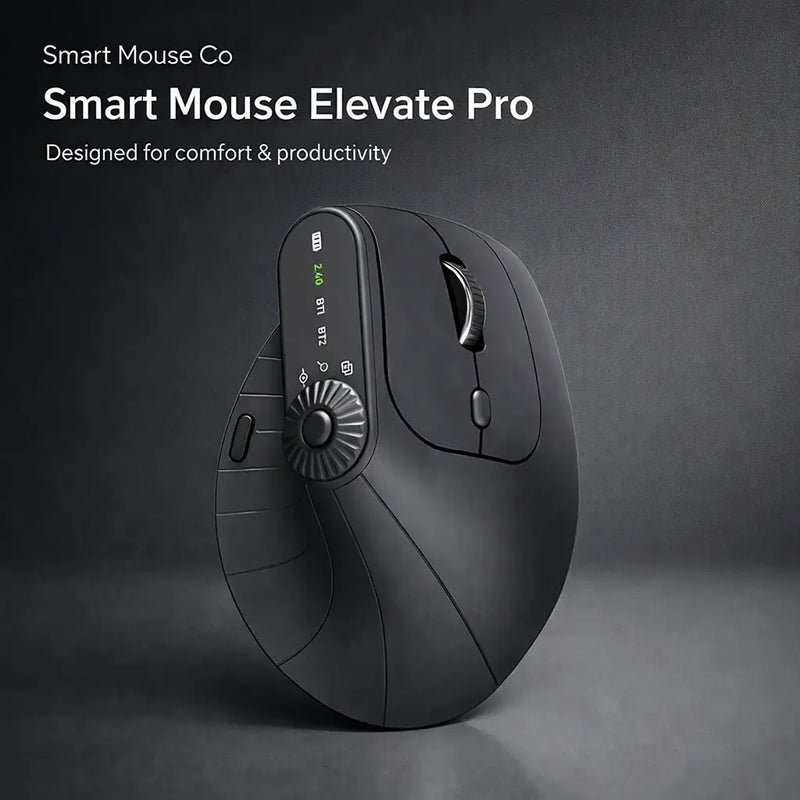
Elevate Pro — $129 $89
⭐ BEST ERGONOMIC
Best for: iPad Pro users who work 4+ hours daily and need a vertical ergonomic design with Bluetooth connectivity.
The Elevate Pro is a Bluetooth vertical mouse with a feature that sets it apart from every other vertical mouse on the market: a physical adjustment knob that lets you fine-tune the tilt angle to your hand. Most vertical mice lock you into one fixed angle. The Elevate Pro lets you dial in the exact wrist position that feels best, which matters enormously for long sessions on an iPad Pro propped on a Magic Keyboard or desk stand.
Bluetooth connectivity means direct iPad Pro pairing with no dongle. The ergonomic body keeps your wrist in a neutral handshake position. Available in White, Black, and Beige to match your setup. At $89 (down from $129), it's priced identically to the Air Nova but serves a completely different need — sustained ergonomic comfort over flashy multi-functionality.
Most Unique: Trackpad-Mouse Hybrid
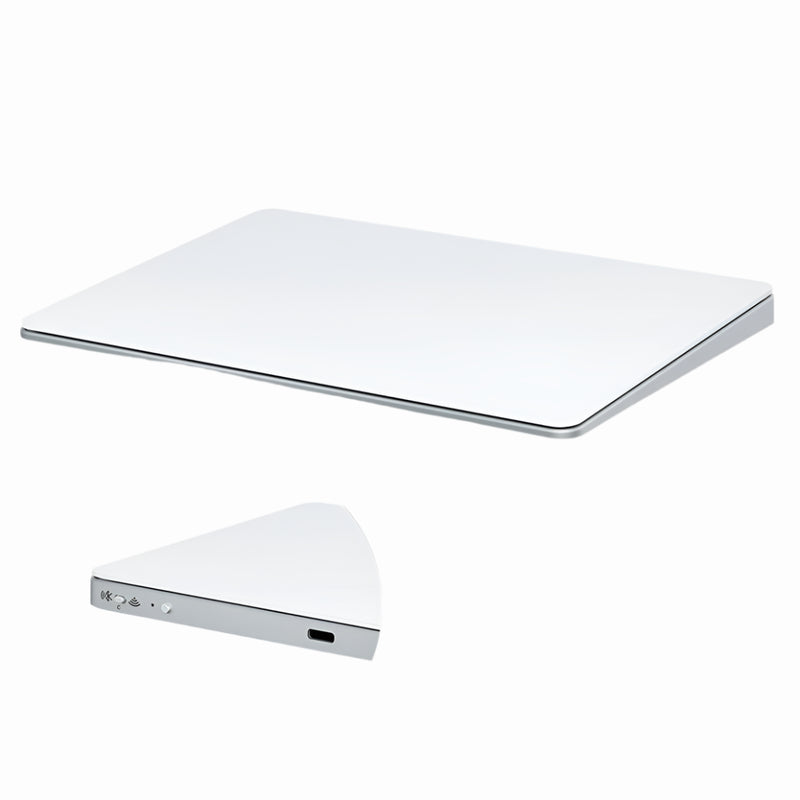
Touch Flow — $136.92 $89
⭐ MOST UNIQUE
Best for: iPad Pro users who love Apple's trackpad gestures but want something more portable than a Magic Trackpad.
The Touch Flow is a Bluetooth wireless trackpad with a smooth glass multi-touch surface — essentially a compact alternative to Apple's $129 Magic Trackpad. It supports multi-touch gestures that iPadOS recognizes natively: two-finger scrolling, pinch-to-zoom, swipe between apps, and three-finger multitasking gestures. If you've been wanting trackpad control for your iPad Pro without buying Apple's full-size trackpad, this is it.
The glass surface provides a premium feel that matches the iPad Pro's own build quality. Bluetooth connectivity pairs directly. At $89 (down from $136.92), it undercuts Apple's Magic Trackpad by $40 while offering a more travel-friendly form factor. For iPad Pro users who already use gesture-based workflows, the Touch Flow extends that experience with a dedicated multi-touch surface.
Best Travel Mouse for iPad Pro
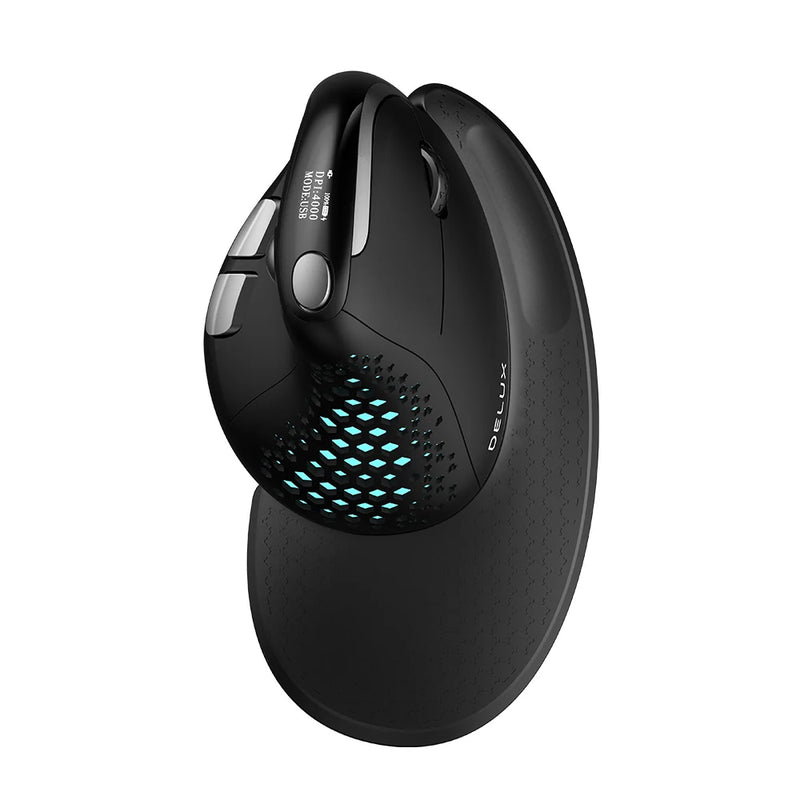
Seeker — $89
⭐ BEST TRAVEL MOUSE
Best for: Digital nomads and frequent travelers who need a compact, wireless mouse that pairs instantly with iPad Pro.
The Seeker is designed for people who pack and unpack their setup daily. Compact enough to slip into a tech pouch or laptop sleeve pocket, it connects via Bluetooth for instant iPad Pro pairing. The form factor balances portability with enough body to avoid the cramped-finger fatigue that ultra-small travel mice create during longer sessions.
For iPad Pro users who work from airports, cafés, hotel desks, and co-working spaces, the Seeker is the mouse you throw in your bag without thinking about it — and it performs reliably on whatever surface you end up working on. At $89, it matches the Air Nova and Elevate Pro in price but optimizes for one thing above all: effortless portability.
Most Portable: Pen-Style Mouse
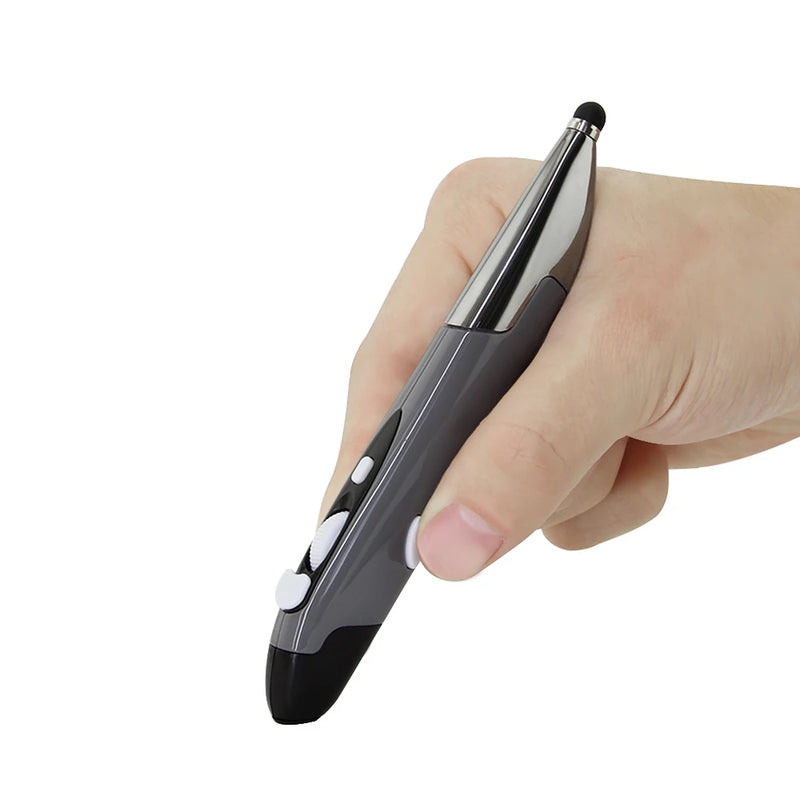
PenX — $37.95
⭐ MOST PORTABLE
Best for: iPad Pro users who want the smallest possible mouse — a pen-shaped wireless device that fits in a shirt pocket.
The PenX completely reimagines what a mouse can look like. Shaped like a pen, it operates as a full wireless mouse with click buttons and scroll functionality built into its cylindrical body. For iPad Pro users who travel ultra-light — a tablet, a keyboard, and nothing else — the PenX is the mouse that adds zero bulk to your setup.
At $37.95, it's the most affordable mouse in this list. Available in Gray, Blue, and Red. The pen form factor works especially well for iPad Pro users who switch between tablet touch input and mouse input frequently — you pick up the PenX like a stylus, use it as a mouse, and set it down without it taking up desk space. No other mouse in any category offers this form factor.
Best Value Ergonomic Mouse
ErgoGlide — $49.95
⭐ BEST VALUE ERGONOMIC
Best for: iPad Pro users who want ergonomic comfort without paying $89+ — strong mid-range option.
The ErgoGlide delivers ergonomic shaping at a price point that makes it accessible to students, freelancers, and anyone building an iPad Pro workstation on a budget. Wireless connectivity, comfortable contoured grip, and responsive tracking on varied surfaces. It does not have the adjustable tilt of the Elevate Pro, but it provides genuine ergonomic benefit at roughly half the price.
For iPad Pro users who know they need something better than a flat travel mouse but aren't ready to invest in a premium vertical design, the ErgoGlide is the logical middle ground. At $49.95, it's priced below the impulse-buy threshold for most buyers — and it performs well above its price point.
Best Vertical Mouse for iPad Pro
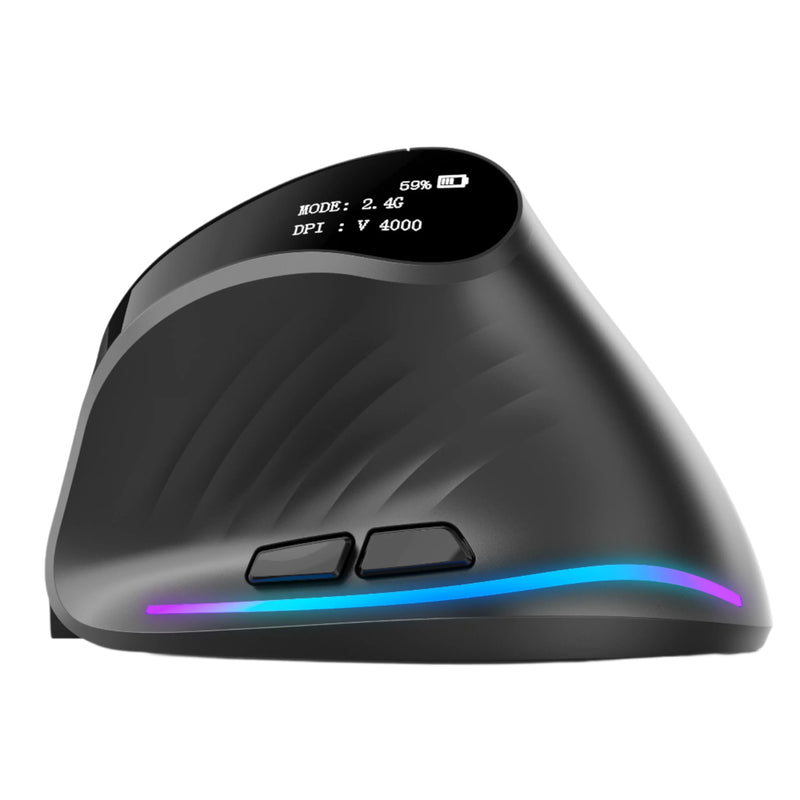
Verta — $59
⭐ BEST VERTICAL
Best for: iPad Pro users who want a dedicated vertical mouse at a lower price than the Elevate Pro.
The Verta is a clean, no-frills vertical mouse that positions your hand in a natural handshake grip. Wireless connectivity, side buttons accessible in the vertical position, and a body shaped for sustained comfort. It lacks the Elevate Pro's adjustable tilt knob, but the fixed angle is well-chosen and works for the majority of hand sizes and grip styles.
At $59, it sits between the budget ErgoGlide ($49.95) and the premium Elevate Pro ($89). For iPad Pro users who have decided on a vertical design but don't need the adjustment mechanism, the Verta delivers the core ergonomic benefit at a competitive price.
Best Budget Mouse for iPad Pro

ErgoX — $34.95
⭐ BEST BUDGET
Best for: Students and casual iPad Pro users who need a reliable wireless mouse at the lowest possible price.
The ErgoX is the most affordable wireless mouse in the Smart Mouse Co collection. It delivers basic ergonomic shaping, reliable wireless connectivity, and responsive tracking — everything you need and nothing you don't. For iPad Pro users who are adding a mouse for the first time and want to test whether a mouse improves their workflow before investing more, the ErgoX is the zero-risk entry point.
At $34.95, it costs less than a single month of most software subscriptions. If you discover that a mouse transforms your iPad Pro experience (it will), you can upgrade to an Elevate Pro or Air Nova later. If you just need something that works, the ErgoX handles it.
Best Trackball Mouse for iPad Pro
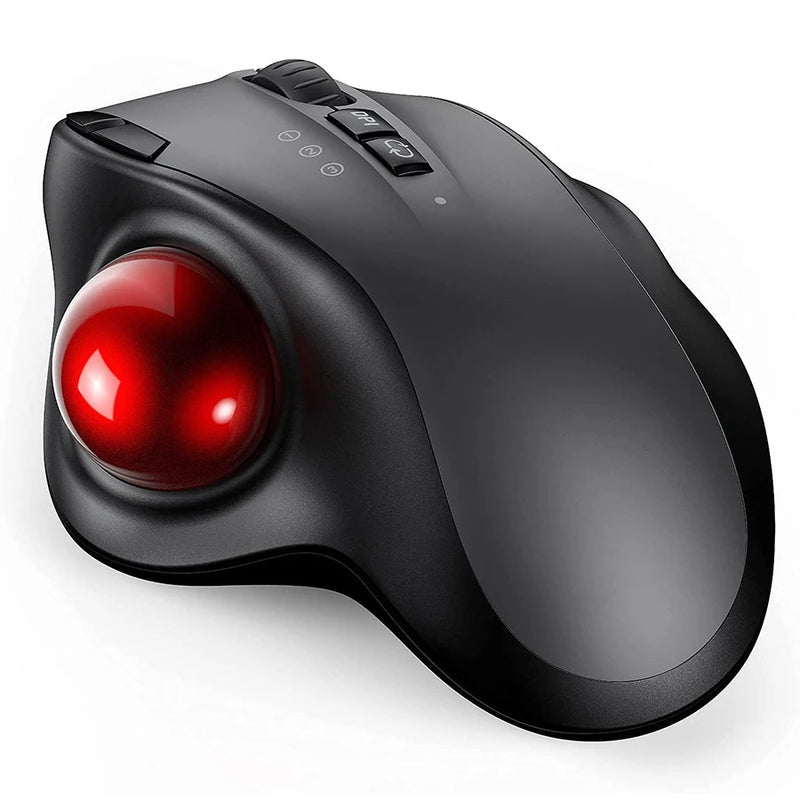
Orbit — $59
⭐ BEST TRACKBALL
Best for: iPad Pro users who prefer trackball precision — ideal for small desk surfaces where mouse movement space is limited.
The Orbit replaces mouse movement with thumb-controlled ball tracking. You don't move the mouse at all — your thumb rolls the ball to move the cursor. This makes it ideal for iPad Pro setups where desk space is extremely limited: airplane trays, narrow café tables, bedside stands. The cursor moves, your hand doesn't.
Trackball mice have a dedicated following among designers, data analysts, and anyone who values precision over speed. iPadOS supports trackball input natively. At $59, the Orbit offers a genuinely different input paradigm for iPad Pro users who want maximum control in minimum space.
Best Silent Mouse for iPad Pro
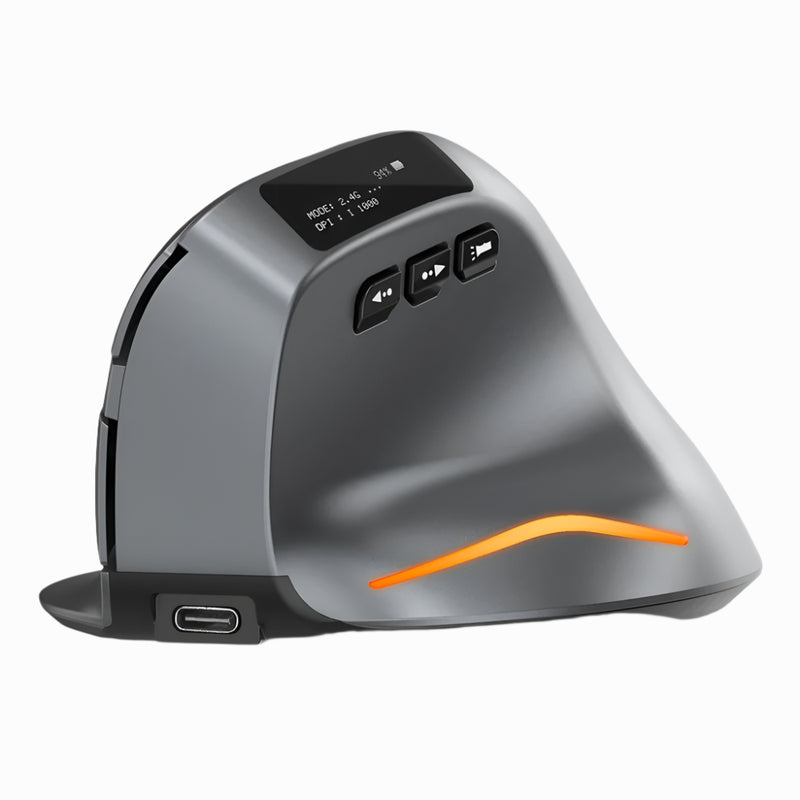
Lumos — $59
⭐ BEST SILENT
Best for: iPad Pro users who work in libraries, shared offices, cafés, or during Zoom calls where click noise is distracting.
The Lumos features silent click switches that eliminate the audible clicking sound of standard mouse buttons. Every click is soft, quiet, and tactile without the noise. For iPad Pro users who work in quiet environments or who take Zoom and Teams calls while actively navigating their screen, the Lumos prevents your click-click-click from bleeding into the microphone.
Wireless connectivity, comfortable build, and responsive tracking at $59. A simple upgrade that solves a problem most people don't think about until someone on a call says "can you mute your mouse?"
Which Mouse Is Right for Your iPad Pro?
| If you need... | Get this |
|---|---|
| All-in-one mouse + presentation remote | Air Nova ($89) |
| Best ergonomic comfort for long sessions | Elevate Pro ($89) |
| Trackpad gestures without Apple's price tag | Touch Flow ($89) |
| Ultra-compact travel mouse | Seeker ($89) |
| Pen-style portability, zero bulk | PenX ($37.95) |
| Ergonomic on a budget | ErgoGlide ($49.95) |
| Vertical design, mid-range price | Verta ($59) |
| Cheapest reliable wireless mouse | ErgoX ($34.95) |
| Trackball precision, zero desk movement | Orbit ($59) |
| Silent clicks for quiet environments | Lumos ($59) |
Frequently Asked Questions
Does the iPad Pro support mouse input?
Yes. Since iPadOS 13.4, all iPad models support Bluetooth mouse and trackpad input natively. iPadOS 18 on the M4 iPad Pro includes full cursor support with hover effects, right-click context menus, scroll gestures, Stage Manager navigation, and external display cursor control. Any Bluetooth HID-compliant mouse — including every mouse in this list — pairs and works without additional software.
Do I need a special mouse for iPad Pro or will any Bluetooth mouse work?
Any standard Bluetooth mouse will connect to iPad Pro. However, mice that require custom driver software (Logitech Options+, Razer Synapse) lose their programmable features on iPadOS since those apps don't exist on iPad. Mice that work well out-of-the-box with standard Bluetooth — like the Smart Mouse Co collection — give you the full feature set without dependency on desktop software.
Is the Apple Magic Mouse worth it for iPad Pro?
The Apple Magic Mouse ($79–$99) pairs seamlessly with iPad Pro, but it has significant ergonomic limitations — the flat profile forces your palm down, the surface area is small for long sessions, and it still charges via Lightning on some models (requiring a USB-C to Lightning cable). For the same price, the Air Nova or Elevate Pro from Smart Mouse Co offers significantly better ergonomics, more functionality, and modern wireless connectivity.
Can I use a mouse and the touchscreen at the same time on iPad Pro?
Yes. iPadOS allows simultaneous mouse and touch input. You can navigate with the mouse cursor while still using touch gestures on the screen. This is especially useful in drawing and design apps where you want cursor precision for UI navigation and finger/Apple Pencil input for creative work.
What's the best mouse for iPad Pro on a budget?
The ErgoX at $34.95 is the most affordable option that delivers reliable wireless performance for iPad Pro. For a pen-shaped alternative, the PenX at $37.95 offers extreme portability at a similar price. Both connect via Bluetooth and work with iPadOS without drivers or setup hassle.
Do vertical mice work with iPad Pro?
Yes. Vertical mice like the Elevate Pro, Verta, and ErgoGlide connect to iPad Pro via Bluetooth and work exactly as they do on a laptop or desktop. iPadOS treats them as standard pointing devices. The vertical grip is especially beneficial for iPad Pro users who work long sessions on a desk or stand setup.
Conclusion — Turn Your iPad Pro Into the Workstation It Was Meant to Be
Apple sells the iPad Pro as a laptop replacement. A $999–$1,599 device with desktop-class silicon, a stunning display, and Stage Manager multitasking. But without a mouse, you're navigating all of that power with the same input method you use to scroll Instagram. Adding the right mouse — one that connects via Bluetooth, travels easily, and fits your hand for hours of real work — is the upgrade that makes the iPad Pro's potential actually usable.
Every mouse in this list connects to iPad Pro without drivers, without adapters, and without compromise. Prices range from $34.95 to $89. Free worldwide shipping on every order. This is what Smart Mouse Co does — mice, curated for the way people actually work.
Your iPad Pro Deserves a Real Mouse
17 mice. One specialty. Every one Bluetooth-ready for iPad Pro.
- ✓ Ergonomic, vertical, trackball, pen & trackpad designs
- ✓ Bluetooth wireless — pairs with iPad Pro in seconds
- ✓ Free worldwide shipping on every order
- ✓ $34.95–$89 — built for every budget
Shop All Smart Mice →





Leave a comment
This site is protected by hCaptcha and the hCaptcha Privacy Policy and Terms of Service apply.