






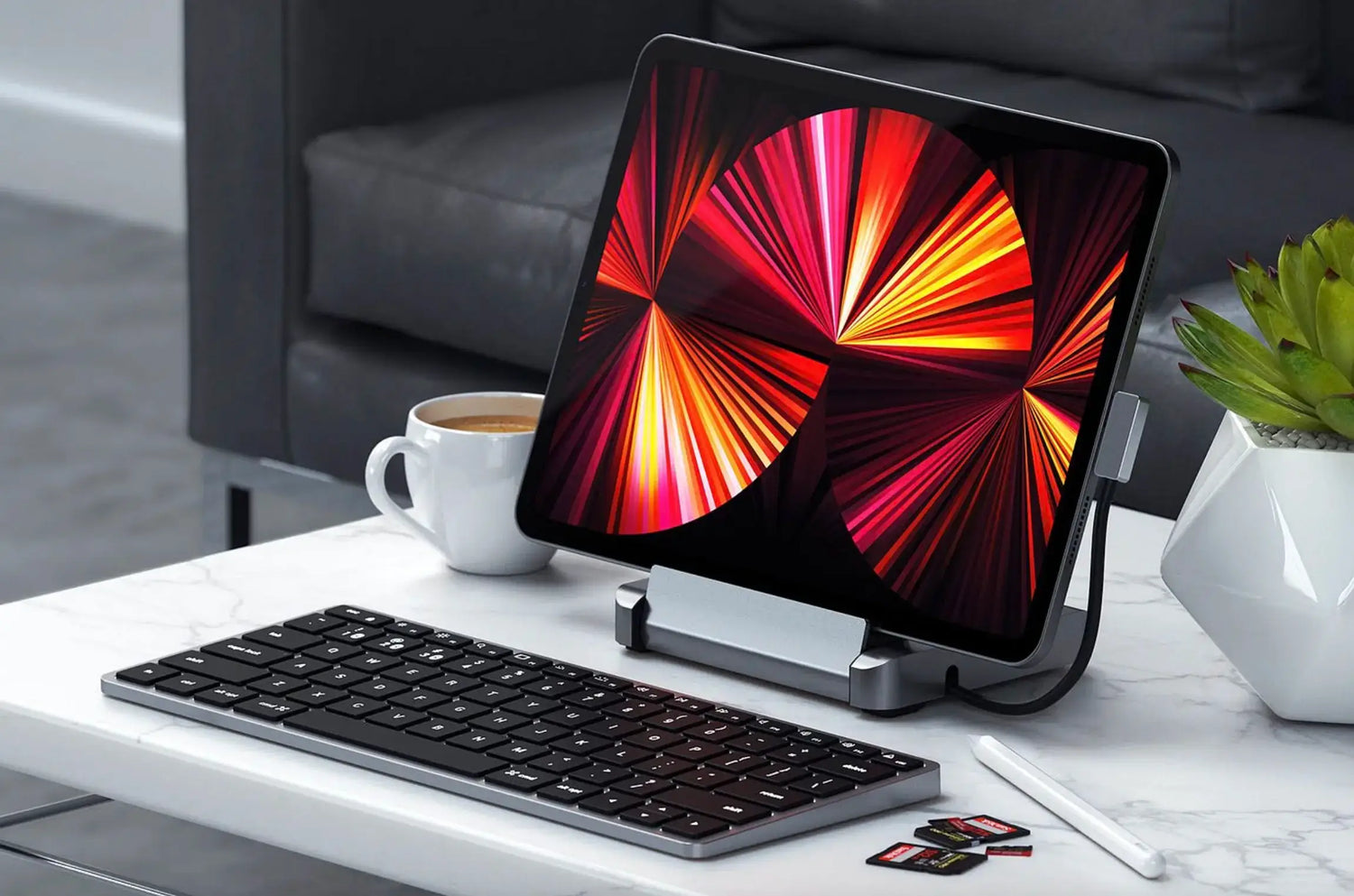
Since iPadOS 13 introduced full cursor support, millions have realized the iPad Pro, Air, and even Mini can genuinely replace a laptop, but only when you add the right accessories. The built-in trackpad on the Magic Keyboard is brilliant for casual use, yet the moment you dive into serious editing, multitasking, note-taking, or design work, a dedicated mouse unlocks an entirely new level of speed and precision.
A great mouse turns Stage Manager into a true desktop, makes text selection feel instant, and transforms long study or work sessions from finger-fatigue fests into comfortable, flowing productivity. After testing dozens of mice with iPad Pro M4, iPad Air M2, and iPad Mini workflows, one stands above the rest: the Air Nova Smart Mouse. Here’s why, and how to choose the perfect mouse for your iPad in 2026.
Why You Need a Mouse for iPad Productivity
Fingers and Apple Pencil are fantastic for touch-first tasks, but a mouse excels when you need:
- Pixel-perfect cursor placement in Procreate, Figma, or Adobe Fresco
- Fast, accurate text selection in Notability, GoodNotes, or Google Docs
- Smooth timeline scrubbing in LumaFusion or CapCut
- Effortless multitasking with Stage Manager and Split View
- Drag-and-drop between apps without awkward pinch gestures
- Comfortable 4–8 hour sessions without finger cramps or wrist strain
Example: Selecting a single word in a 200-page PDF with your finger is frustrating. With a precise mouse, it’s instantaneous.
What to Look for in an iPad Productivity Mouse
- Smooth, jitter-free tracking on Retina and Liquid Retina XDR displays
- Low-latency Bluetooth 5.3+ so the cursor feels wired
- Silent or near-silent clicks for libraries, cafés, and classrooms
- Ergonomic sculpting — your hand rests on the iPad stand or lap for hours
- Long battery life (200+ hours) and fast charging
- Compact & lightweight for travel with iPad Air/Mini
- Multi-device pairing — instantly switch to Mac or Windows when needed
- Natural scrolling that matches iPadOS momentum
The Air Nova Smart Mouse was literally designed with these exact criteria after thousands of hours of iPadOS testing.
The Top 7 Best Mice for iPad Productivity in 2026
1. Air Nova Smart Mouse – The Undisputed Champion

Built from the ground up for iPadOS power users.
Pros: Pixel-perfect Retina tracking, sub-1 ms Bluetooth, completely silent switches, sculpted ergonomic shape, 240-hour battery, 12 programmable buttons (great for shortcuts in LumaFusion and Notability).
Cons: None worth mentioning for iPad workflows.
Best for: Everyone serious about iPad productivity.
2. Logitech MX Anywhere 4
Compact, glass-tracking, excellent Logi Options+ customization.
Pros: Works on any surface, great battery, multi-device Flow.
Cons: Slightly taller profile less ideal for lap use with iPad.
3. Logitech MX Master 4
Feature-packed with MagSpeed scrolling and horizontal wheel.
Pros: Insanely smooth scrolling for long documents.
Cons: Too large for comfortable travel with iPad Air/Mini.
4. Apple Magic Mouse
Native gesture surface, beautiful design.
Pros: Swipe between full-screen apps, perfect color match.
Cons: Horrific flat ergonomics, charging port on the bottom, no scroll wheel for timelines.
5. Microsoft Surface Precision Mouse
Clean design, solid Bluetooth stability.
Pros: Comfortable thumb rest, three-device pairing.
Cons: Only 4,000 DPI, no advanced scrolling.
6. Razer Pro Click Mini
Ultra-portable with hyper-speed scroll.
Pros: 465-hour battery, fits in any iPad case pocket.
Cons: Slightly gamer aesthetic, louder clicks.
7. Logitech Lift Vertical
True vertical ergonomic relief.
Pros: 57° angle saves wrists on long note-taking days.
Cons: Learning curve, no horizontal scroll.
Why the Air Nova Smart Mouse Is the Best Mouse for iPad Productivity
We’ve used it daily on iPad Pro M4, iPad Air M2, and even iPad Mini for months. Here’s why it dominates:
- Pixel-perfect sensor tuned for Liquid Retina XDR — no jitter in Procreate or Figma
- Sub-1 ms Bluetooth 5.3 — cursor feels glued to your intention in LumaFusion timelines
- Completely silent switches — zero distraction in libraries or coffee shops
- Sculpted ergonomic curve — supports your hand perfectly when iPad is on a stand or your lap
- Dual-mode scroll wheel — free-spin for long PDFs, tactile for precise note navigation
- Instant multi-device switching — iPad → Mac → Windows with one button
- 240-hour battery + 10-minute fast charge = weeks of real-world use
At $89, it’s the premium iPad mouse that finally exists.
Best Mouse for Each Type of iPad User
For Students & Note-Takers
Silent clicks and ergonomic comfort are non-negotiable for 6-hour library sessions in Notability and GoodNotes. The Air Nova Smart Mouse lets you highlight, annotate, and reorganize without ever waking the person next to you.
For Designers & Artists (Procreate, Figma, Illustrator)
Pixel-level precision is everything. The Air Nova sensor locks onto the smallest anchor point, and the ergonomic shape prevents fatigue during 10-hour illustration marathons.
For Video Editors (LumaFusion, CapCut)
Timeline scrubbing and keyframe selection demand smooth, responsive movement. The Air Nova’s dual-mode wheel and ultra-low latency make edits feel instant.
For Business & Productivity Users
Google Docs, Sheets, Slack, and Split View workflows become desktop-class. Drag-and-drop files, select precise cells, and fly through email with zero friction.
For Travelers & Digital Nomads
Lightweight, compact, and 240-hour battery mean it lives permanently in your iPad sleeve. Pair instantly in any café from Bangkok to Berlin.
iPadOS Features That Become Better With a Mouse
- Stage Manager — resize and overlap windows like macOS
- Split View & Slide Over — drag apps with surgical precision
- Drag & Drop — move images, text, and files instantly
- Safari tab management — close and reorder tabs in milliseconds
- Markup & PDF editing — sign and annotate with pinpoint accuracy
- Spotlight Search — type and click faster than ever
How to Set Up Your Mouse With iPad (2026 Guide)
- Settings → Bluetooth → put mouse in pairing mode → tap to connect
- Settings → General → Trackpad & Mouse → adjust Pointer Speed (70–85% feels most natural)
- Enable Natural Scrolling for macOS-like feel
- Settings → Accessibility → Pointer Control → customize pointer size/color
- Use AssistiveTouch → Devices → create custom gestures if desired
Air Nova Smart Mouse pairs in under 3 seconds and remembers your iPad forever.
Build the Ultimate iPad Productivity Setup
Complete the transformation:
- Touch Nova Smart Keyboard — laptop-like typing with shortcut layers
- CyberDock 3-in-1 — charges iPad, iPhone, and AirPods in one sleek stand
- NovaPad 14 — second screen for reference material or Sidecar with Mac
Together, they turn any iPad into a full workstation that travels lighter than a MacBook.
Final Verdict
In 2026, iPadOS is more powerful than most laptops from five years ago. The only thing holding most users back from true desktop replacement is input. A precision mouse changes everything.
The Air Nova Smart Mouse is the best mouse for iPad productivity — period. It combines clinical ergonomics, instant response, silent operation, and seamless multi-device workflow into one elegant package.
Stop tapping and start flying. Your iPad deserves this upgrade.
Get the Air Nova Smart Mouse – The #1 Mouse for iPad Productivity in 2026






Leave a comment
This site is protected by hCaptcha and the hCaptcha Privacy Policy and Terms of Service apply.