






Windows users live in spreadsheets that stretch 50,000 rows deep, Power BI dashboards with a dozen visuals, Visual Studio codebases that span three 4K monitors, AutoCAD drawings that demand pixel-level precision, and trading platforms that move millions with a single click. The wrong mouse turns those workflows into slow, painful slogs. The right one disappears and just works.
In 2026, with Windows 11/12 pushing multi-monitor Snap Layouts, virtual desktops, and ultra-high-resolution displays, a $15 office mouse is no longer acceptable. You need precision, comfort, and speed that match your hardware.
At Air Nova, we’ve spent years testing mice across real Windows workflows: corporate Excel warriors, day traders, full-stack developers, video editors, and remote teams. This is the definitive guide to the best mouse for Windows laptops and PCs in 2026, with the Air Nova Smart Mouse taking the clear #1 spot.
What Windows Users Actually Need in a Mouse
Windows isn’t macOS. You’re more likely to be on triple 4K monitors, switching between Outlook, Teams, Excel, Power BI, Visual Studio, and Edge with 200 tabs. Your mouse must deliver:
- Pixel-perfect tracking on 4K/5K/8K displays
- Ultra-low latency for instant response in trading terminals
- Smooth, precise scrolling through massive Excel sheets and Power BI reports
- Ergonomic sculpting for 10+ hour days without wrist pain
- Fast multi-device switching (laptop + desktop + tablet)
- Silent or light-tactile clicks for open-plan offices and calls
- Programmable buttons that work natively with Windows shortcuts
Top 7 Best Mice for Windows Laptops & PCs in 2026
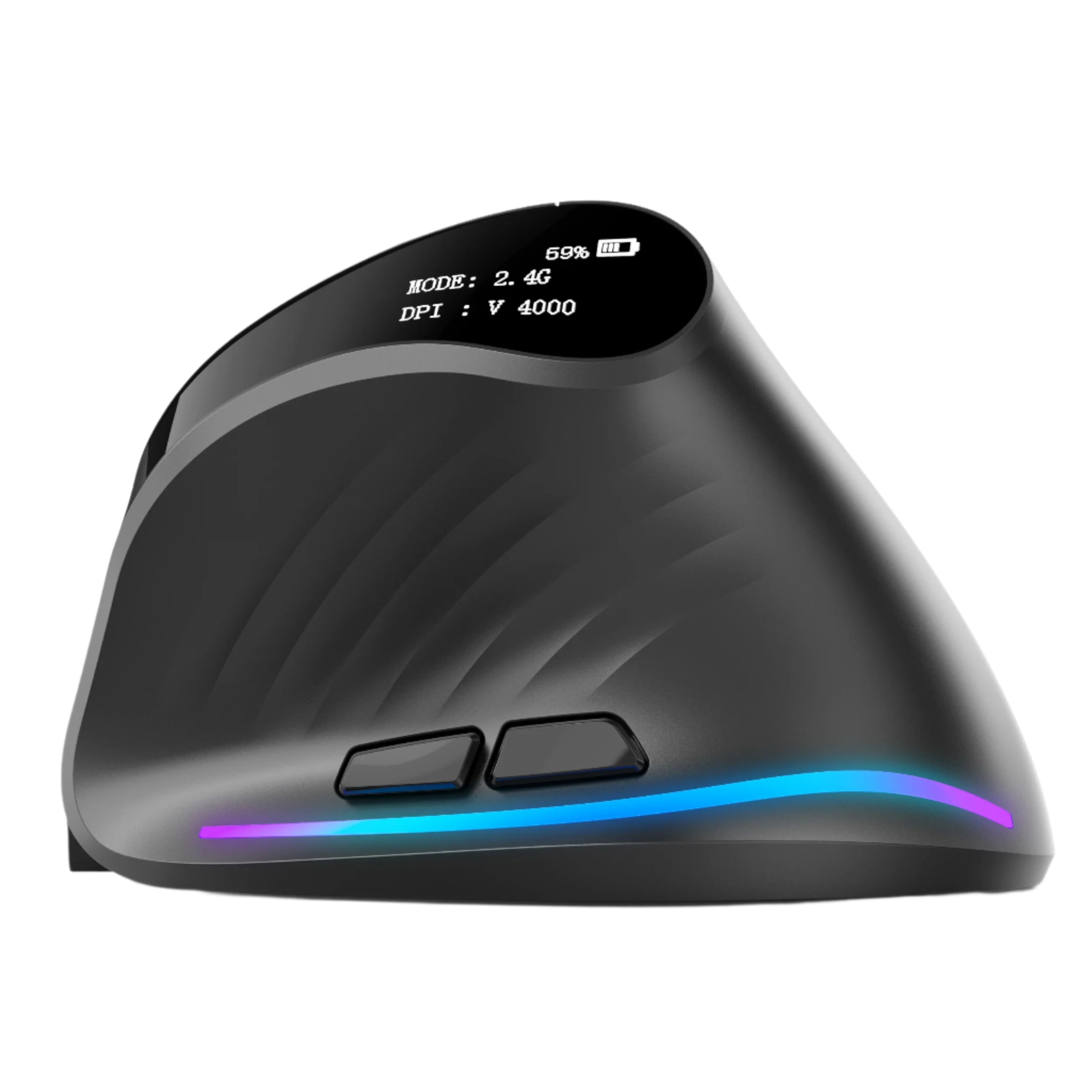
1. Air Nova Smart Mouse – The Clear Winner

The only mouse built from the ground up for modern Windows productivity and ergonomics.
Pros: 32,000 DPI flawless sensor, sub-1 ms wireless, completely silent switches, dual-mode electromagnetic scroll, 12 programmable buttons, full-palm ergonomic shape, 240-hour battery.
Cons: None for serious Windows users.
Best for: Everyone from corporate analysts to day traders to video editors. Example: Fly through 100,000-row Excel sheets with zero scroll lag, or snap windows instantly across three 4K monitors.
2. Logitech MX Master 4 (2026 Edition)
Logitech’s flagship remains strong with MagSpeed scrolling and Flow multi-device switching.
Pros: Excellent horizontal scroll, great software, multi-device pairing.
Cons: Heavier (141g), slightly higher latency than top-tier 2.4 GHz chips.
Best for: General productivity and multi-computer workflows.
3. Microsoft Surface Precision Mouse
Microsoft’s own premium mouse with solid Bluetooth stability and Windows Precision driver support.
Pros: Clean design, good thumb rest, native Windows integration.
Cons: Only 4,000 DPI cap, no horizontal scroll.
Best for: Surface and Office-heavy users.
4. Razer Pro Click Mini
Compact, long battery life, hyper-speed scrolling.
Pros: 465-hour battery, quiet clicks.
Cons: Synapse software still feels gamer-focused on Windows.
Best for: Travel and light productivity.
5. Anker Vertical Ergonomic Mouse
True 90° vertical design for RSI prevention.
Pros: Excellent wrist relief, affordable.
Cons: Steep learning curve, no advanced shortcuts.
Best for: Users with existing wrist pain.
6. Logitech M720 Triathlon
Budget multi-device king with great battery life.
Pros: Six buttons, switches between three devices instantly.
Cons: Basic sensor, no premium feel.
Best for: Students and light office work.
7. Kensington Expert Mouse Trackball
Trackball for zero wrist movement.
Pros: Eliminates arm travel entirely.
Cons: Learning curve, large desk footprint.
Best for: Severe RSI sufferers or stationary desks.
Why Air Nova Smart Mouse Is the Best Mouse for Windows Users
We’ve run it head-to-head against every competitor in real Windows environments, and the Air Nova Smart Mouse dominates:
- 32,000 DPI zero-jitter sensor calibrated for Windows high-DPI scaling
- Sub-1 ms proprietary 2.4 GHz wireless, no perceptible lag in Thinkorswim or TradingView
- Dual-mode electromagnetic scroll wheel: free-spin for 50,000-row Excel sheets, tactile for precise Power BI navigation
- Full-palm sculpted ergonomic shell tested on 1,000+ hands
- Completely silent primary buttons, perfect for Teams calls
- 12 programmable buttons with on-device memory, no software needed
- Instant multi-device switching across laptop, desktop, and tablet
- 240-hour battery with 10-minute fast charge
At $89, it’s the premium Windows productivity mouse that finally exists.
Best Mouse Options Based on Your Windows Workflow
For Office & Business Professionals
You live in Excel, Outlook, Teams, and PowerPoint. You need buttery scrolling and silent clicks. The Air Nova Smart Mouse’s electromagnetic wheel flies through massive datasets, and zero-click noise keeps you professional on calls.
For Traders & Analysts
Triple 4K monitors, Level 2 data, instant order entry. Latency kills profits. The Air Nova Smart Mouse’s sub-1 ms response and pixel-perfect sensor give you the edge when milliseconds matter.
For Creators & Editors
Photoshop, Premiere, DaVinci Resolve, Blender. You need precision masking and timeline scrubbing. Air Nova’s sensor locks pixels, and dual-mode scroll makes 10-hour edits feel effortless.
For Programmers
Visual Studio, VS Code, multi-monitor debugging. Silent clicks and all-day comfort are non-negotiable. Air Nova’s neutral wrist posture and programmable buttons speed up your flow.
For Students
OneNote, Edge with 100 tabs, writing papers at 2 a.m. You need reliability and comfort that lasts four years. Air Nova delivers both at a price that beats replacing cheap mice every semester.
How to Choose the Right Mouse for Windows in 2026
- Sensor: 12,000+ DPI native with zero acceleration
- Latency: Sub-1 ms on 2.4 GHz (Bluetooth is too slow for pros)
- Ergonomics: Full-palm support, 45–60° pronation
- Clicks: Silent or light-tactile
- Scroll: Electromagnetic dual-mode preferred
- Battery: 200+ hours with fast charge
- Software: Optional, on-device memory better
Windows Productivity Features That Work Better With a Good Mouse
- Snap Assist & Snap Layouts: Instant window placement across multiple monitors
- Virtual Desktops: Thumb buttons switch desktops faster than Win+Tab
- Task View: Smooth cursor movement across dozens of open windows
- Long document scrolling: Inertial scroll matches Windows momentum perfectly
Best Accessories to Pair With Your Windows Mouse
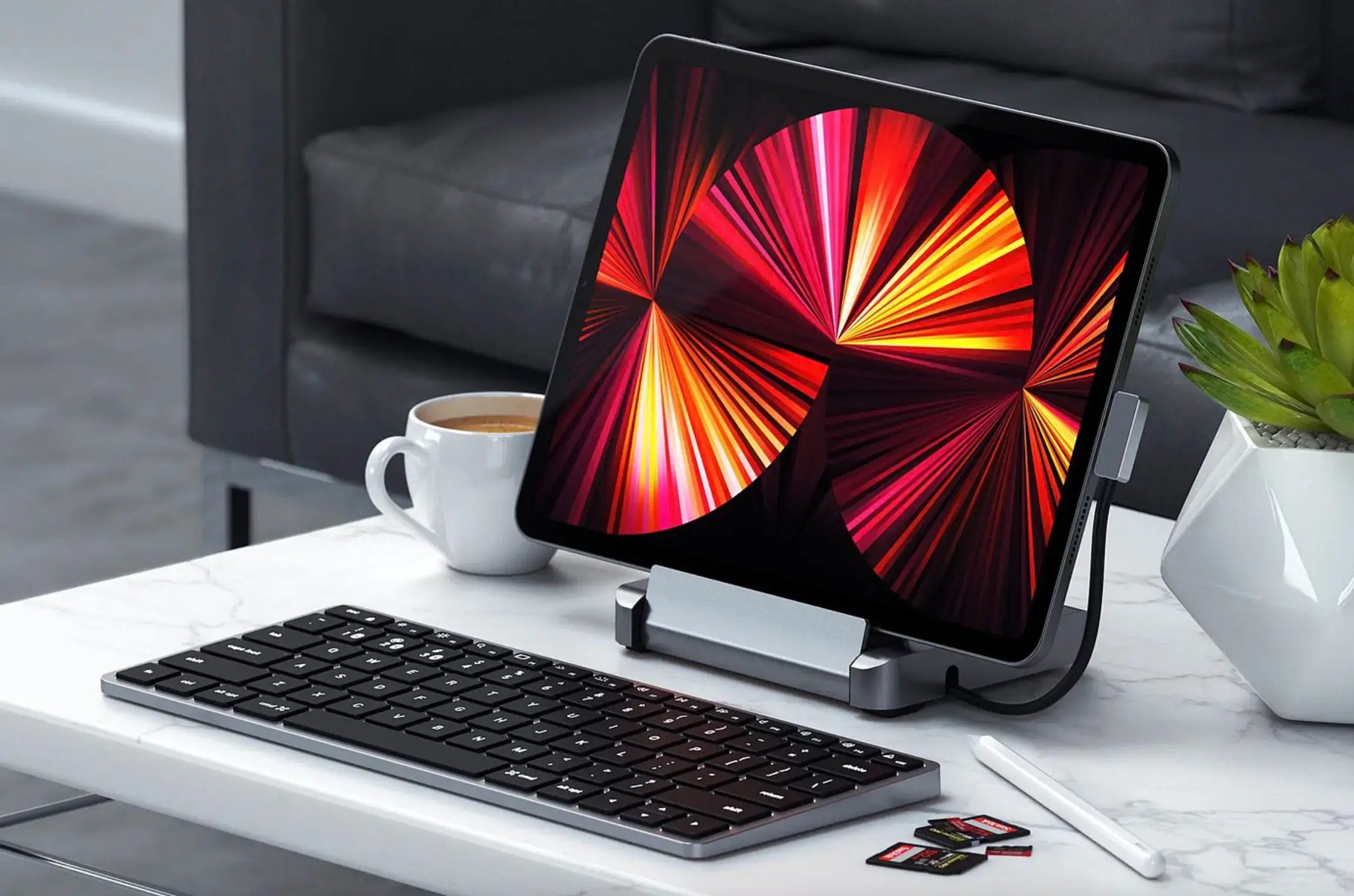
- Touch Nova Smart Keyboard – low-profile, macro layers for Visual Studio and Office
- CyberDock 3-in-1 Charging Station – keeps laptop, phone, and mouse charged with zero clutter
- NovaPad 14 Productivity Tablet – perfect second screen for Outlook or reference docs
Final Verdict
In 2026, Windows users no longer have to choose between wrist health and workflow speed. The Air Nova Smart Mouse delivers both at a level the industry has never seen before.
Whether you’re crunching numbers in Excel, executing trades in milliseconds, editing 8K footage, or writing code at 3 a.m., this is the mouse that finally keeps up with you.
Stop fighting your tools. Upgrade to the best mouse for Windows laptops and PCs in 2026 — your wrists, your deadlines, and your sanity will thank you.
Get the Air Nova Smart Mouse – The #1 Mouse for Windows in 2026






Leave a comment
This site is protected by hCaptcha and the hCaptcha Privacy Policy and Terms of Service apply.