
If you have searched for a Logitech left handed mouse, you are not alone. Logitech is one of the most recognized names in computer peripherals, and for good reason their build quality, software ecosystem, and product range are among the best in the industry. So when a left-handed user needs a mouse, Logitech is naturally one of the first brands they check.
The challenge is that Logitech's left-handed lineup is limited in ways that are not immediately obvious. They do offer some left-hand-friendly options — a few productivity mice with left-handed variants and several ambidextrous gaming models. But the gap between what Logitech provides for right-handed users and what they offer left-handed users is significant, particularly when it comes to ergonomic shaping, vertical designs, and dedicated left-handed gaming mice.
This guide breaks down exactly what Logitech offers for left-handed users, where those options fall short, and what to look for if you need a mouse that is truly built around your left hand. If Logitech covers your needs, great. If it does not, you will know exactly what alternatives exist and why they might be a better fit.
Does Logitech Make a True Logitech Left Handed Mouse?
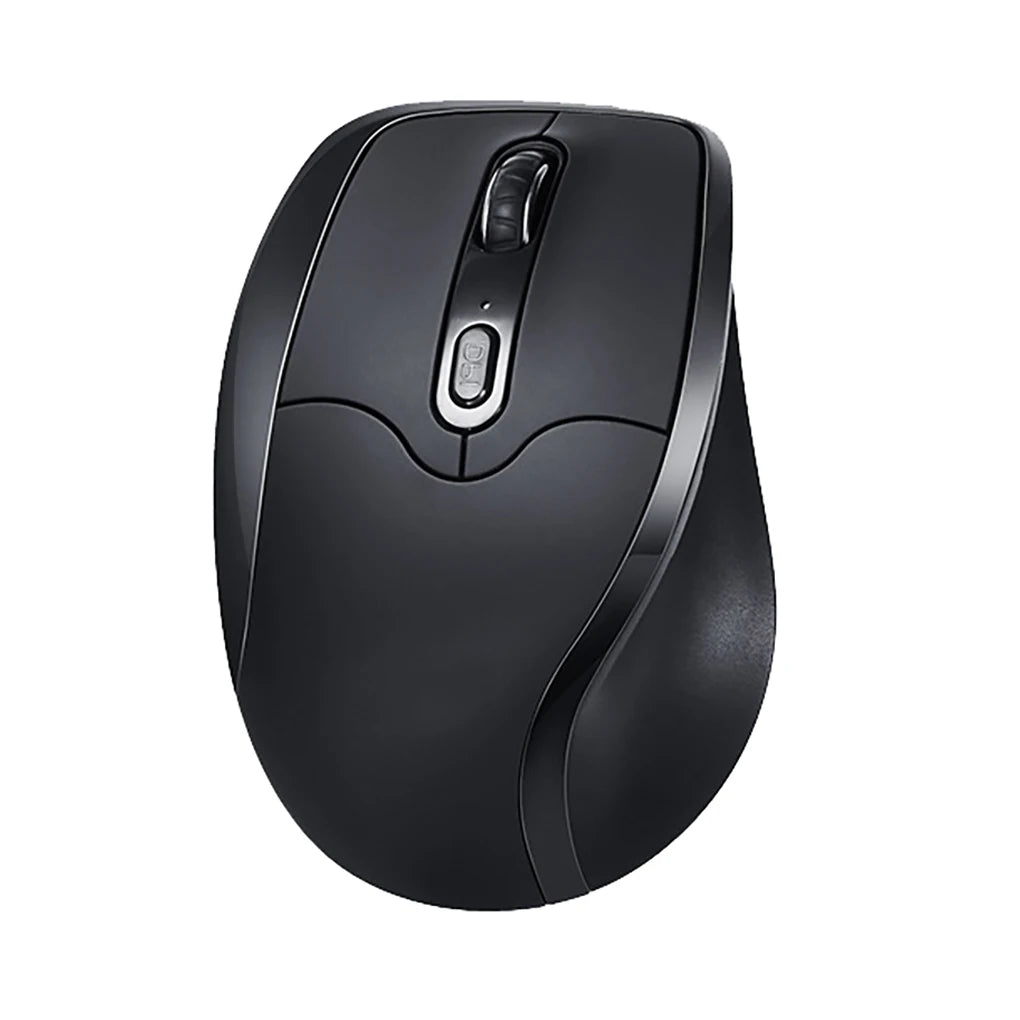
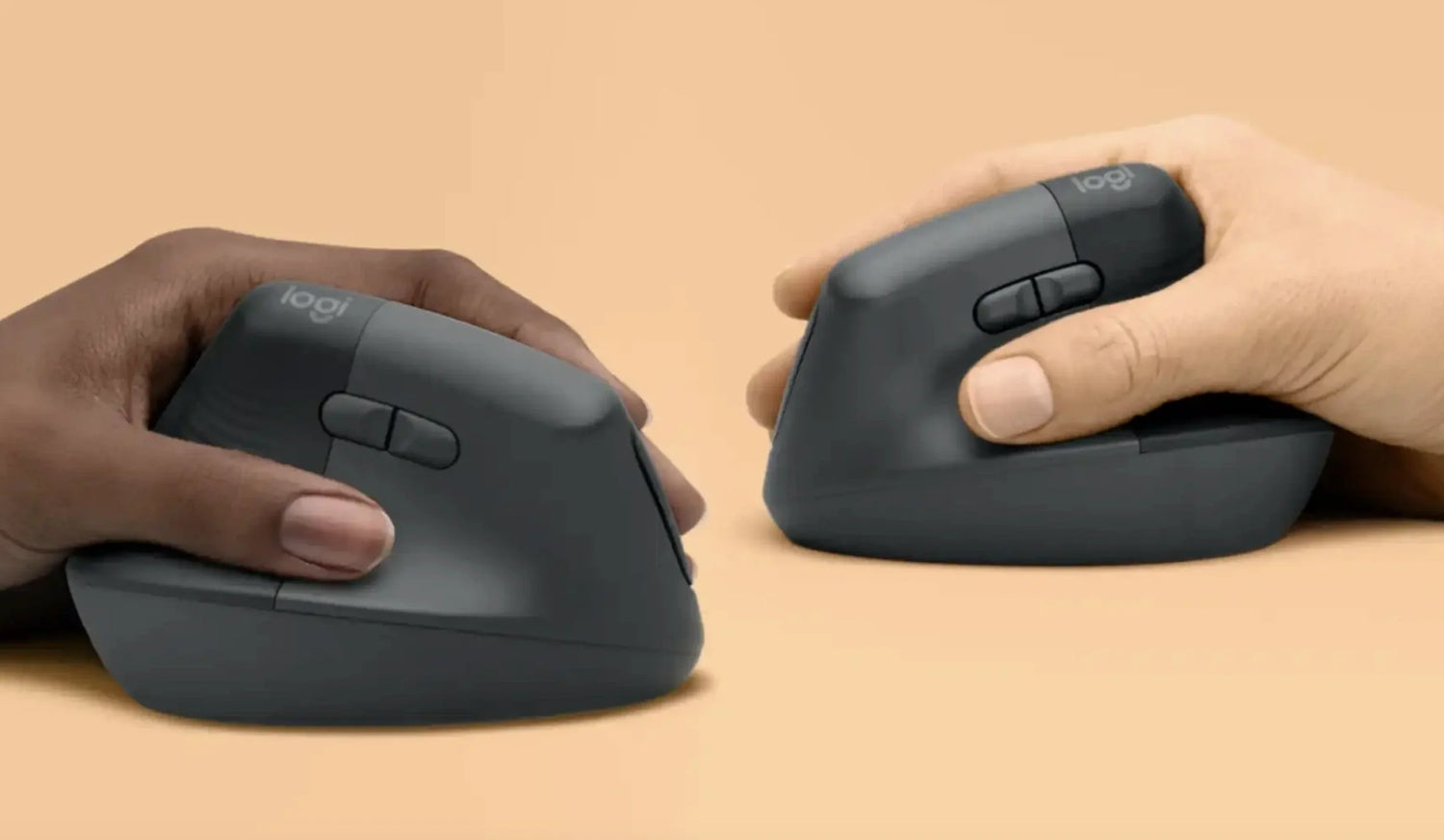
Logitech does produce a small number of mice that left-handed users can work with. The most notable is the Logitech Signature M650 L Left — a productivity mouse with a contoured body specifically shaped for left-handed grip, silent clicks, and wireless connectivity via Bluetooth or Logi Bolt receiver. For basic office work, it is a solid, well-built option. Logitech also offers the Lift Left, a vertical ergonomic mouse designed for left-handed users that tilts the hand into a more natural position during extended work sessions.
On the gaming side, the picture changes. Logitech does not currently produce a dedicated left-handed gaming mouse with an asymmetric ergonomic shape. What they offer instead are ambidextrous models — the G Pro Wireless and the G903 Lightspeed being the most commonly recommended. These are symmetrical mice that can be used with either hand, and the G Pro Wireless includes removable magnetic side buttons that can be placed on either side of the body.
The distinction matters. An ambidextrous mouse is not the same as a left-handed mouse. Ambidextrous means symmetrical — the shape does not favor either hand. It lacks the contoured grip, angled thumb support, and weight distribution that a purpose-built left-handed mouse provides. For short sessions or casual use, the difference may not be noticeable. For extended gaming, productivity work, or any scenario where comfort and control compound over hours, the gap between ambidextrous and truly left-handed is real and measurable in how your hand feels at the end of the day.
Where Logitech Options Fall Short for Left-Handed Users

Logitech is a mass-market brand with an enormous product catalog. Their focus is understandably — on the right-handed majority. This means that while they offer some left-handed and ambidextrous options, the depth and variety available to left-handed users is a fraction of what right-handed users can choose from.
The most notable gap is in dedicated left-handed ergonomic mice with vertical designs built for gaming and hybrid use. The Logitech Lift Left is a vertical mouse, but it is designed primarily for productivity at lower DPI ranges. It is not built for gaming speed, rapid cursor tracking, or the kind of side-button-intensive gameplay that FPS, MMO, and MOBA players rely on. Left-handed gamers looking for a Logitech vertical option that handles both work and competitive play will not find one.
The ambidextrous gaming mice — while well-engineered — share the fundamental limitation of all symmetrical designs: they cannot provide the contoured ergonomic support that a hand-specific shape delivers. The G Pro Wireless is an excellent mouse by any measure, but its flat, symmetrical profile means it does not cradle a left hand any differently than a right one. For players who prioritize ergonomic fit during long sessions, that is a meaningful compromise.
There is also the matter of ecosystem depth. A right-handed Logitech user can choose from dozens of ergonomic, vertical, gaming, travel, and productivity mice in various sizes, shapes, and feature sets. A left-handed Logitech user has a handful of options and must make trade-offs that right-handed users never face. That is not a criticism of Logitech's quality — it is a reality of their product allocation.
What Left-Handed Users Should Actually Look For
True Left-Hand Ergonomic Shaping
The body of the mouse should be contoured specifically for a left hand — with a thumb rest on the right side, a finger flare on the left, and a grip curve that follows the natural arc of a left palm. This is different from symmetrical or ambidextrous shaping, which eliminates hand-specific support in favor of universal compatibility.
Proper Thumb Button Placement
Side buttons must be positioned where the left thumb naturally rests. Most gaming and productivity mice place side buttons on the left side of the body for right-thumb access. A true left-handed mouse places them on the right side, directly under the left thumb, so every shortcut, macro, or navigation command is accessible without shifting your grip.
Vertical Ergonomic Options
Vertical mice reduce wrist pronation by tilting the hand into a more neutral position. For left-handed users, the tilt direction must be correct — a right-handed vertical mouse angled the wrong way is worse than a flat mouse. A left-handed vertical design orients the tilt specifically for a left wrist, which is essential for the comfort benefit to actually work.
Wireless Reliability
Modern 2.4GHz wireless connections offer performance that matches wired mice for all practical use cases. Wireless eliminates cable drag, cleans up your desk, and gives you more freedom of movement during both work and gaming. Bluetooth adds versatility for multi-device setups. A good left-handed mouse should offer one or both wireless options with stable, low-latency connectivity.
Long-Session Comfort
Weight, balance, surface texture, and shape all contribute to how a mouse feels after several hours of continuous use. A left-handed mouse that is comfortable for the first hour but causes fatigue by the third is not ergonomic enough for modern work and gaming sessions, which routinely run four to eight hours or longer.
Best Alternatives to Logitech Left Handed Mouse Options
Best Ergonomic Alternative for Office and Productivity
For left-handed users who need an ergonomic wireless mouse for daily productivity work — documents, spreadsheets, email, browsing — the priority is a comfortable grip shape, reliable wireless connectivity, and accessible side buttons for navigation shortcuts. The Logitech M650 L Left covers this reasonably well, but users who want a vertical ergonomic design with left-hand-specific contouring and side button placement have options from brands that specialize exclusively in left-handed mice.
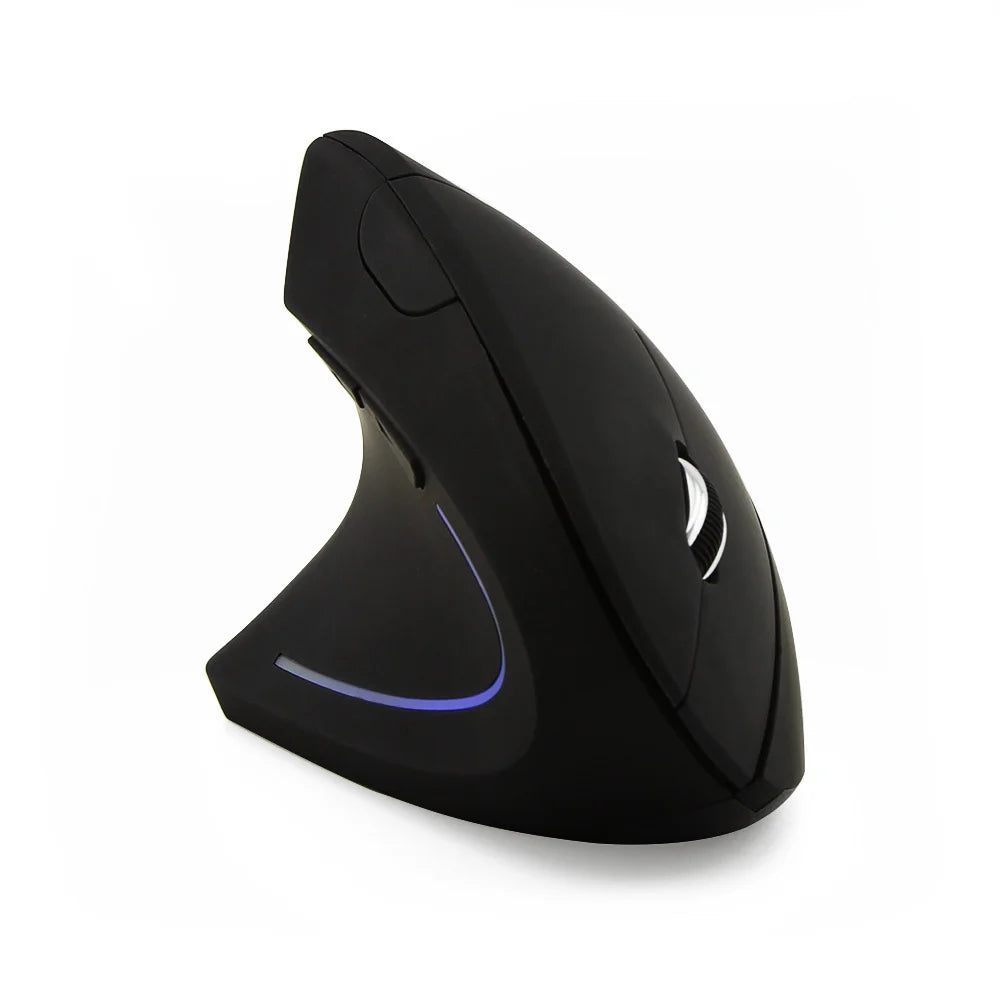
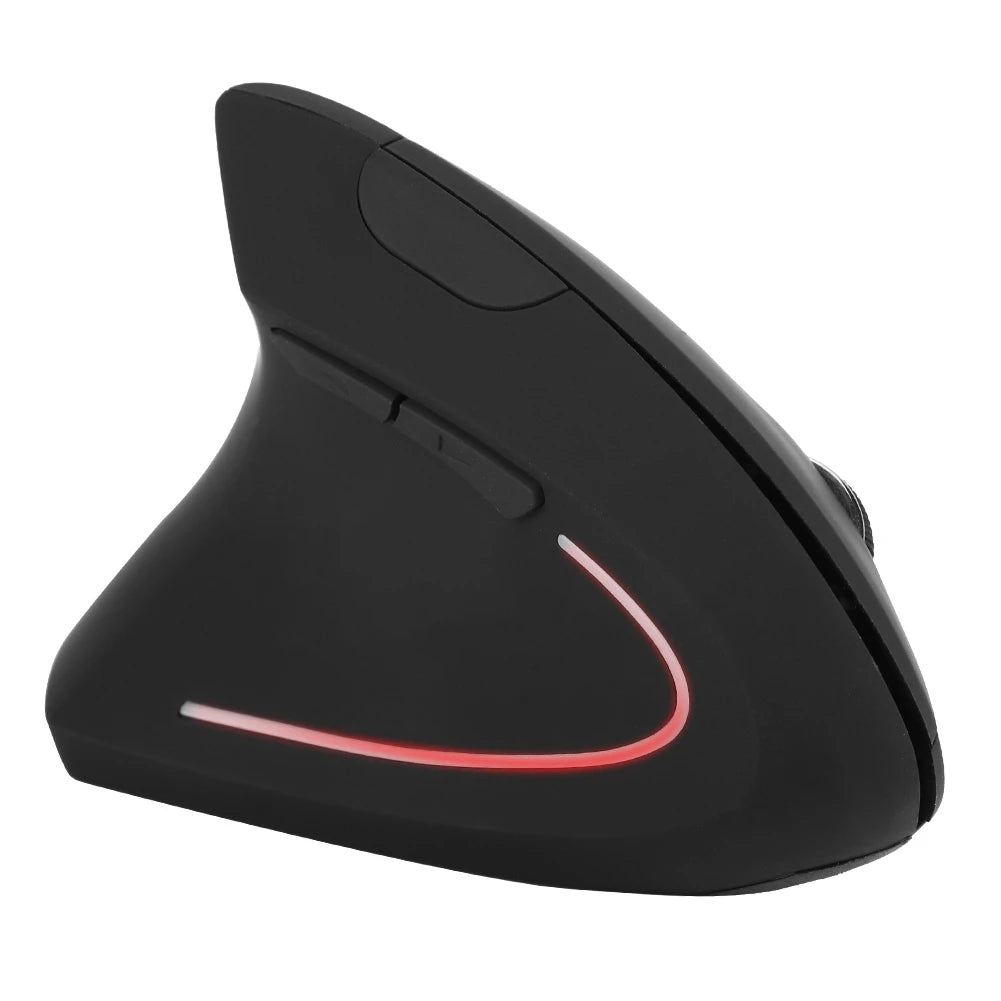
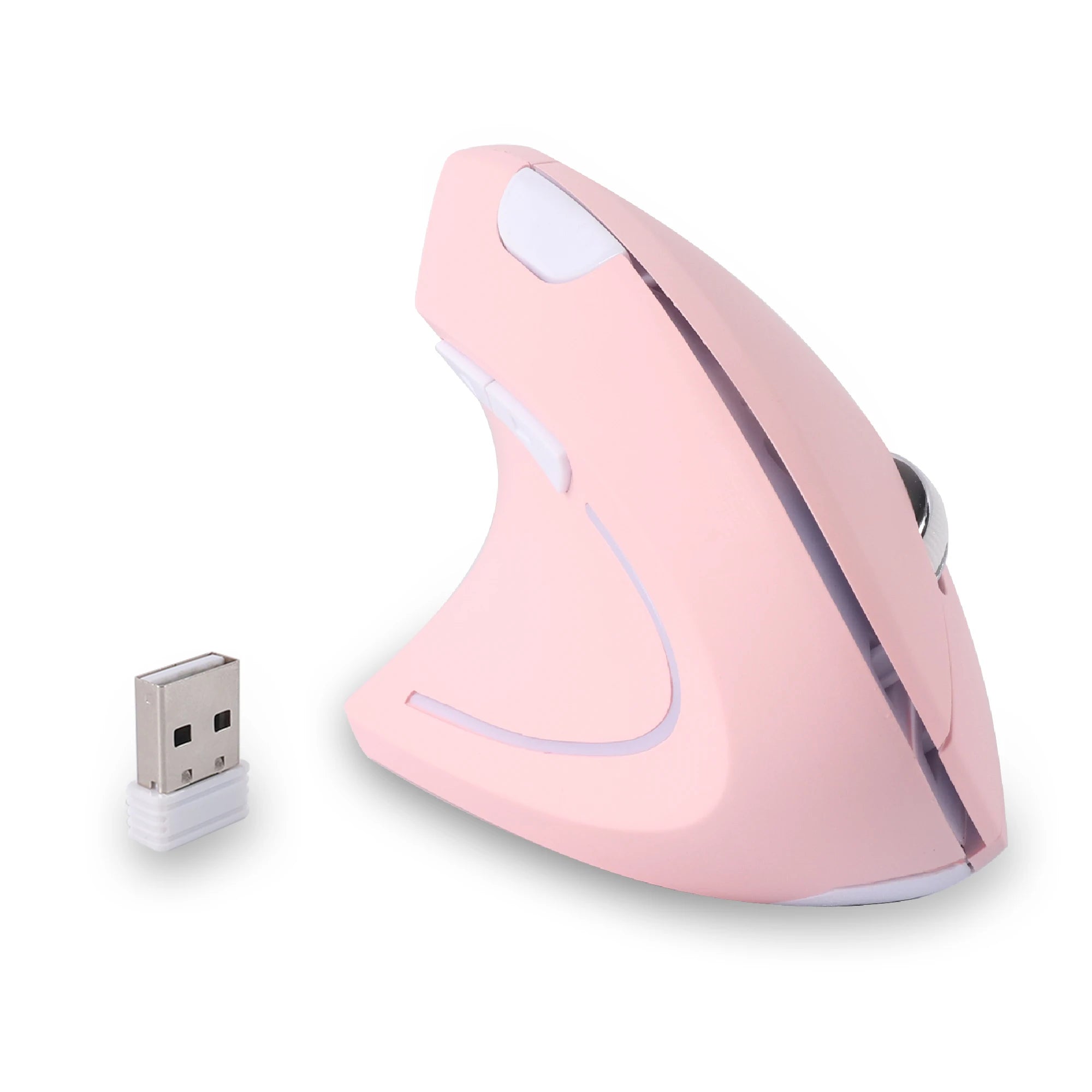
The Left Hand Ergonomic Wireless Vertical Mouse for Left-Handed Users is built around this exact use case — wireless, vertical, with a grip shape and thumb button layout designed entirely for left-hand productivity. For users who spend full workdays at their desk, a purpose-built vertical left-handed mouse provides a level of ergonomic support that symmetrical or lightly adapted designs cannot match.
Best Left-Handed Alternative for Gaming
This is where the gap in Logitech's lineup is most pronounced. Left-handed gamers who want an ergonomic, left-hand-specific gaming mouse — not an ambidextrous compromise — need to look beyond the mass-market brands. The ideal left-handed gaming mouse has a contoured body, thumb-side buttons accessible to the left hand, responsive wireless connectivity, and a shape that supports consistent grip during fast, intense gameplay.
The Left Hand Ergonomic Vertical Mouse – Wireless 2.4G with Side Buttons fills this role for players who want wireless freedom and left-hand ergonomics in a single package. The side buttons are positioned for actual left-thumb use, and the ergonomic body supports extended gaming sessions without the grip fatigue that ambidextrous mice introduce over time.
Best Vertical Alternative for Long Sessions
For hybrid users who game in the evening and work during the day — or for anyone whose sessions regularly exceed three or four hours — a vertical left-handed mouse is the strongest long-session option. The vertical orientation keeps the wrist in a neutral handshake position, reducing the rotational tension that flat mice create over time. Logitech's Lift Left addresses this for productivity, but left-handed users who want a vertical mouse that bridges work and gaming at higher DPI ranges will find more specialized options from brands built around ergonomic mice for left-handed users.
Logitech Left Handed Mouse vs Specialized Left-Handed Brands
The comparison between Logitech and specialist left-handed brands is not about quality. Logitech makes excellent hardware. The comparison is about focus and depth.
Logitech serves a massive global market. Their product development, testing, and design resources are spread across hundreds of mice targeting right-handed productivity users, gamers, travelers, and enterprise buyers. Left-handed models represent a small fraction of their catalog, and those models are often adaptations of right-handed designs rather than ground-up left-handed creations.
Specialist brands that focus exclusively on left-handed mice operate differently. Every product in their lineup is designed from scratch for left-handed use. The grip shape, button placement, weight distribution, and ergonomic angles are not adapted from a right-handed template — they are the primary design intent. This means that while the overall catalog may be smaller, the relevance and ergonomic quality of each product for left-handed users is typically higher.
For a left-handed user with basic needs — a simple wireless office mouse — Logitech's M650 L Left is a fine choice. For users who want deeper ergonomic support, vertical designs, gaming-ready left-handed mice, or models that bridge work and play, a left handed ergonomic mouse from a specialist brand is likely to be a better match. The decision comes down to whether you need a good-enough option from a broad brand or a purpose-built solution from a focused one.
FAQ – Logitech Left Handed Mouse
Does Logitech make a dedicated left handed mouse?
Yes, but in limited form. Logitech offers the Signature M650 L Left (a contoured wireless productivity mouse) and the Lift Left (a vertical ergonomic mouse). Both are designed for left-handed use. On the gaming side, Logitech offers ambidextrous mice like the G Pro Wireless and G903 Lightspeed, which are symmetrical and usable with either hand but are not ergonomically shaped for left-hand-specific grip.
Are Logitech ambidextrous mice good for left-handed users?
They are functional but not optimal. Ambidextrous mice are symmetrical, meaning they do not provide the contoured support that a purpose-built left-handed mouse offers. Models like the G Pro Wireless include swappable side buttons, which helps with button access. However, the flat, neutral body shape does not support the left hand any differently than the right, which becomes noticeable during long sessions where grip comfort matters most.
Is there a Logitech vertical mouse for left-handed users?
Yes. The Logitech Lift Left is a vertical ergonomic mouse designed for left-handed use. It is primarily a productivity mouse with a comfortable tilt angle and quiet click. It is not designed for gaming — the sensor and button layout are oriented toward office work rather than fast-paced gameplay or high-DPI tracking.
What is the best alternative to Logitech for left-handed people?
Specialist brands that focus exclusively on left-handed mice tend to offer the deepest ergonomic quality and variety for left-handed users. These brands design every product specifically for left-hand use, including vertical models, gaming-ready options, and wireless designs with properly positioned thumb buttons. If Logitech's limited left-handed lineup does not meet your needs, a specialist left-handed brand is the logical next step.
Why are left-handed mice harder to find?
Left-handed people make up roughly ten percent of the population. Most peripheral manufacturers prioritize the ninety percent — right-handed users — because the market size is significantly larger. This means left-handed mice receive less shelf space, fewer design iterations, and less marketing visibility. Specialist brands have emerged to fill this gap, but the overall market remains smaller than the right-handed equivalent.
Can I just swap the buttons on a regular Logitech mouse?
You can swap primary and secondary click assignments in your operating system settings, and Logitech's Options+ software allows further button customization. However, this only changes the click behavior — it does not change the physical shape of the mouse. The grip contour, thumb rest, side button position, and weight distribution remain designed for a right hand. Software remapping solves one problem while leaving the ergonomic mismatch intact.
Conclusion – Is Logitech the Best Choice for Left-Handed Users?
Logitech is a strong brand with a well-earned reputation for quality. For left-handed users with basic productivity needs, the M650 L Left and the Lift Left are solid, well-built options that handle everyday office work well. These are among the best mass-market left-handed mice available, and Logitech's software ecosystem adds a layer of customization that many competitors lack.
Where Logitech falls short is in the depth and variety of its left-handed offerings — particularly for gaming, hybrid work-and-play setups, and users who want the full ergonomic benefit of a left-hand-specific vertical mouse at higher performance levels. The ambidextrous gaming models are excellent mice, but they are compromises by design — built for universal compatibility rather than left-handed optimization.
If your needs are straightforward and Logitech covers them, there is no reason to look elsewhere. If your needs go deeper — more ergonomic shaping, better thumb button access, vertical designs that bridge work and gaming — the best options come from brands that specialize exclusively in left-handed mice. The right choice depends on what you need from your mouse and how many hours a day your hand spends on it.
Looking for What Logitech Doesn't Offer?
Mice designed exclusively for left-handed users — every shape, every button, every angle.
- → Ergonomic vertical & traditional left-hand designs
- → Thumb-side buttons built for left-hand access
- → Wireless 2.4GHz — no cable drag, no compromise
- → Built by a brand that only makes left-handed mice
Explore Smart Mouse Co











Leave a comment
This site is protected by hCaptcha and the hCaptcha Privacy Policy and Terms of Service apply.