





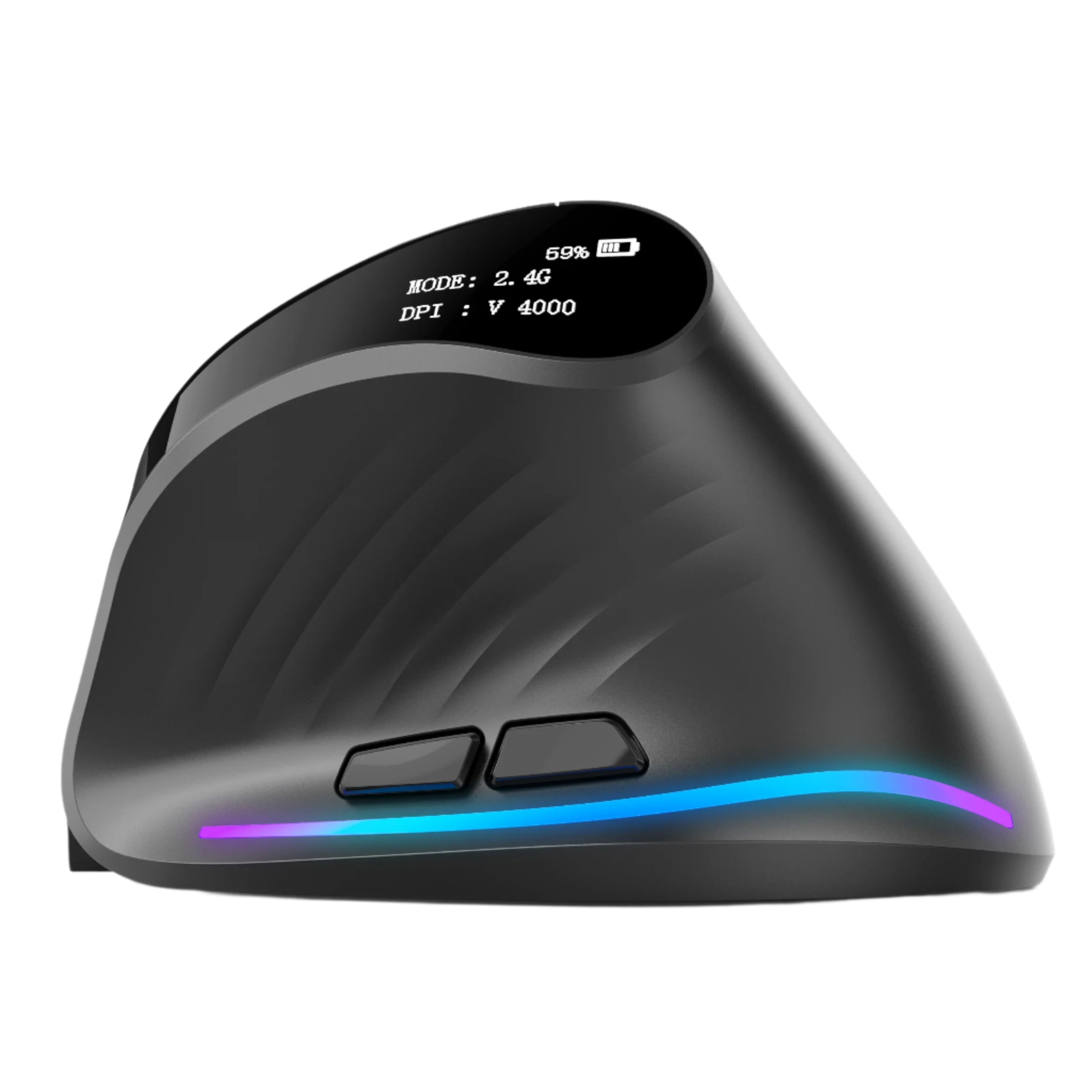

You spent $800–$2,000 on a laptop for school. You spent $150–$350 on textbooks (or subscriptions) this semester. You spend $5 a day on campus coffee. And you're navigating all of your coursework every essay, every spreadsheet, every research paper, every presentation, every group project, every 47-tab Chrome session with a trackpad and your index finger.
Your laptop is your most important academic tool. Your pointing device is your most important laptop accessory. And you don't have one.
A wireless mouse costs less than two weeks of campus coffee. It makes essay editing faster. Spreadsheet navigation manageable. Presentation building precise. Research browsing efficient. Group project collaboration smoother. And the hand that's been hovering over a 4-inch trackpad for 6 hours in the library? It finally gets a tool shaped for the way humans actually grip things — not a flat glass rectangle Apple designed for 30-minute browsing sessions.
At Smart Mouse Co, mice are our entire business. This guide covers the 10 best mice for students — ranked by the way college and university life actually works: tight budgets, small desks, constant location changes, long sessions, and zero tolerance for one more thing that's complicated. Every mouse connects via Bluetooth. Every mouse ships free. Prices start at $34.95.
Quick Picks: Best Mouse for Students by Priority
| Mouse | Best For | Price | Highlight |
|---|---|---|---|
| ErgoX | Cheapest reliable wireless mouse | $34.95 | ⭐ Best Budget |
| PenX | Ultra-portable pen mouse | $37.95 | ⭐ Most Portable |
| ErgoGlide | Ergonomic comfort under $50 | $49.95 | ⭐ Best Mid-Range |
| Lumos | Silent clicks for libraries + dorms | $59 | ⭐ Best Silent |
| Verta | Vertical comfort for long study sessions | $59 | ⭐ Best Ergonomic |
| Orbit | Trackball for tiny dorm desks | $59 | ⭐ Best for Small Desks |
| Seeker | Campus travel companion | $89 | ⭐ Best Travel |
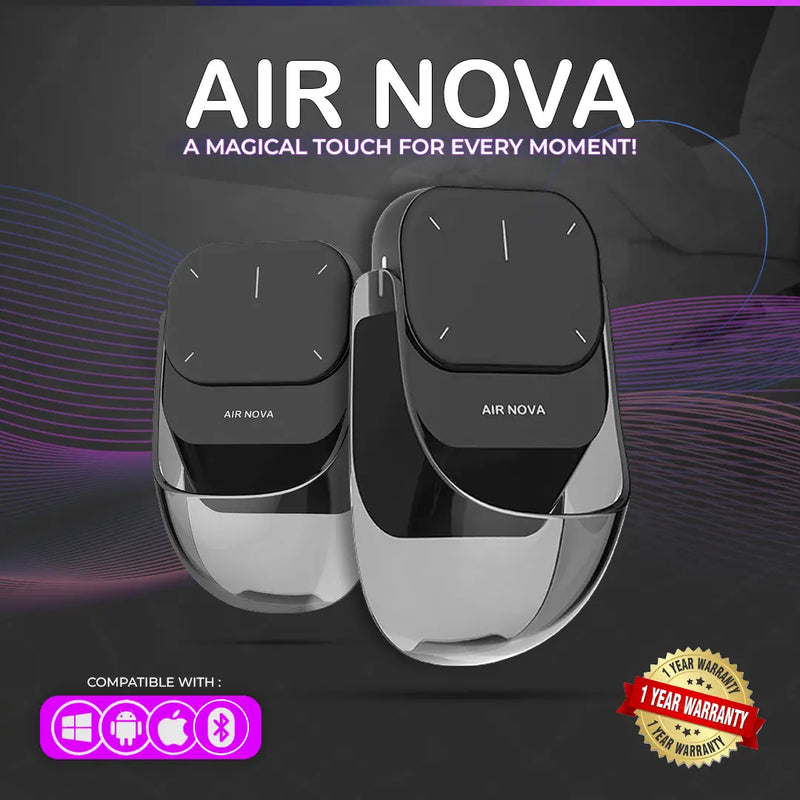
| Air Nova | Mouse + presentation clicker for seminars |
|
⭐ Best for Presenters |
| Touch Flow | Trackpad upgrade for Mac students |
|
⭐ Best Trackpad |
| Elevate Pro | Adjustable vertical for grad students + thesis work |
|
⭐ Best Premium |
Browse all 17 Smart Mouse Co mice →
Why Every Student Needs a Mouse (Not Just a Trackpad)
Students use their laptops more intensely than almost any other demographic. 4–8 hours of coursework daily. Research sessions that stretch past midnight. Back-to-back essay editing, citation management, and source juggling across dozens of open tabs. Group project coordination in Google Docs, Notion, and Slack. Presentation building in PowerPoint and Canva. And all of it done on a trackpad designed for casual browsing, not sustained academic work.
Trackpads slow you down. Selecting a specific citation in a 20-page paper. Navigating between 30 open research tabs. Dragging a chart from Excel into a PowerPoint slide. Right-clicking for paste options. Scrolling through a 200-page PDF. Every one of these tasks is faster and more precise with a mouse than with a finger on glass.
Trackpads hurt over time. Your hand hovers in a flat, extended position over the trackpad with zero support. During a 5-hour library session, that position creates tension in your wrist, fingers, and forearm that you attribute to "tiredness" rather than your input device. A mouse — especially an ergonomic one — supports your hand instead of straining it.
Students move between locations constantly. Dorm room. Library. Lecture hall. Café. Study group meeting room. Student union. Each location has a different desk size, surface, and space constraint. A Bluetooth wireless mouse that connects to your laptop in seconds and works on any surface handles every campus location. A trackpad handles none of them optimally.
The cost is trivial relative to what you've already spent. A $34.95 mouse is 1.7% of a $2,000 laptop investment. It's 7 campus coffees. It's half a textbook. And it improves every single interaction with the most important tool in your academic life for the next 2–4 years.
The Student Mouse Checklist — What Actually Matters
Bluetooth wireless — non-negotiable. Campus life means constant packing and unpacking. A wired mouse adds cable clutter and tangles in your backpack. A USB-A dongle requires a port your laptop may not have (MacBooks are USB-C only) and is small enough to lose between your dorm couch cushions. Bluetooth pairs directly. No cable. No dongle. No port consumed.
Budget-friendly. Student budgets are real. The mice in this guide range from $34.95 to $89, with half the options under $60. Every price point delivers a meaningful upgrade from a trackpad.
Portable. Your mouse goes in your backpack 3–5 times a day. It needs to survive being tossed in with textbooks, water bottles, and chargers. Compact, durable, lightweight.
Silent option available. Libraries have quiet zones. Dorm rooms have sleeping roommates. Lecture halls have professors who hear everything. A silent-click mouse is a consideration most people ignore until they get shushed.
Multi-surface tracking. Polished library tables. Rough dorm desks. Wooden café surfaces. Lecture hall fold-down trays. Your mouse needs to track accurately on all of them without a dedicated mousepad.
Battery life that outlasts midterms. A mouse that dies during finals week when you're 12 hours into a study marathon is a disaster. Look for weeks or months of battery life on a single charge.
Why Smart Mouse Co? Mice Are Our Only Business
Amazon has 47,000 mouse listings. Walmart's aisle has whatever Logitech and Microsoft shipped this quarter. Neither helps you find the right mouse for student life — they help you buy the cheapest thing available and hope for the best.
Smart Mouse Co is different. Mice are the entire brand. Every product is curated for wireless connectivity, ergonomic quality, and the workflows that real people do — including the 4–8 hour research-and-writing marathons that define student life. When you buy from a specialist, every option was selected by someone who understands what a mouse needs to do, not by an algorithm optimizing for margin.
Free worldwide shipping. Every mouse is wireless. Every mouse works with Mac, Windows, iPad, and Chromebook — the full range of student devices. $34.95 to $89.
The 10 Best Mice for Students, Ranked Budget-First
Best Budget Mouse for Students

ErgoX — $34.95
⭐ BEST BUDGET — THE MOUSE EVERY STUDENT SHOULD START WITH
Best for: Every student. Period. The cheapest wireless mouse in this guide that delivers genuine ergonomic shaping, a scroll wheel, side buttons, and reliable tracking.
Let's do the math. $34.95 is:
- 7 campus coffees
- Half a textbook rental
- Two meals at the dining hall
- Less than one month of a streaming subscription
- 1.7% of a $2,000 laptop
For that, you get a wireless mouse with ergonomic contouring, a scroll wheel for navigating 200-page PDFs and 50-tab Chrome sessions, side buttons for browser back/forward, and Bluetooth connectivity that pairs with any laptop in 30 seconds. The ErgoX isn't the fanciest mouse in this guide. It's the one that proves you don't need to spend $80 to transform your laptop from a trackpad-only device into a proper workstation.
If you buy one thing for your laptop setup this semester — before a monitor, before a keyboard, before a desk lamp — buy a mouse. And if budget is the primary constraint, buy this one.
Most Portable Mouse for Students
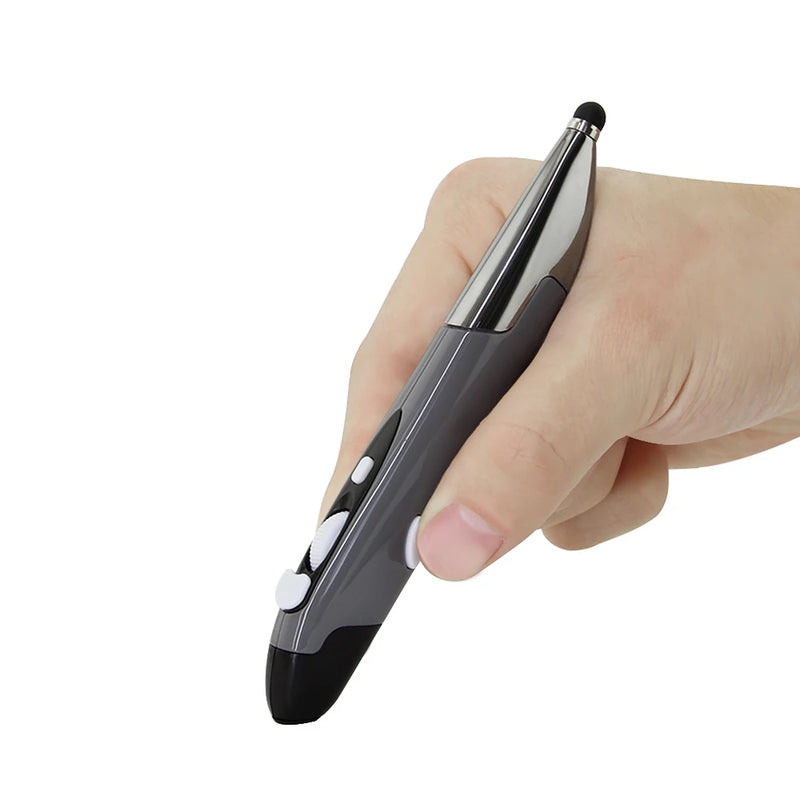
PenX — $37.95
⭐ MOST PORTABLE
Best for: Students who carry the absolute minimum — laptop, charger, pen, and nothing else. The mouse that fits in a pencil case.
The PenX is shaped like a pen and functions as a wireless mouse. It weighs almost nothing. It fits in the pen loop of your backpack, in your pencil case, or in a jeans pocket. For students who've resisted buying a mouse because "it's one more thing to carry," the PenX eliminates that objection entirely. It adds zero perceptible bulk to your daily carry.
At $37.95, it's $3 more than the ErgoX and trades ergonomic body support for extreme portability. Available in Gray, Blue, and Red. For the student who packs light, moves fast between lecture hall and library, and wants cursor precision without a traditional mouse shape taking up bag space — the PenX is the form factor nobody else offers.
Best Mid-Range Mouse for Students
ErgoGlide — $49.95
⭐ BEST MID-RANGE
Best for: Students who can spend $15 more than the ErgoX and want noticeably better ergonomic comfort — the sweet spot between budget and premium.
The ErgoGlide delivers what the ErgoX hints at: genuine ergonomic contouring that supports your palm, positions your fingers naturally, and keeps your hand comfortable through a full study session. The scroll is smoother. The grip is more refined. The build handles daily backpack life without degrading.
At $49.95, it's the Goldilocks option for students. Not as bare-bones as the $34.95 tier. Not as premium as the $89 tier. Just a well-built, well-shaped wireless mouse that costs less than a single textbook and improves every interaction with your laptop for the next 2–4 years of school.
Best Silent Mouse for Students
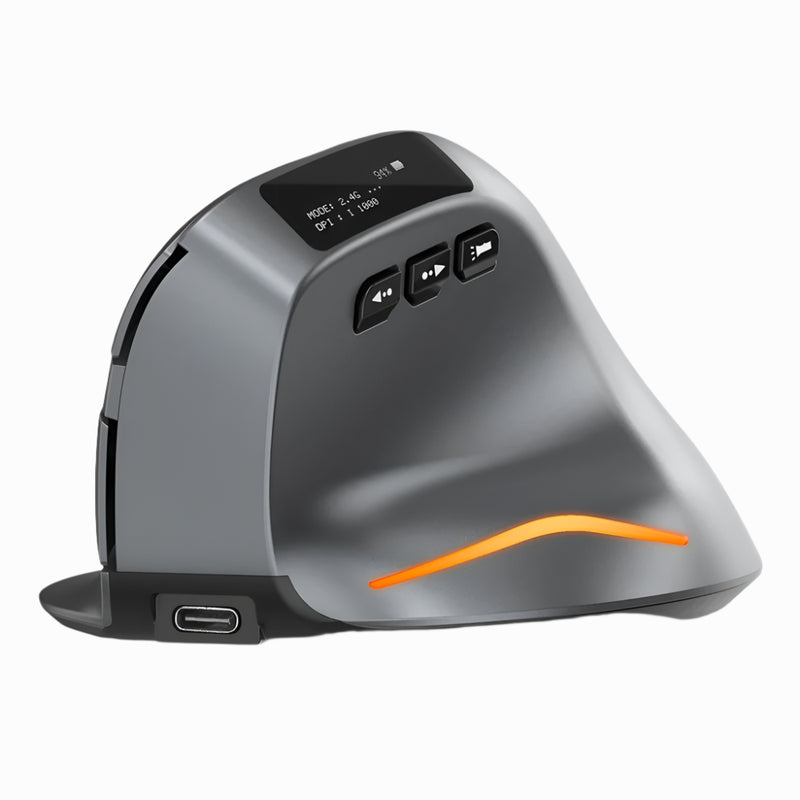
Lumos — $59
⭐ BEST SILENT — THE LIBRARY AND ROOMMATE SAVIOR
Best for: Students who study in library quiet zones, share a dorm room with a light sleeper, or work during lectures where click noise is noticeable.
Three scenarios every student encounters:
- Library quiet floor, 11pm. You're deep into research. Your mouse clicks echo off the silent walls. The student across the table gives you a look. Standard mice are audibly loud in quiet spaces.
- Dorm room, 1am. Your roommate is asleep. Your paper is due at 8am. Every click of your mouse sounds like a gunshot in the silence. You switch to the trackpad and your productivity drops by half.
- Lecture hall. You're taking notes on your laptop while the professor talks. Your mouse clicking is audible to the three rows around you.
The Lumos features silent click switches — every press is soft, tactile, and virtually noiseless. It solves all three scenarios. At $59, it's the mouse that lets you work at full speed in every campus environment without disturbing anyone around you. For students, silent clicks aren't a luxury — they're a survival feature.
Best Ergonomic Mouse for Students
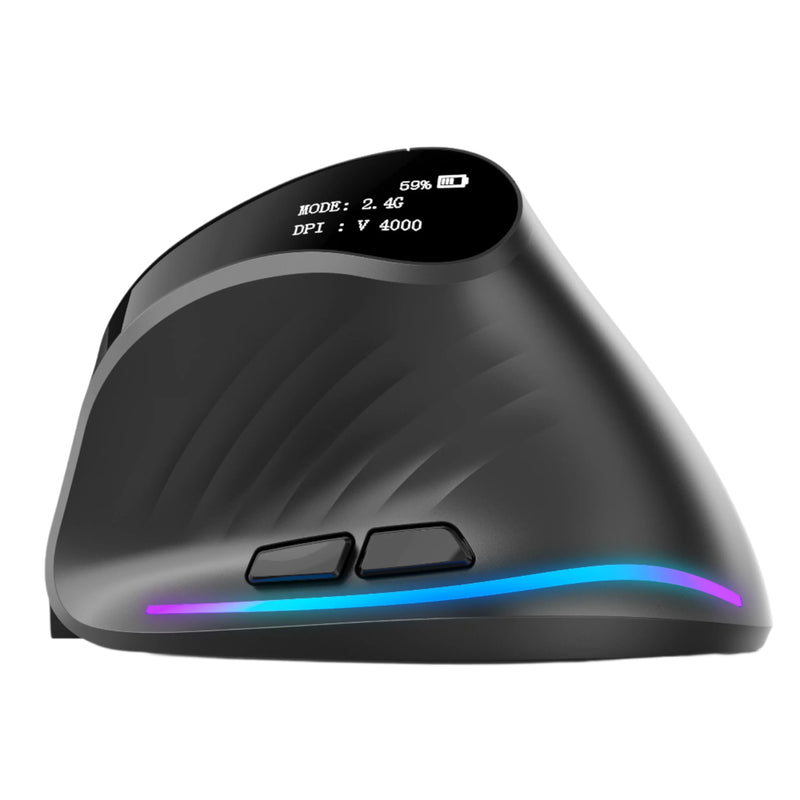
Verta — $59
⭐ BEST ERGONOMIC
Best for: Students who study 4–6+ hours daily and want a vertical mouse that keeps their wrist comfortable through long research and writing sessions.
Vertical mice tilt your hand into a handshake position that reduces the forearm tension flat mice create during sustained use. For students who spend entire afternoons and evenings at the library — 4, 5, 6 hours of continuous laptop work — that tension compounds. The Verta addresses it at $59, delivering the core vertical ergonomic benefit at a student-accessible price.
It's $30 less than the Elevate Pro and lacks the adjustable tilt knob, but the fixed angle works well for most hand sizes. For students who are starting to notice their wrist aching after long study sessions and want a solution that doesn't cost $89, the Verta is the answer.
Best Mouse for Small Dorm Desks
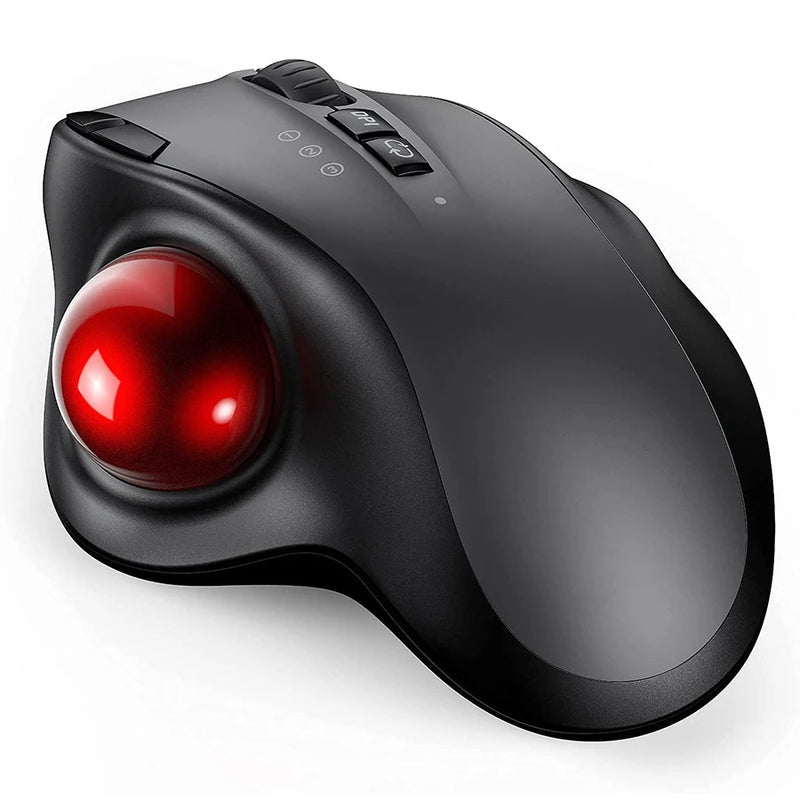
Orbit — $59
⭐ BEST FOR SMALL DESKS
Best for: Students whose dorm desk is occupied by a laptop, textbooks, notebooks, snacks, and a water bottle — leaving zero room to move a mouse.
The average dorm desk is 24 by 48 inches. Subtract the laptop, a textbook, a notebook, and the miscellaneous clutter of student life, and your available mouse space is roughly the size of a smartphone. The Orbit is a trackball — your thumb rolls the ball, the cursor moves, and the mouse body stays completely fixed. Full cursor control in the footprint of a coaster.
Beyond dorm desks, the Orbit handles lecture hall fold-down trays (notoriously small), crowded café tables, and any surface where your laptop takes up all the room. At $59, it's the mouse that works in the spaces where normal mice can't. Bluetooth, works with any device.
Best Campus Travel Mouse
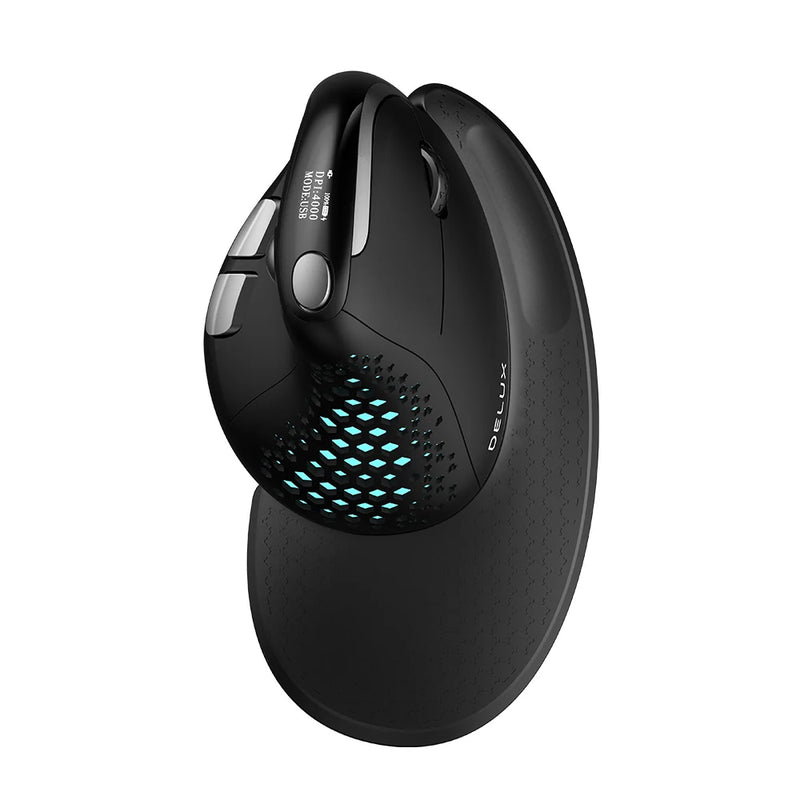
Seeker — $89
⭐ BEST TRAVEL MOUSE
Best for: Students who change locations 3–5 times daily — dorm to lecture to library to café to study group — and need a mouse that packs and unpacks effortlessly.
Campus life is mobile. You're not sitting at one desk all day. You work from 3–5 different locations between 8am and midnight, and your mouse goes in and out of your backpack each time. The Seeker is compact enough to fit a backpack pocket, Bluetooth for instant pairing at each location, and comfortable enough for a full session at each stop.
At $89, it's the premium option in this guide — but for students who value the daily carry experience (pack, unpack, connect, work, pack, move), the Seeker makes every location transition seamless.
Best Mouse for Student Presentations
Air Nova — $149 $89
⭐ BEST FOR PRESENTATIONS
Best for: Students who give seminar presentations, thesis defenses, group project demos, or classroom presentations — and need both a daily mouse AND a wireless clicker.
Every student presents. Freshman composition. Midterm presentations. Group project demos. Senior thesis defense. MBA case studies. PhD research seminars. Currently, that means borrowing the classroom's broken clicker or advancing slides by pressing arrow keys on your laptop. The Air Nova is a Bluetooth mouse with a detachable wireless presenter including a laser pointer and slide control. One device for studying AND presenting.
For grad students who present regularly — thesis committee meetings, conference presentations, teaching assistant lectures — the Air Nova replaces a mouse and a clicker for $89 (down from $149). That's one purchase that covers your pointing needs through the rest of your academic career.
Best Trackpad for Mac Students
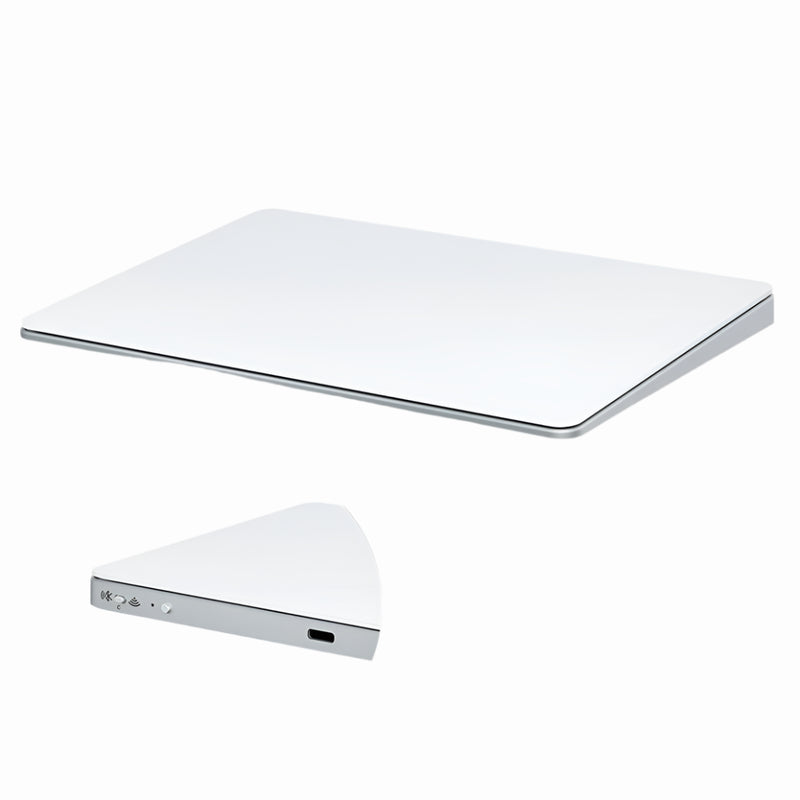
Touch Flow — $136.92 $89
⭐ BEST TRACKPAD
Best for: MacBook students who prefer gesture input but want a larger external surface — especially useful when working at a dorm desk with an external monitor.
Many students with MacBooks prefer the gesture-based scrolling and navigation that macOS provides. The Touch Flow is a Bluetooth wireless trackpad with a glass multi-touch surface that supports all macOS gestures at $89 — $40 cheaper than Apple's Magic Trackpad ($129). For MacBook students who dock at a desk with a monitor and keyboard, the Touch Flow adds a dedicated gesture surface for $40 less than Apple charges.
Best Premium Mouse for Grad Students
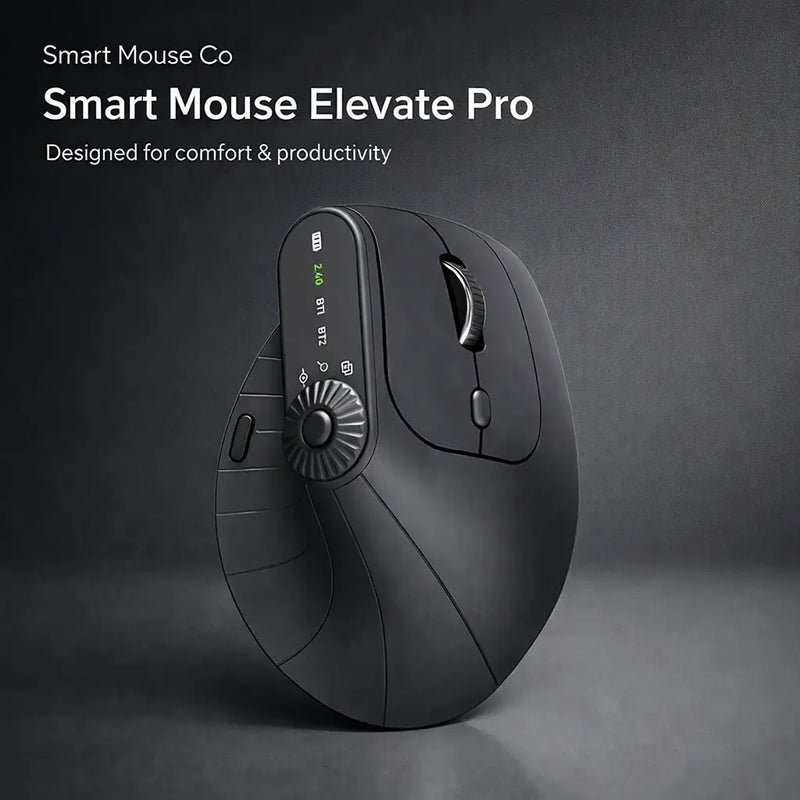
Elevate Pro — $129 $89
⭐ BEST PREMIUM
Best for: Graduate students, PhD candidates, and any student whose academic work involves 6–10+ hour sessions — thesis writing, dissertation research, lab data analysis, long-form study marathons.
Undergrad sessions run 3–5 hours. Grad student sessions run 6–10+. Thesis chapters don't write themselves in 90-minute blocks. Dissertation research doesn't stop at 5pm. Qualifying exam prep stretches across full weekends. The Elevate Pro is a Bluetooth vertical mouse with an adjustable tilt knob that lets you dial in the exact wrist angle for your hand — the only vertical mouse with this feature at any price.
At $89 (down from $129), it's the most expensive option in this guide. For grad students who will use it for 2,000+ hours over the next 2–5 years of their program, the cost per hour is less than 5 cents. That's the cost of wrist comfort through every chapter, every defense prep session, and every 14-hour Saturday in the lab. Available in White, Black, Beige.
Which Mouse Fits Your Student Life?
| If you... | Get this |
|---|---|
| Have the tightest possible budget | ErgoX ($34.95) |
| Carry the absolute minimum in your bag | PenX ($37.95) |
| Want the best balance of price and comfort | ErgoGlide ($49.95) |
| Study in libraries or have a sleeping roommate | Lumos ($59) |
| Study 4+ hours and your wrist is starting to ache | Verta ($59) |
| Have a tiny dorm desk with no mouse space | Orbit ($59) |
| Change locations 3–5 times daily | Seeker ($89) |
| Give presentations in class or seminars | Air Nova ($89) |
| Use a MacBook and prefer gestures | Touch Flow ($89) |
| Are a grad student doing 6–10 hour sessions | Elevate Pro ($89) |
Frequently Asked Questions
Do I really need a mouse as a student?
If you use your laptop for more than 2 hours daily — which describes nearly every college student — a wireless mouse makes essay editing, research browsing, spreadsheet work, and presentation building measurably faster and more comfortable. At $34.95 for the cheapest option, it's less than a week of campus food and improves every interaction with the tool you use 4–8 hours daily for 2–4+ years.
What's the best mouse for a student on a tight budget?
The ErgoX at $34.95. Wireless. Ergonomic shaping. Scroll wheel. Side buttons. Bluetooth compatible with any laptop. It's the cheapest option in this guide that delivers a genuine upgrade from a trackpad — and at $34.95, it's an impulse purchase, not a budget decision.
Will a Bluetooth mouse work with my Chromebook?
Yes. ChromeOS supports Bluetooth mouse input natively. Every mouse in this guide connects via Bluetooth and works with Chromebooks, MacBooks, Windows laptops, and iPads — the full range of student devices. No drivers or software needed.
Is a silent mouse worth it for a student?
If you study in libraries, share a dorm room, or work during quiet hours — yes, absolutely. The Lumos ($59) eliminates click noise that standard mice generate. In a university library quiet zone at midnight, the difference between a clicking mouse and a silent mouse is the difference between studying comfortably and getting glared at. The $59 investment pays for itself the first late-night library session.
Should I get a mouse or a trackpad?
For most students, a mouse is the better first purchase — it's faster for everyday tasks, more ergonomic, and more affordable. A trackpad (like the Touch Flow at $89) is best for MacBook students who specifically want macOS gesture navigation on a larger surface. If budget allows only one, start with a mouse. If you can afford both, many students use a mouse for daily work and a trackpad for gesture-specific tasks.
Can I use the same mouse for studying and gaming?
Yes. Every wireless mouse in this guide handles casual gaming — indie titles, strategy, RPGs, MMOs, simulations. For competitive FPS gaming, a dedicated gaming mouse with a higher polling rate may provide a marginal edge. For the 95% of gaming that isn't professional esports, these mice handle both academics and play perfectly.
Conclusion — The Cheapest Upgrade That Makes Everything Else Better
Your laptop is the center of your academic life. Your textbooks feed it information. Your brain processes it. Your fingers type it. But between your brain and your screen, the input device that navigates everything — every tab, every document, every menu, every slide, every right-click — is either a 4-inch trackpad that cramps your hand or a wireless mouse that supports it.
The entire price range in this guide is $34.95 to $89. Free worldwide shipping. The cheapest option costs less than a week of campus coffee. The most expensive costs less than a single textbook. And every option improves every interaction with your laptop for the next 2–4 years of school.
Your laptop was the most expensive thing you bought for college. A mouse is the cheapest thing that makes it dramatically better.
The Cheapest Upgrade in Your Entire Student Setup
17 wireless mice for every student budget and every campus scenario — by the only brand that does nothing but mice.
- ✓ Starts at $34.95 — less than a week of campus coffee
- ✓ Bluetooth — works with MacBook, Chromebook, Windows, iPad
- ✓ Silent, ergonomic, trackball, pen & trackpad options
- ✓ Free worldwide shipping
Shop Student-Ready Mice →





Leave a comment
This site is protected by hCaptcha and the hCaptcha Privacy Policy and Terms of Service apply.