





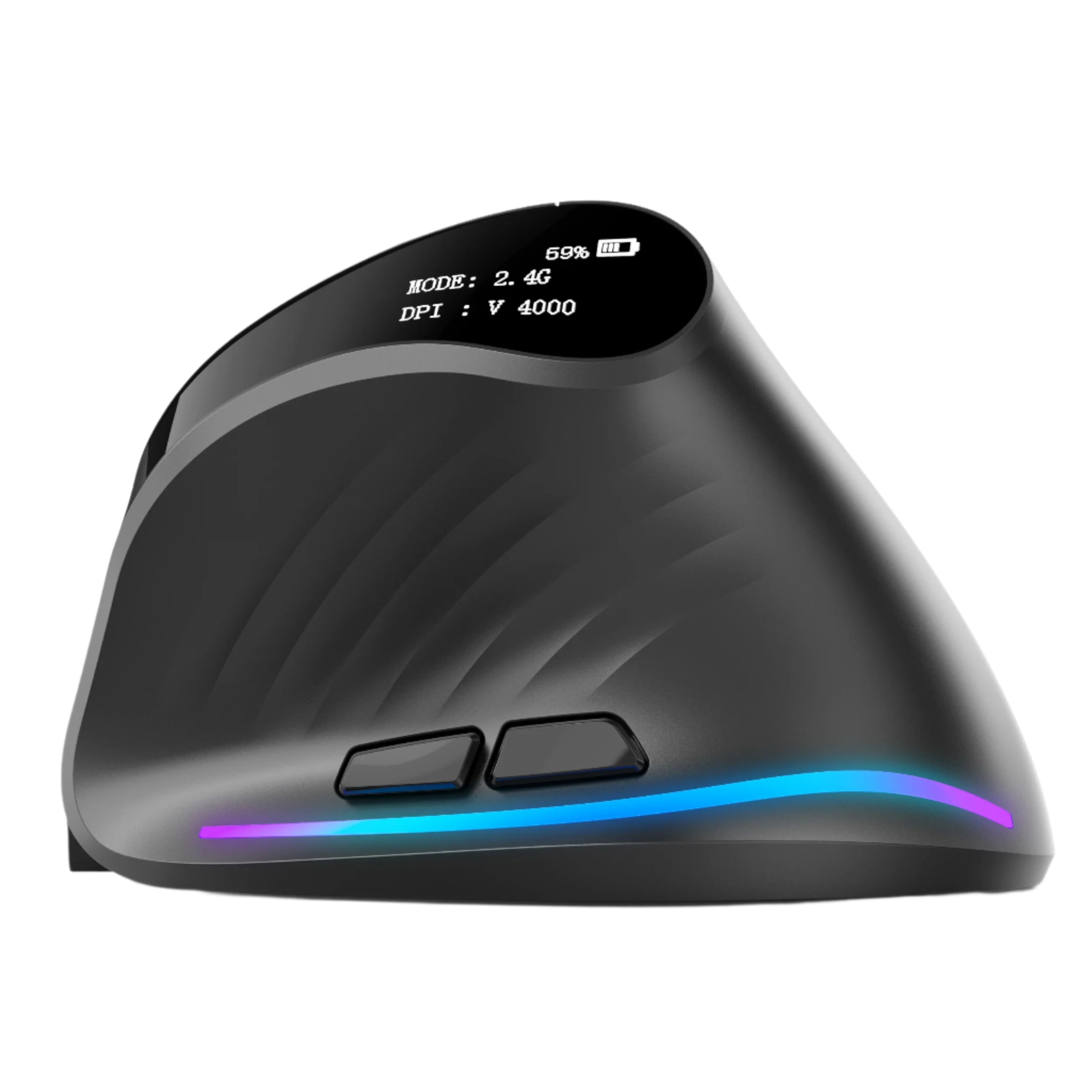
You don't need a gaming mouse. You don't need a vertical ergonomic specialist. You don't need a $150 productivity mouse with 47 programmable buttons. You need a wireless mouse that feels good at 9am and still feels good at 5pm.
One that scrolls without friction. Clicks without fatigue. Tracks without skipping. Connects without a dongle. And costs less than the dinner you'll order tonight. That's it. That's the entire requirement. And somehow, finding that mouse on Amazon means scrolling through 47,000 results designed to confuse you into buying either the cheapest junk or the most expensive overkill.
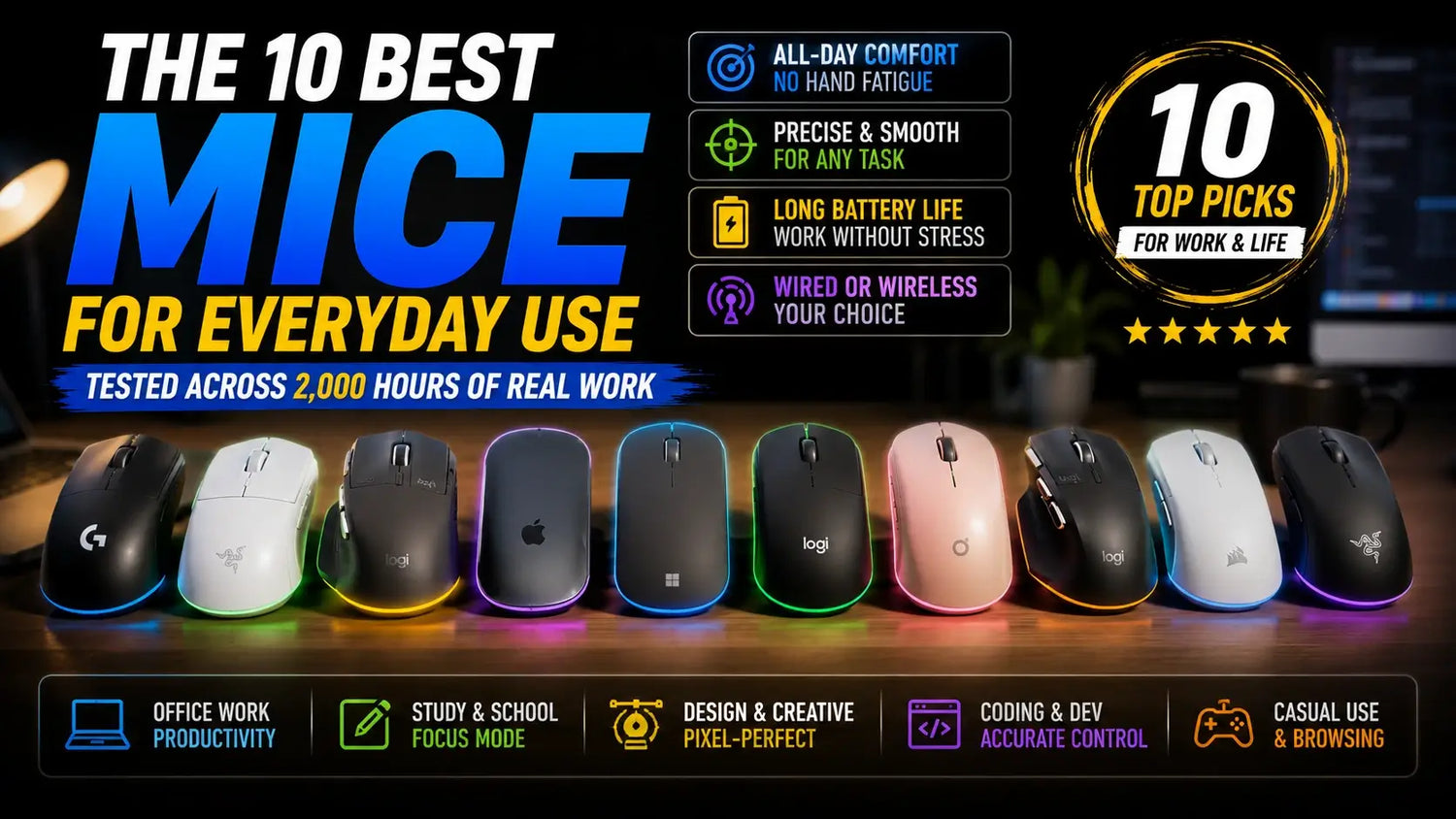
This guide is different. No spec sheets. No DPI comparisons. No switch-type debates. Just 10 wireless mice ranked by how they perform across the hours that make up a real day — the morning email triage, the mid-morning deep work block, the afternoon meeting marathon, the 4pm scroll fatigue, and the evening wind-down. Because a mouse for everyday use isn't defined by what it does at peak performance. It's defined by what it feels like at the end of an ordinary Tuesday.
At Smart Mouse Co, mice are our entire business. Not a subcategory. Not an afterthought. Every mouse in our collection is curated for the one thing everyday users actually need: a wireless mouse that works well enough, long enough, that you forget it's there. This is the guide for the 95% of computer users who just want a good mouse — not a project.
Quick Picks: Best Mouse for Everyday Use
| Mouse | Best For | Price | Highlight |
|---|---|---|---|
| Air Nova | People who also present occasionally |
|
⭐ Best Overall |
| ErgoGlide | Best balance of comfort and price | $49.95 | ⭐ Best Value |
| Elevate Pro | All-day comfort with adjustable vertical |
|
⭐ Best Ergonomic |
| Lumos | Quiet homes, shared spaces, call-heavy days | $59 | ⭐ Best Silent |
| Seeker | People who work from multiple locations | $89 | ⭐ Best Portable |
| Verta | Vertical comfort at a reasonable price | $59 | ⭐ Best Vertical Value |
| ErgoMax | Bigger hands, permanent desk | $59 | ⭐ Best Full-Size |
| Touch Flow | People who prefer gestures to clicking |
|
⭐ Best Trackpad |
| Orbit | Tiny desks, no room to move a mouse | $59 | ⭐ Best for Small Spaces |
| ErgoX | Anyone who just needs the cheapest good mouse | $34.95 | ⭐ Best Budget |
Browse all 17 Smart Mouse Co mice →
What "Everyday Use" Actually Looks Like — And Why Your Mouse Matters More Than You Think
Here's what your mouse does in a single ordinary workday. Not a special day. Not a deadline day. Just a regular Tuesday:
8:30am — Email triage. 47 emails since yesterday. You click through them, scrolling the inbox, opening attachments, right-clicking to archive. ~200 clicks. ~150 scroll actions. Time: 30 minutes.
9:00am — Deep work block. Document writing, spreadsheet editing, or whatever your core work is. You're clicking into cells, selecting text, dragging elements, navigating between tabs. ~600 clicks. ~400 scrolls. Time: 2 hours.
11:00am — Video call with screen-sharing. You're presenting your screen while clicking through a document or slides. Every click is audible on the call's microphone. ~150 clicks during a 45-minute meeting.
12:00pm — Lunch break browsing. News, social media, shopping. Light use. ~100 clicks. ~200 scrolls.
1:00pm — Afternoon work block. More of the morning's core work. Your hand has been on the mouse for 3+ hours total. If the mouse doesn't fit your hand, this is when you start noticing. ~500 clicks. ~350 scrolls. Time: 2.5 hours.
3:30pm — Another meeting. More clicking during screen-share. More microphone-adjacent mouse noise. ~100 clicks.
4:00pm — The fatigue window. You've been mousing for 5+ hours. If your mouse is too flat, too small, or shaped wrong, this is when your hand aches, your wrist stiffens, and your cursor starts overshooting targets because your grip is fatiguing. This is the hour that separates a good everyday mouse from a bad one.
5:00pm — End-of-day wrap-up. Quick emails. Slack messages. Calendar checks. Light use. ~80 clicks.
Daily total: ~1,730 clicks. ~1,100 scrolls. 6+ hours of hand-on-mouse time.
That's every single workday. 250 days per year. 432,500 clicks per year. 275,000 scrolls per year. 1,500+ hours of grip time per year. And you're doing all of that with either a trackpad (no grip support, no scroll wheel, no side buttons) or whatever mouse you grabbed off a shelf 3 years ago without thinking about it. The tool you use more than your phone, more than your keyboard, more than any other object you own — and you spent less time choosing it than choosing lunch.
The Hidden Cost of a Bad Everyday Mouse
A bad mouse doesn't announce itself. It accumulates. Here's what you're paying without realizing it:
Speed tax. A trackpad or a poorly tracking mouse adds 0.5–1 second of friction per interaction. Over 1,730 daily clicks and scrolls, that's 15–30 minutes of lost productivity per day. Over a year, that's 60–120 hours. An entire workweek to two workweeks — lost to a $15 mouse or a trackpad you settled for.
Comfort tax. A flat, unsupported mouse forces your hand into a pronated position that creates forearm tension. By 4pm, your grip is fatiguing. Your precision drops. Your scrolling gets imprecise. You make more errors. You work slower without realizing why. That 4pm slowdown isn't your energy — it's your mouse.
Noise tax. Every click on a standard mouse is audible on video calls. Your colleagues hear it. Your clients hear it. Your microphone picks it up. In an era where 3+ hours of your day happens on Zoom, Teams, or Meet, your mouse is part of your professional audio presence — and most mice sound like tiny hammers.
Replacement tax. A $15 mouse from Amazon lasts 6–12 months before the scroll wheel gets crunchy, the click switch develops a double-click problem, or the wireless connection starts dropping. A $35–$89 mouse lasts 2–4 years. The cheap mouse costs more per year than the quality mouse.
The total hidden cost of a bad everyday mouse: 60–120 hours of lost productivity + accumulating hand fatigue + unprofessional call audio + annual replacement cycles. All of it fixable with a $34.95–$89 one-time purchase.
Why Smart Mouse Co? Because Mice Are Literally All We Do
Most people buy their everyday mouse from one of three places: Amazon (47,000 options, no curation, algorithm-driven), Best Buy (whatever Logitech and Microsoft shipped this quarter), or "it came with my computer" (designed to minimize Apple's or Dell's accessory cost, not to maximize your comfort).
Smart Mouse Co is a specialist. Mice are the only product category. Every mouse in the collection is curated for wireless connectivity, ergonomic quality, and the sustained daily use that defines "everyday." When your entire business is mice, every product decision is a mouse decision. No webcam SKUs distracting the team. No keyboard launches competing for attention. Just mice, evaluated by people who think about mice all day — for people who use mice all day.
Free worldwide shipping. Every mouse is wireless. Every mouse works with Mac, Windows, iPad, Chromebook. $34.95 to $89. No subscription. No account required. Order it, receive it, use it for 2–4 years.
The 10 Best Mice for Everyday Use, Ranked
Best Overall Everyday Mouse
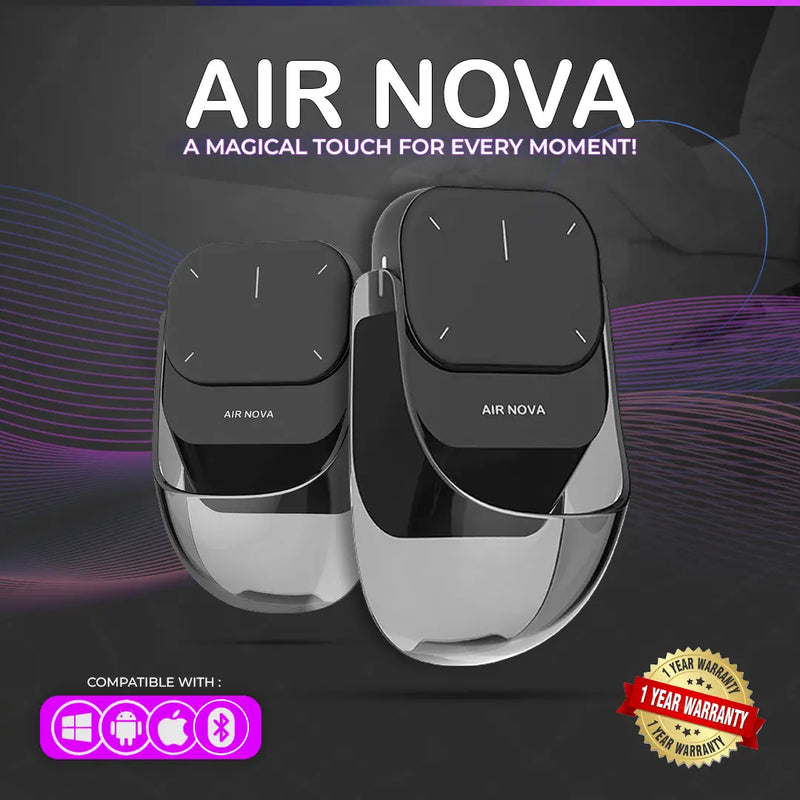
Air Nova — $149 $89
⭐ BEST OVERALL EVERYDAY MOUSE
Best for: The person who does a bit of everything — emails, documents, meetings, occasional presentations — and wants one device that handles it all.
The Air Nova earns the top spot not because it's the fanciest mouse, but because it covers the widest range of everyday scenarios with zero compromise. Bluetooth 5.1 connects to any device. The ergonomic body handles 6-hour workdays without fatigue. The scroll and click quality handle 1,700+ daily interactions without degradation. And the feature that no other everyday mouse offers: a detachable top section that converts to a wireless presenter with laser pointer and slide control.
Most "best everyday mouse" lists ignore the fact that modern everyday use includes presenting — on Zoom, in meetings, in classrooms, in client calls. The Air Nova handles your morning email triage, your afternoon spreadsheet work, AND your 3pm screen-sharing presentation. One device. Three workflows. At $89 (down from $149), it replaces a mouse and a presentation clicker for less than most people spend on a single Logitech MX Master.
Best Value Everyday Mouse
ErgoGlide — $49.95
⭐ BEST VALUE — THE MOUSE MOST PEOPLE SHOULD BUY
Best for: Anyone who wants the best balance of comfort, quality, and price — the mouse that delivers 80% of the premium experience at 55% of the premium price.
If you're reading this guide and thinking "just tell me which one to buy," it's the ErgoGlide. Here's why: it sits at the exact intersection where ergonomic quality becomes meaningful and price stays approachable. The contoured grip supports your palm properly. The scroll is smooth enough for all-day use. The wireless connection is reliable. The build survives daily use for years. And at $49.95, it costs less than a single dinner out.
The ErgoGlide doesn't have the vertical tilt of the Elevate Pro. It doesn't have the Air Nova's detachable presenter. It doesn't have the Lumos's silent clicks. What it has is a fundamentally well-built, well-shaped wireless mouse that handles every ordinary task — email, browsing, documents, spreadsheets, calls — with quiet competence. For 80% of everyday users, that's exactly what they need. Nothing more. Nothing less. Nothing distracting them from the work.
Best Ergonomic Everyday Mouse

Elevate Pro — $129 $89
⭐ BEST ERGONOMIC
Best for: People who've noticed that their hand aches by 4pm — and want the everyday mouse that fixes the 4pm fatigue window.
The 4pm fatigue window is when your mouse reveals itself. A good everyday mouse still feels fine at 4pm. A bad one has been quietly creating forearm tension since 9am, and by 4pm your grip is fatigued, your precision has dropped, and you're compensating without realizing it. The Elevate Pro prevents the 4pm window entirely.
It's a Bluetooth vertical mouse with a physical adjustment knob to dial in your exact wrist angle. The vertical handshake grip eliminates forearm pronation. The adjustable tilt means the angle is optimized for YOUR hand, not an average hand. For everyday users who work 5+ hours and have noticed end-of-day wrist stiffness or hand fatigue, the Elevate Pro addresses the cause, not the symptom. White, Black, Beige. $89 (down from $129).
Best Silent Everyday Mouse
Lumos — $59
⭐ BEST SILENT
Best for: People who work from home with a partner in the next room, sit on 3+ video calls daily, or share any space where mouse noise is a problem they've never consciously identified but always subconsciously felt.
Here's a test: on your next video call, mute yourself, then click your mouse three times near your laptop microphone. Unmute. Ask "did you hear that?" They did. Every click. Every scroll. Every rapid-fire click-through during screen-sharing. Your mouse is part of your audio presence on every call — and most mice sound like small hammers.
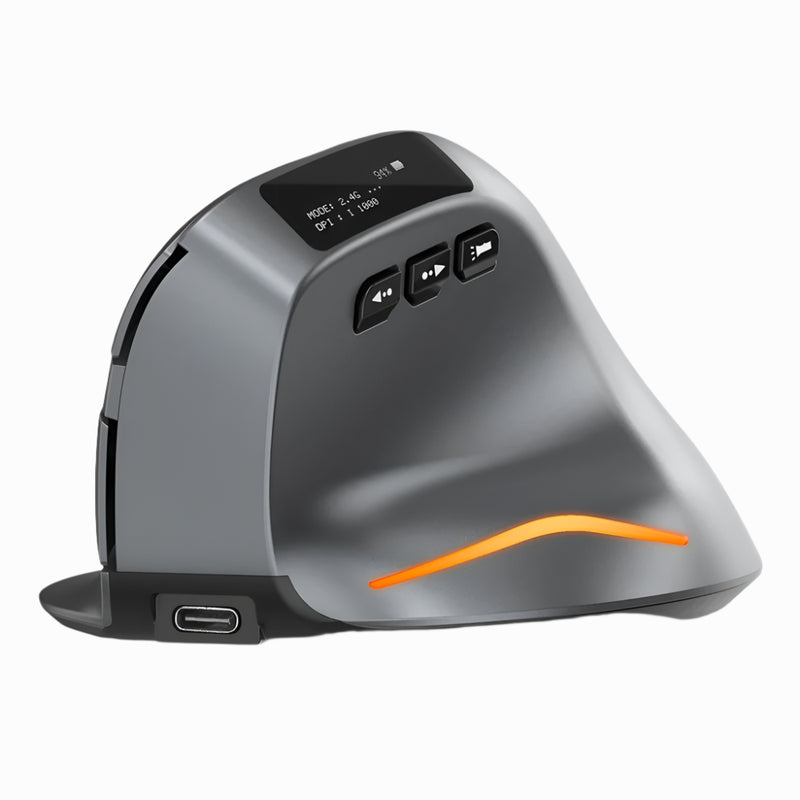
The Lumos features silent click switches that produce virtually zero noise. The tactile feedback is preserved — you feel the click, you just don't hear it. At $59, it's the everyday mouse for the modern reality where your workspace is shared — with a partner, a roommate, a sleeping baby, a podcast microphone, or a Zoom meeting's open mic.
Best Portable Everyday Mouse
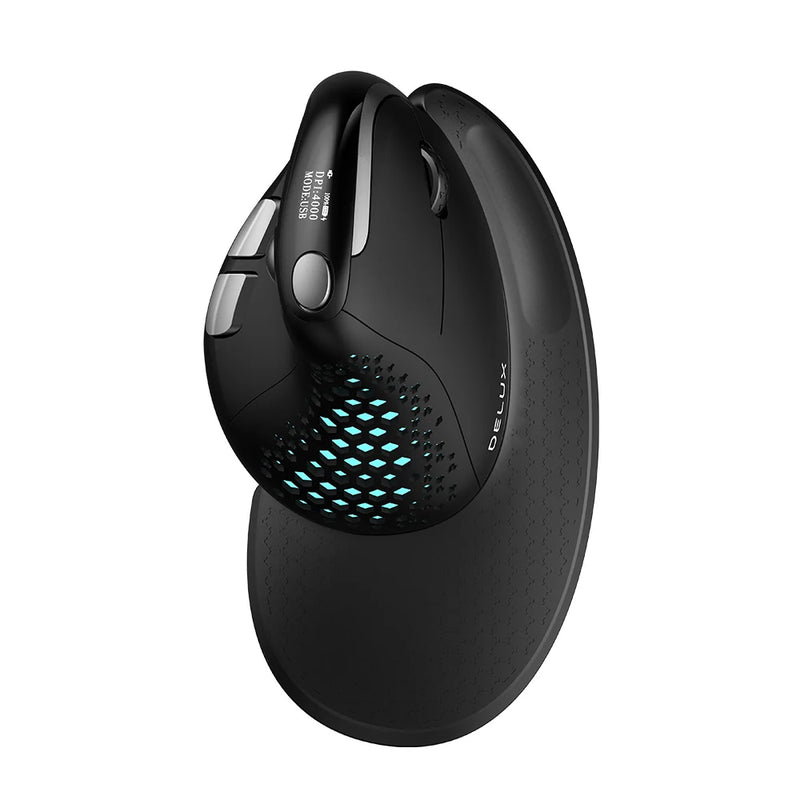
Seeker — $89
⭐ BEST PORTABLE
Best for: Hybrid workers, coffee shop regulars, and anyone whose "everyday" happens in 2–3 different locations per day.
For a growing number of people, "everyday use" doesn't mean one desk. It means home office in the morning, corporate desk in the afternoon, and a café for the last hour. Or kitchen table Monday, co-working Tuesday, home office Wednesday. The Seeker handles this reality — compact enough to live in a bag, Bluetooth for instant pairing at any location, and comfortable enough for a full session at each stop. At $89, it's the mouse that makes location-switching invisible.
Best Vertical Value for Everyday Use
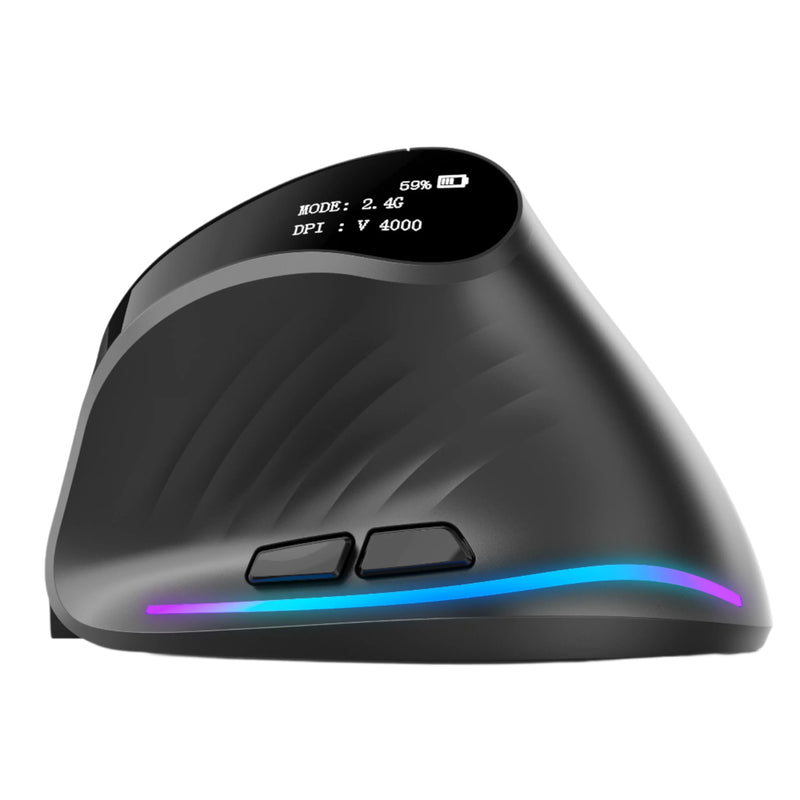
Verta — $59
⭐ BEST VERTICAL VALUE
Best for: Everyday users curious about vertical mice who want to try the concept at a reasonable price before committing to the premium Elevate Pro.
You've seen vertical mice. You've read that they reduce forearm tension. You're not sure if you'll like the grip. The Verta lets you answer that question at $59 — not $89. Same handshake-grip concept. Same wrist-neutral positioning. Fixed tilt angle that works for most hand sizes. If vertical works for you (it likely will), you've saved $30. If you want the adjustable tilt later, you upgrade to the Elevate Pro. Either way, $59 is a low-risk way to discover whether your everyday mouse experience can be fundamentally more comfortable.
Best Full-Size Everyday Mouse
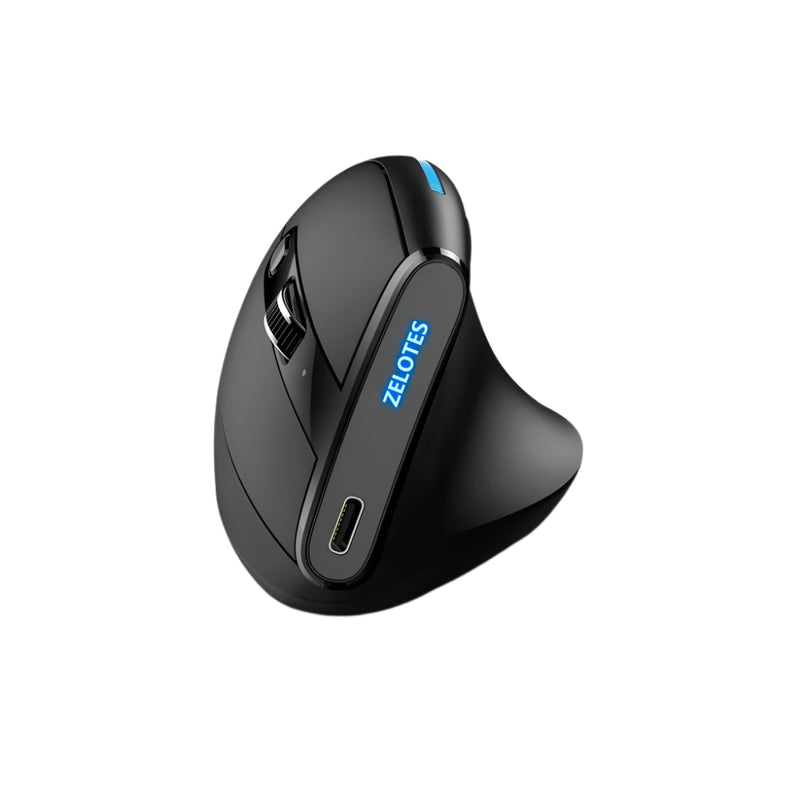
ErgoMax — $59
⭐ BEST FULL-SIZE
Best for: People with bigger hands whose current mouse feels too small — the "I didn't know mice came in my size" revelation.
Most mice are designed for average-sized hands. If your hands are above average, you've been claw-gripping a too-small mouse for years without realizing it's the source of your grip tension. The ErgoMax is a full-size ergonomic body that fills a medium-to-large palm completely. No cramping. No overgrip. No finger overhang. At $59, wireless, built for permanent desk setups where the mouse doesn't need to travel — it just needs to fit.
Best Gesture Trackpad for Everyday Use
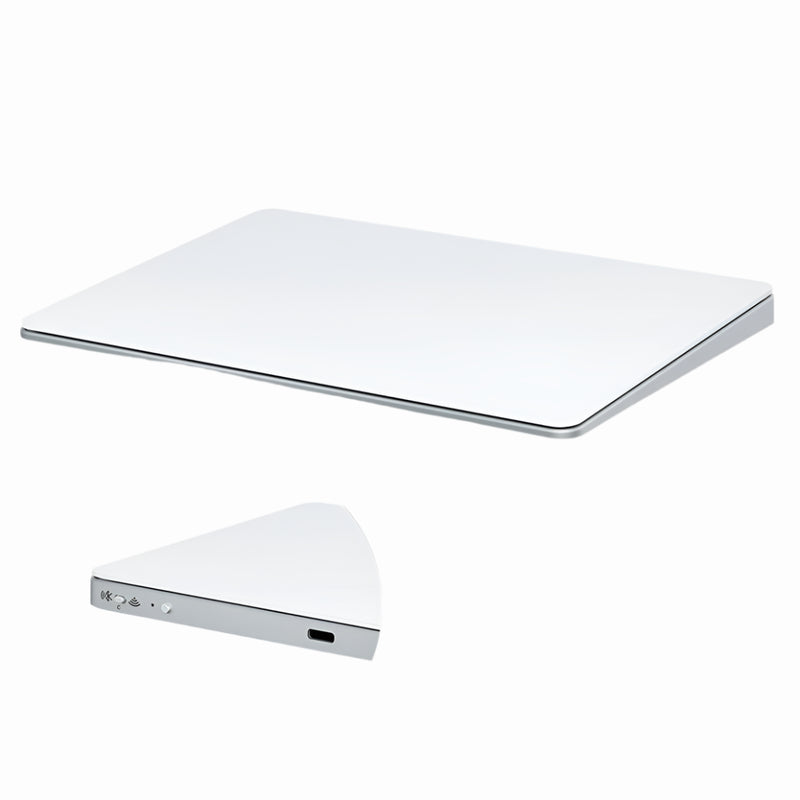
Touch Flow — $136.92 $89
⭐ BEST TRACKPAD
Best for: People who genuinely prefer gesture-based input — two-finger scroll, pinch-to-zoom, swipe between desktops — and want a dedicated surface for it.
Not everyone wants a mouse. Some people's everyday workflow is built entirely around gesture navigation — swiping between desktops, pinching to zoom in design tools, scrolling with two-finger momentum. The Touch Flow is a Bluetooth wireless trackpad with a glass multi-touch surface at $89 — $40 less than Apple's Magic Trackpad. For the subset of everyday users who choose gesture over click, the Touch Flow is the input device that matches their instinct.
Best Mouse for Tiny Desks
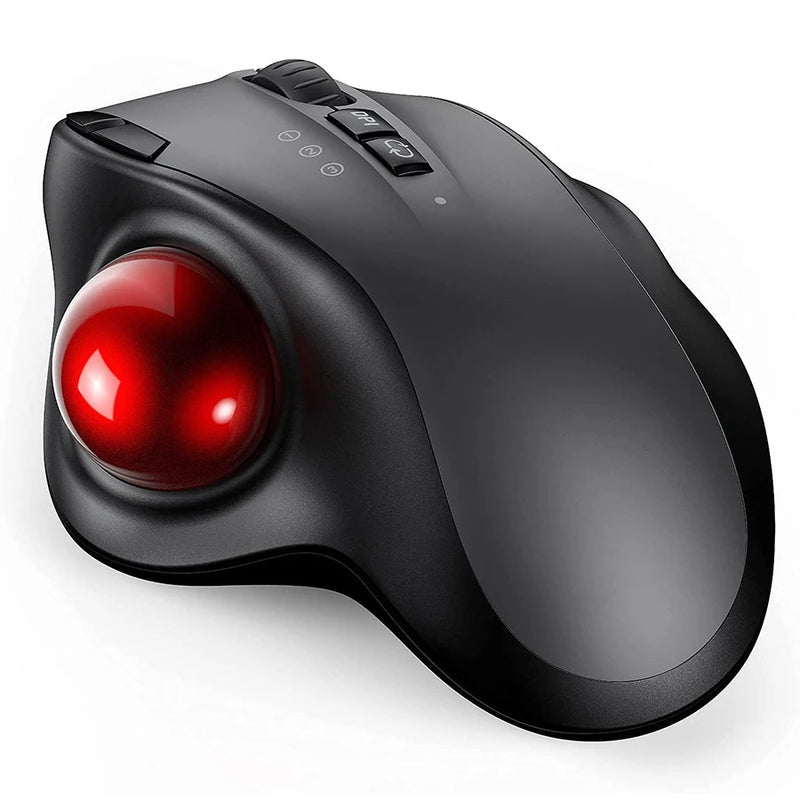
Orbit — $59
⭐ BEST FOR SMALL SPACES
Best for: People whose desk is too cluttered or too small for mouse movement — apartment desks, kitchen counters, shared workspaces where your laptop takes up everything.
A trackball mouse stays fixed. Your thumb moves the cursor. Your hand doesn't move. Your desk doesn't need free space for mouse movement. For everyday users working on small desks, standing desks with limited surfaces, or any setup where the area next to your laptop is occupied by other objects, the Orbit delivers full cursor control in zero additional space. $59, Bluetooth, works with everything.
Best Budget Everyday Mouse

ErgoX — $34.95
⭐ BEST BUDGET
Best for: Anyone who just wants a wireless mouse that works, that's comfortable, and that costs less than literally any other upgrade to their desk setup.
$34.95. That's the price. Wireless. Ergonomic shaping. Scroll wheel. Side buttons. Bluetooth. Works with every device you own. It costs less than:
- A single month of most streaming subscriptions
- A delivered dinner for two
- Two movie tickets
- A single Uber ride in most cities
And it improves 1,500+ hours of annual computer use. The ErgoX isn't the best everyday mouse available. It's the cheapest everyday mouse that you won't want to replace within a year. That distinction matters. The $15 mice on Amazon feel cheap because they are cheap — they're designed to hit a price point, not to support a hand. The ErgoX is designed to support a hand at a price that happens to be $34.95. The difference is who the product was built for.
Which Everyday Mouse Is Right for You?
| If you... | Get this |
|---|---|
| Want the safest "can't go wrong" choice | ErgoGlide ($49.95) |
| Present on calls occasionally | Air Nova ($89) |
| Notice hand fatigue by 4pm | Elevate Pro ($89) |
| Work from home near other people | Lumos ($59) |
| Work from 2–3 locations per day | Seeker ($89) |
| Want to try vertical at a fair price | Verta ($59) |
| Have bigger hands than average | ErgoMax ($59) |
| Prefer gestures to clicking | Touch Flow ($89) |
| Have no desk space for mouse movement | Orbit ($59) |
| Just want the cheapest good mouse | ErgoX ($34.95) |
Frequently Asked Questions
What is the best everyday mouse under $50?
The ErgoGlide at $49.95 delivers the best balance of ergonomic comfort, build quality, and wireless reliability at that price. It's the mouse we recommend most often for everyday users because it provides 80% of the premium experience at 55% of the premium price. The ErgoX at $34.95 is the cheapest option that's genuinely comfortable for daily use.
Do I need an ergonomic mouse for everyday use?
If you use a mouse for more than 3 hours daily, an ergonomic design makes a measurable difference in end-of-day comfort. "Everyday use" by definition means sustained use — and sustained use is where ergonomic shaping matters most. You don't need a medical-grade vertical mouse. You need a mouse with a contoured grip that supports your palm instead of forcing it to hover. Every mouse in this guide provides that at minimum.
Is wireless reliable enough for everyday use?
Modern Bluetooth and 2.4GHz wireless connections are indistinguishable from wired for every everyday task. The latency is measured in fractions of a millisecond — imperceptible for any non-competitive-gaming use. Wireless is the standard for everyday mice in 2026. Every mouse in this guide is wireless.
How long should a good everyday mouse last?
A quality wireless mouse at $35–$89 should last 2–4 years of daily use without meaningful degradation in click quality, scroll smoothness, or wireless reliability. Budget mice under $20 typically last 6–12 months. The per-year cost of a quality mouse ($12–$45/year) is lower than the per-year cost of replacing cheap mice ($15–$30/year), while providing better comfort throughout.
Should I get a mouse or use my laptop's trackpad?
If you use your laptop for more than 2 hours daily, a mouse is faster, more precise, more comfortable, and more productive than a trackpad for every sustained task — email, documents, spreadsheets, browsing, and especially drag-and-drop. A trackpad is fine for quick tasks. A mouse is better for real work. At $34.95 for the cheapest option, the upgrade costs less than a single delivered meal.
What makes Smart Mouse Co different from buying on Amazon?
Curation. Amazon has 47,000 mouse listings sorted by algorithm. Smart Mouse Co has 17 mice sorted by a team whose entire job is evaluating mice. Every product is curated for wireless connectivity, ergonomic quality, and sustained daily use. Free worldwide shipping. Direct customer support. Physical address (200 E Pratt St, Baltimore, MD 21202). When you buy from a specialist, every option was selected for you — not optimized for Amazon's margin.
Conclusion — The Mouse You Forget About Is the Best Mouse You've Ever Owned
The best everyday mouse isn't the one with the most features. It's the one you stop noticing. The one where your hand finds the grip at 9am and forgets it's there until 5pm. Where the scroll is smooth enough that you never think about scrolling. Where the click is responsive enough that you never think about clicking. Where the battery lasts long enough that you never think about charging. Where the wireless is reliable enough that you never think about connectivity.
The best everyday mouse is invisible. It does its job so quietly, so comfortably, so reliably, that the only time you notice it is when you use someone else's computer and realize how much worse their mouse feels.
Every mouse in this guide is designed to disappear into your day. $34.95 to $89. Free worldwide shipping. From the brand that does nothing but mice, for people who use them all day, every day.
432,500 Clicks a Year. Make Them Comfortable.
17 wireless mice for everyday use — curated by the only brand that does nothing but mice.
- ✓ Ergonomic, vertical, silent, trackball & trackpad options
- ✓ Bluetooth wireless — works with everything
- ✓ $34.95–$89 — less than dinner out
- ✓ Free worldwide shipping
Shop Everyday Mice →







Leave a comment
This site is protected by hCaptcha and the hCaptcha Privacy Policy and Terms of Service apply.