







Choosing the wrong mouse doesn’t just feel slightly annoying; it quietly destroys your wrist health, slows every task by seconds that add up to hours, and turns eight-hour workdays into exercises in endurance rather than flow.
In 2026, with ultrawide monitors, 5K+ resolutions, complex creative software, and remote work as the default, the mouse you use is no longer a $15 afterthought. It’s the primary interface between your brain and your work.
This guide covers every single factor you need to know: ergonomics, sensor science, grip styles, latency realities, DPI myths, workflow-specific needs, and real-world performance differences. By the end, you’ll know exactly which mouse fits your hand, your tasks, and your future.
At Air Nova, we’ve spent years testing hundreds of mice with designers, traders, editors, and developers. Here’s everything we’ve learned, distilled into one definitive resource.
Why the Right Mouse Matters More Than Ever in 2026
Most professionals now average 6–12 hours of daily mouse use. That’s more repetitive motion than most manual jobs. The consequences of a poor choice compound fast:
- Wrist and forearm pain that starts as “tightness” and ends in physiotherapy
- Micro-delays from skipped pixels and lag that kill momentum
- Lost precision in Photoshop masks, TradingView trendlines, or Premiere timelines
- Afternoon fatigue that you blame on coffee when it’s actually your mouse
Get this decision right, and everything else on your desk works better.
1. Start With Ergonomics — The #1 Priority

Ergonomics isn’t a buzzword; it’s biomechanics. A mouse that forces wrist extension or ulnar deviation creates low-grade inflammation from day one.
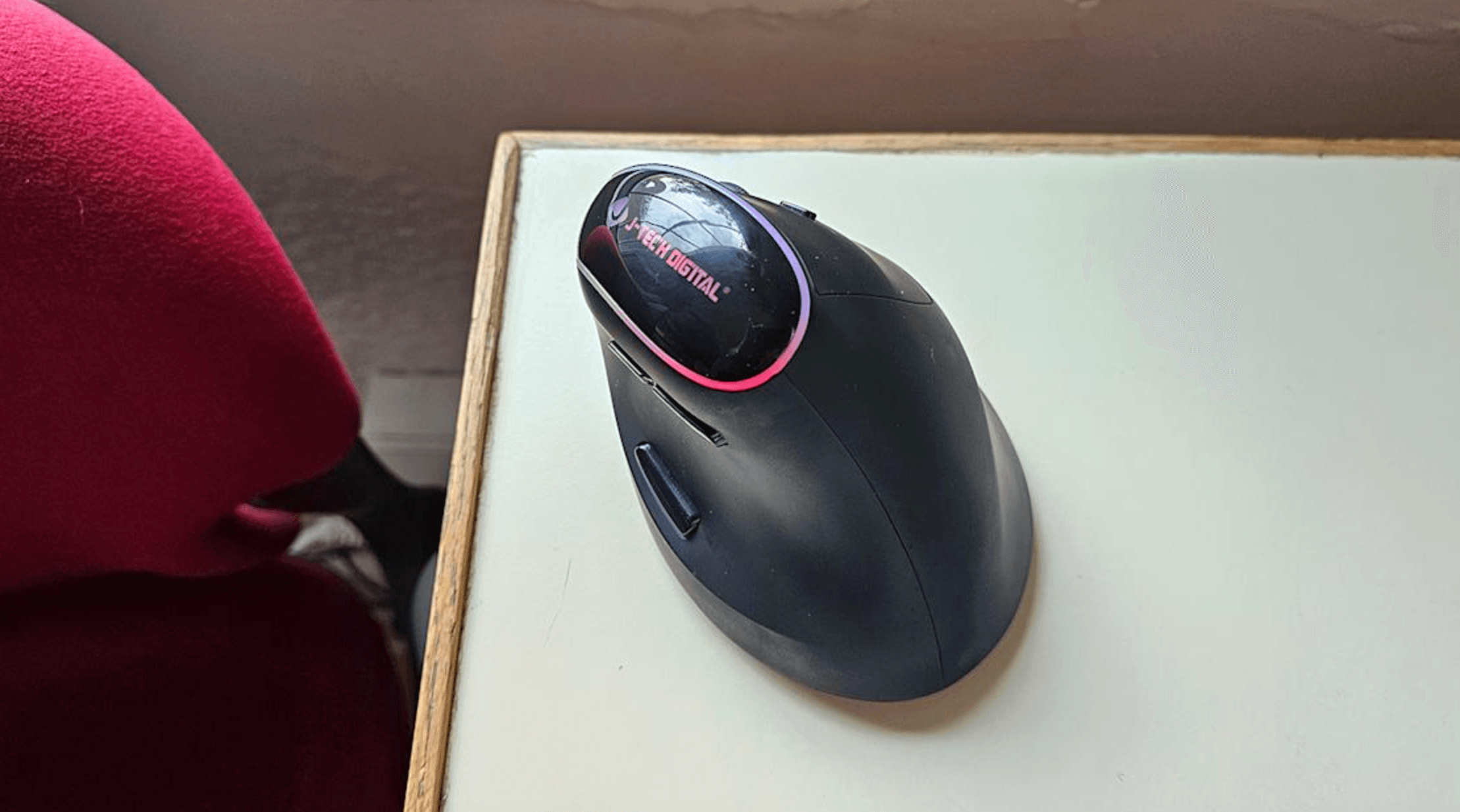
Best designs in 2026 use sculpted, full-palm shapes that keep your wrist in a neutral “handshake” position (0–25° extension, 45–60° pronation). Vertical mice go further (70–90°), but most professionals prefer semi-sculpted contours for speed and familiarity.
The Air Nova Smart Mouse was built from 3D scans of over 1,000 professional hands. It enforces perfect neutral alignment while still feeling fast and natural whether you’re masking in Photoshop, drawing support lines on a 5-minute chart, or writing code for eight hours straight.
2. Understand Grip Style (Palm, Claw, Fingertip)
- Palm grip – entire hand rests on mouse. Most comfortable for long sessions. Requires full-palm sculpted shape.
- Claw grip – palm rests, fingers arched. Hybrid speed/comfort. Works with medium sculpting.
- Fingertip grip – only fingers touch. Fastest for flicks, least stable for precision. Rare in professional work.
95% of professionals do best with palm or relaxed claw. The Air Nova Smart Mouse supports both perfectly.
3. Get the Right Size & Shape for Your Hand
Hand size dramatically affects comfort:
- Small hands (<17 cm) → risk cramping on oversized mice
- Large hands (>19 cm) → strain reaching buttons on compact models
Measure from wrist crease to middle fingertip. The Air Nova Smart Mouse (full size) fits 17.5–20.5 cm hands perfectly — the sweet spot for 80% of adults.
4. Sensor Quality (The Hidden Factor Most People Ignore)
A cheap sensor skips pixels, jitters at slow speeds, and forces constant micro-corrections — the silent killer of both precision and wrist health.
2026 flagship sensors (PixArt 3395 derivatives) deliver true 1:1 tracking with zero acceleration, angle snapping, or jitter down to 0.1 mm/s. The difference feels like upgrading from a 2010 webcam to 4K — suddenly everything just works.
The Air Nova Smart Mouse uses a custom-tuned 32,000 DPI sensor optimized for flawless slow-speed accuracy (critical for bezier work) and instant cross-monitor jumps.
5. DPI & Sensitivity — What You Actually Need in 2026
DPI measures dots per inch. Higher isn’t always better.
- Designers & editors: 1600–4000 DPI for pixel work
- Traders & multi-monitor users: 4000–12,000 DPI
- Office & programming: 1200–3200 DPI
Anything above 16,000 native is marketing. What matters is flawless implementation at your chosen sensitivity.
6. Wireless vs Wired — Which Is Better in 2026?
Modern 2.4 GHz wireless now beats wired in latency (sub-1 ms vs 1–4 ms) and eliminates cable drag.
Only cheap Bluetooth (10–40 ms) still lags. The Air Nova Smart Mouse uses a proprietary low-latency chip that registers movement before you finish thinking it.
7. Battery Life & Charging Convenience
Top 2026 mice deliver 200–300 hours per charge. Ten-minute fast charging yields 20–40 hours.
Pair with the CyberDock 3-in-1 Charging Station and your mouse, phone, and earbuds are always ready with zero cable mess.
8. Buttons, Scroll Wheels & Workflow Shortcuts
Premium mice now include:
- Silent primary buttons (no distracting clicks in meetings)
- Dual-mode electromagnetic scroll (free-spin or tactile)
- 12+ programmable buttons with on-device memory
- Gesture button (hold + direction = custom actions)
The Air Nova Smart Mouse ships with pre-mapped layers for Adobe, Figma, TradingView, VS Code, and Excel.
9. Materials, Build Quality & Comfort
Cheap ABS plastic gets slick with sweat. Premium matte coatings and textured side grips maintain control for 12-hour days. Weight balance (90–120 g) prevents fatigue without feeling floaty.
10. Choose Based on Your Workflow (Use Case Breakdown)
Designers & Creatives
Need pixel-perfect slow tracking and ergonomic sculpting. The Air Nova Smart Mouse is the tool of choice in top studios.
Video Editors
Dual-mode scroll wheel + horizontal tilt is non-negotiable for timelines. Air Nova delivers both flawlessly.
Traders & Finance
Instant cursor relocation across six 4K screens with zero lag. Tested and trusted by prop traders worldwide.
Programmers & Office Workers
Silent clicks, all-day comfort, multi-device switching. Air Nova replaces three cheaper mice most people cycle through.
Students & Remote Workers
Ergonomics on a budget that lasts four years of university and beyond.
11. Budget Breakdown: Cheap vs Premium Mice
A $15 mouse costs you:
- Wrist pain in 6–18 months
- 15–30 minutes daily in corrections and fatigue
- Replacement every 12–18 months
The Air Nova Smart Mouse at $89 eliminates all three and pays for itself in under four months of reclaimed time and health.
12. Pair Your Mouse With the Right Accessories
Elevate the experience:
- Touch Nova Smart Keyboard Collection – perfect height match and shared profiles
- NovaPad 14 Productivity Tablet – second screen + touch input reduces mouse travel
- CyberDock – always charged, zero clutter
Final Verdict
In 2026, the “good enough” mouse no longer exists for serious work. Ergonomics, sensor precision, latency, and workflow integration are now table stakes.
The Air Nova Smart Mouse sits at the perfect intersection of clinical comfort, professional speed, and future-proof design. Thousands of designers, traders, developers, and creators already made the switch.
Make yours today — your wrists and your deadlines will thank you.
Get the Air Nova Smart Mouse – The only mouse you’ll ever need in 2026






Leave a comment
This site is protected by hCaptcha and the hCaptcha Privacy Policy and Terms of Service apply.